

Лаптоп за често пренасяне? Намери най-добрия за теб!
За вас, които сте на крака през целия ден и трябва да имате лаптопа си с вас по всяко време, където и да сте!
Размер
Един голям лаптоп ще бъде особено обемен и тежък, което означава, че няма да е толкова практичен за носене със себе си в дългосрочен план. Тук ти трябва баланс между яснота на екрана и размер, затова избери нещо между 13.3” до 14.5”, в зависимост от това колко важен смяташ размера на екрана за употребата, за която го искаш.
Процесор & RAM памет
Тези 2 характеристики вървят заедно, тъй като допринасят значително за това колко бързо лаптопът може да изпълнява множество задачи едновременно.
Изборът на марки при процесорите е 2. O AMD Ryzen и o Intel Core, докато при RAM има множество производители.
- За леко мултитаскинг, като презентации и програми като Excel и Word, един процесор Core i5 или Ryzen 5, заедно с 8GB RAM, е повече от задоволителен избор.
- За тежко мултитаскинг и програми, които изискват повече възможности, като леко видеообработване, можеш да предпочетеш процесор Ryzen 7 или Core i7, заедно с 16GB RAM.
- За професионална работа с видеообработка или музика, един Ryzen 9 или Core i9 с 32GB RAM е единственият вариант, ако искаш бързи резултати, без машината да прегрява.
Видео карта
Ако задачите, които искаш да изпълняваш, не са свързани с видеообработка или графика, тогава картата, която лаптопът вече има интегрирана в процесора, ще бъде достатъчна.
Ако обаче качеството на видеото играе важна роля, тогава ти е нужен лаптоп с отделна видео карта, за по-висока производителност.
Коя да избереш? Двете основни марки са Nvidia със серията GeForce RTX и AMD с Radeon RX. Ако си с ограничен бюджет, една RTX 3050 или 3060 ще бъде повече от достатъчна, иначе можеш да предпочетеш AMD Radeon RX 6600. Ако искаш нещо по-премиум, тогава си струва да инвестираш в по-нова генерация, като GeForce RTX 4070 или 5070 или Radeon RX 7700 или 9700.
Памет за съхранение
Почти всички лаптопи, които са с малък размер, за да бъдат преносими, разполагат с SSD диск, които са по-бързи и по-издръжливи от класическите твърди дискове.
- В случай че ти трябва видеообработка и работиш с много големи файлове, избери 1TB или дори 2TB. Оттам нататък можеш да си вземеш външен SSD, ако имаш нужда от допълнително място за съхранение.
- Ако няма нужда от големи файлове, капацитет от 256GB или 512GB е достатъчен.
Обобщение на горепосоченото
И ако сте потребител на Apple?
Ако предпочитате продуктите и софтуера на Apple, то ние сме тук за вас. Таблицата по-долу има всичко, което трябва да знаете за идеалната модел, в зависимост от вашето използване.
Допълнителни полезни характеристики
Тук ще видиш някои спецификации, които могат да направят разликата, като осигурят максимална практичност.
Стилус: Най-добрият аксесоар, ако искаш да си водиш бележки или да правиш скици за нула време! Някои модели вече го предлагат, като Lenovo Yoga Book 9, иначе можеш да се снабдиш отделно с стилус за сензорен екран, който е съвместим с модела, който искаш.
2 в 1: Искаш да имаш и лаптоп, и таблет, за да не е нужно да седиш, за да го използваш? Има много възможности за 2 в 1 лаптопи!
WiFi 6: Най-новото поколение WiFi, за да се свързваш лесно, с високи скорости, навсякъде, където отидеш!
Нашите препоръки
За леко многозадачност


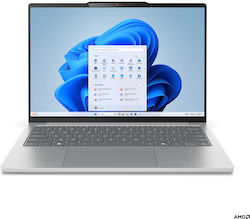


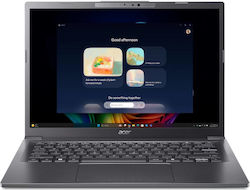

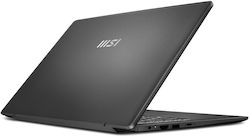
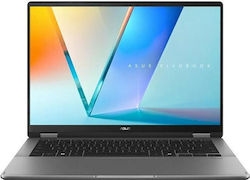
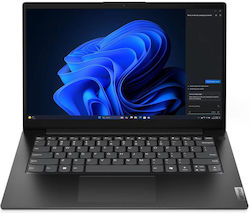
Изискващо мултизадачно
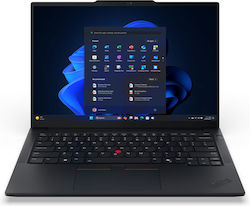


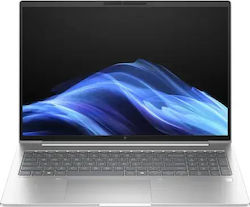


За Професионални Видео / Музикални Създатели


Надяваме се, че ви помогнахме да намерите подходящия лаптоп за вашите нужди!
Свързани статии
Най-добрите лаптопи за проектиране: Топ избори за графични дизайнери и архитекти
Намери най-добрия лаптоп за университета или офиса

Намерете най-добрия лаптоп за обикновена ежедневна употреба (Ръководство за покупка)
бъдете първият, който остави коментар