Този монитор е съвместим със стандарта HDR10, за показване на детайли в светли и тъмни области на съдържание с висок динамичен обхват.

κανει για gaming αυτη?
Разходите за доставка и скоростта на доставка се изчисляват въз основа на местоположението за доставка.


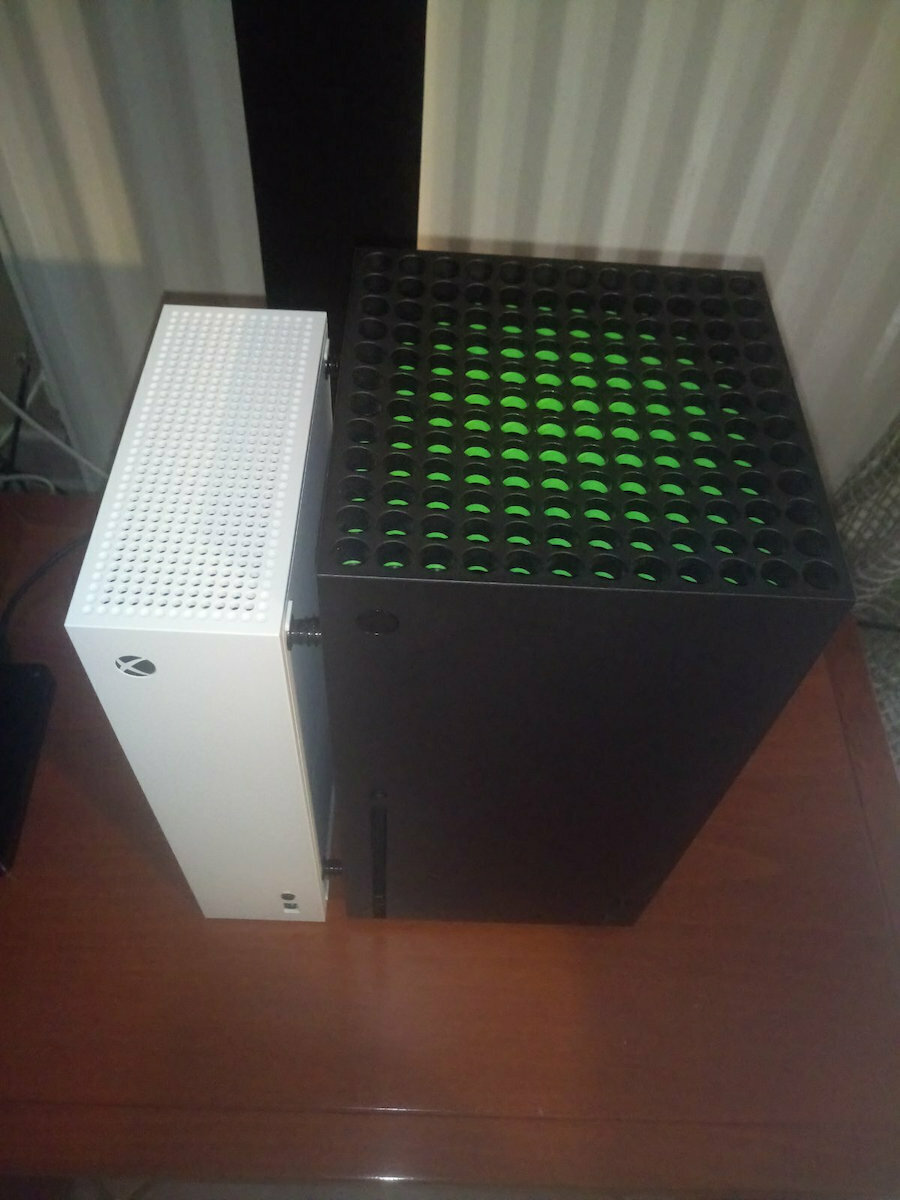

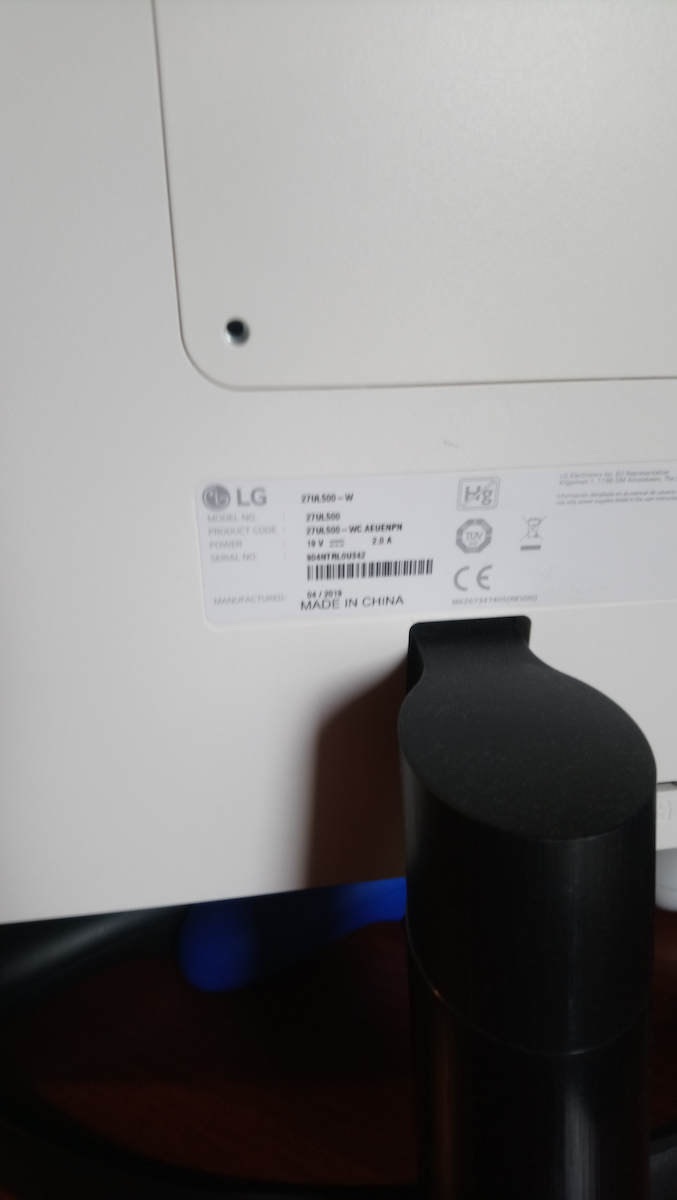
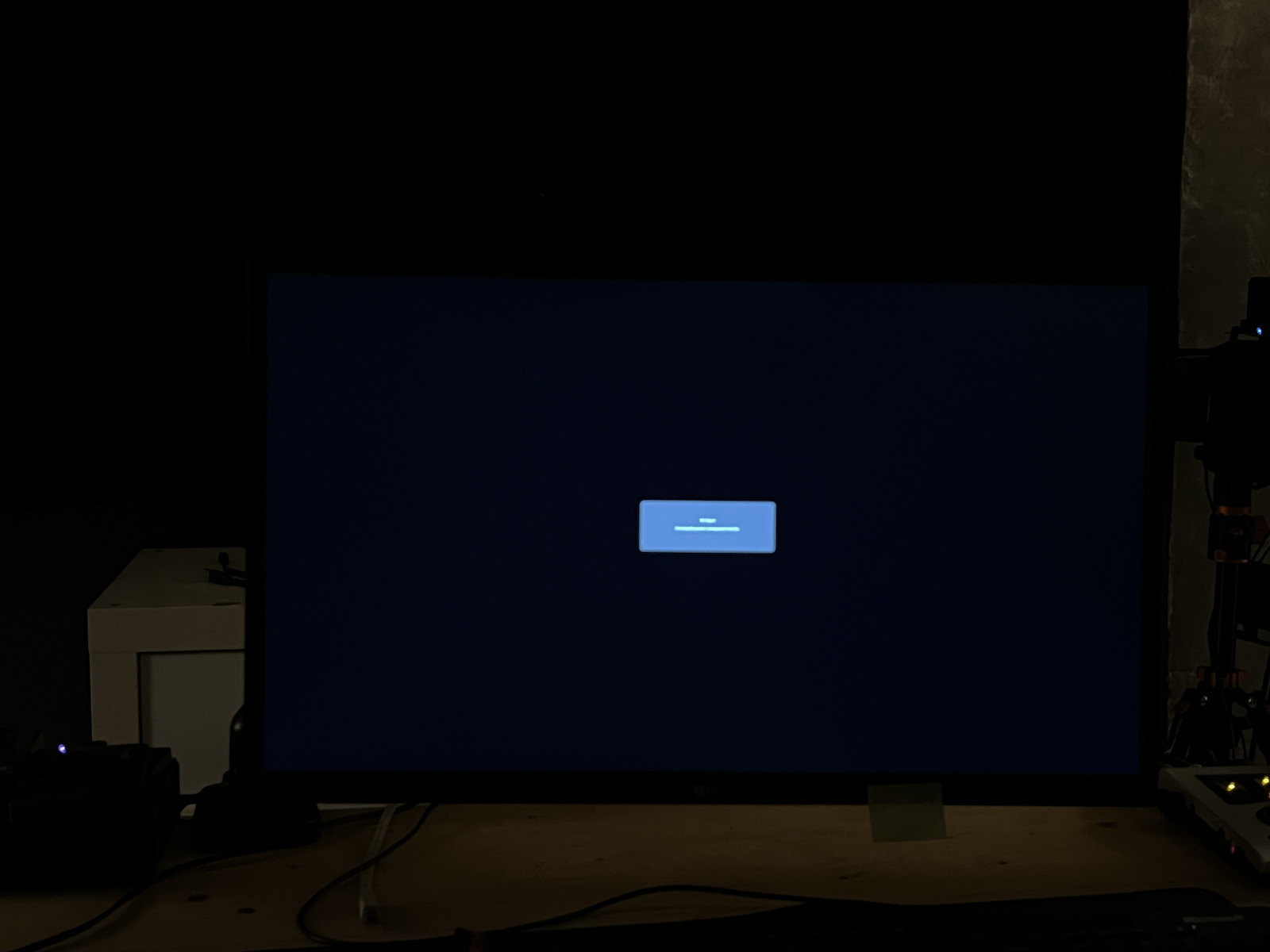
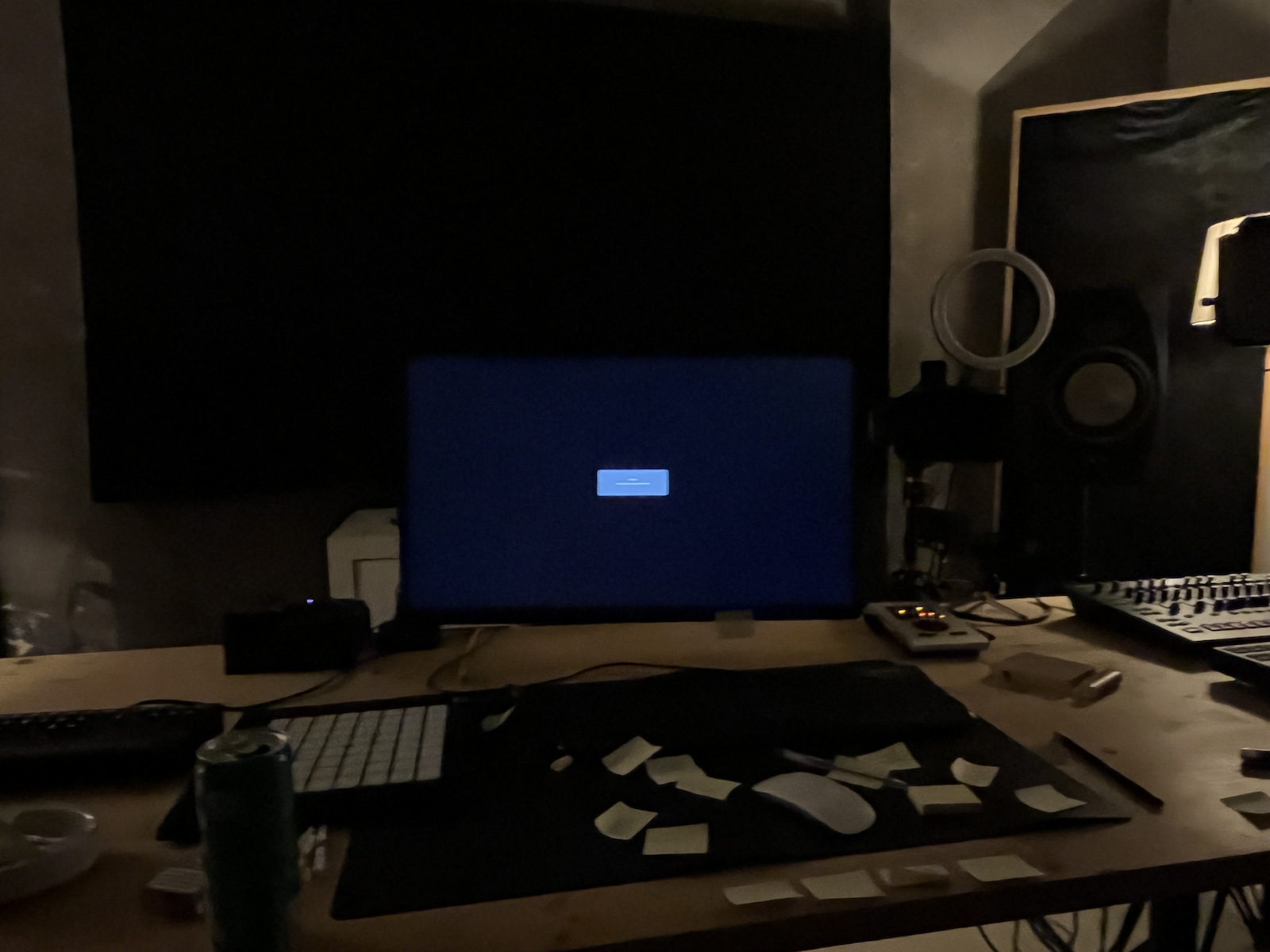
Основни характеристики:
Характеристики
Монитор с поразителна точност на цветовете
Мониторът LG е подходящ както за гейминг, така и за ежедневна употреба. Той се отличава с високо качество на изображението и висока резолюция, както и с поддръжка на HDR за наслада от филми и друго съдържание с подобрени цветове и контраст. Технологията AMD FreeSync го прави идеален за бързи игри, с плавно движение и намалено размазване в игрите.
Този монитор е съвместим със стандарта HDR10, за показване на детайли в светли и тъмни области на съдържание с висок динамичен обхват.

IPS мониторът на LG се отличава с впечатляваща точност на цветовете, покривайки 98% от sRGB цветовия спектър. Той също така разполага с по-широк ъгъл на гледане, позволявайки на всички да се насладят на красивите цветове на изображението.
Благодарение на калибрираните цветове, на екрана се постига точна цветова репрезентация, предотвратявайки постепенни промени, което води до запазване на оригиналните цветове.
Radeon FreeSync намалява накъсването и трептенето на екрана, явления, причинени от честотата на кадрите на графичната карта и честотата на опресняване на монитора, което позволява по-гладко движение и по-малко трептене в изискващи игри.
Потребителите могат да изберат режим FPS или RTS и да направят съответните настройки. Има възможност за конфигуриране и оптимизиране на настройките за всеки тип игра.
С функцията Dynamic Action Sync, забавянето на входния сигнал е минимизирано, което позволява на играча да "улови" всеки момент в реално време.
Функцията Black Stabilizer на LG прави тъмните сцени по-ярки, което улеснява играча да открие противника.
С OnScreen Control можете да настроите опциите на екрана само с няколко кликвания.
Свържете се с увереност: този LG 4K монитор е съвместим с най-новата защита от копиране HDCP 2.2, което му позволява да възпроизвежда видео директно от 4K стрийминг услуги, игрови конзоли и Ultra HD Blu-ray плейъри.
Спецификациите са събрани от официални уебсайтове на производителите. Моля, проверете ги, преди да продължите с окончателната си покупка. Ако забележите някакъв проблем, докладвайте го тук.

Пиша своя отзив за тези, които го искат за създаване на съдържание, видео редактиране и т.н.
Исках монитор за продуктивност и основно видео редактиране, цветова корекция. Очевидно, ако искате нещо качествено и не искате да поемате рискове, трябва да се насочите към BenQ и нагоре, започвайки от 400 евро и нагоре.
Качество на изработка: просто е добре. Това е монитор, няма да го използваме като щит в битка.
Цветове: Изглеждат ми напълно добре и можете да ги доближите много до Mac дори без калибрационно оборудване. LG го доставя калибриран от фабриката. Нещо, което LG не споменава на сайта си, е, че има фабрична настройка на rec709! Не очаквах да намеря този предварително зададен режим на толкова евтин монитор.
IPS светене: очевидно, че го има, защото е характеристика на IPS панелите, особено в тъмна стая. Всеки, който пише, че има много светене, може да провери други монитори с подобни размери/бюджети и ще види, че всички го имат. По-скъпите може да имат по-малко. Ако не искате никакво, изберете OLED.
Оттам можете да направите светенето по-малко забележимо по различни начини:
1: Нека се загрее!!! Като стара кола. За да се отделят леко слоевете и да не се оказва натиск върху панела. Понякога можем да видим вариации от сезон на сезон, лятото може да няма светене, а зимата може да го има.
2: Амбиентно осветление. Внимавайте да нямате отражения.
3: Не сядайте твърде близо!! Колкото по-близо седите, толкова по-интензивно ще бъде! Отдалечете се и ще видите как намалява!
4: Проверка с телефон е малко сложна… ъгълът на видимост на камерата е много тесен и също така настройките на камерата играят роля. Доверявайте се повече на очите си.
5: Намалете яркостта - увеличавайте яркостта в зависимост от околната среда.
FPS: Отива до 24fps. Можете да свържете камера и да я използвате като монитор.
Жалба: няма.
Недостатъци: много. Особено когато го сравнявате с по-скъпи IPS. Но не мога да се оплача от 4k монитор, с HDR 10, 8+2 FRC бит, с гаранция, от реномирана компания, с официален сервиз в Гърция.
Пазарна цена: 230 евро
Взех го употребяван за 90 евро.
Часове в експлоатация: 2000
Прилагам няколко снимки с IPS светене и без…
Γράφω την αξιολόγηση μου για όσους τη θέλουν για content creation, video editing, κτλ.
Ήθελα οθόνη για παραγωγικότητα και βασικό video editing, color grading. Προφανώς εαν θες κάτι σωστο, και δεν θες να ρισκάρεις, πας σε benq και πάνω, ξεκινώντας στα 400 ευρώ και πάνω.
Κατασκευή : μια χαρά είναι. Οθόνη είναι, δε θα τη κάνουμε ασπίδα σε μάχη
Χρώματα: Μια χαρά μου φαίνεται και μπορείς να τα φέρεις πολύ κοντά σε Mac ακόμη και χωρίς εξοπλισμό calibration. Η lg την φέρνει calibrated από το εργοστάσιο. Κάτι που δεν αναφέρει ούτε η lg στο site της, έχει εργοστασιακό setting rec709! Δε το περίμενα σε τόσο φθηνή οθόνη να υπάρχει έτοιμο αυτό preset.
IPS glow: προφανώς και έχει γιατί είναι χαρακτηριστικό των ips panel, ειδικά σε dark room. Οποίος γράφει ότι έχει μεγάλο glow ,μπορεί να τσεκάρει και άλλες οθόνες σε παρόμοιες ίντσες/budget και θα δει ότι όλες έχουν. Οι πιο ακριβές ίσως έχουν λιγότερο. Εαν δε θες καθόλου πας σε oled.
Από εκεί και πέρα μπορείς να το κανεις λιγότερο αισθητό με διάφορους τρόπους :
1: Την αφήνεις να ζεσταθεί!!! Σα παλιό αυτοκίνητο. Για να απομακρυνθούν ελάχιστα τα layers και να μη πιέζεται από το panel. Κάποιας φορές μπορεί να δούμε διάφορες από εποχή σε εποχή, καλοκαίρι να μην έχει glow και το χειμώνα να έχει .
2: περιφερειακός φωτισμός. Προσέχουμε να μην έχουμε αναπλάσεις.
3: Δε καθόμαστε πολύ κοντά!! Όσο πιο κοντά κάθεσαι τόσο πιο έντονο θα είναι! Απομακρυνσου και θα δεις ότι μειώνεται!
4: Το τσεκ με κινητό είναι λίγο tricky… είναι πολύ στενή η γωνία θέασης της κάμερας και επίσης οι ρυθμίσεις της κάμερας παίζουν ρόλο. Εμπιστευτείτε περισσότερο τα μάτια σας.
5: Μείωση της φωτεινότας-αύξηση φωτεινότητας ανάλογα με το περιβάλλον.
FPS: φτάνει μέχρι 24fps. Μπορείς να συνδέσεις κάμερα και να τη χρησιμοποιείς για μόνιτορ.
Παράπονο : κανένα.
Μειονεκτήματα : πολλά. Ειδικά συγκρίνοντας την με πιο ακριβές IPs. Αλλά δε γίνεται να έχω παράπονο σε μια οθόνη 4k, με hdr 10, 8+2 frc bit, με εγγύηση , από επώνυμη εταιρεία, με επίσημο service στην Ελλάδα.
Τιμή στην αγορά :230€
Την πήρα μεταχειρισμένη 90€.
Ώρες σε λειτουργεία : 2.000
Παραθετω κάποιες φωτογραφίες με IPs glow και χωρίς…

Няма вграден говорител, стойката е малко дразнеща и можеше да има по-добра честота на опресняване от 60Hz, но има хубава картина, просто меню и общо взето, за своята цена, е страхотен
Δεν έχει ηχείο ενσωματωμένο, το stand ενοχλεί λίγο και θα μπορουσε καλύτερα από 60Hz αλλά ωραία εικόνα απλό μενου και γενικά για τα λεφτά του είναι μαι χαρά
Използвам го за моят компютър, PS5 и Xbox Series X и има много хубава, релаксираща картина. Не виждам никакви проблеми с призрачни изображения в бързи игри. Определено си заслужава за тази категория и за тази цена.
Την χρησιμοποιώ για το pc-ps5-xbox series x πολύ ωραία εικόνα ξεκούραστη και δεν βλέπω κάποιο πρόβλημα για ghosting στα γρήγορα παιχνίδια. Αξίζει πάρα πολύ σε αυτή την κατηγορία και σε αυτά τα χρήματα.
Купих го за 280 евро, но екранът е наистина добър, с отлични цветове, 4K и HDR 10, което е значително за цветовете и резолюцията на изображението. Лично го свързах с PlayStation 5 и произвежда невероятна графика. Горещо го препоръчвам
Την πήρα 280€ αλλά η οθονη είναι πολλή καλή έχει καλά χρώματα 4k και HDR 10 συμαντικο για τα χρώματα και την ανάλυση της εικόνας εγώ πρωσοπικα την έχω σύνδεση με PlayStation 5 και μου βγάζει Απίστευτα γραφικά την πρότινο ανεπιφύλακτα
Аз идвам от древна държава, където се използва превключвател за бързо превключване между два компютъра/лаптопа, свързани към един VGA монитор. Сега имам две проблема, които ме притесняват.
1. Най-важното, независимо от двойната настройка, е че когато Windows изключи монитора след x минути, които съм задал, повечето време трябва да го затворя и отново да го отворя ръчно, за да го включа отново.
2. Относно двойната настройка, имам настолен компютър и лаптоп, свързани към него. Входът винаги показва последното устройство, което е било използвано. Ако изключа настолния компютър и включа лаптопа, той няма да го разпознае и да превключи входа там, трябва да го направя ръчно от настройките.
Картината е перфектна, да, но ако знаех всичко това предварително, вероятно щях да отида някъде другаде.
Προέρχομαι απο αρχαία κατασταση με διασυνδεση 2 pc/laptop σε μια οθονη με VGA χρηση switch για γρηγορη εναλλαγη τους στην ιδια οθονη. Έχω δυο θεματα πλεον που με ξενερωνουν εδω.
1. Το σημαντικότερο και ασχετως του διπλου setup, ειναι πως οταν τα windows απενεργοποιουν την οθονη μετα απο χ λεπτα που εχω ορισει εγω, για να ξανα ανοιξει η οθονη, τις περισσοτερες φορες πρεπει να την κλεισω και να την ξαναανοιξω χειροκινητα.
2. Σε σχεση με το διπλο setup, εχω συνδεδεμενα επανω της σταθερο και λαπτοπ. Παντα η εισοδος δειχνει την τελευταια συσκευη που χρησιμοποιήθηκε. Εαν εκλεισα με σταθερο και αναψω το λαπτοπ, δεν θα το αναγνωρισει και να γυρισει εκει την εισοδο, πρεπει να το κανω χειροκινητα απο τις ρυθμισεις.
Η εικονα ειναι τελεια ναι, αλλα αν ηξερα απο πριν τα παραπανω μαλλον θα πηγαινα αλλου.
Много добър и струващ си монитор. Купих го на Черен петък. Точно както очаквах. Прехвърляйки се от монитор на LG, нямах проблеми с настройките и централния бутон. Използвам го за офис работа и гейминг. В комбинация с RTX 3060, се представя много добре в 4k и нямам никакви оплаквания. Веднага откри връзката с дисплей порта и почти всичко беше настроено автоматично. Разбира се, е само 60 Hz, но всеки, който иска повече, може да избере 32'' инча и повече. Както и на значително по-висока цена. Справедлив и надежден монитор. Сглобяването беше лесно и той изобщо не се тресе. Не разбирам защо някои коментари казват, че се тресе. Напълно удовлетворен съм от съотношението цена-производителност-сервиз.
Πολύ καλό και vfm monitor. Αγορά την black Friday. Είναι όπως το περίμενα. Προερχόμενος πάλι από LG monitor , δεν με δυσκόλεψε καθόλου, η ρύθμιση και το κεντρικό κουμπί. Χρησιμοποιείτε για εργασίες γραφείου και για gaming. Σε συνδυασμό με την RTX 3060 , αποδίδει πολύ καλά σε 4k και δεν έχω κανένα παράπονο. Βρήκε αμέσως την σύνδεση display port και όλα σχεδόν ρυθμίστηκαν αυτόματα. Βέβαια, 60 Hz , αλλά όποιος επιθυμεί κάτι περισσότερο, ας πάει σε 32΄΄ ίντσες και πάνω. Όπως και σε αρκετά υψηλότερη τιμή. Τίμιο και σοβαρό monitor. Απλή η συναρμολόγηση και χωρίς να τρέμει καθόλου. Δεν μπορώ να καταλάβω γιατί θα έπρεπε να τρέμει όπως λένε μερικοί στα σχόλια . Απόλυτα ικανοποιημένος σε σχέση τιμής απόδοσης - υπηρεσιών.
Не разбирам защо хората дават 5 звезди без да качват снимки... Купих го и имаше много дразнещо светене. Ако искате да се ослепите, напред и го вземете. Върнах го.
Δεν καταλαβαίνω γιατι δίνουν οι άνθρωποι 5 αστέρια, χωρίς να ανεβάσουν φωτογραφίες... πήγα την πήρα και είχε ένα glow πάρα πολύ ενοχλητικό..
εάν θες να τύφλωθεις αυτή πάρε. την πήγα πίσω.


Дори и аз получих монитор с мъртъв пиксел. След като чаках цял месец за замяна и поправка, се оказа, че получавам рефурбиширан такъв с още един мъртъв пиксел на различно място, вместо новият монитор, който закупих. Въпреки това, няма да го връщам, защото съм уморен да бъда без монитор, за който съм платил толкова много пари. Неприемливо!
Κια εμένα το μόνιτορ ήρθε με dead pixel. Μετά από αναμονή ενός μήνα για το ανταλακτικό και την επισκευή. Κατεληξα να έχω αντί για ένα καινούργιο μόνιτορ που αγόρασα, ένα επισκευασμένο και μαντέψτε έχει και αυτό dead pixel σε άλλο σημείο αυτή την φορά. δεν θα το στείλω πίσω όμως γιατι βαρεθηκα να είμαι χωρίς μόνιτορ που έδωσα τόσα χρηματα. Απαραδεκτο!!!
Моделът на LG, който в момента се продава за 230 евро, е един от най-добрите монитори, които можете да намерите за конзоли. Имам го вече две години, откакто излезе OneX, и с увереност мога да кажа, че това е най-добрата покупка, която съм направил за екран. Цветовете са изумителни, резолюцията е превъзходна на 4K, времето за реакция е безупречно, въпреки 5 милисекунди, и няма проблеми с никаква игра, която играете. Зрителният ъгъл е отличен, а HDR 10 е безупречен. Разбира се, работи с 60 кадъра в секунда на 4K, което е отлично за визуалното изживяване. Тези, които искат 120 кадъра в секунда, ще трябва да потърсят друго място, но ще пропуснат отличното качество на изображението. Четейки други коментари, ще кажа следното: основата ще се счупи, ако я счупим сами. Този монитор е за гейминг и LG го има в тази категория. Той е отличен с новите конзоли, особено с Series X, който представя графика, която други виждат с 1200 евро на компютър. Определено си струва.
Το συγκεκριμένο μοντέλο της LG για 230 ευρώ που πωλείται αυτήν την στιγμή, είναι από τα καλύτερα μόνιτορ που μπορεί να βρει κάποιος για τις κονσόλες του, το έχω εδώ και δυο γεμάτα χρόνια, από το oneX και μπορώ να πω με βεβαιότητα ότι είναι η καλύτερη αγορά που έχω κάνει σε οθόνη, καταπληκτικά χρώματα, σούπερ ανάλυση σε 4K, χρόνο απόκρισης άψογο παρόλο τα 5mls δεν αντιμετωπίζει κανένα μα κανένα θέμα σε ότι game παίζεις πολύ καλή γωνία θέασης, το hdr 10 άψογο, φυσικά 60fps σε 4Κ το οποίο είναι μια χαρά για το οπτικό αποτέλεσμα, όσοι θέλουν τα 120fps θα πάνε αλλού, αλλά θα χάσουν σε εικόνα.. Διαβάζοντας και άλλα σχόλια θα πω το εξής, η βάση θα σπάσει αν την σπάσουμε εμείς, το monitor αυτό είναι gaming, άλλωστε η LG το έχει σ αυτήν την κατηγορία, με τις νέες κονσόλες τα σπάει κυριολεκτικά, ειδικά το Series X βγάζει γραφικά που άλλοι τα βλέπουν με 1200ευρα σε PC.... Αξίζει με το παραπάνω.

Много добър монитор, особено като се има предвид цената му. Обърнете внимание, че поддържа 4K 60Hz чрез HDMI, дори с кабела, който идва в комплекта, само ако го свържете към хъб/ГПУ, който също поддържа HDMI 2.0. Използвам го с Macbook Pro чрез хъб с HDMI и работи отлично.
Въпреки че има леко по-ниска плътност на пикселите в сравнение с Macbook, разликата не е забележима. Разбира се, при нативно 4K разделителна способност всичко е твърде малко, но независимо дали при мащабиране на 1080p или 1440p, изглежда страхотно, много по-добре от нативен монитор с разделителна способност 1080p.
Стойката е доста основна (само наклон), но поне е направена от метал.
Πολύ καλό monitor, ειδικά αν αναλογιστεί κανείς την τιμή του. Σημείωση ότι υποστηρίζει 4Κ 60Hz μέσω HDMI ακόμα και με το καλώδιο που έρχεται στη συσκευασία, αρκεί να το συνδέσετε σε hub/gpu που επίσης υποστηρίζει HDMI 2.0. Το δουλεύω σε Macbook Pro μέσω hub με hdmi και είναι μια χαρά.
Παρόλο που έχει λίγο μικρότερο PPI σε σχέση με το Macbook, η διαφορά δεν είναι αισθητή. Φυσικά σε 4Κ native ανάλυση είναι όλα υπερβολικά μικρά, αλλά είτε σε 1080p scaling είτε 1440p δείχνει μια χαρά, πολύ καλύτερα από native 1080p monitor.
Το stand του είναι αρκετά basic (μόνο tilt), αλλά τουλάχιστον είναι σιδερένιο.
В Macbook трябва да го свържете с USB-C към DisplayPort, а не чрез хъб към HDMI, иначе ще работи на 30Hz вместо на 60Hz
Σε Macbook πρέπει να τη συνδέσετε με USB-C σε DisplayPort και όχι μέσω hub σε HDMI αλλιώς τρέχει στα 30Hz και όχι στα 60Hz
Аз идвам от монитор с размер 23 инча HD+13 инча "2k"->2160x1440.
За мен е трудно да изразя мнение за цветовете, тъй като нямам знания и инструменти, за да знам дали и какви подобрения са необходими. За средно ползване като моето, цветовете изглеждат добре, нито избледняли, нито прекалено наситени или неестествени, освен ако не е активиран режимът HDR, в който случай съм съгласен с друг коментар, че цветовете са прекалено наситени, което води до неестествен изглед, който намалява остротата на екрана.
Менюто е лесно за навигация и има много опции. Предварително зададените режими на изображението са достатъчни, за да отговорят на нуждите на повечето потребители. Ако някой желае да направи по-подробни настройки, може да промени много неща, като цветовата температура (дори ръчно да настрои стойността на k) и класическите настройки на яркост, яснота, индивидуални настройки на цветовете (за много цветове, а не само за трите основни), гама и други.
В противоречие с това, което съм прочел, черният цвят, когато екранът е в употреба, няма никакво протичане или други светли области, поне не видими на моя панел и с моите собствени очи при относително ниска яркост.
Максималната яркост е повече от достатъчна за стационарен панел в офисна среда - не е преносимо устройство, предназначено да се използва на пряка слънчева светлина.
Свързах го към компютъра си чрез DisplayPort, за да използвам напълно възможностите му. Разликата между 4k@30hz с HDMI високоскоростен + Ethernet кабел и 4k@60hz+Freesync с DisplayPort кабел е огромна в моите очи, особено за филми и движещи се изображения.
Стойката е метална с пластмасово покритие. Прочетох, че не е стабилна, но не знам дали съм съгласен. Тя не се плъзга, но има лека тенденция да се тресе, ако я движите, въпреки че без усещането, че е в опасност да падне. Например, тя изобщо не се тресе, когато пиша на клавиатурата.
Заключение:
1. Той е добър за офисна работа, по-удобен в сравнение с монитор със същия размер или по-малък, но с по-ниска резолюция, тъй като плътността на пикселите е добра. Ако имате работа, която изисква висока цветова точност, трябва да се уверите, че го настроите достатъчно, за да отговаря на вашите нужди.
2. За консумация на съдържание (Netflix), изглежда средно до добре, но това също зависи от други фактори (скорост на интернет и т.н.). Филм в 4k не винаги е наличен или не винаги се възпроизвежда в 4k, а общото качество на файла също има значение.
3. За игри е средно качество монитор поради честотата на опресняване от 60Hz. Очите ви ще се напрегнат при бързи преходи на изображенията.
4. Очаквах, че с монитор от 27 инча ще имам по-лесно време, когато работя с четири отворени прозорци, по един във всяка ъгъл. Това е възможно, но не е изумително - всеки прозорец има около 13 инча. Не е достатъчно, за да се предотврати нуждата от втори монитор.
Прочетох някои много негативни коментари тук и заподозрявам, че те са случаи, където, както и в моя случай, мониторът не работи на 4k@60hz+Freesync. Уверете се, че мониторът действително функционира правилно, когато го свържете, иначе очите ви ще страдат.
Плюсове: Той прави това, което казва.
Минуси: Той не прави всичко перфектно. Очаквах по-добра острота, а остротата и много светли сенки около буквите в цветни зони, съдържащи текст, като банери или други цветни текстови кутии, се подобриха, когато превключих от 30Hz на 60Hz, но не бяха напълно решени. Подозирам, че това може да се подобри с по-добри настройки.
Бих го препоръчал, ако основното използване е:
Офис: да
Консумация на съдържание като филми: така си така
Игри: не
Какво бих искал повече: сензор за регулиране на яркостта въз основа на яркостта на околното пространство - има опция в менюто за регулиране на яркостта, но тя се отнася до съдържанието на изображението, а не до яркостта на околната среда.
Προέρχομαι από μια 23 ίντσες hd+13 ιντσες "2k"->2160x1440.
Για τα χρώματα είναι δύσκολο να εκφράσω άποψη, γιατί δεν έχω γνώσεις και εργαλεία για να ξερώ πως και αν χρειάζεται βελτίωση. Για τον μέσο χρήση όπως εγώ τα χρώματα φαίνονται οκ, ούτε ξεπλυμένα ούτε υπερβολικά τονισμένα ή αφύσικα εκτός αν ενεργοποιηθεί η λειτουργία HDR που θα συμφωνήσω με κάποιο άλλο σχόλιο πως έχει υπερβολικά κορεσμένα χρώματα με αποτέλεσμα να φαίνονται αφύσικα σε βαθμό που χάνεται το sharpness της οθόνης.
Το μενού είναι εύκολο και έχει πολλές επιλογές. Οι προεπιλογές για τον τύπο εικόνας είναι αρκετές για να καλύψουν λογικά τους περισσότερους χρήστες σε αυτά που ζητάνε. Αν κάποιος επιθυμεί να κάνει πιο λεπτομερείς ρυθμίσεις μπορεί να αλλάξει πολλά πράγματα όπως θερμότητα χρώματος (ακόμα και χειροκίνητα αριθμό k) και τα κλασικά φωτεινότητα, ευκρίνεια, ρύθμιση του κάθε χρώματος ξεχωριστα (για πολλά χρώματα όχι μόνο τα 3 βασικά), gamma κλπ.
Το μαυρο, σε αντίθεση με τα όσα έχω διαβάσει, όταν η οθόνη είναι σε λειτουργία δεν έχει καθόλου bleeding ή άλλες φωτεινές περιοχές κλπ, τουλάχιστον όχι ορατό στο δικό μου πάνελ και με τα δικά μου μάτια και σε σχετικά χαμηλη φωτεινότητα.
Η φωτεινότητα στο μέγιστο είναι υπέραρκετή για σταθερό σε γραφείο πάνελ-δεν πρόκειται για φορητή συσκευή που βγαίνει στον ήλιο.
Στον δικό μου υπολογιστή συνδέθηκε μέσω display port για να μπορέσει να αποδόσει πλήρως σύμφωνα με τις δυνατότητές της. Από τα 4k@30hz με το καλώδιο hdmi high speed + ethernet στα 4k@60hz+Freesync με το καλώδιο display port η διαφορά είναι τεράστια στα μάτια μου για ταινιές και κινούμενες εικόνες.
Η βάση της είναι μεταλική με πλαστικό κάλυμα. Διαβασα πως δεν είναι σταθερη αλλά δεν ξέρω αν συμφωνώ. Δεν γλιστράει αλλά έχει μια μικρή τάση να τρέμει αν την κουνήσεις χωρίς όμως να έχεις την αίσθηση πως κινδυνευει να πέσει. Στο πληκτρολόγημα πχ. δεν κουνιέται καθόλου.
Συμπεράσματα:
1. Για δουλειά γραφείου είναι καλή, πιο ξεκούραστη σε σχέση με μια ίσου μεγέθους ή και μικρότερη αλλά χαμηλότερης ανάλυσης καθώς η πικνότητα των pixel είναι καλή. Αν κάνετε δουλεια με απαιτήσεις σε μεγάλη ακρίβεια χρώματος θα πρέπει να βεβαιωθείτε πως παραμετροποιείται αρκετά για να έρθει στα μέτρα σας.
2. Για κατανάλωση περιεχομένου (Netflix) μου φαίνεται μέτρια προς καλή αλλά εξαρτάται και από άλλους παράγοντες (ταχύτητα ίντερνετ κλπ. δεν τρέχει πάντα μια ταινία σε 4k ακόμα και αν είναι διαθέσιμη, ποιότητα αρχείου γενικά).
3. Για παιχνίδια, μέτρια οθόνη λόγω των 60zh. Θα σας βγουν τα μάτια στις πολύ γρήγορες εναλλαγές εικόνας.
4. Περίμενα πως με τις 27 ίντσες θα έχω ευκολία να δουλευω με 4 παράθυρα ανοιχτά, ένα σε κάθε γωνια. Οκ, γίνεται αλλά δεν είναι και τρομερό, έχει περίπου 13 ίντσες για το κάθε παράθυρο. Δεν είναι αρκετό για να αποτρέψει από το να έχεις και δευτερη οθόνη.
Διαβάζω κάποια πολύ αρνητικά σχόλια εδώ και πιθανολογώ πως πρόκειται για περιπτώσεις που, όπως έγινε και στην δική μου περίπτωση, η οθόνη δεν δουλευε 4k@60zh+Freesync. Προσέξτε πως όντως η οθόνη δουλευει όπως πρέπει όταν την συνδέσετε αλλιώς θα σας βγουν τα μάτια.
Στα +: κάνει ότι λέει
Στα -: δεν τα κάνει όλα τέλεια. Περίμενα πχ. καλύτερο sharpness (το sharpness και πολύ ελαφριές σκιές από τα γράμματα σε χρωματισμένες περιοχές που περιέχουν το κείμενο όπως banners ή λοιπά χρωματιστά πλαίσια κειμένου βελτιώθηκε όταν έγινε η αλλαγή από τα 30 στα 60 hz αλλά δεν λύθηκε πλήρως. Πιθανολογώ πως με καλύτερες ρυθμίσεις αυτό μπορεί να βελτιωθεί).
Θα την προτεινα αν η κύρια χρήση είναι:
Γραφείου: ναι
Κατανάλωση περιεχομένου όπως ταινίες: ετσι κ΄ ετσι
Παιχνίδια: όχι
Τι θα ήθελα παραπάνω: αισθητήρα για προσαρμογή της φωτεινότητας με βάση την φωτεινότητα του περιβάλλοντος χώρου - έχει μια κάποια σχετική επιλογή στο μενού προσαρμογής φωτεινότητας αλλά αφορά στο περιεχόμενο της εικόνας , όχι στην φωτεινότητα του περιβάλλοντος.

Потвърдена покупка
HDR-ът струва парите си, не мислете, че е прекалено скъп за този конкретен екран. Добри цветове за своята цена, винаги говорейки за много добър ъгъл на гледане. Бях притеснен, но всичко е наред. Много пластмасова конструкция, но много красива визуално, според мен
Αξίζει τα λεφτά της το hdr μην νομίζετε ότι τα σπάει στη συγκεκριμένη οθόνη καλά χρώματα για τα λεφτά της μιλάω πάντα πολύ καλή γωνία θέασης είχα ανχωυει αλλά καμία σχέση όλα καλά πολύ πλαστική κατασκευή πολύ όμορφη εμφανισιακά για μένα

Собственик на монитора от няколко дни вече. Оценката е базирана на използването му като работен монитор, а не за игри. Търсех работен монитор за моя MacBook Pro 13" (началото на 2015 г.) и се колебаех между този и Dell S2721QS. Ясно е, че Dell е по-добър по отношение на качеството и функциите, но разликата в цената е значителна (около 100 евро). Снимката, която качих, не отразява монитора правилно, защото камерата на телефона ни го обърка тук.
Предимства:
- Чисто изображение
- Остър текст
- Хубави цветове
Недостатъци:
- Качеството на изработка, както спомена друг потребител, е много пластмасово
- Не ми харесва джойстика много, защото ако се счупи, възниква проблем
- Времето за реакция (понеже не играя игри, не ме притеснява много)
- HDR е като че не съществува в моя случай, защото показва избледнели цветове
Проблеми, които може да срещнете, ако го искате за MacBook Pro:
- HDMI кабелът извежда само 30Hz. Ако искате 60Hz, ще трябва да използвате Thunderbolt към DisplayPort.
- 4K прави всичко много малко за моите предпочитания и имам затруднения да виждам нещата ясно, освен ако не съм много близо до екрана.
- 2K е оптималното решение, НО, за съжаление, OSX има проблем с мащабирането, защото трябва да изчертае всичко, което се показва на екрана, на 4K платно и после да го намали до 2K, което води до лудост на вентилаторите на лаптопа.
- В крайна сметка го използвам в 1080p, но всичко изглежда ясно, особено при превключване между ярък и персонализиран режим на изображението.
Κατοχός της μερικές μέρες πλέον. Η αξιολόγηση βασίζεται ως οθόνη εργασίας και όχι για gaming. Έψαχνα μια οθόνη εργασίας για το macbook pro 13" (early 2015) και ήμουν ανάμεσα σε αυτήν και την dell S2721QS, σαφέστατα η dell είναι καλύτερη από άποψη ποιότητας αλλά και χαρακτηριστικών αλλά πλέον η τιμή έχει μεγάλη απόκλιση θα έλεγα (περίπου 100 ευρώ διαφορά). Η φότο που ανέβασα δεν δικαιώνει την οθόνη διότι η κάμερα του κινητού μας τα χάλασε εδώ.
Πλεονεκτήματα:
- Καθαρή εικόνα
- Crisp κείμενο
- Ωραία χρώματα
Μειονεκτήματα:
- Ποιότητα κατασκευής όπως ανέφερε και κάποιος άλλος χρήστης πολύ πλαστικούρα
- Το joystick δεν με αρέσει και τόσο διότι αν χαλάσει κλάφτα Χαράλαμπε
- Ο χρόνος απόκρισης (μιας και δεν παίζω παιχνίδια δεν με ενοχλεί και τόσο)
- Το HDR είναι σαν να μην υπάρχει στην περίπτωση μου διότι προβάλει ξεθωριασμένα χρώματα
Προβλήματα που μπορεί να συνταντήσετε αν το θέλετε για macbook pro:
- To hdmi καλώδιο βγάζει μόνο 30Hz αν θέλετε 60 θα πρέπει να χρησιμποιήσετε thunderbolt σε display port.
- To 4K κάνει τα πάντα πολύ μικρά για την προτίμηση μου και δυσκολεύομαι να βλέπω τα πράγματα καθαρά αν δεν είμαι πολύ κοντά στην οθόνη.
- Το 2Κ είναι το sweet spot ΑΛΛΑ δυστυχώς το OSX εχει θέμα με το scaling διότι θα πρέπει να ζωγραφίσει ότι προβάλλεται στην οθόνη σε 4Κ canvas και αργότερα να κάνει downscaling σε 2Κ, με αποτέλεσμα να σε τρελένουν οι ανεμιστήρες του λαπτόπ.
- Τελικά το δουλεύω σε 1080p αλλά όλα φαίνονται καθαρά, κυριώς εναλλάσομαι μεταξύ vivid και custom picture mode.

Лоша имплементация на HDR. Черните цветове изглеждат избеляли и прекалено ярки както на Windows, така и на PS4. Това е очаквано със 300 нита, които има. Освен това, ми се появи и IPS отблясък, който е дразнещ по единия край, тъй като изглежда жълтеникав, но само на напълно черен фон.
Κακή υλοποίηση hdr. Τα μαύρα φαίνονται ξεπλυμενα και πολύ φωτεινά τόσο σε Windows όσο και σε ps4. Αναμενόμενο με τα 300 nits που διαθέτει. Επίσης μου έχει παρουσιάσει ips glow το οποίο είναι ενοχλητικό σε μια άκρη καθώς φαίνεται κιτρινιλα όμως μόνο σε εντελώς μαύρο φόντο.
Страхотен екран, особено ако идвате от Full HD екран, като мен. Що се отнася до конструкцията, трябва да кажа, че това е компютърен екран. Не е направен от метал като екраните на Apple, но за своята цена и функции, е страхотен. Ако е правилно поставен на основата си, няма да падне. Ако го изпуснете, ще се счупи. Това се случва с всички екрани. Менюто е лесно и разбираемо. Бутонът ВКЛ./ИЗКЛ. се намира в долната част, така че не ви пречи. От мен получава 5 звезди.
Τρομερή οθόνη κυρίως αν προέρχεσαι από Full HD οθόνη όπως εγώ.
Όσο για την κατασκευή που διαβάζω σε κάποιες αξιολογήσεις έχω να πω πως είναι οθόνη υπολογιστή.Δεν είναι μεταλλικά φτιαγμένη όπως οι οθόνες της Apple αλλά για την τιμή της και τα χαρακτηριστικά της είναι μια χαρά.
Αν στηθεί σωστά πάνω στην βάση της δεν πρόκειται να πέσει.Αν πάλι την ρίξεις κάτω θα σπάει. Αυτο συμβαίνει με όλες τις οθόνες.
Το μενού της εύκολο και κατανοητό.Το κουμπί ON/OFF από κάτω για να μην ενοχλεί.
Από εμένα παίρνει 5 αστέρια.
Купих екрана преди няколко дни. След много изследвания, се спрях на Dell S2721QS, който е по-скъп с 50 евро, но има отлични показатели за тази категория. В крайна сметка, не го купих, защото не беше наличен за незабавна покупка. Причината, поради която казвам това, е че ако искате повече от просто качество на изображението и правилно изграждане, изберете Dell. Този LG има хубаво, ясно и удобно изображение, задоволително осветление, добри черни цветове за своята цена, но менюто му трябваше да е по-добро, а бутона под екрана не е много удобен. Въпреки това, неговото изграждане е... ужасно. То е като пластмасова тавичка до точка на отвращение. За съжаление, не е лесно да се видят екрани отблизо, особено тези, които искате. Основната причина, поради която избрах този, беше, че има много PPI, 163 4K. Давам му 3 звезди за неоправданото ужасно изграждане. Изберете Dell!
Πηρα την οθονη πριν λιγες μερες. Μετά απο πολυ έρευνα, ειχα καταλήξει σε dell S2721QS η οποία ειναι 50ευρώ πιο ακριβή αλλα με άριστες επιδοσεις για τη κατηγορία αυτη. Τελικά λόγω οτι δεν υπαρχει για αμεση αγορα δεν τη πηρα. Ο λογος που το λεω ειναι οτι, επιλέξτε dell αν θελετε εκτος απο εικονα και σωστή κατασκευη. Η Lg αυτή , εχει ωραια εικονα, αρκετα καθαρή και ξεκουραστη, ικανοποιητικό φωτισμό, καλα μαυρα για τη τιμη της ενω το μενου της θα επρεπε να ηταν καλυτερο και το κουμπι κατω απο την οθόνη δε βολευει τοσο. Η κατασκευή της ειναι,,,,,χαλια ομως. Σαν ταπεράκι πλαστική μεχρι αηδιας. Δυστυχως δεν ειναι ευκολο να δεις οθονες απο κοντα και ειδικα αυτες που θελεις. Ο βασικός λογος που επελεξα αυτή ηταν οτι εχει πολλα ppi 163 4κ .
Βαζω 3 αστέρακια για την αδικαιολόγητη χαλια κατασκευη.
επιλεξτε dell!!!!
Имам екрана в своето притежание за общо 9 дни.
Още от първия момент, на първия ден, забелязах, че има проблем със стойката.
За съжаление, на 9-ия ден, след леко разклащане на бюрото, екранът се наклони напред, се счупи и загубих 300 евро.
Общо казано, докато го използвах, бях доста доволен от цветовете, производителността и т.н.
Въпреки това, не мога да пренебрегна доста пластмасовата стойка на екрана, която подсказва евтино изработване и за съжаление ми струва 300 евро.
Също така се споменава в няколко рецензии, че стойката не е стабилна...
(За съжаление, ги прочетох след това..)
https://www.displayninja.com/lg-27ul500-review/
Την οθόνη την είχα στην κατοχή μου συνολικά 9 μέρες.
Από την 1η κιόλας στιγμή παρατήρησα ότι έχει θέμα με τη βάση στήριξης.
Δυστυχώς επαληθεύτηκα την 9η μέρα όπου μετά από ένα σχετικό μικρό τράνταγμα του γραφείου, η οθόνη έγειρε μπροστά, έσπασε και 300Ε χαθήκανε έτσι...
Γενικά όσο τη χρησιμοποίησα έμεινα αρκετά ικανοποιημένος όσον αφορά χρώματα, επιδόσεις κτλ κτλ.
Παρόλαυτα δεν μπορώ να μη σταθώ στην αρκετά πλαστική βάση της οθόνης, η οποία παραπέμπει σε φτηνή κατασκευή και δυστυχώς μου κόστισε 300Ε.
Επίσης αναφέρεται και σε αρκετές κριτικές ότι η βάση δεν είναι σταθερή...
(Δυστυχώς τις διάβασα μετά..)
https://www.displayninja.com/lg-27ul500-review/
Ако идвате от стар екран като мен, разликата е поразителна! Цветовете са прекрасни, а менюто е най-после просто. Вместо да харчите пари за графична карта, по-добре е първо да си вземете добър екран.
Αν έρχεστε από παλιά οθόνη όπως εγώ η διαφορά είναι mind-blowing! Τα χρώματα είναι όμορφα το μενού επιτέλους απλό. αντί να τα σκάσετε σε μια κάρτα γραφικών καλύτερα πρώτα να πάρετε μια καλή οθόνη.
Търсех екран за моя MacBook Pro 2020. След като закупих Dell с HD резолюция от 1920x1280, осъзнах, че е грешка да си купувам екран с 4K резолюция. Не можеш да преминеш от гледане на ретина екран към HD. След относително бързо търсене и четене на отлични отзиви, реших да закупя този LG екран и всичко, което мога да кажа, е че си заслужава и още повече. Не се занимавайте да купувате компютърен екран през 2021 г., който не е поне 4K. Имайте предвид, че използването ми е предимно за офис и AutoCAD 2D
Έψαχνα μια οθόνη για το MacBook Pro 2020.. Αφού αγόρασα μια dell με ανάλυση HD 1920x1280 συνηδειτοποιησα ότι ήταν μονόδρομος η αγορά μιας οθόνης με ανάλυση 4K..Δεν μπορείς την μια στιγμή να βλέπεις την retina οθόνη και μετά να πηγαίνεις σε HD..Μετά από σχετικά γρήγορο ψάξιμο και τις πολύ καλές κριτικές αποφάσισα να αγοράσω την συγκεκριμένη LG και το μόνο που έχω να πω είναι ότι αξίζει με το παραπάνω..
Μην μπαίνετε σε διαδικασία να αγοράσετε εν έτη 2021 οθόνη για υπολογιστή που να μην είναι τουλάχιστον 4Κ.
Να σημειώσω ότι η χρήση που κάνω είναι κατά βάση office και AutoCAD 2d
Отличен екран! Много ярки цветове, голям размер, отлично разделителна способност. Определено струва парите си.
П.С. Би било по-удобно, ако можехте да регулирате височината.
Εξαιρετική οθόνη! Πολύ ζωντανά χρωματα, μεγάλο μέγεθος, εξαιρετική αναλυση. Σιγουρα αξιζει τα χρηματα της.
Υ.Γ. Θα βόλευε περισοτερο εάν μπορούσες να αυξομειώσεις το ύψος της.
Като собственик от една седмица, който премина от 24-инчов FHD монитор, съм изумен от неговата производителност. Кристално ясни цветове, много ярки. Малко се затрудних с връзката, дали да използвам DisplayPort или HDMI... накрая, последният надделя... надявам се, че съм го направил правилно. С HDR включено, както в Windows среда, така и при игри, този монитор е най-добрата стойност за парите, налична в момента на пазара!
Актуализация на отзива на 3 ноември: Свързах го с DisplayPort версия 1.4 и производителността се подобри в игрите... сега ги изпълнявам в 4K без забавяне и цветовете станаха по-живи!
1 βδομάδα κάτοχος, προερχόμενος από 24"άρα FHD, έχω τρελαθεί με την απόδοσή της. Κρυστάλλινα χρώματα, πολύ ζωντανά. Λίγο με τη σύνδεση ταλαιπωρήθηκα αν έπρεπε να βάλω displayport ή HDMI...τελικά υπερίσχυσε το 2ο...ελπίζω να έπραξα σωστά. Με ενεργοποιημένο το HDR είτε σε περιβάλλον windows, είτε σε gaming η οθόνη είναι ότι πιο VFM υπάρχει αυτή τη στιγμή στην αγορά!
Update review 3 Νοεμβρίου: τη σύνδεσα με display port version 1,4 & η απόδοση ανέβηκε στα games...πλέον τα τρέχω σε 4Κ χωρίς καθόλου σπασίματα & τα χρώματα ζωήρεψαν!
Купих го преди около 10 дни и реших да отложа оценката си, за да видя как работи първо. Съвършено съм доволен, единственото забележка може да бъде, че ъгълът на гледане не е както е описан, но определено е по-добър от монитор с TN технология.
Общо взето, не очаквах да е толкова добър. Определено струва своята цена.
Забележка: Ако вашата графична карта не поддържа DisplayPort v1.4, няма да можете да активирате Windows HD10. Той ще работи с HDMI връзка, тъй като HDMI v2.0 технологията е по-нова и по-добра от DisplayPort v1.2. След известно изследване, разбрах, че DP v1.4 се поддържа от видеокартите на Nvidia серия 1000 и по-нови. Не знам еквивалентните видеокарти на Radeon.
Забележка: В пакета е включен DisplayPort кабел, въпреки че не е споменат в спецификациите.
--> Обновление, след 2 месеца: Работи като първия ден, без проблеми! Завърших с използването на режима на картината: Кино, когато е активиран Windows HD10. С яркия режим цветовете са твърде наситени, но винаги можем да намалим цифровата наситеност от настройките на Nvidia контролния панел. Това зависи от личния вкус.
--> Обновление, почти след 2 години: Все още работи без никакъв проблем!
Την αγόρασα πριν περίπου 10 ημέρες, είπα να καθυστερήσω την αξιολόγηση για να δω πώς λειτουργεί πρώτα. Είμαι απόλυτα ευχαριστημένος, το μόνο ίσως παράπονο είναι πως η γωνία θέασης δεν είναι αυτή που περιγράφεται, είναι όμως αισθητά καλύτερη σε σχέση με μια ΤΝ οθόνη.
Σε γενικές γραμμές, δεν περίμενα να είναι τόσο καλή. Αξίζει τα λεφτά της με το παραπάνω.
Προσοχή, αν η κάρτα γραφικών σας δεν υποστηρίζει DisplayPort v1.4, δε θα μπορέσετε να ενεργοποιήσετε Windows HD10. Με σύνδεση HDMI θα λειτουργήσει, διότι η τεχνολογία HDMI v2.0 είναι νεότερη και καλύτερη από την DisplayPort v1.2. Με λίγο ψάξιμο που έκανα, DP v1.4 υποστηρίζεται από κάρτες nvidia series 1000 και νεότερες. Δε γνωρίζω τις αντίστοιχες Radeon.
Σημείωση: Στη συσκευασία συμπεριλήφθηκε καλώδιο DisplayPort, παρόλο που δεν αναφέρεται στα χαρακτηριστικά.
--> Ενημέρωση, 2 μήνες μετά: Λειτουργεί όπως την πρώτη μέρα, κανένα πρόβλημα! Κατέληξα στη χρήση του Picture Mode: Cinema, όταν το Windows HD10 είναι ενεργοποιημένο. Με το Vivid mode, τα χρώματα είναι υπερβολικά έντονα, πάντα μπορούμε να μειώσουμε το digital vibrance από τις ρυθμίσεις του nvidia control panel βέβαια. Όπως αρέσει στον καθένα.
--> Ενημέρωση, σχεδόν 2 χρόνια μετά: Εξακολουθεί να λειτουργεί χωρίς κανένα πρόβλημα!
Купих го преди два дни! Определено струва парите! Картината е просто невероятна...след като съм бил на 1080p, разликата е огромна! Вземете го със затворени очи
Την αγόρασα προχτές! Αξίζει με το παραπάνω τα χρήματα της! Η εικόνα τα σπάει απλά...προερχόμενος από 1080p είναι μεγάλη η διαφορά! Πάρτε την με κλειστά μάτια
Много добър монитор за своята цена. Нямам достатъчно мощна видеокарта за 144fps, но по отношение на цветовете и HDR-а е изумителен.
Πολύ καλό μόνιτορ για τα λεφτά του. Δεν έχω δυνατή κάρτα για 144,fps , αλλά από χρώματα και HDR , σκίζει.
Честно казано, съм много доволен.
Първоначално размишлявах да си взема екран с резолюция 2k и висока честота на опресняване, но накрая реших, че екранът с резолюция 4k ще ми улесни живота. Беше труден процес да избера кой модел да купя, но се спрях на този за 305 евро. Когато пристигна, не съжалявах нито малко. Качеството на изработката е добро, а сглобяването е лесно. Дизайнът е привлекателен и минималистичен, а нежните цветове, избрани от LG, не отвличат вниманието и подчертават образа на офиса ви в съответствие с извивките на екрана. Отлично общо впечатление!
Освен това, когато включих екрана, забелязах, че LG го е настроила от фабриката да има относително ниска синя светлина. Това е отлично решение, тъй като предполагам, че има много хора, които не се занимават с настройките на екрана си и в резултат на това могат да имат лошо/утежняващо изживяване с модел, който може да предложи същите възможности "зад решетките". Въпреки това, дори и да не са го направили, предполагам, че малцина биха имали проблем - независимо от технологичните си умения - тъй като менюто е изключително потребителски приятелско и ясно. С натискане на бутон представя всичко, което трябва да видите на такъв "гол" бутон (което също е отлично и потребителски приятелско). Освен това, бутона има светлина. Много добро решение.
Относно общите настройки, разполага с всичко, което бихте очаквали, заедно с някои приятни изненади.
За да обобщя, както LG твърди, екранът разполага с HDR10 технология, която е... добра? HDR, въпреки че е хубаво допълнение, все още е в доста ранен етап на Windows, като единствените реалистични приложения са в игрите, филмите и редактирането на HDR видео и снимки. Има много твърдения, но съдейки по рядкостта на HDR медиите и колко лошо са направени, разбирате колко нишов е пазарът. Въпреки това, екранът все още разполага с много добра версия на HDR и красива функция на изображението, наречена HDR ефект, без да се чувствате, че "платихте" за нея, така че не мога да се оплача. Гов
Ειλικρινά, είμαι πολύ ευχαριστημένος.
Στην αρχή σκεφτόμουν να κινηθώ προς 2κ οθόνη με υψηλό refresh rate αλλά αποφάσισα τελίκα πως μία 4κ οθόνη θα μου έκανε την ζωή πιό εύκολη. Ήταν δύσκολη διαδικασία να διαλέξω ποιό μοντέλο θα αγοράσω αλλά τελικά κατέληξα στο συγκεκριμένο για 305 ευρώ. Όταν ήρθε δεν απογοητεύτηκα καθόλου. Η κατασκευή είναι ποιοτική και η συναρμολόγηση εύκολη. Το σχέδιο είναι ελκυστικό και μινιμαλιστικό ενώ τα διακριτικά χρώματα που διάλεξε η LG δεν αποσπούν καθόλου την προσοχή σου και ενισχύουν την εικόνα του γραφείου σου σε συνάφεια με τις καμπύλες της οθόνης. Εξαιρετική εμφάνιση γενικά!
Έπειτα, ανοίγοντας την οθόνη παρατήρησα πως απο το εργαστάσιο η LG την έχει ρυθμίσει ώστε να έχει σχετικά χαμηλό μπλε φως. Αυτή είναι μια εξαιρετική απόφαση καθώς φαντάζομαι υπάρχουν αρκετοί που δεν ασχολούνται με τις ρυθμίσεις της οθόνης τους και ως συνέπεια μπορούν να έχουν μια κακή/κουραστίκη εμπειρία με ένα μοντέλο που μπορεί να προσφέρει τις ίδιες δυνατότητες πίσω απο "μπάρες". Παρ' όλα αυτά, και να μην το κάνανε όμως φαντάζομαι λιγοι θα είχαν πρόβλημα -ανεξάρτητα τεχνολογικής ικανότητας- καθώς το μενού είναι εξαιρετικά εύχρηστο και απλοϊκό. Με το πάτημα ενός κουμπιού σου παρουσιάζει όσα θα χρειαζόσουν να δεις σε ένα τοσο "γυμνό"... κουμπί (το οποίο είναι εξίσου εξαιρετικό και εύχρηστο). Επίσης το κουμπί έχει φωτάκι. Πολύ ωραία απόφαση.
Απο γένικές ρυθμίσεις έχει όσα περιμένεις μαζί και μερικές ευπρόσδεκτες εκπλήξεις.
Για να το βγάλουμε απο την μέση, όπως ισχυρίζεται η LG, η οθόνη έχει τεχνολογία HDR10 η οποία είναι...καλή; Το HDR ενώ είναι μια ωραία προσθήκη βρίσκεται σε αρκετά πρώιμη μορφή στα Windows με τις μόνες ρεαλιστικές χρήσεις να είναι σε παιχνίδια, ταινίες και επεξεργασία HDR video και φωτογραφιών. Ακούγονται αρκετές, αλλά αν κρίνεις απο το πόσο λίγο HDR media υπάρχει, και το πόσο λιγότερο είναι καλοφτιαγμένο καταλαβαίνεις πόσο niche market έιναι. Παρ' όλα αυτά όμως η οθόνη έχει μια πολύ αξιοπρεπή έκδοση του HDR και μία πανέμορφη λειτουργία εικόνας που λέγεται HDR effect χωρίς να νιώθεις οτι το "πλήρωσες", οπότε δεν μπορώ να παραπονεθώ. Μιλώντας για λειτουργίες οθόνης, η οθόνη έχει 11 (10+custom) συμπεριλαμβανομένων και gaming, οπού αντιμετωπίζεις το λιγότερο input lag σε κόστος των "φρού φρού". Προσωπικά δεν μπαίνω στον κόπο να τις αλλάζω όταν μπαίνω σε παιχνδία καθώς η οθόνη έχει ούτως ή άλλως καλή απόδοση, και δεν θέλω να χάσω τις post-production λειτουργίες που έχει το μοντέλο (Superresolution+ και UltraHD Deep Colour) που κάνουν το "απείραχτο" 4k της να φαίνεται...θωλό(χωρίς sresolution+). Με εκπλήσει καθως η οθόνη ειναι 27' και αυτό ένα κοπλιμέντο για το μοντέλο! Επίσης το γεγονός πως μπορείς να κάνεις εντελώς προσωποποιημένη την λειτουργία οθόνης σου είναι ευπρόσδεκτο. Για το Freesync δεν μπορώ να μιλήσω καθως δεν μπήκα στον κόπο να κάνω την 1660 μου να το τρέχει αλλά φαντάζομαι θα είναι και αυτό αξιοπρεπές.
Τέλος, η downscaling απόδοση είναι αρκετά καλή (Σε μερικά παχνίδια απλως δεν μπορούσα να πιάσω 60fps στην μητρική της ανάλυση) αλλά αν έχεις σκοπό να παίζεις κυρίως παιχνίδια και δεν έχεις HDR compatible console ή μία πιο δυνατή κάρτα γραφικών απο εμένα, θα πρότεινα να κοιτάξεις μοντέλο με χαμηλότερη ανάλυση ιδανικά. Εάν και εγώ προσωπικά δεν έχω κανένα πρόβλημα είναι κάτι που θα παρατηρήσεις.
Σε γενικές γραμμές, η οθόνη είναι εξαιρετική και εγώ πάρα πολύ ευχαριστημένος. Την προτείνω.
Edit (30/09/2020): Πλέον είμαι κάτοχος RX 5600 XT και μπορώ να επιβεβαιώσω πως το Freesync δουλεύει εξαιρετικά. Επίσης η οθόνη δεν έχει παρουσιάσει κανένα πρόβλημα. Συνεχίζω να είμαι πολύ ευχαριστημένος.

Той има много добро качество на изображението. Много съм доволен и мисля, че си заслужава парите заради цветовете си.
Έχει πολύ καλή ποιότητα εικόνας , Πολύ ευχαριστημένος και με τα χρώματα αξίζει νομίζω για τα χρήματα της.
Много добър екран за използване с Windows, разбира се, се нуждае от настройка на мащаба от 150-175%, за да бъде по-четлив. Много добра картина, ъгли на гледане, потребителски приятелско меню, свързва се без проблеми и разполага с изход за високоговорител. Горещо го препоръчвам
παρα πολυ καλη οθονη για χρηση windows βεβαια θελει ρυθμιση κλιμακας 150-175% για να ειναι πιο ευαναγνωστη. Πολυ καλη εικονα , γωνιες θεασης, ευχρηστο μενου, συνδεεται χωρις προβλημα και εχει και εξοδο για ηχεια. Συστηνω ανεπιφυλακτα
Потвърдена покупка
Прекрасни цветове, но лош HDR.
Υπέροχα χρώματα, κακό hdr όμως.
Отличен екран, ако не ви интересуват високите кадрови честоти
εξαιρετική οθόνη,αν δε σε ενδιαφέρουν τα υψηλά framerates
Пиша своя отзив за тези, които го искат за създаване на съдържание, видео редактиране и т.н.
Исках монитор за продуктивност и основно видео редактиране, цветова корекция. Очевидно, ако искате нещо качествено и не искате да поемате рискове, трябва да се насочите към BenQ и нагоре, започвайки от 400 евро и нагоре.
Качество на изработка: просто е добре. Това е монитор, няма да го използваме като щит в битка.
Цветове: Изглеждат ми напълно добре и можете да ги доближите много до Mac дори без калибрационно оборудване. LG го доставя калибриран от фабриката. Нещо, което LG не споменава на сайта си, е, че има фабрична настройка на rec709! Не очаквах да намеря този предварително зададен режим на толкова евтин монитор.
IPS светене: очевидно, че го има, защото е характеристика на IPS панелите, особено в тъмна стая. Всеки, който пише, че има много светене, може да провери други монитори с подобни размери/бюджети и ще види, че всички го имат. По-скъпите може да имат по-малко. Ако не искате никакво, изберете OLED.
Оттам можете да направите светенето по-малко забележимо по различни начини:
1: Нека се загрее!!! Като стара кола. За да се отделят леко слоевете и да не се оказва натиск върху панела. Понякога можем да видим вариации от сезон на сезон, лятото може да няма светене, а зимата може да го има.
2: Амбиентно осветление. Внимавайте да нямате отражения.
3: Не сядайте твърде близо!! Колкото по-близо седите, толкова по-интензивно ще бъде! Отдалечете се и ще видите как намалява!
4: Проверка с телефон е малко сложна… ъгълът на видимост на камерата е много тесен и също така настройките на камерата играят роля. Доверявайте се повече на очите си.
5: Намалете яркостта - увеличавайте яркостта в зависимост от околната среда.
FPS: Отива до 24fps. Можете да свържете камера и да я използвате като монитор.
Жалба: няма.
Недостатъци: много. Особено когато го сравнявате с по-скъпи IPS. Но не мога да се оплача от 4k монитор, с HDR 10, 8+2 FRC бит, с гаранция, от реномирана компания, с официален сервиз в Гърция.
Пазарна цена: 230 евро
Взех го употребяван за 90 евро.
Часове в експлоатация: 2000
Прилагам няколко снимки с IPS светене и без…
Γράφω την αξιολόγηση μου για όσους τη θέλουν για content creation, video editing, κτλ.
Ήθελα οθόνη για παραγωγικότητα και βασικό video editing, color grading. Προφανώς εαν θες κάτι σωστο, και δεν θες να ρισκάρεις, πας σε benq και πάνω, ξεκινώντας στα 400 ευρώ και πάνω.
Κατασκευή : μια χαρά είναι. Οθόνη είναι, δε θα τη κάνουμε ασπίδα σε μάχη
Χρώματα: Μια χαρά μου φαίνεται και μπορείς να τα φέρεις πολύ κοντά σε Mac ακόμη και χωρίς εξοπλισμό calibration. Η lg την φέρνει calibrated από το εργοστάσιο. Κάτι που δεν αναφέρει ούτε η lg στο site της, έχει εργοστασιακό setting rec709! Δε το περίμενα σε τόσο φθηνή οθόνη να υπάρχει έτοιμο αυτό preset.
IPS glow: προφανώς και έχει γιατί είναι χαρακτηριστικό των ips panel, ειδικά σε dark room. Οποίος γράφει ότι έχει μεγάλο glow ,μπορεί να τσεκάρει και άλλες οθόνες σε παρόμοιες ίντσες/budget και θα δει ότι όλες έχουν. Οι πιο ακριβές ίσως έχουν λιγότερο. Εαν δε θες καθόλου πας σε oled.
Από εκεί και πέρα μπορείς να το κανεις λιγότερο αισθητό με διάφορους τρόπους :
1: Την αφήνεις να ζεσταθεί!!! Σα παλιό αυτοκίνητο. Για να απομακρυνθούν ελάχιστα τα layers και να μη πιέζεται από το panel. Κάποιας φορές μπορεί να δούμε διάφορες από εποχή σε εποχή, καλοκαίρι να μην έχει glow και το χειμώνα να έχει .
2: περιφερειακός φωτισμός. Προσέχουμε να μην έχουμε αναπλάσεις.
3: Δε καθόμαστε πολύ κοντά!! Όσο πιο κοντά κάθεσαι τόσο πιο έντονο θα είναι! Απομακρυνσου και θα δεις ότι μειώνεται!
4: Το τσεκ με κινητό είναι λίγο tricky… είναι πολύ στενή η γωνία θέασης της κάμερας και επίσης οι ρυθμίσεις της κάμερας παίζουν ρόλο. Εμπιστευτείτε περισσότερο τα μάτια σας.
5: Μείωση της φωτεινότας-αύξηση φωτεινότητας ανάλογα με το περιβάλλον.
FPS: φτάνει μέχρι 24fps. Μπορείς να συνδέσεις κάμερα και να τη χρησιμοποιείς για μόνιτορ.
Παράπονο : κανένα.
Μειονεκτήματα : πολλά. Ειδικά συγκρίνοντας την με πιο ακριβές IPs. Αλλά δε γίνεται να έχω παράπονο σε μια οθόνη 4k, με hdr 10, 8+2 frc bit, με εγγύηση , από επώνυμη εταιρεία, με επίσημο service στην Ελλάδα.
Τιμή στην αγορά :230€
Την πήρα μεταχειρισμένη 90€.
Ώρες σε λειτουργεία : 2.000
Παραθετω κάποιες φωτογραφίες με IPs glow και χωρίς…
Няма вграден говорител, стойката е малко дразнеща и можеше да има по-добра честота на опресняване от 60Hz, но има хубава картина, просто меню и общо взето, за своята цена, е страхотен
Δεν έχει ηχείο ενσωματωμένο, το stand ενοχλεί λίγο και θα μπορουσε καλύτερα από 60Hz αλλά ωραία εικόνα απλό μενου και γενικά για τα λεφτά του είναι μαι χαρά
Използвам го за моят компютър, PS5 и Xbox Series X и има много хубава, релаксираща картина. Не виждам никакви проблеми с призрачни изображения в бързи игри. Определено си заслужава за тази категория и за тази цена.
Την χρησιμοποιώ για το pc-ps5-xbox series x πολύ ωραία εικόνα ξεκούραστη και δεν βλέπω κάποιο πρόβλημα για ghosting στα γρήγορα παιχνίδια. Αξίζει πάρα πολύ σε αυτή την κατηγορία και σε αυτά τα χρήματα.
Купих го за 280 евро, но екранът е наистина добър, с отлични цветове, 4K и HDR 10, което е значително за цветовете и резолюцията на изображението. Лично го свързах с PlayStation 5 и произвежда невероятна графика. Горещо го препоръчвам
Την πήρα 280€ αλλά η οθονη είναι πολλή καλή έχει καλά χρώματα 4k και HDR 10 συμαντικο για τα χρώματα και την ανάλυση της εικόνας εγώ πρωσοπικα την έχω σύνδεση με PlayStation 5 και μου βγάζει Απίστευτα γραφικά την πρότινο ανεπιφύλακτα
Аз идвам от древна държава, където се използва превключвател за бързо превключване между два компютъра/лаптопа, свързани към един VGA монитор. Сега имам две проблема, които ме притесняват.
1. Най-важното, независимо от двойната настройка, е че когато Windows изключи монитора след x минути, които съм задал, повечето време трябва да го затворя и отново да го отворя ръчно, за да го включа отново.
2. Относно двойната настройка, имам настолен компютър и лаптоп, свързани към него. Входът винаги показва последното устройство, което е било използвано. Ако изключа настолния компютър и включа лаптопа, той няма да го разпознае и да превключи входа там, трябва да го направя ръчно от настройките.
Картината е перфектна, да, но ако знаех всичко това предварително, вероятно щях да отида някъде другаде.
Προέρχομαι απο αρχαία κατασταση με διασυνδεση 2 pc/laptop σε μια οθονη με VGA χρηση switch για γρηγορη εναλλαγη τους στην ιδια οθονη. Έχω δυο θεματα πλεον που με ξενερωνουν εδω.
1. Το σημαντικότερο και ασχετως του διπλου setup, ειναι πως οταν τα windows απενεργοποιουν την οθονη μετα απο χ λεπτα που εχω ορισει εγω, για να ξανα ανοιξει η οθονη, τις περισσοτερες φορες πρεπει να την κλεισω και να την ξαναανοιξω χειροκινητα.
2. Σε σχεση με το διπλο setup, εχω συνδεδεμενα επανω της σταθερο και λαπτοπ. Παντα η εισοδος δειχνει την τελευταια συσκευη που χρησιμοποιήθηκε. Εαν εκλεισα με σταθερο και αναψω το λαπτοπ, δεν θα το αναγνωρισει και να γυρισει εκει την εισοδο, πρεπει να το κανω χειροκινητα απο τις ρυθμισεις.
Η εικονα ειναι τελεια ναι, αλλα αν ηξερα απο πριν τα παραπανω μαλλον θα πηγαινα αλλου.
334 потребителя имат този продукт и могат да Ви помогнат
Попитайте за продукта
κανει για gaming αυτη?

Νομίζω πως ναι, εγώ είμαι πολύ ευχαριστιμένος.

το HDMI που περιλαμβάνει μπορεί να τρέξει 4k 60hz?

Εγώ την χρησιμοποιώ με το Ps5 μου και τρέχει τα παιχνίδια σε 4k 60hz

είναι καλό για xbox series x ;

Θεωρώ πως ναι. Το έχω χρησιμοποιήσει και σε PS5, και ήταν αρκετά καλό. Απλά εκεί μπορεί να είναι και καλύτερο, αν υπάρχει και στην κονσόλα, η ρύθμιση Free Sync. Και πάλι βέβαια 60 Hz, τα οποία κατά την γνώμη μου δεν είναι πρόβλημα.

Σε σχεση με την Dell G2724D τι γνωμη εχετε ?!
Монитор с поразителна точност на цветовете
Мониторът LG е подходящ както за гейминг, така и за ежедневна употреба. Той се отличава с високо качество на изображението и висока резолюция, както и с поддръжка на HDR за наслада от филми и друго съдържание с подобрени цветове и контраст. Технологията AMD FreeSync го прави идеален за бързи игри, с плавно движение и намалено размазване в игрите.
Този монитор е съвместим със стандарта HDR10, за показване на детайли в светли и тъмни области на съдържание с висок динамичен обхват.
IPS мониторът на LG се отличава с впечатляваща точност на цветовете, покривайки 98% от sRGB цветовия спектър. Той също така разполага с по-широк ъгъл на гледане, позволявайки на всички да се насладят на красивите цветове на изображението.
Благодарение на калибрираните цветове, на екрана се постига точна цветова репрезентация, предотвратявайки постепенни промени, което води до запазване на оригиналните цветове.
Radeon FreeSync намалява накъсването и трептенето на екрана, явления, причинени от честотата на кадрите на графичната карта и честотата на опресняване на монитора, което позволява по-гладко движение и по-малко трептене в изискващи игри.
Потребителите могат да изберат режим FPS или RTS и да направят съответните настройки. Има възможност за конфигуриране и оптимизиране на настройките за всеки тип игра.
С функцията Dynamic Action Sync, забавянето на входния сигнал е минимизирано, което позволява на играча да "улови" всеки момент в реално време.
Функцията Black Stabilizer на LG прави тъмните сцени по-ярки, което улеснява играча да открие противника.
С OnScreen Control можете да настроите опциите на екрана само с няколко кликвания.
Свържете се с увереност: този LG 4K монитор е съвместим с най-новата защита от копиране HDCP 2.2, което му позволява да възпроизвежда видео директно от 4K стрийминг услуги, игрови конзоли и Ultra HD Blu-ray плейъри.
Спецификациите са събрани от официални уебсайтове на производителите. Моля, проверете ги, преди да продължите с окончателната си покупка. Ако забележите някакъв проблем, докладвайте го тук.
Пиша своя отзив за тези, които го искат за създаване на съдържание, видео редактиране и т.н.
Исках монитор за продуктивност и основно видео редактиране, цветова корекция. Очевидно, ако искате нещо качествено и не искате да поемате рискове, трябва да се насочите към BenQ и нагоре, започвайки от 400 евро и нагоре.
Качество на изработка: просто е добре. Това е монитор, няма да го използваме като щит в битка.
Цветове: Изглеждат ми напълно добре и можете да ги доближите много до Mac дори без калибрационно оборудване. LG го доставя калибриран от фабриката. Нещо, което LG не споменава на сайта си, е, че има фабрична настройка на rec709! Не очаквах да намеря този предварително зададен режим на толкова евтин монитор.
IPS светене: очевидно, че го има, защото е характеристика на IPS панелите, особено в тъмна стая. Всеки, който пише, че има много светене, може да провери други монитори с подобни размери/бюджети и ще види, че всички го имат. По-скъпите може да имат по-малко. Ако не искате никакво, изберете OLED.
Оттам можете да направите светенето по-малко забележимо по различни начини:
1: Нека се загрее!!! Като стара кола. За да се отделят леко слоевете и да не се оказва натиск върху панела. Понякога можем да видим вариации от сезон на сезон, лятото може да няма светене, а зимата може да го има.
2: Амбиентно осветление. Внимавайте да нямате отражения.
3: Не сядайте твърде близо!! Колкото по-близо седите, толкова по-интензивно ще бъде! Отдалечете се и ще видите как намалява!
4: Проверка с телефон е малко сложна… ъгълът на видимост на камерата е много тесен и също така настройките на камерата играят роля. Доверявайте се повече на очите си.
5: Намалете яркостта - увеличавайте яркостта в зависимост от околната среда.
FPS: Отива до 24fps. Можете да свържете камера и да я използвате като монитор.
Жалба: няма.
Недостатъци: много. Особено когато го сравнявате с по-скъпи IPS. Но не мога да се оплача от 4k монитор, с HDR 10, 8+2 FRC бит, с гаранция, от реномирана компания, с официален сервиз в Гърция.
Пазарна цена: 230 евро
Взех го употребяван за 90 евро.
Часове в експлоатация: 2000
Прилагам няколко снимки с IPS светене и без…
Γράφω την αξιολόγηση μου για όσους τη θέλουν για content creation, video editing, κτλ.
Ήθελα οθόνη για παραγωγικότητα και βασικό video editing, color grading. Προφανώς εαν θες κάτι σωστο, και δεν θες να ρισκάρεις, πας σε benq και πάνω, ξεκινώντας στα 400 ευρώ και πάνω.
Κατασκευή : μια χαρά είναι. Οθόνη είναι, δε θα τη κάνουμε ασπίδα σε μάχη
Χρώματα: Μια χαρά μου φαίνεται και μπορείς να τα φέρεις πολύ κοντά σε Mac ακόμη και χωρίς εξοπλισμό calibration. Η lg την φέρνει calibrated από το εργοστάσιο. Κάτι που δεν αναφέρει ούτε η lg στο site της, έχει εργοστασιακό setting rec709! Δε το περίμενα σε τόσο φθηνή οθόνη να υπάρχει έτοιμο αυτό preset.
IPS glow: προφανώς και έχει γιατί είναι χαρακτηριστικό των ips panel, ειδικά σε dark room. Οποίος γράφει ότι έχει μεγάλο glow ,μπορεί να τσεκάρει και άλλες οθόνες σε παρόμοιες ίντσες/budget και θα δει ότι όλες έχουν. Οι πιο ακριβές ίσως έχουν λιγότερο. Εαν δε θες καθόλου πας σε oled.
Από εκεί και πέρα μπορείς να το κανεις λιγότερο αισθητό με διάφορους τρόπους :
1: Την αφήνεις να ζεσταθεί!!! Σα παλιό αυτοκίνητο. Για να απομακρυνθούν ελάχιστα τα layers και να μη πιέζεται από το panel. Κάποιας φορές μπορεί να δούμε διάφορες από εποχή σε εποχή, καλοκαίρι να μην έχει glow και το χειμώνα να έχει .
2: περιφερειακός φωτισμός. Προσέχουμε να μην έχουμε αναπλάσεις.
3: Δε καθόμαστε πολύ κοντά!! Όσο πιο κοντά κάθεσαι τόσο πιο έντονο θα είναι! Απομακρυνσου και θα δεις ότι μειώνεται!
4: Το τσεκ με κινητό είναι λίγο tricky… είναι πολύ στενή η γωνία θέασης της κάμερας και επίσης οι ρυθμίσεις της κάμερας παίζουν ρόλο. Εμπιστευτείτε περισσότερο τα μάτια σας.
5: Μείωση της φωτεινότας-αύξηση φωτεινότητας ανάλογα με το περιβάλλον.
FPS: φτάνει μέχρι 24fps. Μπορείς να συνδέσεις κάμερα και να τη χρησιμοποιείς για μόνιτορ.
Παράπονο : κανένα.
Μειονεκτήματα : πολλά. Ειδικά συγκρίνοντας την με πιο ακριβές IPs. Αλλά δε γίνεται να έχω παράπονο σε μια οθόνη 4k, με hdr 10, 8+2 frc bit, με εγγύηση , από επώνυμη εταιρεία, με επίσημο service στην Ελλάδα.
Τιμή στην αγορά :230€
Την πήρα μεταχειρισμένη 90€.
Ώρες σε λειτουργεία : 2.000
Παραθετω κάποιες φωτογραφίες με IPs glow και χωρίς…
Няма вграден говорител, стойката е малко дразнеща и можеше да има по-добра честота на опресняване от 60Hz, но има хубава картина, просто меню и общо взето, за своята цена, е страхотен
Δεν έχει ηχείο ενσωματωμένο, το stand ενοχλεί λίγο και θα μπορουσε καλύτερα από 60Hz αλλά ωραία εικόνα απλό μενου και γενικά για τα λεφτά του είναι μαι χαρά
Използвам го за моят компютър, PS5 и Xbox Series X и има много хубава, релаксираща картина. Не виждам никакви проблеми с призрачни изображения в бързи игри. Определено си заслужава за тази категория и за тази цена.
Την χρησιμοποιώ για το pc-ps5-xbox series x πολύ ωραία εικόνα ξεκούραστη και δεν βλέπω κάποιο πρόβλημα για ghosting στα γρήγορα παιχνίδια. Αξίζει πάρα πολύ σε αυτή την κατηγορία και σε αυτά τα χρήματα.
Купих го за 280 евро, но екранът е наистина добър, с отлични цветове, 4K и HDR 10, което е значително за цветовете и резолюцията на изображението. Лично го свързах с PlayStation 5 и произвежда невероятна графика. Горещо го препоръчвам
Την πήρα 280€ αλλά η οθονη είναι πολλή καλή έχει καλά χρώματα 4k και HDR 10 συμαντικο για τα χρώματα και την ανάλυση της εικόνας εγώ πρωσοπικα την έχω σύνδεση με PlayStation 5 και μου βγάζει Απίστευτα γραφικά την πρότινο ανεπιφύλακτα
Аз идвам от древна държава, където се използва превключвател за бързо превключване между два компютъра/лаптопа, свързани към един VGA монитор. Сега имам две проблема, които ме притесняват.
1. Най-важното, независимо от двойната настройка, е че когато Windows изключи монитора след x минути, които съм задал, повечето време трябва да го затворя и отново да го отворя ръчно, за да го включа отново.
2. Относно двойната настройка, имам настолен компютър и лаптоп, свързани към него. Входът винаги показва последното устройство, което е било използвано. Ако изключа настолния компютър и включа лаптопа, той няма да го разпознае и да превключи входа там, трябва да го направя ръчно от настройките.
Картината е перфектна, да, но ако знаех всичко това предварително, вероятно щях да отида някъде другаде.
Προέρχομαι απο αρχαία κατασταση με διασυνδεση 2 pc/laptop σε μια οθονη με VGA χρηση switch για γρηγορη εναλλαγη τους στην ιδια οθονη. Έχω δυο θεματα πλεον που με ξενερωνουν εδω.
1. Το σημαντικότερο και ασχετως του διπλου setup, ειναι πως οταν τα windows απενεργοποιουν την οθονη μετα απο χ λεπτα που εχω ορισει εγω, για να ξανα ανοιξει η οθονη, τις περισσοτερες φορες πρεπει να την κλεισω και να την ξαναανοιξω χειροκινητα.
2. Σε σχεση με το διπλο setup, εχω συνδεδεμενα επανω της σταθερο και λαπτοπ. Παντα η εισοδος δειχνει την τελευταια συσκευη που χρησιμοποιήθηκε. Εαν εκλεισα με σταθερο και αναψω το λαπτοπ, δεν θα το αναγνωρισει και να γυρισει εκει την εισοδο, πρεπει να το κανω χειροκινητα απο τις ρυθμισεις.
Η εικονα ειναι τελεια ναι, αλλα αν ηξερα απο πριν τα παραπανω μαλλον θα πηγαινα αλλου.
Много добър и струващ си монитор. Купих го на Черен петък. Точно както очаквах. Прехвърляйки се от монитор на LG, нямах проблеми с настройките и централния бутон. Използвам го за офис работа и гейминг. В комбинация с RTX 3060, се представя много добре в 4k и нямам никакви оплаквания. Веднага откри връзката с дисплей порта и почти всичко беше настроено автоматично. Разбира се, е само 60 Hz, но всеки, който иска повече, може да избере 32'' инча и повече. Както и на значително по-висока цена. Справедлив и надежден монитор. Сглобяването беше лесно и той изобщо не се тресе. Не разбирам защо някои коментари казват, че се тресе. Напълно удовлетворен съм от съотношението цена-производителност-сервиз.
Πολύ καλό και vfm monitor. Αγορά την black Friday. Είναι όπως το περίμενα. Προερχόμενος πάλι από LG monitor , δεν με δυσκόλεψε καθόλου, η ρύθμιση και το κεντρικό κουμπί. Χρησιμοποιείτε για εργασίες γραφείου και για gaming. Σε συνδυασμό με την RTX 3060 , αποδίδει πολύ καλά σε 4k και δεν έχω κανένα παράπονο. Βρήκε αμέσως την σύνδεση display port και όλα σχεδόν ρυθμίστηκαν αυτόματα. Βέβαια, 60 Hz , αλλά όποιος επιθυμεί κάτι περισσότερο, ας πάει σε 32΄΄ ίντσες και πάνω. Όπως και σε αρκετά υψηλότερη τιμή. Τίμιο και σοβαρό monitor. Απλή η συναρμολόγηση και χωρίς να τρέμει καθόλου. Δεν μπορώ να καταλάβω γιατί θα έπρεπε να τρέμει όπως λένε μερικοί στα σχόλια . Απόλυτα ικανοποιημένος σε σχέση τιμής απόδοσης - υπηρεσιών.
Не разбирам защо хората дават 5 звезди без да качват снимки... Купих го и имаше много дразнещо светене. Ако искате да се ослепите, напред и го вземете. Върнах го.
Δεν καταλαβαίνω γιατι δίνουν οι άνθρωποι 5 αστέρια, χωρίς να ανεβάσουν φωτογραφίες... πήγα την πήρα και είχε ένα glow πάρα πολύ ενοχλητικό..
εάν θες να τύφλωθεις αυτή πάρε. την πήγα πίσω.
Дори и аз получих монитор с мъртъв пиксел. След като чаках цял месец за замяна и поправка, се оказа, че получавам рефурбиширан такъв с още един мъртъв пиксел на различно място, вместо новият монитор, който закупих. Въпреки това, няма да го връщам, защото съм уморен да бъда без монитор, за който съм платил толкова много пари. Неприемливо!
Κια εμένα το μόνιτορ ήρθε με dead pixel. Μετά από αναμονή ενός μήνα για το ανταλακτικό και την επισκευή. Κατεληξα να έχω αντί για ένα καινούργιο μόνιτορ που αγόρασα, ένα επισκευασμένο και μαντέψτε έχει και αυτό dead pixel σε άλλο σημείο αυτή την φορά. δεν θα το στείλω πίσω όμως γιατι βαρεθηκα να είμαι χωρίς μόνιτορ που έδωσα τόσα χρηματα. Απαραδεκτο!!!
Моделът на LG, който в момента се продава за 230 евро, е един от най-добрите монитори, които можете да намерите за конзоли. Имам го вече две години, откакто излезе OneX, и с увереност мога да кажа, че това е най-добрата покупка, която съм направил за екран. Цветовете са изумителни, резолюцията е превъзходна на 4K, времето за реакция е безупречно, въпреки 5 милисекунди, и няма проблеми с никаква игра, която играете. Зрителният ъгъл е отличен, а HDR 10 е безупречен. Разбира се, работи с 60 кадъра в секунда на 4K, което е отлично за визуалното изживяване. Тези, които искат 120 кадъра в секунда, ще трябва да потърсят друго място, но ще пропуснат отличното качество на изображението. Четейки други коментари, ще кажа следното: основата ще се счупи, ако я счупим сами. Този монитор е за гейминг и LG го има в тази категория. Той е отличен с новите конзоли, особено с Series X, който представя графика, която други виждат с 1200 евро на компютър. Определено си струва.
Το συγκεκριμένο μοντέλο της LG για 230 ευρώ που πωλείται αυτήν την στιγμή, είναι από τα καλύτερα μόνιτορ που μπορεί να βρει κάποιος για τις κονσόλες του, το έχω εδώ και δυο γεμάτα χρόνια, από το oneX και μπορώ να πω με βεβαιότητα ότι είναι η καλύτερη αγορά που έχω κάνει σε οθόνη, καταπληκτικά χρώματα, σούπερ ανάλυση σε 4K, χρόνο απόκρισης άψογο παρόλο τα 5mls δεν αντιμετωπίζει κανένα μα κανένα θέμα σε ότι game παίζεις πολύ καλή γωνία θέασης, το hdr 10 άψογο, φυσικά 60fps σε 4Κ το οποίο είναι μια χαρά για το οπτικό αποτέλεσμα, όσοι θέλουν τα 120fps θα πάνε αλλού, αλλά θα χάσουν σε εικόνα.. Διαβάζοντας και άλλα σχόλια θα πω το εξής, η βάση θα σπάσει αν την σπάσουμε εμείς, το monitor αυτό είναι gaming, άλλωστε η LG το έχει σ αυτήν την κατηγορία, με τις νέες κονσόλες τα σπάει κυριολεκτικά, ειδικά το Series X βγάζει γραφικά που άλλοι τα βλέπουν με 1200ευρα σε PC.... Αξίζει με το παραπάνω.
Много добър монитор, особено като се има предвид цената му. Обърнете внимание, че поддържа 4K 60Hz чрез HDMI, дори с кабела, който идва в комплекта, само ако го свържете към хъб/ГПУ, който също поддържа HDMI 2.0. Използвам го с Macbook Pro чрез хъб с HDMI и работи отлично.
Въпреки че има леко по-ниска плътност на пикселите в сравнение с Macbook, разликата не е забележима. Разбира се, при нативно 4K разделителна способност всичко е твърде малко, но независимо дали при мащабиране на 1080p или 1440p, изглежда страхотно, много по-добре от нативен монитор с разделителна способност 1080p.
Стойката е доста основна (само наклон), но поне е направена от метал.
Πολύ καλό monitor, ειδικά αν αναλογιστεί κανείς την τιμή του. Σημείωση ότι υποστηρίζει 4Κ 60Hz μέσω HDMI ακόμα και με το καλώδιο που έρχεται στη συσκευασία, αρκεί να το συνδέσετε σε hub/gpu που επίσης υποστηρίζει HDMI 2.0. Το δουλεύω σε Macbook Pro μέσω hub με hdmi και είναι μια χαρά.
Παρόλο που έχει λίγο μικρότερο PPI σε σχέση με το Macbook, η διαφορά δεν είναι αισθητή. Φυσικά σε 4Κ native ανάλυση είναι όλα υπερβολικά μικρά, αλλά είτε σε 1080p scaling είτε 1440p δείχνει μια χαρά, πολύ καλύτερα από native 1080p monitor.
Το stand του είναι αρκετά basic (μόνο tilt), αλλά τουλάχιστον είναι σιδερένιο.
В Macbook трябва да го свържете с USB-C към DisplayPort, а не чрез хъб към HDMI, иначе ще работи на 30Hz вместо на 60Hz
Σε Macbook πρέπει να τη συνδέσετε με USB-C σε DisplayPort και όχι μέσω hub σε HDMI αλλιώς τρέχει στα 30Hz και όχι στα 60Hz
Аз идвам от монитор с размер 23 инча HD+13 инча "2k"->2160x1440.
За мен е трудно да изразя мнение за цветовете, тъй като нямам знания и инструменти, за да знам дали и какви подобрения са необходими. За средно ползване като моето, цветовете изглеждат добре, нито избледняли, нито прекалено наситени или неестествени, освен ако не е активиран режимът HDR, в който случай съм съгласен с друг коментар, че цветовете са прекалено наситени, което води до неестествен изглед, който намалява остротата на екрана.
Менюто е лесно за навигация и има много опции. Предварително зададените режими на изображението са достатъчни, за да отговорят на нуждите на повечето потребители. Ако някой желае да направи по-подробни настройки, може да промени много неща, като цветовата температура (дори ръчно да настрои стойността на k) и класическите настройки на яркост, яснота, индивидуални настройки на цветовете (за много цветове, а не само за трите основни), гама и други.
В противоречие с това, което съм прочел, черният цвят, когато екранът е в употреба, няма никакво протичане или други светли области, поне не видими на моя панел и с моите собствени очи при относително ниска яркост.
Максималната яркост е повече от достатъчна за стационарен панел в офисна среда - не е преносимо устройство, предназначено да се използва на пряка слънчева светлина.
Свързах го към компютъра си чрез DisplayPort, за да използвам напълно възможностите му. Разликата между 4k@30hz с HDMI високоскоростен + Ethernet кабел и 4k@60hz+Freesync с DisplayPort кабел е огромна в моите очи, особено за филми и движещи се изображения.
Стойката е метална с пластмасово покритие. Прочетох, че не е стабилна, но не знам дали съм съгласен. Тя не се плъзга, но има лека тенденция да се тресе, ако я движите, въпреки че без усещането, че е в опасност да падне. Например, тя изобщо не се тресе, когато пиша на клавиатурата.
Заключение:
1. Той е добър за офисна работа, по-удобен в сравнение с монитор със същия размер или по-малък, но с по-ниска резолюция, тъй като плътността на пикселите е добра. Ако имате работа, която изисква висока цветова точност, трябва да се уверите, че го настроите достатъчно, за да отговаря на вашите нужди.
2. За консумация на съдържание (Netflix), изглежда средно до добре, но това също зависи от други фактори (скорост на интернет и т.н.). Филм в 4k не винаги е наличен или не винаги се възпроизвежда в 4k, а общото качество на файла също има значение.
3. За игри е средно качество монитор поради честотата на опресняване от 60Hz. Очите ви ще се напрегнат при бързи преходи на изображенията.
4. Очаквах, че с монитор от 27 инча ще имам по-лесно време, когато работя с четири отворени прозорци, по един във всяка ъгъл. Това е възможно, но не е изумително - всеки прозорец има около 13 инча. Не е достатъчно, за да се предотврати нуждата от втори монитор.
Прочетох някои много негативни коментари тук и заподозрявам, че те са случаи, където, както и в моя случай, мониторът не работи на 4k@60hz+Freesync. Уверете се, че мониторът действително функционира правилно, когато го свържете, иначе очите ви ще страдат.
Плюсове: Той прави това, което казва.
Минуси: Той не прави всичко перфектно. Очаквах по-добра острота, а остротата и много светли сенки около буквите в цветни зони, съдържащи текст, като банери или други цветни текстови кутии, се подобриха, когато превключих от 30Hz на 60Hz, но не бяха напълно решени. Подозирам, че това може да се подобри с по-добри настройки.
Бих го препоръчал, ако основното използване е:
Офис: да
Консумация на съдържание като филми: така си така
Игри: не
Какво бих искал повече: сензор за регулиране на яркостта въз основа на яркостта на околното пространство - има опция в менюто за регулиране на яркостта, но тя се отнася до съдържанието на изображението, а не до яркостта на околната среда.
Προέρχομαι από μια 23 ίντσες hd+13 ιντσες "2k"->2160x1440.
Για τα χρώματα είναι δύσκολο να εκφράσω άποψη, γιατί δεν έχω γνώσεις και εργαλεία για να ξερώ πως και αν χρειάζεται βελτίωση. Για τον μέσο χρήση όπως εγώ τα χρώματα φαίνονται οκ, ούτε ξεπλυμένα ούτε υπερβολικά τονισμένα ή αφύσικα εκτός αν ενεργοποιηθεί η λειτουργία HDR που θα συμφωνήσω με κάποιο άλλο σχόλιο πως έχει υπερβολικά κορεσμένα χρώματα με αποτέλεσμα να φαίνονται αφύσικα σε βαθμό που χάνεται το sharpness της οθόνης.
Το μενού είναι εύκολο και έχει πολλές επιλογές. Οι προεπιλογές για τον τύπο εικόνας είναι αρκετές για να καλύψουν λογικά τους περισσότερους χρήστες σε αυτά που ζητάνε. Αν κάποιος επιθυμεί να κάνει πιο λεπτομερείς ρυθμίσεις μπορεί να αλλάξει πολλά πράγματα όπως θερμότητα χρώματος (ακόμα και χειροκίνητα αριθμό k) και τα κλασικά φωτεινότητα, ευκρίνεια, ρύθμιση του κάθε χρώματος ξεχωριστα (για πολλά χρώματα όχι μόνο τα 3 βασικά), gamma κλπ.
Το μαυρο, σε αντίθεση με τα όσα έχω διαβάσει, όταν η οθόνη είναι σε λειτουργία δεν έχει καθόλου bleeding ή άλλες φωτεινές περιοχές κλπ, τουλάχιστον όχι ορατό στο δικό μου πάνελ και με τα δικά μου μάτια και σε σχετικά χαμηλη φωτεινότητα.
Η φωτεινότητα στο μέγιστο είναι υπέραρκετή για σταθερό σε γραφείο πάνελ-δεν πρόκειται για φορητή συσκευή που βγαίνει στον ήλιο.
Στον δικό μου υπολογιστή συνδέθηκε μέσω display port για να μπορέσει να αποδόσει πλήρως σύμφωνα με τις δυνατότητές της. Από τα 4k@30hz με το καλώδιο hdmi high speed + ethernet στα 4k@60hz+Freesync με το καλώδιο display port η διαφορά είναι τεράστια στα μάτια μου για ταινιές και κινούμενες εικόνες.
Η βάση της είναι μεταλική με πλαστικό κάλυμα. Διαβασα πως δεν είναι σταθερη αλλά δεν ξέρω αν συμφωνώ. Δεν γλιστράει αλλά έχει μια μικρή τάση να τρέμει αν την κουνήσεις χωρίς όμως να έχεις την αίσθηση πως κινδυνευει να πέσει. Στο πληκτρολόγημα πχ. δεν κουνιέται καθόλου.
Συμπεράσματα:
1. Για δουλειά γραφείου είναι καλή, πιο ξεκούραστη σε σχέση με μια ίσου μεγέθους ή και μικρότερη αλλά χαμηλότερης ανάλυσης καθώς η πικνότητα των pixel είναι καλή. Αν κάνετε δουλεια με απαιτήσεις σε μεγάλη ακρίβεια χρώματος θα πρέπει να βεβαιωθείτε πως παραμετροποιείται αρκετά για να έρθει στα μέτρα σας.
2. Για κατανάλωση περιεχομένου (Netflix) μου φαίνεται μέτρια προς καλή αλλά εξαρτάται και από άλλους παράγοντες (ταχύτητα ίντερνετ κλπ. δεν τρέχει πάντα μια ταινία σε 4k ακόμα και αν είναι διαθέσιμη, ποιότητα αρχείου γενικά).
3. Για παιχνίδια, μέτρια οθόνη λόγω των 60zh. Θα σας βγουν τα μάτια στις πολύ γρήγορες εναλλαγές εικόνας.
4. Περίμενα πως με τις 27 ίντσες θα έχω ευκολία να δουλευω με 4 παράθυρα ανοιχτά, ένα σε κάθε γωνια. Οκ, γίνεται αλλά δεν είναι και τρομερό, έχει περίπου 13 ίντσες για το κάθε παράθυρο. Δεν είναι αρκετό για να αποτρέψει από το να έχεις και δευτερη οθόνη.
Διαβάζω κάποια πολύ αρνητικά σχόλια εδώ και πιθανολογώ πως πρόκειται για περιπτώσεις που, όπως έγινε και στην δική μου περίπτωση, η οθόνη δεν δουλευε 4k@60zh+Freesync. Προσέξτε πως όντως η οθόνη δουλευει όπως πρέπει όταν την συνδέσετε αλλιώς θα σας βγουν τα μάτια.
Στα +: κάνει ότι λέει
Στα -: δεν τα κάνει όλα τέλεια. Περίμενα πχ. καλύτερο sharpness (το sharpness και πολύ ελαφριές σκιές από τα γράμματα σε χρωματισμένες περιοχές που περιέχουν το κείμενο όπως banners ή λοιπά χρωματιστά πλαίσια κειμένου βελτιώθηκε όταν έγινε η αλλαγή από τα 30 στα 60 hz αλλά δεν λύθηκε πλήρως. Πιθανολογώ πως με καλύτερες ρυθμίσεις αυτό μπορεί να βελτιωθεί).
Θα την προτεινα αν η κύρια χρήση είναι:
Γραφείου: ναι
Κατανάλωση περιεχομένου όπως ταινίες: ετσι κ΄ ετσι
Παιχνίδια: όχι
Τι θα ήθελα παραπάνω: αισθητήρα για προσαρμογή της φωτεινότητας με βάση την φωτεινότητα του περιβάλλοντος χώρου - έχει μια κάποια σχετική επιλογή στο μενού προσαρμογής φωτεινότητας αλλά αφορά στο περιεχόμενο της εικόνας , όχι στην φωτεινότητα του περιβάλλοντος.
Потвърдена покупка
HDR-ът струва парите си, не мислете, че е прекалено скъп за този конкретен екран. Добри цветове за своята цена, винаги говорейки за много добър ъгъл на гледане. Бях притеснен, но всичко е наред. Много пластмасова конструкция, но много красива визуално, според мен
Αξίζει τα λεφτά της το hdr μην νομίζετε ότι τα σπάει στη συγκεκριμένη οθόνη καλά χρώματα για τα λεφτά της μιλάω πάντα πολύ καλή γωνία θέασης είχα ανχωυει αλλά καμία σχέση όλα καλά πολύ πλαστική κατασκευή πολύ όμορφη εμφανισιακά για μένα
Собственик на монитора от няколко дни вече. Оценката е базирана на използването му като работен монитор, а не за игри. Търсех работен монитор за моя MacBook Pro 13" (началото на 2015 г.) и се колебаех между този и Dell S2721QS. Ясно е, че Dell е по-добър по отношение на качеството и функциите, но разликата в цената е значителна (около 100 евро). Снимката, която качих, не отразява монитора правилно, защото камерата на телефона ни го обърка тук.
Предимства:
- Чисто изображение
- Остър текст
- Хубави цветове
Недостатъци:
- Качеството на изработка, както спомена друг потребител, е много пластмасово
- Не ми харесва джойстика много, защото ако се счупи, възниква проблем
- Времето за реакция (понеже не играя игри, не ме притеснява много)
- HDR е като че не съществува в моя случай, защото показва избледнели цветове
Проблеми, които може да срещнете, ако го искате за MacBook Pro:
- HDMI кабелът извежда само 30Hz. Ако искате 60Hz, ще трябва да използвате Thunderbolt към DisplayPort.
- 4K прави всичко много малко за моите предпочитания и имам затруднения да виждам нещата ясно, освен ако не съм много близо до екрана.
- 2K е оптималното решение, НО, за съжаление, OSX има проблем с мащабирането, защото трябва да изчертае всичко, което се показва на екрана, на 4K платно и после да го намали до 2K, което води до лудост на вентилаторите на лаптопа.
- В крайна сметка го използвам в 1080p, но всичко изглежда ясно, особено при превключване между ярък и персонализиран режим на изображението.
Κατοχός της μερικές μέρες πλέον. Η αξιολόγηση βασίζεται ως οθόνη εργασίας και όχι για gaming. Έψαχνα μια οθόνη εργασίας για το macbook pro 13" (early 2015) και ήμουν ανάμεσα σε αυτήν και την dell S2721QS, σαφέστατα η dell είναι καλύτερη από άποψη ποιότητας αλλά και χαρακτηριστικών αλλά πλέον η τιμή έχει μεγάλη απόκλιση θα έλεγα (περίπου 100 ευρώ διαφορά). Η φότο που ανέβασα δεν δικαιώνει την οθόνη διότι η κάμερα του κινητού μας τα χάλασε εδώ.
Πλεονεκτήματα:
- Καθαρή εικόνα
- Crisp κείμενο
- Ωραία χρώματα
Μειονεκτήματα:
- Ποιότητα κατασκευής όπως ανέφερε και κάποιος άλλος χρήστης πολύ πλαστικούρα
- Το joystick δεν με αρέσει και τόσο διότι αν χαλάσει κλάφτα Χαράλαμπε
- Ο χρόνος απόκρισης (μιας και δεν παίζω παιχνίδια δεν με ενοχλεί και τόσο)
- Το HDR είναι σαν να μην υπάρχει στην περίπτωση μου διότι προβάλει ξεθωριασμένα χρώματα
Προβλήματα που μπορεί να συνταντήσετε αν το θέλετε για macbook pro:
- To hdmi καλώδιο βγάζει μόνο 30Hz αν θέλετε 60 θα πρέπει να χρησιμποιήσετε thunderbolt σε display port.
- To 4K κάνει τα πάντα πολύ μικρά για την προτίμηση μου και δυσκολεύομαι να βλέπω τα πράγματα καθαρά αν δεν είμαι πολύ κοντά στην οθόνη.
- Το 2Κ είναι το sweet spot ΑΛΛΑ δυστυχώς το OSX εχει θέμα με το scaling διότι θα πρέπει να ζωγραφίσει ότι προβάλλεται στην οθόνη σε 4Κ canvas και αργότερα να κάνει downscaling σε 2Κ, με αποτέλεσμα να σε τρελένουν οι ανεμιστήρες του λαπτόπ.
- Τελικά το δουλεύω σε 1080p αλλά όλα φαίνονται καθαρά, κυριώς εναλλάσομαι μεταξύ vivid και custom picture mode.
Лоша имплементация на HDR. Черните цветове изглеждат избеляли и прекалено ярки както на Windows, така и на PS4. Това е очаквано със 300 нита, които има. Освен това, ми се появи и IPS отблясък, който е дразнещ по единия край, тъй като изглежда жълтеникав, но само на напълно черен фон.
Κακή υλοποίηση hdr. Τα μαύρα φαίνονται ξεπλυμενα και πολύ φωτεινά τόσο σε Windows όσο και σε ps4. Αναμενόμενο με τα 300 nits που διαθέτει. Επίσης μου έχει παρουσιάσει ips glow το οποίο είναι ενοχλητικό σε μια άκρη καθώς φαίνεται κιτρινιλα όμως μόνο σε εντελώς μαύρο φόντο.
Страхотен екран, особено ако идвате от Full HD екран, като мен. Що се отнася до конструкцията, трябва да кажа, че това е компютърен екран. Не е направен от метал като екраните на Apple, но за своята цена и функции, е страхотен. Ако е правилно поставен на основата си, няма да падне. Ако го изпуснете, ще се счупи. Това се случва с всички екрани. Менюто е лесно и разбираемо. Бутонът ВКЛ./ИЗКЛ. се намира в долната част, така че не ви пречи. От мен получава 5 звезди.
Τρομερή οθόνη κυρίως αν προέρχεσαι από Full HD οθόνη όπως εγώ.
Όσο για την κατασκευή που διαβάζω σε κάποιες αξιολογήσεις έχω να πω πως είναι οθόνη υπολογιστή.Δεν είναι μεταλλικά φτιαγμένη όπως οι οθόνες της Apple αλλά για την τιμή της και τα χαρακτηριστικά της είναι μια χαρά.
Αν στηθεί σωστά πάνω στην βάση της δεν πρόκειται να πέσει.Αν πάλι την ρίξεις κάτω θα σπάει. Αυτο συμβαίνει με όλες τις οθόνες.
Το μενού της εύκολο και κατανοητό.Το κουμπί ON/OFF από κάτω για να μην ενοχλεί.
Από εμένα παίρνει 5 αστέρια.
Купих екрана преди няколко дни. След много изследвания, се спрях на Dell S2721QS, който е по-скъп с 50 евро, но има отлични показатели за тази категория. В крайна сметка, не го купих, защото не беше наличен за незабавна покупка. Причината, поради която казвам това, е че ако искате повече от просто качество на изображението и правилно изграждане, изберете Dell. Този LG има хубаво, ясно и удобно изображение, задоволително осветление, добри черни цветове за своята цена, но менюто му трябваше да е по-добро, а бутона под екрана не е много удобен. Въпреки това, неговото изграждане е... ужасно. То е като пластмасова тавичка до точка на отвращение. За съжаление, не е лесно да се видят екрани отблизо, особено тези, които искате. Основната причина, поради която избрах този, беше, че има много PPI, 163 4K. Давам му 3 звезди за неоправданото ужасно изграждане. Изберете Dell!
Πηρα την οθονη πριν λιγες μερες. Μετά απο πολυ έρευνα, ειχα καταλήξει σε dell S2721QS η οποία ειναι 50ευρώ πιο ακριβή αλλα με άριστες επιδοσεις για τη κατηγορία αυτη. Τελικά λόγω οτι δεν υπαρχει για αμεση αγορα δεν τη πηρα. Ο λογος που το λεω ειναι οτι, επιλέξτε dell αν θελετε εκτος απο εικονα και σωστή κατασκευη. Η Lg αυτή , εχει ωραια εικονα, αρκετα καθαρή και ξεκουραστη, ικανοποιητικό φωτισμό, καλα μαυρα για τη τιμη της ενω το μενου της θα επρεπε να ηταν καλυτερο και το κουμπι κατω απο την οθόνη δε βολευει τοσο. Η κατασκευή της ειναι,,,,,χαλια ομως. Σαν ταπεράκι πλαστική μεχρι αηδιας. Δυστυχως δεν ειναι ευκολο να δεις οθονες απο κοντα και ειδικα αυτες που θελεις. Ο βασικός λογος που επελεξα αυτή ηταν οτι εχει πολλα ppi 163 4κ .
Βαζω 3 αστέρακια για την αδικαιολόγητη χαλια κατασκευη.
επιλεξτε dell!!!!
Имам екрана в своето притежание за общо 9 дни.
Още от първия момент, на първия ден, забелязах, че има проблем със стойката.
За съжаление, на 9-ия ден, след леко разклащане на бюрото, екранът се наклони напред, се счупи и загубих 300 евро.
Общо казано, докато го използвах, бях доста доволен от цветовете, производителността и т.н.
Въпреки това, не мога да пренебрегна доста пластмасовата стойка на екрана, която подсказва евтино изработване и за съжаление ми струва 300 евро.
Също така се споменава в няколко рецензии, че стойката не е стабилна...
(За съжаление, ги прочетох след това..)
https://www.displayninja.com/lg-27ul500-review/
Την οθόνη την είχα στην κατοχή μου συνολικά 9 μέρες.
Από την 1η κιόλας στιγμή παρατήρησα ότι έχει θέμα με τη βάση στήριξης.
Δυστυχώς επαληθεύτηκα την 9η μέρα όπου μετά από ένα σχετικό μικρό τράνταγμα του γραφείου, η οθόνη έγειρε μπροστά, έσπασε και 300Ε χαθήκανε έτσι...
Γενικά όσο τη χρησιμοποίησα έμεινα αρκετά ικανοποιημένος όσον αφορά χρώματα, επιδόσεις κτλ κτλ.
Παρόλαυτα δεν μπορώ να μη σταθώ στην αρκετά πλαστική βάση της οθόνης, η οποία παραπέμπει σε φτηνή κατασκευή και δυστυχώς μου κόστισε 300Ε.
Επίσης αναφέρεται και σε αρκετές κριτικές ότι η βάση δεν είναι σταθερή...
(Δυστυχώς τις διάβασα μετά..)
https://www.displayninja.com/lg-27ul500-review/
Ако идвате от стар екран като мен, разликата е поразителна! Цветовете са прекрасни, а менюто е най-после просто. Вместо да харчите пари за графична карта, по-добре е първо да си вземете добър екран.
Αν έρχεστε από παλιά οθόνη όπως εγώ η διαφορά είναι mind-blowing! Τα χρώματα είναι όμορφα το μενού επιτέλους απλό. αντί να τα σκάσετε σε μια κάρτα γραφικών καλύτερα πρώτα να πάρετε μια καλή οθόνη.
Търсех екран за моя MacBook Pro 2020. След като закупих Dell с HD резолюция от 1920x1280, осъзнах, че е грешка да си купувам екран с 4K резолюция. Не можеш да преминеш от гледане на ретина екран към HD. След относително бързо търсене и четене на отлични отзиви, реших да закупя този LG екран и всичко, което мога да кажа, е че си заслужава и още повече. Не се занимавайте да купувате компютърен екран през 2021 г., който не е поне 4K. Имайте предвид, че използването ми е предимно за офис и AutoCAD 2D
Έψαχνα μια οθόνη για το MacBook Pro 2020.. Αφού αγόρασα μια dell με ανάλυση HD 1920x1280 συνηδειτοποιησα ότι ήταν μονόδρομος η αγορά μιας οθόνης με ανάλυση 4K..Δεν μπορείς την μια στιγμή να βλέπεις την retina οθόνη και μετά να πηγαίνεις σε HD..Μετά από σχετικά γρήγορο ψάξιμο και τις πολύ καλές κριτικές αποφάσισα να αγοράσω την συγκεκριμένη LG και το μόνο που έχω να πω είναι ότι αξίζει με το παραπάνω..
Μην μπαίνετε σε διαδικασία να αγοράσετε εν έτη 2021 οθόνη για υπολογιστή που να μην είναι τουλάχιστον 4Κ.
Να σημειώσω ότι η χρήση που κάνω είναι κατά βάση office και AutoCAD 2d
Отличен екран! Много ярки цветове, голям размер, отлично разделителна способност. Определено струва парите си.
П.С. Би било по-удобно, ако можехте да регулирате височината.
Εξαιρετική οθόνη! Πολύ ζωντανά χρωματα, μεγάλο μέγεθος, εξαιρετική αναλυση. Σιγουρα αξιζει τα χρηματα της.
Υ.Γ. Θα βόλευε περισοτερο εάν μπορούσες να αυξομειώσεις το ύψος της.
Като собственик от една седмица, който премина от 24-инчов FHD монитор, съм изумен от неговата производителност. Кристално ясни цветове, много ярки. Малко се затрудних с връзката, дали да използвам DisplayPort или HDMI... накрая, последният надделя... надявам се, че съм го направил правилно. С HDR включено, както в Windows среда, така и при игри, този монитор е най-добрата стойност за парите, налична в момента на пазара!
Актуализация на отзива на 3 ноември: Свързах го с DisplayPort версия 1.4 и производителността се подобри в игрите... сега ги изпълнявам в 4K без забавяне и цветовете станаха по-живи!
1 βδομάδα κάτοχος, προερχόμενος από 24"άρα FHD, έχω τρελαθεί με την απόδοσή της. Κρυστάλλινα χρώματα, πολύ ζωντανά. Λίγο με τη σύνδεση ταλαιπωρήθηκα αν έπρεπε να βάλω displayport ή HDMI...τελικά υπερίσχυσε το 2ο...ελπίζω να έπραξα σωστά. Με ενεργοποιημένο το HDR είτε σε περιβάλλον windows, είτε σε gaming η οθόνη είναι ότι πιο VFM υπάρχει αυτή τη στιγμή στην αγορά!
Update review 3 Νοεμβρίου: τη σύνδεσα με display port version 1,4 & η απόδοση ανέβηκε στα games...πλέον τα τρέχω σε 4Κ χωρίς καθόλου σπασίματα & τα χρώματα ζωήρεψαν!
Купих го преди около 10 дни и реших да отложа оценката си, за да видя как работи първо. Съвършено съм доволен, единственото забележка може да бъде, че ъгълът на гледане не е както е описан, но определено е по-добър от монитор с TN технология.
Общо взето, не очаквах да е толкова добър. Определено струва своята цена.
Забележка: Ако вашата графична карта не поддържа DisplayPort v1.4, няма да можете да активирате Windows HD10. Той ще работи с HDMI връзка, тъй като HDMI v2.0 технологията е по-нова и по-добра от DisplayPort v1.2. След известно изследване, разбрах, че DP v1.4 се поддържа от видеокартите на Nvidia серия 1000 и по-нови. Не знам еквивалентните видеокарти на Radeon.
Забележка: В пакета е включен DisplayPort кабел, въпреки че не е споменат в спецификациите.
--> Обновление, след 2 месеца: Работи като първия ден, без проблеми! Завърших с използването на режима на картината: Кино, когато е активиран Windows HD10. С яркия режим цветовете са твърде наситени, но винаги можем да намалим цифровата наситеност от настройките на Nvidia контролния панел. Това зависи от личния вкус.
--> Обновление, почти след 2 години: Все още работи без никакъв проблем!
Την αγόρασα πριν περίπου 10 ημέρες, είπα να καθυστερήσω την αξιολόγηση για να δω πώς λειτουργεί πρώτα. Είμαι απόλυτα ευχαριστημένος, το μόνο ίσως παράπονο είναι πως η γωνία θέασης δεν είναι αυτή που περιγράφεται, είναι όμως αισθητά καλύτερη σε σχέση με μια ΤΝ οθόνη.
Σε γενικές γραμμές, δεν περίμενα να είναι τόσο καλή. Αξίζει τα λεφτά της με το παραπάνω.
Προσοχή, αν η κάρτα γραφικών σας δεν υποστηρίζει DisplayPort v1.4, δε θα μπορέσετε να ενεργοποιήσετε Windows HD10. Με σύνδεση HDMI θα λειτουργήσει, διότι η τεχνολογία HDMI v2.0 είναι νεότερη και καλύτερη από την DisplayPort v1.2. Με λίγο ψάξιμο που έκανα, DP v1.4 υποστηρίζεται από κάρτες nvidia series 1000 και νεότερες. Δε γνωρίζω τις αντίστοιχες Radeon.
Σημείωση: Στη συσκευασία συμπεριλήφθηκε καλώδιο DisplayPort, παρόλο που δεν αναφέρεται στα χαρακτηριστικά.
--> Ενημέρωση, 2 μήνες μετά: Λειτουργεί όπως την πρώτη μέρα, κανένα πρόβλημα! Κατέληξα στη χρήση του Picture Mode: Cinema, όταν το Windows HD10 είναι ενεργοποιημένο. Με το Vivid mode, τα χρώματα είναι υπερβολικά έντονα, πάντα μπορούμε να μειώσουμε το digital vibrance από τις ρυθμίσεις του nvidia control panel βέβαια. Όπως αρέσει στον καθένα.
--> Ενημέρωση, σχεδόν 2 χρόνια μετά: Εξακολουθεί να λειτουργεί χωρίς κανένα πρόβλημα!
Купих го преди два дни! Определено струва парите! Картината е просто невероятна...след като съм бил на 1080p, разликата е огромна! Вземете го със затворени очи
Την αγόρασα προχτές! Αξίζει με το παραπάνω τα χρήματα της! Η εικόνα τα σπάει απλά...προερχόμενος από 1080p είναι μεγάλη η διαφορά! Πάρτε την με κλειστά μάτια
Много добър монитор за своята цена. Нямам достатъчно мощна видеокарта за 144fps, но по отношение на цветовете и HDR-а е изумителен.
Πολύ καλό μόνιτορ για τα λεφτά του. Δεν έχω δυνατή κάρτα για 144,fps , αλλά από χρώματα και HDR , σκίζει.
Честно казано, съм много доволен.
Първоначално размишлявах да си взема екран с резолюция 2k и висока честота на опресняване, но накрая реших, че екранът с резолюция 4k ще ми улесни живота. Беше труден процес да избера кой модел да купя, но се спрях на този за 305 евро. Когато пристигна, не съжалявах нито малко. Качеството на изработката е добро, а сглобяването е лесно. Дизайнът е привлекателен и минималистичен, а нежните цветове, избрани от LG, не отвличат вниманието и подчертават образа на офиса ви в съответствие с извивките на екрана. Отлично общо впечатление!
Освен това, когато включих екрана, забелязах, че LG го е настроила от фабриката да има относително ниска синя светлина. Това е отлично решение, тъй като предполагам, че има много хора, които не се занимават с настройките на екрана си и в резултат на това могат да имат лошо/утежняващо изживяване с модел, който може да предложи същите възможности "зад решетките". Въпреки това, дори и да не са го направили, предполагам, че малцина биха имали проблем - независимо от технологичните си умения - тъй като менюто е изключително потребителски приятелско и ясно. С натискане на бутон представя всичко, което трябва да видите на такъв "гол" бутон (което също е отлично и потребителски приятелско). Освен това, бутона има светлина. Много добро решение.
Относно общите настройки, разполага с всичко, което бихте очаквали, заедно с някои приятни изненади.
За да обобщя, както LG твърди, екранът разполага с HDR10 технология, която е... добра? HDR, въпреки че е хубаво допълнение, все още е в доста ранен етап на Windows, като единствените реалистични приложения са в игрите, филмите и редактирането на HDR видео и снимки. Има много твърдения, но съдейки по рядкостта на HDR медиите и колко лошо са направени, разбирате колко нишов е пазарът. Въпреки това, екранът все още разполага с много добра версия на HDR и красива функция на изображението, наречена HDR ефект, без да се чувствате, че "платихте" за нея, така че не мога да се оплача. Гов
Ειλικρινά, είμαι πολύ ευχαριστημένος.
Στην αρχή σκεφτόμουν να κινηθώ προς 2κ οθόνη με υψηλό refresh rate αλλά αποφάσισα τελίκα πως μία 4κ οθόνη θα μου έκανε την ζωή πιό εύκολη. Ήταν δύσκολη διαδικασία να διαλέξω ποιό μοντέλο θα αγοράσω αλλά τελικά κατέληξα στο συγκεκριμένο για 305 ευρώ. Όταν ήρθε δεν απογοητεύτηκα καθόλου. Η κατασκευή είναι ποιοτική και η συναρμολόγηση εύκολη. Το σχέδιο είναι ελκυστικό και μινιμαλιστικό ενώ τα διακριτικά χρώματα που διάλεξε η LG δεν αποσπούν καθόλου την προσοχή σου και ενισχύουν την εικόνα του γραφείου σου σε συνάφεια με τις καμπύλες της οθόνης. Εξαιρετική εμφάνιση γενικά!
Έπειτα, ανοίγοντας την οθόνη παρατήρησα πως απο το εργαστάσιο η LG την έχει ρυθμίσει ώστε να έχει σχετικά χαμηλό μπλε φως. Αυτή είναι μια εξαιρετική απόφαση καθώς φαντάζομαι υπάρχουν αρκετοί που δεν ασχολούνται με τις ρυθμίσεις της οθόνης τους και ως συνέπεια μπορούν να έχουν μια κακή/κουραστίκη εμπειρία με ένα μοντέλο που μπορεί να προσφέρει τις ίδιες δυνατότητες πίσω απο "μπάρες". Παρ' όλα αυτά, και να μην το κάνανε όμως φαντάζομαι λιγοι θα είχαν πρόβλημα -ανεξάρτητα τεχνολογικής ικανότητας- καθώς το μενού είναι εξαιρετικά εύχρηστο και απλοϊκό. Με το πάτημα ενός κουμπιού σου παρουσιάζει όσα θα χρειαζόσουν να δεις σε ένα τοσο "γυμνό"... κουμπί (το οποίο είναι εξίσου εξαιρετικό και εύχρηστο). Επίσης το κουμπί έχει φωτάκι. Πολύ ωραία απόφαση.
Απο γένικές ρυθμίσεις έχει όσα περιμένεις μαζί και μερικές ευπρόσδεκτες εκπλήξεις.
Για να το βγάλουμε απο την μέση, όπως ισχυρίζεται η LG, η οθόνη έχει τεχνολογία HDR10 η οποία είναι...καλή; Το HDR ενώ είναι μια ωραία προσθήκη βρίσκεται σε αρκετά πρώιμη μορφή στα Windows με τις μόνες ρεαλιστικές χρήσεις να είναι σε παιχνίδια, ταινίες και επεξεργασία HDR video και φωτογραφιών. Ακούγονται αρκετές, αλλά αν κρίνεις απο το πόσο λίγο HDR media υπάρχει, και το πόσο λιγότερο είναι καλοφτιαγμένο καταλαβαίνεις πόσο niche market έιναι. Παρ' όλα αυτά όμως η οθόνη έχει μια πολύ αξιοπρεπή έκδοση του HDR και μία πανέμορφη λειτουργία εικόνας που λέγεται HDR effect χωρίς να νιώθεις οτι το "πλήρωσες", οπότε δεν μπορώ να παραπονεθώ. Μιλώντας για λειτουργίες οθόνης, η οθόνη έχει 11 (10+custom) συμπεριλαμβανομένων και gaming, οπού αντιμετωπίζεις το λιγότερο input lag σε κόστος των "φρού φρού". Προσωπικά δεν μπαίνω στον κόπο να τις αλλάζω όταν μπαίνω σε παιχνδία καθώς η οθόνη έχει ούτως ή άλλως καλή απόδοση, και δεν θέλω να χάσω τις post-production λειτουργίες που έχει το μοντέλο (Superresolution+ και UltraHD Deep Colour) που κάνουν το "απείραχτο" 4k της να φαίνεται...θωλό(χωρίς sresolution+). Με εκπλήσει καθως η οθόνη ειναι 27' και αυτό ένα κοπλιμέντο για το μοντέλο! Επίσης το γεγονός πως μπορείς να κάνεις εντελώς προσωποποιημένη την λειτουργία οθόνης σου είναι ευπρόσδεκτο. Για το Freesync δεν μπορώ να μιλήσω καθως δεν μπήκα στον κόπο να κάνω την 1660 μου να το τρέχει αλλά φαντάζομαι θα είναι και αυτό αξιοπρεπές.
Τέλος, η downscaling απόδοση είναι αρκετά καλή (Σε μερικά παχνίδια απλως δεν μπορούσα να πιάσω 60fps στην μητρική της ανάλυση) αλλά αν έχεις σκοπό να παίζεις κυρίως παιχνίδια και δεν έχεις HDR compatible console ή μία πιο δυνατή κάρτα γραφικών απο εμένα, θα πρότεινα να κοιτάξεις μοντέλο με χαμηλότερη ανάλυση ιδανικά. Εάν και εγώ προσωπικά δεν έχω κανένα πρόβλημα είναι κάτι που θα παρατηρήσεις.
Σε γενικές γραμμές, η οθόνη είναι εξαιρετική και εγώ πάρα πολύ ευχαριστημένος. Την προτείνω.
Edit (30/09/2020): Πλέον είμαι κάτοχος RX 5600 XT και μπορώ να επιβεβαιώσω πως το Freesync δουλεύει εξαιρετικά. Επίσης η οθόνη δεν έχει παρουσιάσει κανένα πρόβλημα. Συνεχίζω να είμαι πολύ ευχαριστημένος.
Той има много добро качество на изображението. Много съм доволен и мисля, че си заслужава парите заради цветовете си.
Έχει πολύ καλή ποιότητα εικόνας , Πολύ ευχαριστημένος και με τα χρώματα αξίζει νομίζω για τα χρήματα της.
Много добър екран за използване с Windows, разбира се, се нуждае от настройка на мащаба от 150-175%, за да бъде по-четлив. Много добра картина, ъгли на гледане, потребителски приятелско меню, свързва се без проблеми и разполага с изход за високоговорител. Горещо го препоръчвам
παρα πολυ καλη οθονη για χρηση windows βεβαια θελει ρυθμιση κλιμακας 150-175% για να ειναι πιο ευαναγνωστη. Πολυ καλη εικονα , γωνιες θεασης, ευχρηστο μενου, συνδεεται χωρις προβλημα και εχει και εξοδο για ηχεια. Συστηνω ανεπιφυλακτα
Потвърдена покупка
Прекрасни цветове, но лош HDR.
Υπέροχα χρώματα, κακό hdr όμως.
Отличен екран, ако не ви интересуват високите кадрови честоти
εξαιρετική οθόνη,αν δε σε ενδιαφέρουν τα υψηλά framerates
Пиша своя отзив за тези, които го искат за създаване на съдържание, видео редактиране и т.н.
Исках монитор за продуктивност и основно видео редактиране, цветова корекция. Очевидно, ако искате нещо качествено и не искате да поемате рискове, трябва да се насочите към BenQ и нагоре, започвайки от 400 евро и нагоре.
Качество на изработка: просто е добре. Това е монитор, няма да го използваме като щит в битка.
Цветове: Изглеждат ми напълно добре и можете да ги доближите много до Mac дори без калибрационно оборудване. LG го доставя калибриран от фабриката. Нещо, което LG не споменава на сайта си, е, че има фабрична настройка на rec709! Не очаквах да намеря този предварително зададен режим на толкова евтин монитор.
IPS светене: очевидно, че го има, защото е характеристика на IPS панелите, особено в тъмна стая. Всеки, който пише, че има много светене, може да провери други монитори с подобни размери/бюджети и ще види, че всички го имат. По-скъпите може да имат по-малко. Ако не искате никакво, изберете OLED.
Оттам можете да направите светенето по-малко забележимо по различни начини:
1: Нека се загрее!!! Като стара кола. За да се отделят леко слоевете и да не се оказва натиск върху панела. Понякога можем да видим вариации от сезон на сезон, лятото може да няма светене, а зимата може да го има.
2: Амбиентно осветление. Внимавайте да нямате отражения.
3: Не сядайте твърде близо!! Колкото по-близо седите, толкова по-интензивно ще бъде! Отдалечете се и ще видите как намалява!
4: Проверка с телефон е малко сложна… ъгълът на видимост на камерата е много тесен и също така настройките на камерата играят роля. Доверявайте се повече на очите си.
5: Намалете яркостта - увеличавайте яркостта в зависимост от околната среда.
FPS: Отива до 24fps. Можете да свържете камера и да я използвате като монитор.
Жалба: няма.
Недостатъци: много. Особено когато го сравнявате с по-скъпи IPS. Но не мога да се оплача от 4k монитор, с HDR 10, 8+2 FRC бит, с гаранция, от реномирана компания, с официален сервиз в Гърция.
Пазарна цена: 230 евро
Взех го употребяван за 90 евро.
Часове в експлоатация: 2000
Прилагам няколко снимки с IPS светене и без…
Γράφω την αξιολόγηση μου για όσους τη θέλουν για content creation, video editing, κτλ.
Ήθελα οθόνη για παραγωγικότητα και βασικό video editing, color grading. Προφανώς εαν θες κάτι σωστο, και δεν θες να ρισκάρεις, πας σε benq και πάνω, ξεκινώντας στα 400 ευρώ και πάνω.
Κατασκευή : μια χαρά είναι. Οθόνη είναι, δε θα τη κάνουμε ασπίδα σε μάχη
Χρώματα: Μια χαρά μου φαίνεται και μπορείς να τα φέρεις πολύ κοντά σε Mac ακόμη και χωρίς εξοπλισμό calibration. Η lg την φέρνει calibrated από το εργοστάσιο. Κάτι που δεν αναφέρει ούτε η lg στο site της, έχει εργοστασιακό setting rec709! Δε το περίμενα σε τόσο φθηνή οθόνη να υπάρχει έτοιμο αυτό preset.
IPS glow: προφανώς και έχει γιατί είναι χαρακτηριστικό των ips panel, ειδικά σε dark room. Οποίος γράφει ότι έχει μεγάλο glow ,μπορεί να τσεκάρει και άλλες οθόνες σε παρόμοιες ίντσες/budget και θα δει ότι όλες έχουν. Οι πιο ακριβές ίσως έχουν λιγότερο. Εαν δε θες καθόλου πας σε oled.
Από εκεί και πέρα μπορείς να το κανεις λιγότερο αισθητό με διάφορους τρόπους :
1: Την αφήνεις να ζεσταθεί!!! Σα παλιό αυτοκίνητο. Για να απομακρυνθούν ελάχιστα τα layers και να μη πιέζεται από το panel. Κάποιας φορές μπορεί να δούμε διάφορες από εποχή σε εποχή, καλοκαίρι να μην έχει glow και το χειμώνα να έχει .
2: περιφερειακός φωτισμός. Προσέχουμε να μην έχουμε αναπλάσεις.
3: Δε καθόμαστε πολύ κοντά!! Όσο πιο κοντά κάθεσαι τόσο πιο έντονο θα είναι! Απομακρυνσου και θα δεις ότι μειώνεται!
4: Το τσεκ με κινητό είναι λίγο tricky… είναι πολύ στενή η γωνία θέασης της κάμερας και επίσης οι ρυθμίσεις της κάμερας παίζουν ρόλο. Εμπιστευτείτε περισσότερο τα μάτια σας.
5: Μείωση της φωτεινότας-αύξηση φωτεινότητας ανάλογα με το περιβάλλον.
FPS: φτάνει μέχρι 24fps. Μπορείς να συνδέσεις κάμερα και να τη χρησιμοποιείς για μόνιτορ.
Παράπονο : κανένα.
Μειονεκτήματα : πολλά. Ειδικά συγκρίνοντας την με πιο ακριβές IPs. Αλλά δε γίνεται να έχω παράπονο σε μια οθόνη 4k, με hdr 10, 8+2 frc bit, με εγγύηση , από επώνυμη εταιρεία, με επίσημο service στην Ελλάδα.
Τιμή στην αγορά :230€
Την πήρα μεταχειρισμένη 90€.
Ώρες σε λειτουργεία : 2.000
Παραθετω κάποιες φωτογραφίες με IPs glow και χωρίς…
Няма вграден говорител, стойката е малко дразнеща и можеше да има по-добра честота на опресняване от 60Hz, но има хубава картина, просто меню и общо взето, за своята цена, е страхотен
Δεν έχει ηχείο ενσωματωμένο, το stand ενοχλεί λίγο και θα μπορουσε καλύτερα από 60Hz αλλά ωραία εικόνα απλό μενου και γενικά για τα λεφτά του είναι μαι χαρά
Използвам го за моят компютър, PS5 и Xbox Series X и има много хубава, релаксираща картина. Не виждам никакви проблеми с призрачни изображения в бързи игри. Определено си заслужава за тази категория и за тази цена.
Την χρησιμοποιώ για το pc-ps5-xbox series x πολύ ωραία εικόνα ξεκούραστη και δεν βλέπω κάποιο πρόβλημα για ghosting στα γρήγορα παιχνίδια. Αξίζει πάρα πολύ σε αυτή την κατηγορία και σε αυτά τα χρήματα.
Купих го за 280 евро, но екранът е наистина добър, с отлични цветове, 4K и HDR 10, което е значително за цветовете и резолюцията на изображението. Лично го свързах с PlayStation 5 и произвежда невероятна графика. Горещо го препоръчвам
Την πήρα 280€ αλλά η οθονη είναι πολλή καλή έχει καλά χρώματα 4k και HDR 10 συμαντικο για τα χρώματα και την ανάλυση της εικόνας εγώ πρωσοπικα την έχω σύνδεση με PlayStation 5 και μου βγάζει Απίστευτα γραφικά την πρότινο ανεπιφύλακτα
Аз идвам от древна държава, където се използва превключвател за бързо превключване между два компютъра/лаптопа, свързани към един VGA монитор. Сега имам две проблема, които ме притесняват.
1. Най-важното, независимо от двойната настройка, е че когато Windows изключи монитора след x минути, които съм задал, повечето време трябва да го затворя и отново да го отворя ръчно, за да го включа отново.
2. Относно двойната настройка, имам настолен компютър и лаптоп, свързани към него. Входът винаги показва последното устройство, което е било използвано. Ако изключа настолния компютър и включа лаптопа, той няма да го разпознае и да превключи входа там, трябва да го направя ръчно от настройките.
Картината е перфектна, да, но ако знаех всичко това предварително, вероятно щях да отида някъде другаде.
Προέρχομαι απο αρχαία κατασταση με διασυνδεση 2 pc/laptop σε μια οθονη με VGA χρηση switch για γρηγορη εναλλαγη τους στην ιδια οθονη. Έχω δυο θεματα πλεον που με ξενερωνουν εδω.
1. Το σημαντικότερο και ασχετως του διπλου setup, ειναι πως οταν τα windows απενεργοποιουν την οθονη μετα απο χ λεπτα που εχω ορισει εγω, για να ξανα ανοιξει η οθονη, τις περισσοτερες φορες πρεπει να την κλεισω και να την ξαναανοιξω χειροκινητα.
2. Σε σχεση με το διπλο setup, εχω συνδεδεμενα επανω της σταθερο και λαπτοπ. Παντα η εισοδος δειχνει την τελευταια συσκευη που χρησιμοποιήθηκε. Εαν εκλεισα με σταθερο και αναψω το λαπτοπ, δεν θα το αναγνωρισει και να γυρισει εκει την εισοδο, πρεπει να το κανω χειροκινητα απο τις ρυθμισεις.
Η εικονα ειναι τελεια ναι, αλλα αν ηξερα απο πριν τα παραπανω μαλλον θα πηγαινα αλλου.