Monitors

Philips B-Line 346B1C Ultrawide VA Curved Monitor 34" QHD 3440x1440 with Response Time 5ms GTG

Key features:

  • Model 2019
  • 1500R Curvature
  • 3000:1 Contrast
  • Adaptive-Sync
  • Flicker-Free, LowBlue, USB Hub
  • Connection: DisplayPort, HDMI, USB-C
See full description

Top specs

  • See all
344 86
27,60€ cashback in bonus Coins 27,60€ cashback in bonus Coins
Delivery Today
At selected lockers for +1,00 € extra
Free   shipping cost
From MG Manager 4.9 (1.9K Skroutz Hub reviews)
Αθήνα, Αττικής
4 pieces
See Computers on the page of MG Manager
Available purchase options
What if it breaks?

You're covered by the statutory 2-year warranty. Contact us and we'll handle the entire process with the store, ensuring your issue is resolved with prompt support through a repair, replacement, or refund.

What if I change my mind?

No problem, as long as it's within 14 days. We'll come pick it up or you can choose the Skroutz Point that suits you, completely free for up to 2 times per year, and we'll refund your money. Get Skroutz Plus to enjoy unlimited free returns.

Is delivery to a floor free?

Yes, we will carry it up to the floor for you, without any restrictions.

You can select additional services after adding the product to the cart.

Vengeance

Black to School by VENGEANCE

New season. New setup. Same purpose. Έως -40% στη συλλογή

Discover here Discover here
Black to School by VENGEANCE

Description

Description

See more. Do more.

The Philips monitor is aimed at those seeking a large screen for work, gaming, or entertainment. It is ideal for professionals who require a large screen for design, software development, or data management, as well as for gamers who desire a large and curved screen for an enhanced gaming experience. The all-purpose USB-C, eye comfort features, and ergonomic stand design ensure optimal working conditions.

CrystalClear Images with UltraWide QHD 3440x1440 pixels

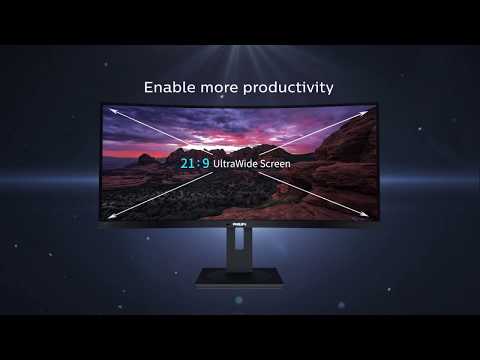
The Philips monitor delivers CrystalClear, UltraWide Quad HD 3440 x 1440 pixel resolution. Utilizing the high-performance panel with a multitude of high-density pixels and wide viewing angles of 178/178, it will bring your images and graphics to life. The UltraWide 21:9 aspect ratio allows for greater productivity with more space for side-by-side comparisons and the ability to view more columns in spreadsheets. Whether you need detailed information for professional CAD-CAM solutions or work with large spreadsheets, the Philips monitor offers crystal-clear images.

The VA monitor offers stunning images with a wide viewing angle

The Philips VA LED monitor uses advanced multi-domain vertical alignment technology, which offers an amazingly high contrast ratio for vivid and bright images. While it easily handles all standard office applications, it is also ideal for photos, web browsing, movies, games, and graphics-intensive applications. The optimized pixel management technology provides you with an exceptionally wide viewing angle of 178/178 degrees, resulting in clear images.

MultiView technology allows simultaneous dual connection and display

The Philips MultiView monitor with ultra-high resolution offers you many connectivity options. It allows active dual connection and viewing so you can work on multiple devices, such as a PC and notebook simultaneously, for complex multi-tasking.

Built-in KVM switch for easy source switching

With the built-in KVM MultiClient switch, you can control two separate computers with one monitor-keyboard-mouse set. A convenient button allows you to quickly switch between sources. An ideal and user-friendly choice for setups that require dual computing power or the use of a large screen to view two different computers.

Built-in USB-C Docking Station

Features an integrated USB Type-C docking station with power delivery. The slim, reversible USB-C connector allows for easy connection with a single cable. Simplify your setup by connecting all your peripherals such as the keyboard, mouse, and RJ-45 Ethernet cable to the monitor's docking station. Just connect your notebook and this monitor with a single USB-C cable to watch high-resolution video and transfer data at high speeds, while simultaneously powering and recharging your notebook.

Seamlessly smooth action with Adaptive-Sync technology

Game instability and broken frames do not suit gaming. Play with stable performance and without errors at almost any frame rate thanks to Adaptive-Sync technology and enjoy smooth and fast refresh as well as ultra-fast response time.

TUV Eye Comfort Certification for Reduced Eye Strain

The monitor complies with TUV Rheinland's eye comfort standard to avoid eye strain caused by prolonged computer use. With TUV Rheinland's eye comfort certification, Philips monitors ensure low blue light operation without flicker, zero distracting reflections, wide viewing angle with less image quality reduction from different angles, as well as ergonomic stand design for an ideal viewing experience. Maintain your eye health and boost your work productivity.

Less eye strain with Flicker-Free technology

Due to the way brightness is controlled on LED-backlit screens, some users notice a flicker on the screen, which can cause eye strain. Philips Flicker-Free technology applies a new solution for brightness regulation, reducing flicker and providing a more comfortable viewing experience.

Eye-friendly LowBlue Mode

According to studies, just like ultraviolet radiation, short-wavelength blue light emitted by LED screens can cause eye damage and affect vision over time. Developed with wellness in mind, Philips' LowBlue feature uses smart software technology to reduce harmful short-wavelength blue light.

PowerSensor reduces energy consumption by up to 70%

PowerSensor is a built-in "people sensor" that transmits and receives harmless infrared signals to determine if the user is present and automatically reduces brightness when the user steps away from their desk, reducing energy consumption costs by up to 70% and extending the monitor's lifespan.

LightSensor for perfect brightness with minimal power

The LightSensor uses an intelligent sensor to adjust the image brightness to the room's lighting conditions, so you can enjoy the perfect picture with minimal energy consumption.

Tilt, swivel, and height adjustment for an ideal viewing position

The compact ergonomic stand is user-friendly and provides the ability to adjust tilt, swivel, and height for maximum visual comfort and efficiency.

Package Contents:

  • Monitor
  • Stand
  • HDMI Cable
  • DisplayPort Cable
  • USB Cable
  • Power Cable

Manufacturer

See full description

Specifications

Specifications

Main Specifications

Panel
VA
HDR
No
Curved
Yes
UltraWide
Yes
Curvature Rate
1500R
Diagonal
34 "
Resolution
3440x1440
Contrast
3000 :1
Response Time (GTG)
5 ms
Refresh Rate
100 Hz
Aspect Ratio
21:9

Ergonomics

Tilt Adjustment
No
Height Adjustment
Yes
Vertical Rotation
No
Horizontal Rotation
No
Wall Mountable (Vesa)
100 x 100 mm

Connectivity

Connection
DisplayPort, HDMI, USB-C

Additional Specifications

Features & Functions
USB Hub
Speakers
No
Eye Comfort
Yes
Camera
No
Colour
Black

Energy Label

Energy Consumption
35 kWh/1000h
Energy Class
G

Important information

Specifications are collected from official manufacturer websites. Please verify the specifications before proceeding with your final purchase. If you notice any problem you can report it here.

See all specifications

Reviews (11)

Reviews

  1. 9
  2. 1
  3. 1
  4. 2 stars
    0
  5. 1 star
    0
Review this product
  • Comfort
  • Picture
  • Value for money
  • Response time
  • Viewing angle
  • Menu

Reviews by our members

  • The main reason for the purchase was that I wanted the cheapest possible one with a type-d dock. Unfortunately, this particular one has many bugs that I put up with for 2 years.

    I got it for 450 euros, not the best price. Now at 350 it is more okay.

    But it is annoying that it is VA 100Hz, for this money, and only if the resolution is 3440x1400p; at a different resolution you go back to 60hz.

    The type-c dock is not very durable, it has lost contact over time and when it breaks the monitor stops being worth anything.

    For developers who want a mix with gaming it is an okay choice. But if this will be your first ultra wide monitor, know that twitch streaming, slack, discord etc. forget full screen share, only window.

    Another downside is that it is very heavy, so be careful with moving it and with the cables.

    Translated from Greek ·
    Did you find this review helpful?
  • yfantidis.ortho
    5
    8 out of 9 members found this review helpful

    Verified purchase

    In no case am I an expert.
    Also, I didn't need such a monitor, in the sense of a professional (I knew that - the same applies to many others, after all. It's not of the present).

    But: ..I sit like a fool (for a month now) even if I don't have anything special to do and I enjoy the upgrade. Different feeling! I don't regret even € (458 with shipping), as long as it doesn't cause any problems.
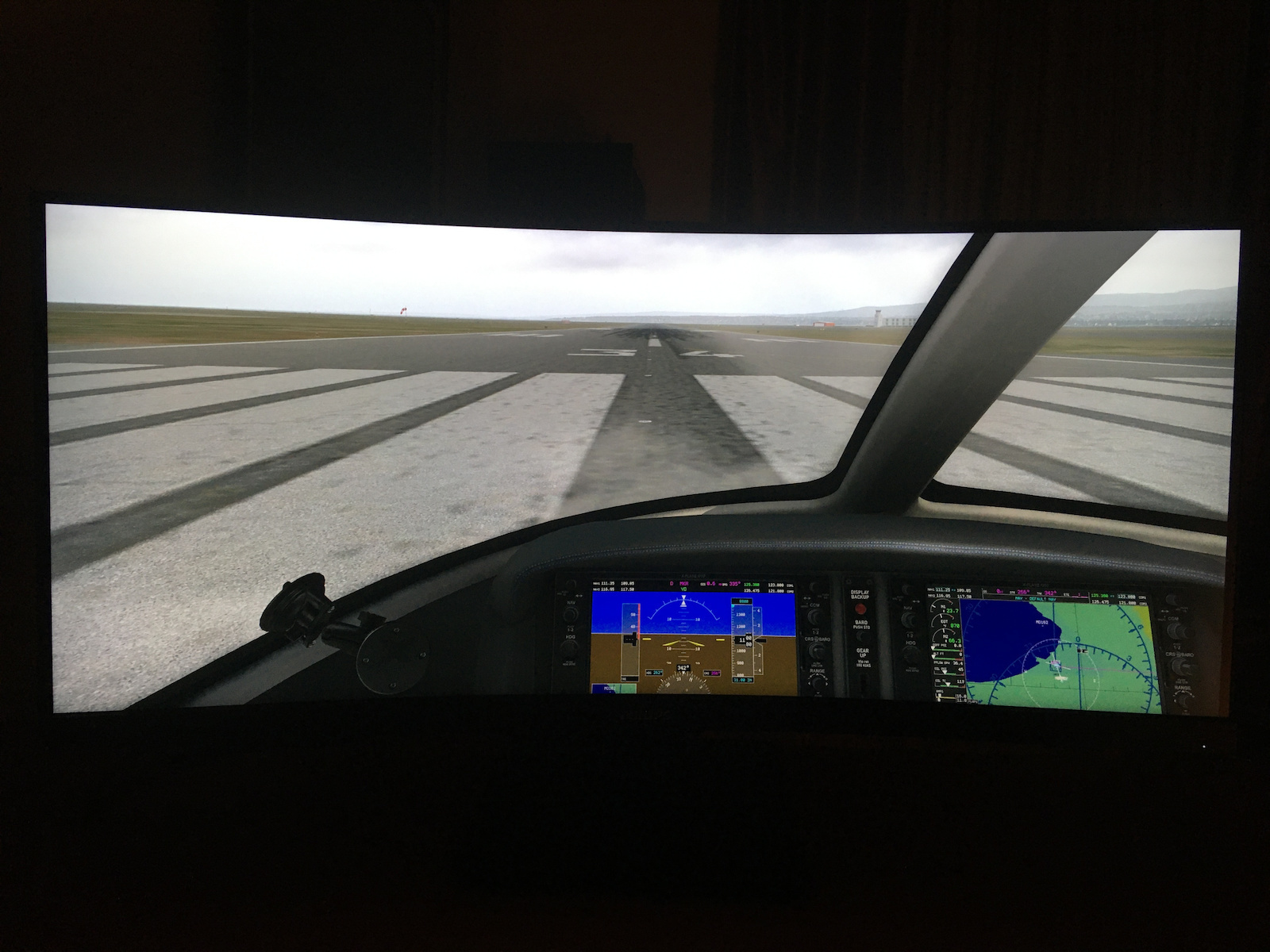
    And to justify myself: I'm involved in flight simulation (x-plane 11). I think I made the best choice. Take into account that curved monitors don't appear in photos and videos as we see them with our eyes. The curvature is perceived by our brain as "depth" and not as distortion.

    Translated from Greek ·
    • Comfort
    • Picture
    • Response time
    • Viewing angle
    • Value for money
    • Menu
    Did you find this review helpful?
  • lio80
    5
    8 out of 8 members found this review helpful

    The screen is quite good. Its features are mainly found in more expensive models (size, resolution, curved, ultrawide, kvm, etc.). I am very satisfied with its purchase. I use it professionally and it has "solved" my hands.

    Translated from Greek ·
    • Comfort
    • Picture
    • Response time
    • Viewing angle
    • Menu
    • Value for money
    Did you find this review helpful?
  • Verified purchase

    • Comfort
    • Picture
    • Response time
    • Viewing angle
    • Menu
    • Value for money
  • Verified purchase

    • Comfort
    • Picture
    • Response time
    • Viewing angle
    • Menu
    • Value for money
    • Comfort
    • Picture
    • Response time
    • Value for money
    • Viewing angle
    • Menu
  • Verified purchase

    • Comfort
    • Picture
    • Response time
    • Viewing angle
    • Value for money
    • Menu
  • The main reason for the purchase was that I wanted the cheapest possible one with a type-d dock. Unfortunately, this particular one has many bugs that I put up with for 2 years.

    I got it for 450 euros, not the best price. Now at 350 it is more okay.

    But it is annoying that it is VA 100Hz, for this money, and only if the resolution is 3440x1400p; at a different resolution you go back to 60hz.

    The type-c dock is not very durable, it has lost contact over time and when it breaks the monitor stops being worth anything.

    For developers who want a mix with gaming it is an okay choice. But if this will be your first ultra wide monitor, know that twitch streaming, slack, discord etc. forget full screen share, only window.

    Another downside is that it is very heavy, so be careful with moving it and with the cables.

    Translated from Greek ·
    0
  • In no case am I an expert.
    Also, I didn't need such a monitor, in the sense of a professional (I knew that - the same applies to many others, after all. It's not of the present).

    But: ..I sit like a fool (for a month now) even if I don't have anything special to do and I enjoy the upgrade. Different feeling! I don't regret even € (458 with shipping), as long as it doesn't cause any problems.
    And to justify myself: I'm involved in flight simulation (x-plane 11). I think I made the best choice. Take into account that curved monitors don't appear in photos and videos as we see them with our eyes. The curvature is perceived by our brain as "depth" and not as distortion.

    Translated from Greek ·
    8
  • The screen is quite good. Its features are mainly found in more expensive models (size, resolution, curved, ultrawide, kvm, etc.). I am very satisfied with its purchase. I use it professionally and it has "solved" my hands.

    Translated from Greek ·
    8
  • See all
Questions (2)

Questions

27 users have this product and can help you

Ask for the product
See all questions (2)

Description & Specifications

See more. Do more.

The Philips monitor is aimed at those seeking a large screen for work, gaming, or entertainment. It is ideal for professionals who require a large screen for design, software development, or data management, as well as for gamers who desire a large and curved screen for an enhanced gaming experience. The all-purpose USB-C, eye comfort features, and ergonomic stand design ensure optimal working conditions.

CrystalClear Images with UltraWide QHD 3440x1440 pixels

The Philips monitor delivers CrystalClear, UltraWide Quad HD 3440 x 1440 pixel resolution. Utilizing the high-performance panel with a multitude of high-density pixels and wide viewing angles of 178/178, it will bring your images and graphics to life. The UltraWide 21:9 aspect ratio allows for greater productivity with more space for side-by-side comparisons and the ability to view more columns in spreadsheets. Whether you need detailed information for professional CAD-CAM solutions or work with large spreadsheets, the Philips monitor offers crystal-clear images.

The VA monitor offers stunning images with a wide viewing angle

The Philips VA LED monitor uses advanced multi-domain vertical alignment technology, which offers an amazingly high contrast ratio for vivid and bright images. While it easily handles all standard office applications, it is also ideal for photos, web browsing, movies, games, and graphics-intensive applications. The optimized pixel management technology provides you with an exceptionally wide viewing angle of 178/178 degrees, resulting in clear images.

MultiView technology allows simultaneous dual connection and display

The Philips MultiView monitor with ultra-high resolution offers you many connectivity options. It allows active dual connection and viewing so you can work on multiple devices, such as a PC and notebook simultaneously, for complex multi-tasking.

Built-in KVM switch for easy source switching

With the built-in KVM MultiClient switch, you can control two separate computers with one monitor-keyboard-mouse set. A convenient button allows you to quickly switch between sources. An ideal and user-friendly choice for setups that require dual computing power or the use of a large screen to view two different computers.

Built-in USB-C Docking Station

Features an integrated USB Type-C docking station with power delivery. The slim, reversible USB-C connector allows for easy connection with a single cable. Simplify your setup by connecting all your peripherals such as the keyboard, mouse, and RJ-45 Ethernet cable to the monitor's docking station. Just connect your notebook and this monitor with a single USB-C cable to watch high-resolution video and transfer data at high speeds, while simultaneously powering and recharging your notebook.

Seamlessly smooth action with Adaptive-Sync technology

Game instability and broken frames do not suit gaming. Play with stable performance and without errors at almost any frame rate thanks to Adaptive-Sync technology and enjoy smooth and fast refresh as well as ultra-fast response time.

TUV Eye Comfort Certification for Reduced Eye Strain

The monitor complies with TUV Rheinland's eye comfort standard to avoid eye strain caused by prolonged computer use. With TUV Rheinland's eye comfort certification, Philips monitors ensure low blue light operation without flicker, zero distracting reflections, wide viewing angle with less image quality reduction from different angles, as well as ergonomic stand design for an ideal viewing experience. Maintain your eye health and boost your work productivity.

Less eye strain with Flicker-Free technology

Due to the way brightness is controlled on LED-backlit screens, some users notice a flicker on the screen, which can cause eye strain. Philips Flicker-Free technology applies a new solution for brightness regulation, reducing flicker and providing a more comfortable viewing experience.

Eye-friendly LowBlue Mode

According to studies, just like ultraviolet radiation, short-wavelength blue light emitted by LED screens can cause eye damage and affect vision over time. Developed with wellness in mind, Philips' LowBlue feature uses smart software technology to reduce harmful short-wavelength blue light.

PowerSensor reduces energy consumption by up to 70%

PowerSensor is a built-in "people sensor" that transmits and receives harmless infrared signals to determine if the user is present and automatically reduces brightness when the user steps away from their desk, reducing energy consumption costs by up to 70% and extending the monitor's lifespan.

LightSensor for perfect brightness with minimal power

The LightSensor uses an intelligent sensor to adjust the image brightness to the room's lighting conditions, so you can enjoy the perfect picture with minimal energy consumption.

Tilt, swivel, and height adjustment for an ideal viewing position

The compact ergonomic stand is user-friendly and provides the ability to adjust tilt, swivel, and height for maximum visual comfort and efficiency.

Package Contents:

  • Monitor
  • Stand
  • HDMI Cable
  • DisplayPort Cable
  • USB Cable
  • Power Cable

Manufacturer

Main Specifications

Panel
VA
HDR
No
Curved
Yes
UltraWide
Yes
Curvature Rate
1500R
Diagonal
34 "
Resolution
3440x1440
Contrast
3000 :1
Response Time (GTG)
5 ms
Refresh Rate
100 Hz
Aspect Ratio
21:9

Ergonomics

Tilt Adjustment
No
Height Adjustment
Yes
Vertical Rotation
No
Horizontal Rotation
No
Wall Mountable (Vesa)
100 x 100 mm

Connectivity

Connection
DisplayPort, HDMI, USB-C

Additional Specifications

Features & Functions
USB Hub
Speakers
No
Eye Comfort
Yes
Camera
No
Colour
Black

Energy Label

Energy Consumption
35 kWh/1000h
Energy Class
G

Important information

Specifications are collected from official manufacturer websites. Please verify the specifications before proceeding with your final purchase. If you notice any problem you can report it here.

Reviews (11)

  1. 9
  2. 1
  3. 1
  4. 2 stars
    0
  5. 1 star
    0
Review this product
  • Comfort
  • Picture
  • Value for money
  • Response time
  • Viewing angle
  • Menu

Reviews by our members

  • The main reason for the purchase was that I wanted the cheapest possible one with a type-d dock. Unfortunately, this particular one has many bugs that I put up with for 2 years.

    I got it for 450 euros, not the best price. Now at 350 it is more okay.

    But it is annoying that it is VA 100Hz, for this money, and only if the resolution is 3440x1400p; at a different resolution you go back to 60hz.

    The type-c dock is not very durable, it has lost contact over time and when it breaks the monitor stops being worth anything.

    For developers who want a mix with gaming it is an okay choice. But if this will be your first ultra wide monitor, know that twitch streaming, slack, discord etc. forget full screen share, only window.

    Another downside is that it is very heavy, so be careful with moving it and with the cables.

    Translated from Greek ·
    Did you find this review helpful?
  • yfantidis.ortho
    5
    8 out of 9 members found this review helpful

    Verified purchase

    In no case am I an expert.
    Also, I didn't need such a monitor, in the sense of a professional (I knew that - the same applies to many others, after all. It's not of the present).

    But: ..I sit like a fool (for a month now) even if I don't have anything special to do and I enjoy the upgrade. Different feeling! I don't regret even € (458 with shipping), as long as it doesn't cause any problems.
    And to justify myself: I'm involved in flight simulation (x-plane 11). I think I made the best choice. Take into account that curved monitors don't appear in photos and videos as we see them with our eyes. The curvature is perceived by our brain as "depth" and not as distortion.

    Translated from Greek ·
    • Comfort
    • Picture
    • Response time
    • Viewing angle
    • Value for money
    • Menu
    Did you find this review helpful?
  • lio80
    5
    8 out of 8 members found this review helpful

    The screen is quite good. Its features are mainly found in more expensive models (size, resolution, curved, ultrawide, kvm, etc.). I am very satisfied with its purchase. I use it professionally and it has "solved" my hands.

    Translated from Greek ·
    • Comfort
    • Picture
    • Response time
    • Viewing angle
    • Menu
    • Value for money
    Did you find this review helpful?
  • Verified purchase

    • Comfort
    • Picture
    • Response time
    • Viewing angle
    • Menu
    • Value for money
  • Verified purchase

    • Comfort
    • Picture
    • Response time
    • Viewing angle
    • Menu
    • Value for money
    • Comfort
    • Picture
    • Response time
    • Value for money
    • Viewing angle
    • Menu
  • Verified purchase

    • Comfort
    • Picture
    • Response time
    • Viewing angle
    • Value for money
    • Menu
  • The main reason for the purchase was that I wanted the cheapest possible one with a type-d dock. Unfortunately, this particular one has many bugs that I put up with for 2 years.

    I got it for 450 euros, not the best price. Now at 350 it is more okay.

    But it is annoying that it is VA 100Hz, for this money, and only if the resolution is 3440x1400p; at a different resolution you go back to 60hz.

    The type-c dock is not very durable, it has lost contact over time and when it breaks the monitor stops being worth anything.

    For developers who want a mix with gaming it is an okay choice. But if this will be your first ultra wide monitor, know that twitch streaming, slack, discord etc. forget full screen share, only window.

    Another downside is that it is very heavy, so be careful with moving it and with the cables.

    Translated from Greek ·
    0
  • In no case am I an expert.
    Also, I didn't need such a monitor, in the sense of a professional (I knew that - the same applies to many others, after all. It's not of the present).

    But: ..I sit like a fool (for a month now) even if I don't have anything special to do and I enjoy the upgrade. Different feeling! I don't regret even € (458 with shipping), as long as it doesn't cause any problems.
    And to justify myself: I'm involved in flight simulation (x-plane 11). I think I made the best choice. Take into account that curved monitors don't appear in photos and videos as we see them with our eyes. The curvature is perceived by our brain as "depth" and not as distortion.

    Translated from Greek ·
    8
  • The screen is quite good. Its features are mainly found in more expensive models (size, resolution, curved, ultrawide, kvm, etc.). I am very satisfied with its purchase. I use it professionally and it has "solved" my hands.

    Translated from Greek ·
    8
  • See all
344,86 €
Free   shipping cost
8% επιστροφή σε οθόνες υπολογιστή
Μην την χάσεις