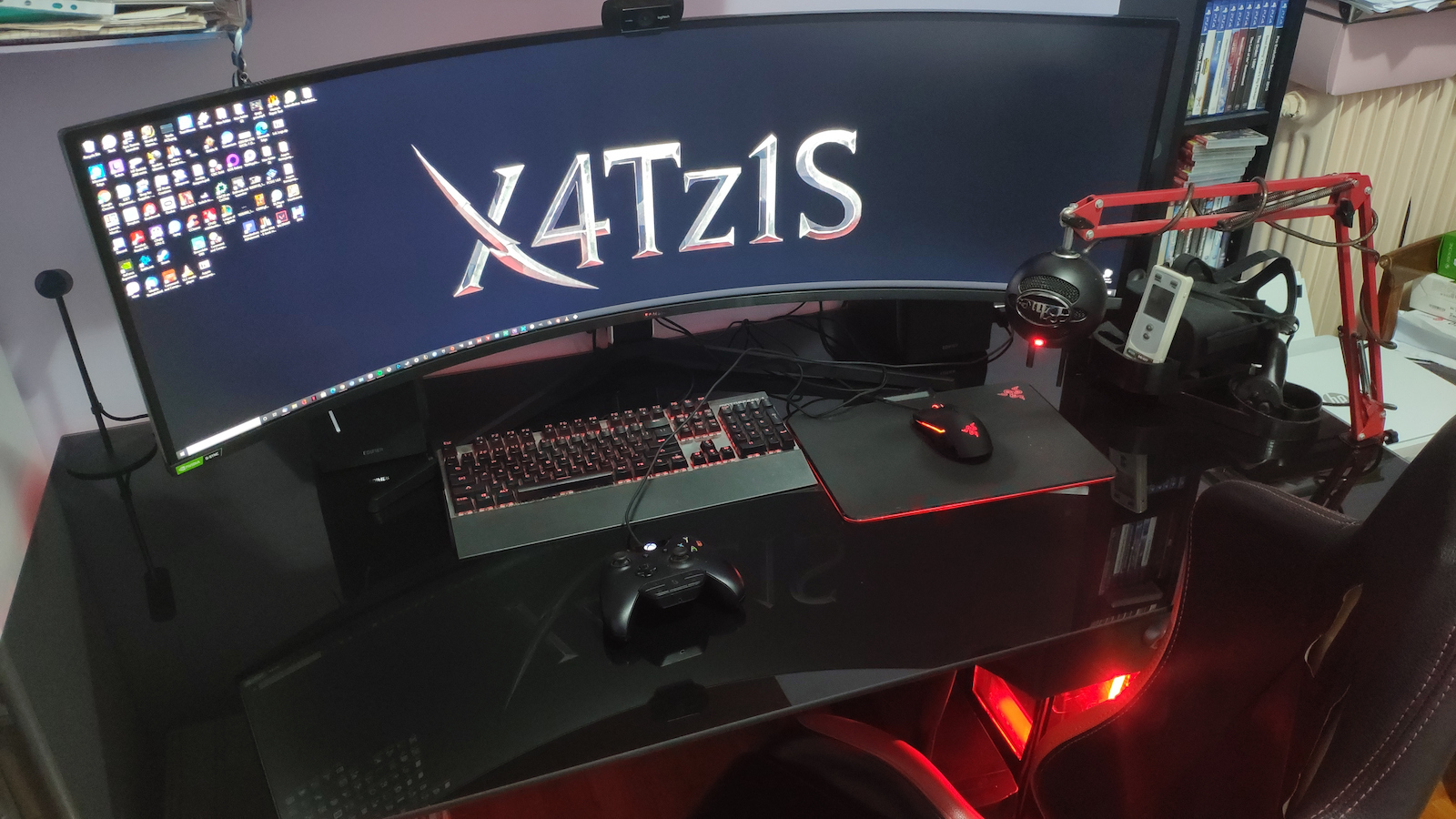
Purchased Black Friday 2021, it was on offer then at around 1000 euros, normally it was close to 1300+. When it reaches 1000€ or less, buy it with your eyes closed (I've seen it drop in the following years to even below 900 euros). It is connected to a Threadripper 3960x computer, with an Asus TUF Gaming 3070 OC.
~~~~~~
---- Updates, firmware, etc.:
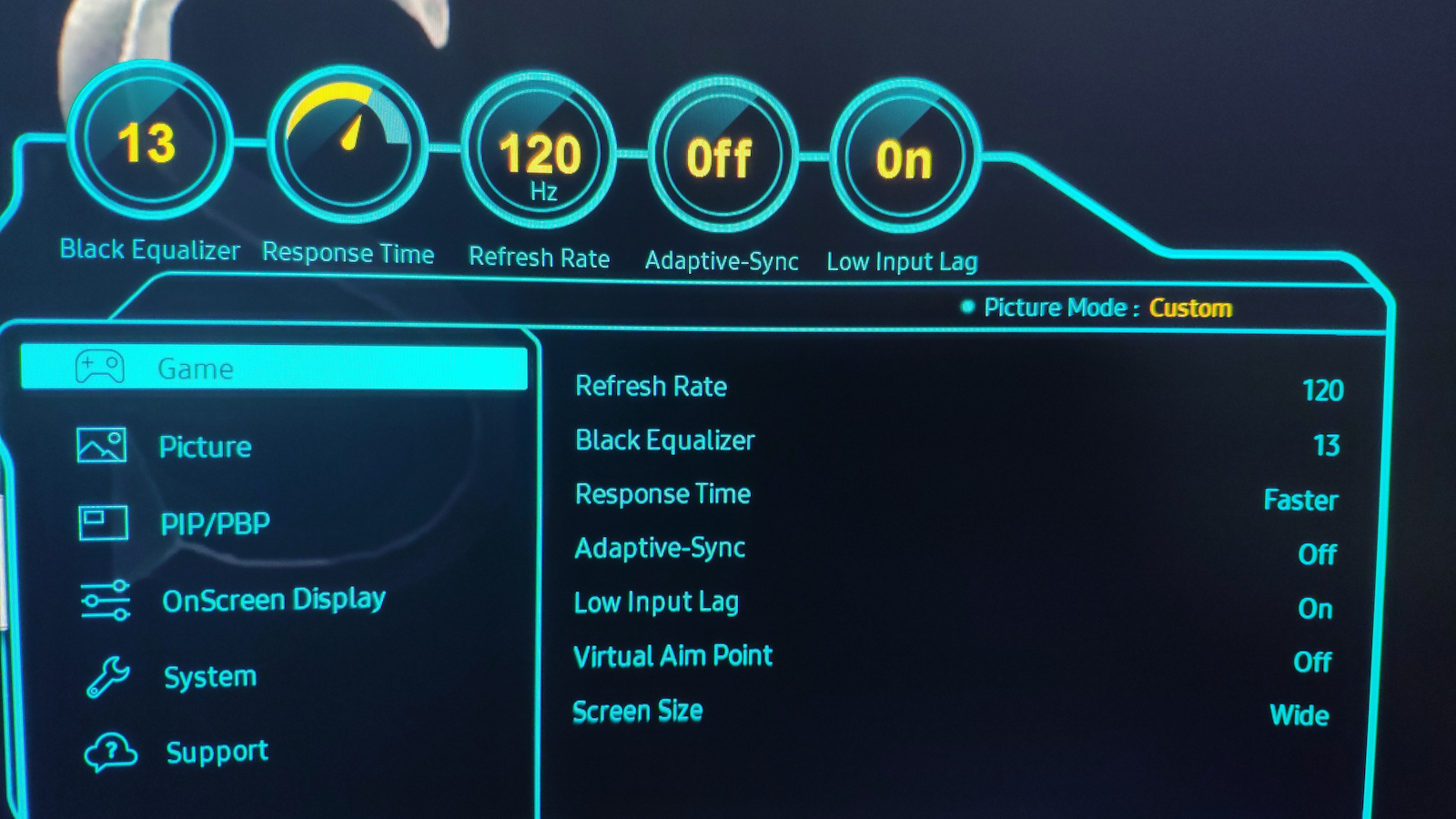
To start, let me say that those who buy it towards the end of 2021 and later will not have the problems everyone mentions about the first models. The 240Hz was not initially visible in Windows BUT you don't need to update from the USB as the site says, they've already done it, you just need to enter the monitor's menu with the button and enable it from there, and then Windows will recognize it. Also, the menu - system - VRR (variable refresh rate) is already enabled so all games run smoothly.
I see no flickering or anything. And all this after testing it in some games and watching videos in 32:9.
----- HDR:
If you go into the settings with the button and enable HDR, you'll just see a different picture, double the brightness, and maybe it's only for videos and games. If you have a white screen in any browser, you might get blinded, so Dark Mode everywhere from now on.
Experiment with the settings, it doesn't hurt, a lot of people connect it to a computer and think they'll automatically get the experience they were promised.
----- Size:
The 49 inches may seem a lot, especially because it's double ultra wide, but you get used to it in a few days.
----- Aspect Ratio:
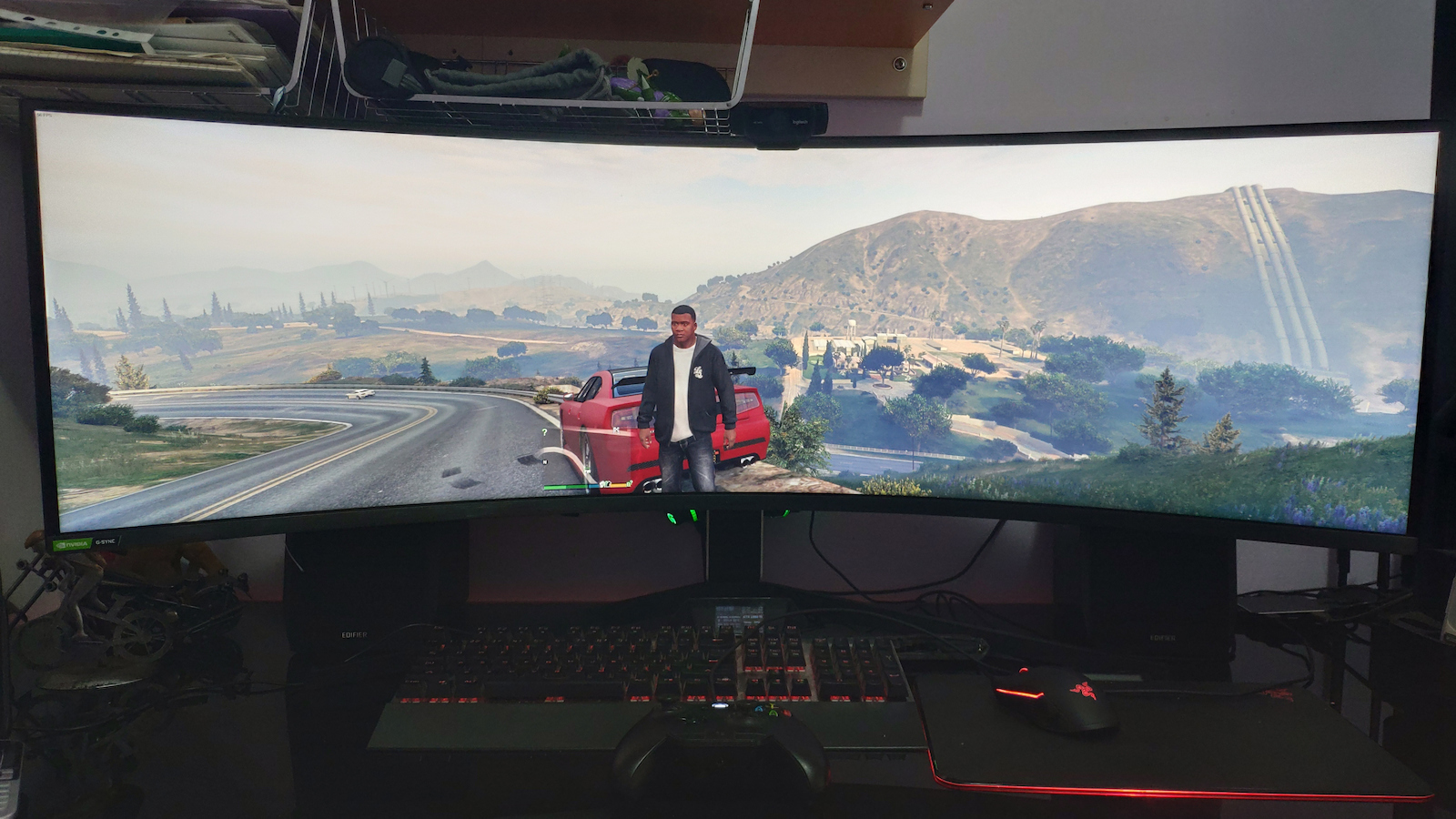
I think the aspect ratio is a bit excessive for most cases, 21:9 is generally better in terms of visual range, but I won't complain about this visual beast. Many have said it would be better if it was 5120x2160 with 21:9 but of course, true 5K, 240 Hz, and close to 1000 euros is asking a lot.
----- 240Hz
My previous monitor was 75Hz, and now at 240Hz even the mouse moves as if it's real, so smoothly that you think you have a piece of paper moving on the screen. I couldn't find a 240fps video to test it but I believe after 120Hz you don't see much difference. Higher fps in games, however, helps their interactivity; the more fps, the better they react to what's happening as calculations are done for every frame, so the game is 'analyzed' more (for those who understand anyway). What I want to say is that visually we won't notice a difference above 120Hz, but in games, we want to have as high as possible.
----- Clarity
The pixel density is quite good, you have to get very close to start seeing them, and with this monitor, you should theoretically be 75 centimeters to 1 meter away to have it in your field of view.
~~~~~~
This is NOT an entry-level monitor, it's for hardcore users.
Don't put it on a computer that cost 500 euros, it's not worth it. My computer without the monitor cost about 5000€, excessive yes, but it needs a good graphics card and a good processor to run applications smoothly.
~~~~~~
Some notes:
----- With an old graphics card, you'll have problems, if you have a 2080 you might be fine, but with the NVidia 3000/4000 series you won't have any problems at all. Obviously, if you max out the graphics you won't get 240Hz unless you have something like Dual NVlink 3090 or one from the 4000 series. As I mentioned before, I have an Asus TUF Gaming 3080 OC and I have not encountered any problems. I have also connected it to a computer with an Asus Tuf Gaming 3070 and it is just as efficient. On another computer with an RX480/8GB it also runs but only up to 120Hz.
----- The fact that 32:9 is not supported by consoles has nothing to do with the monitor, it has to do with the consoles themselves which are simply gaming machines. It will play the games but you will see black bars on the right and left. For consoles, just get a 55" 4K TV for 300 euros and enjoy!
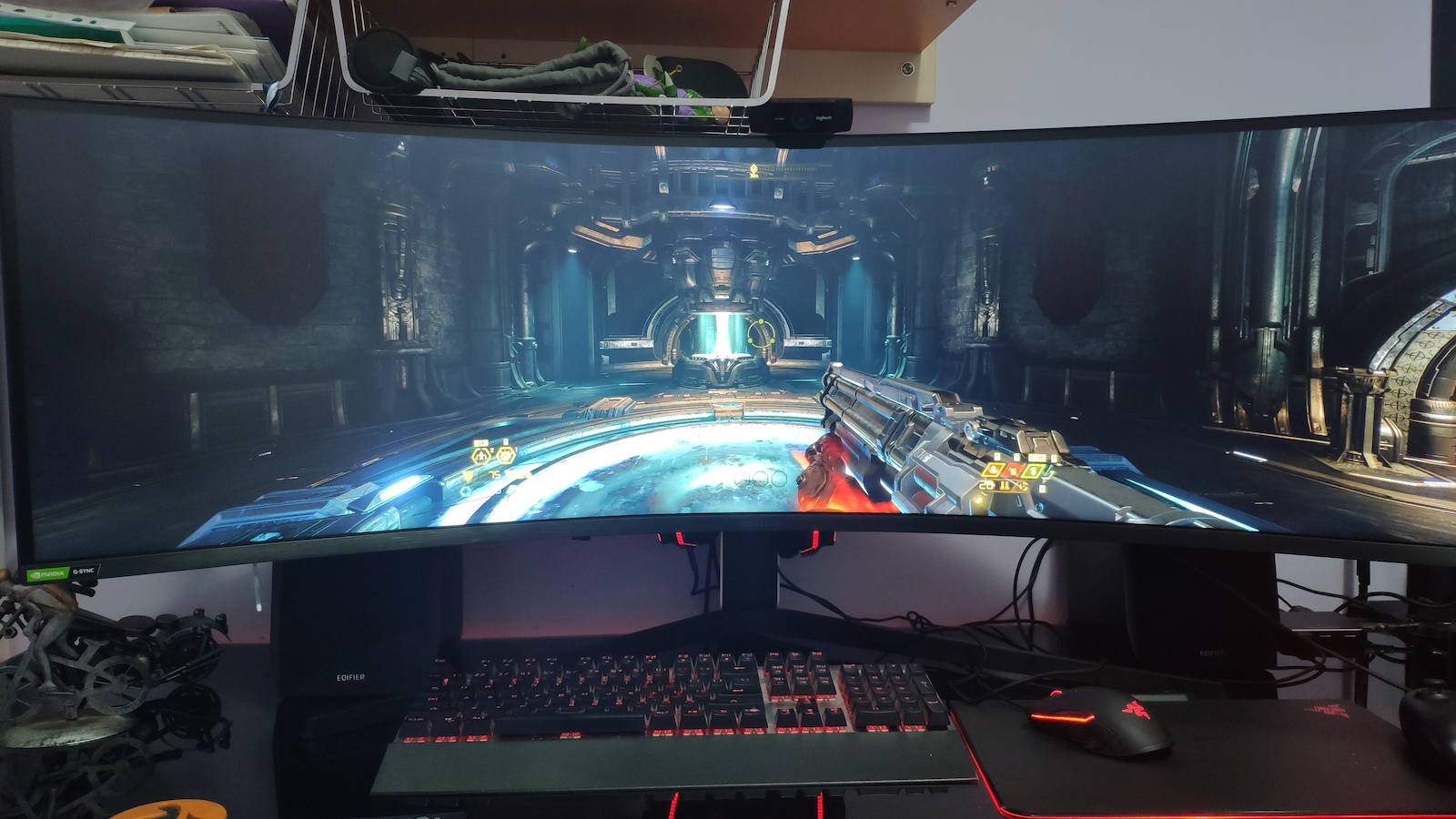
----- The fact that not all games (on PC) support 32:9 also has nothing to do with the monitor but with the games that do not have adaptive resolution.
----- If you do not want 5120x1440 then the only other option you have is 3840x1080 to still have 32:9. The other resolutions are not 32:9 (on Windows 10) so they either distort the image or put bars on the right and left.
----- The options for Hz are 60, 120, and 240. However, there is no reason to set anything other than 240Hz because that is essentially the maximum allowed, meaning in any case the refresh rate is also adaptive so if your card can't handle it, it simply won't run at 240Hz, same for the games. It doesn't mean that just because you selected 240Hz you are forcing the card and all applications to run at 240Hz no matter what. Even Windows uses Sync for the frequency and runs it where it can handle it.
----- When opening several windows it is ergonomic as expected. There is also a special option to grip the windows to parts of the screen automatically but I don't use it, I prefer to size them myself and place them wherever I want.
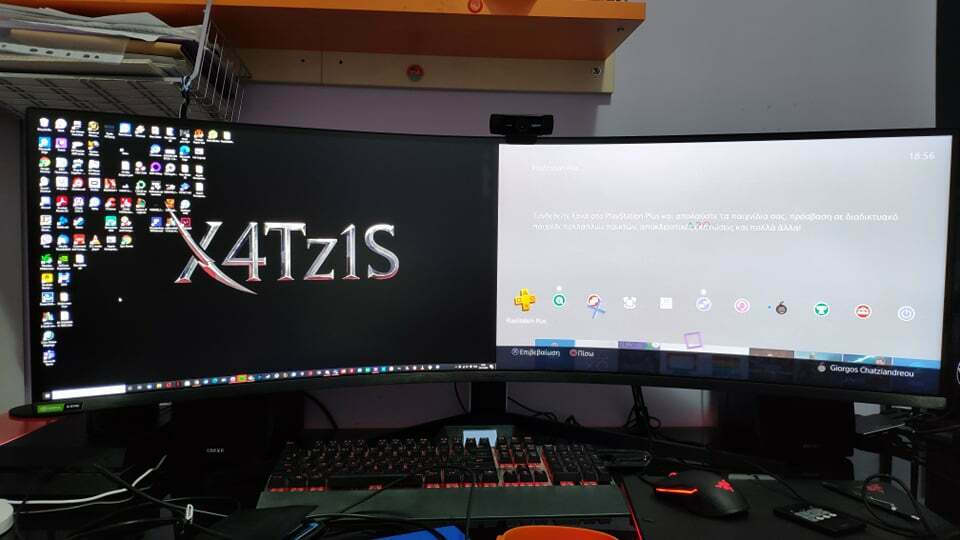
----- You can use it with 2 computers, on one side showing one computer and on the other the other, as if they are two different monitors. BUT to make it work with one keyboard and one mouse, that depends on the computers and not the monitor, you need a device that connects the peripherals of two computers into one, unrelated to the monitor, I mention this because someone I know asked me if it is like when you have two monitors on one computer and the mouse goes from one screen to the other, this is the opposite and the input is done by each PC separately.
Αγορασμένη Black Friday 2021, σε προσφορά τότε ήταν στα 1000 ευρώ περίπου, κανονικά έκανε κοντά στα 1300+. Όταν φτάνει τα 1000€ και κάτω πάρτε την με κλειστά μάτια (την έχω δει να πέφτει στα επόμενα χρόνια ως και κάτω από 900 ευρώ). Είναι συνδεδεμένη σε υπολογιστή threadripper 3960x, με μία Asus TUF Gaming 3070 OC
~~~~~~
---- Updates, firmware κτλ:
Για αρχή να πω ότι όσοι την πάρετε προς το τέλος του 2021 και μετά δεν θα έχετε τα προβλήματα που γράφουν όλοι για τα πρώτα μοντέλα. Τα 240Hz δεν τα έβλεπε αρχικά στα windows ΑΛΛΑ δεν χρειάζεται να κάνετε update από το usb όπως λέει στο site, το έχουν κάνει ήδη, πρέπει να μπείτε στο μενού της οθόνης με το κουμπί και να το ενεργοποιήσετε από εκεί και μετά το βλέπει και στα windows. Επίσης έχουν ήδη ενεργοποιημένο το menu - system - VRR (variable refresh rate) ώστε να παίζουν όλα τα παιχνίδια απροβλημάτιστα.
Ούτε flickering βλέπω, ούτε τίποτα. Και όλα αυτά δοκιμάζοντας το σε μερικά παιχνίδια και βλέποντας βίντεο σε 32:9.
----- HDR:
Αν πάτε στις ρυθμίσεις από το κουμπί και ενεργοποιήσετε το HDR απλά θα δείτε μία διαφορετική εικόνα, διπλάσια φωτεινότητα και ίσως είναι μόνο για βίντεο και παιχνίδια, αν έχετε λευκή οθόνη σε κανέναν browser παίζει να τυφλωθείτε, επομένως Dark Mode παντού πλέον.
Πειραματιστείτε με τις ρυθμίσεις, δεν κάνει κακό, πολύς κόσμος την βάζει σε υπολογιστή και νομίζει ότι θα δει αυτόματα της εμπειρία που του τάξανε.
----- Μέγεθος:
Οι 49 ίντσες ίσως φαίνονται πολλές και ειδικά γιατί είναι double ultra wide αλλά το συνηθίζεις σε μερικές μέρες.
----- Aspect Ratio:
Το aspect ratio θεωρώ ότι είναι λίγο υπερβολικό για τις περισσότερες περιπτώσεις, το 21:9 τελικά είναι καλύτερο από άποψη οπτικού εύρους γενικά, αλλά δεν θα διαμαρτυρηθώ γι' αυτό το οπτικό τέρας. Πολλοί έχουν πει ότι θα ήταν καλύτερα αν ήταν 5120x2160 με 21:9 αλλά βέβαια και true 5K και 240 Hz και κοντά στα 1000 ευρώ πολλά ζητάμε.
----- 240Ηz
Η προηγούμενη οθόνη μου ήταν 75ΗΖ ενώ τώρα στα 240ΗΖ ακόμα και το ποντίκι πηγαίνει λες και είναι πραγματικό, τόσο ομαλά που νομίζεις ότι έχεις ένα κομμάτι χαρτί που κινείται στην οθόνη. Δεν κατάφερα να βρω 240fps βίντεο για να το τεστάρω αλλά πιστεύω μετά τα 120ΗΖ δεν βλέπεις και πολύ διαφορά. Τα παραπάνω fps στα παιχνίδια πάντως βοηθάει στην διαδραστικότητά τους, όσο πιο πολλά fps τόσο πιο καλά αντιδρούν σε ότι γίνεται καθώς οι υπολογισμοί γίνονται για κάθε frame οπότε το παιχνίδι "αναλύεται" πιο πολύ (για όσους καταλαβαίνουν τέλος πάντων), αυτό που θέλω να πω είναι ότι οπτικά εμείς δεν θα καταλάβουμε διαφορά πάνω από τα 120Hz αλλά μας ενδιαφέρει στα παιχνίδια να έχουμε όσο μεγαλύτερο γίνεται.
----- Ευκρίνεια
Η πυκνότητα των pixels είναι αρκετά καλή, πρέπει να πας πολύ κοντά για να αρχίσεις να τα βλέπεις και σε αυτή την οθόνη θεωρητικά πρέπει να είσαι από 75 εκατοστά ως 1 μέτρο μακρυά για να την έχεις στο οπτικό σου πεδίο.
~~~~~~
ΔΕΝ είναι entry η οθόνη, είναι για παιχταράδες.
Μην την τοποθετήσετε σε υπολογιστή που κόστισε 500 ευρώ δεν αξίζει, ο δικός μου υπολογιστής χωρίς την οθόνη κόστισε 5000€ περίπου, υπερβολή ναι αλλά θέλει καλή κάρτα γραφικών και καλό επεξεργαστή ώστε να τρέχετε τις εφαρμογές σφαίρα.
~~~~~~
Μερικές παρατηρήσεις:
----- Με παλιά κάρτα γραφικών θα έχετε πρόβλημα, αν έχετε καμία 2080 παίζει να είστε καλά, αλλά με τις NVidia 3000/4000 series δεν θα έχετε κανένα απολύτως πρόβλημα. Προφανώς αν βάλετε τίγκα γραφικά δεν θα έχετε 240ΗΖ εκτός κι αν έχετε τίποτα Dual NVlink 3090 ή κάποια της 4000 σειρά. Εγώ όπως προείπα έχω μία Asus TUF Gaming 3080 OC και δεν μου έχει βγάλει κανένα πρόβλημα. Την έχω συνδέσει και σε υπολογιστή που φοράει Asus Tuf Gaming 3070 και είναι το ίδιο αποδοτική. Σε άλλο υπολογιστή με μία RX480/8GB τρέχει κι εκεί αλλά μέχρι 120Hz.
----- Το ότι το 32:9 δεν υποστηρίζεται από κονσόλες δεν έχει να κάνει με την οθόνη, έχει να κάνει με τις κονσόλες που είναι απλά παιχνιδομηχανές. Θα παίζει τα παιχνίδια αλλά θα βλέπετε μαύρες μπάρες δεξιά και αριστερά. Για κονσόλες πάρτε καμία 55" 4Κ τηλεόραση με 300 ευρώ να χαρείτε!
----- Το ότι δεν υποστηρίζουν όλα τα παιχνίδια (σε υπολογιστή) 32:9 επίσης δεν έχει να κάνει με την οθόνη αλλά με τα παιχνίδια που δεν έχουν adaptive resolution.
----- Αν δεν θέλετε 5120x1440 τότε η μόνη άλλη επιλογή που έχετε είναι 3840x1080 για να είναι πάλι 32:9. Οι υπόλοιπες αναλύσεις δεν είναι 32:9 (σε windows 10) οπότε είτε παραμορφώνουν την εικόνα ή βάζουν μπάρες δεξιά και αριστερά.
----- Οι επιλογές για ΗΖ είναι 60, 120 και 240. όμως δεν υπάρχει λόγος να βάλετε κάτι άλλο από 240Hz γιατί αυτό είναι ουσιαστικά το μέγιστο που επιτρέπετε, δηλαδή ούτως ή άλλως το refresh rate είναι επίσης adaptive άρα αν η κάρτα σας δεν το σηκώνει απλά δεν θα τρέχει σε 240Hz, το ίδιο και τα παιχνίδια. Δεν σημαίνει ότι επειδή έχετε επιλέξει τα 240Hz ότι επιβάλετε στην κάρτα και σε όλες τις εφαρμογές να τρέξουν στα 240Hz ντε και καλά. Ακόμα και τα windows κάνουν χρήση Sync στην συχνότητα και το τρέχουν εκεί που το σηκώνει.
----- Σε άνοιγμα αρκετών παραθύρων είναι εργονομική όπως και είναι αναμενόμενο. Έχει και ειδική επιλογή να κάνεις grip τα παράθυρα σε μεριές τις οθόνης αυτόματα αλλά εγώ δεν το χρησιμοποιώ, προτιμώ να τα κάνω εγώ όσο μέγεθος θέλω και να τα τοποθετώ όπου θέλω.
----- Μπορείτε να την χρησιμοποιήσετε με 2 υπολογιστές, στην μία μεριά να δείχνει το έναν υπολογιστή και στην άλλη τον άλλον σαν να είναι δύο διαφορετικές οθόνες. ΑΛΛΑ για να το κάνετε να λειτουργεί με ένα πληκτρολόγιο και ένα ποντίκι αυτό έχει να κάνει με τους υπολογιστές και όχι με την οθόνη, χρειάζεται ένα μαραφέτι που συνδέει τα περιφερειακά δύο υπολογιστών σε ένα, άσχετο με την οθόνη δηλαδή, το αναφέρω γιατί με ρώτησε κάποιος γνωστός μου αν είναι όπως όταν έχεις δύο μόνιτορ σε έναν υπολογιστή που το ποντίκι πάει από την μία οθόνη στην άλλη, αυτό είναι το αντίθετο και το input γίνεται από το κάθε pc ξεχωριστά.