Να ξεκινήσω με κάποια σχόλια συγκριτικά με wifi repeaters/ extenders, μιας και για εμένα οι διαφορές τους από τα wifi mesh/ access points δεν ήταν αρχικά γνωστές και έπρεπε να ψάξω αρκετά το θέμα:
Τα repeaters/ extenders έχουν τα εξής βασικά χαρακτηριστικά σε σχέση με wifi mesh/ access points:
- Τα περισσότερα δεν έχουν δυνατότητα να συνδεθούν ενσύρματα με υπάρχον ενσύρματο δίκτυο. Αυτό σημαίνει ότι πρέπει να τοποθετηθούν εκεί που υπάρχει τουλάχιστον μεσαίας έντασης σήμα wifi, ώστε να το επεκτείνουν, άρα περιορίζονται δραστικά οι επιλογές σε μεγάλους χώρους.
- Κάθε repeater δημιουργεί δικό του wifi δίκτυο (άλλο όνομα από του router) με συνέπεια κάποιες κινητές συσκευές να μην αλλάζουν στο πιο ισχυρό δίκτυο από μόνες τους έγκαιρα. Πχ ενώ απομακρύνεσαι με το κινητό από το χώρο του router στο χώρο που πιάνει το repeater, το κινητό δε θα αλλάξει στο ισχυρό δίκτυο του repeater παρά μόνο αν χάσει το σήμα του router. (Το κινητό μου Samsung παρότι έχει λειτουργία intelligent wifi για αυτόματη εναλλαγή στο πιο ισχυρό δίκτυο, στην πράξη δεν τα κατάφερνε). Με wifi mesh/ access points έχεις ένα δίκτυο σε όλο το χώρο.
- Στα θετικά ότι τα περισσότερα repeaters μπαίνουν απλά στην πρίζα χωρίς έξτρα καλώδιο τροφοδοσίας.
Τώρα πάμε ειδικά στα σχόλια για τα Halo H30G:
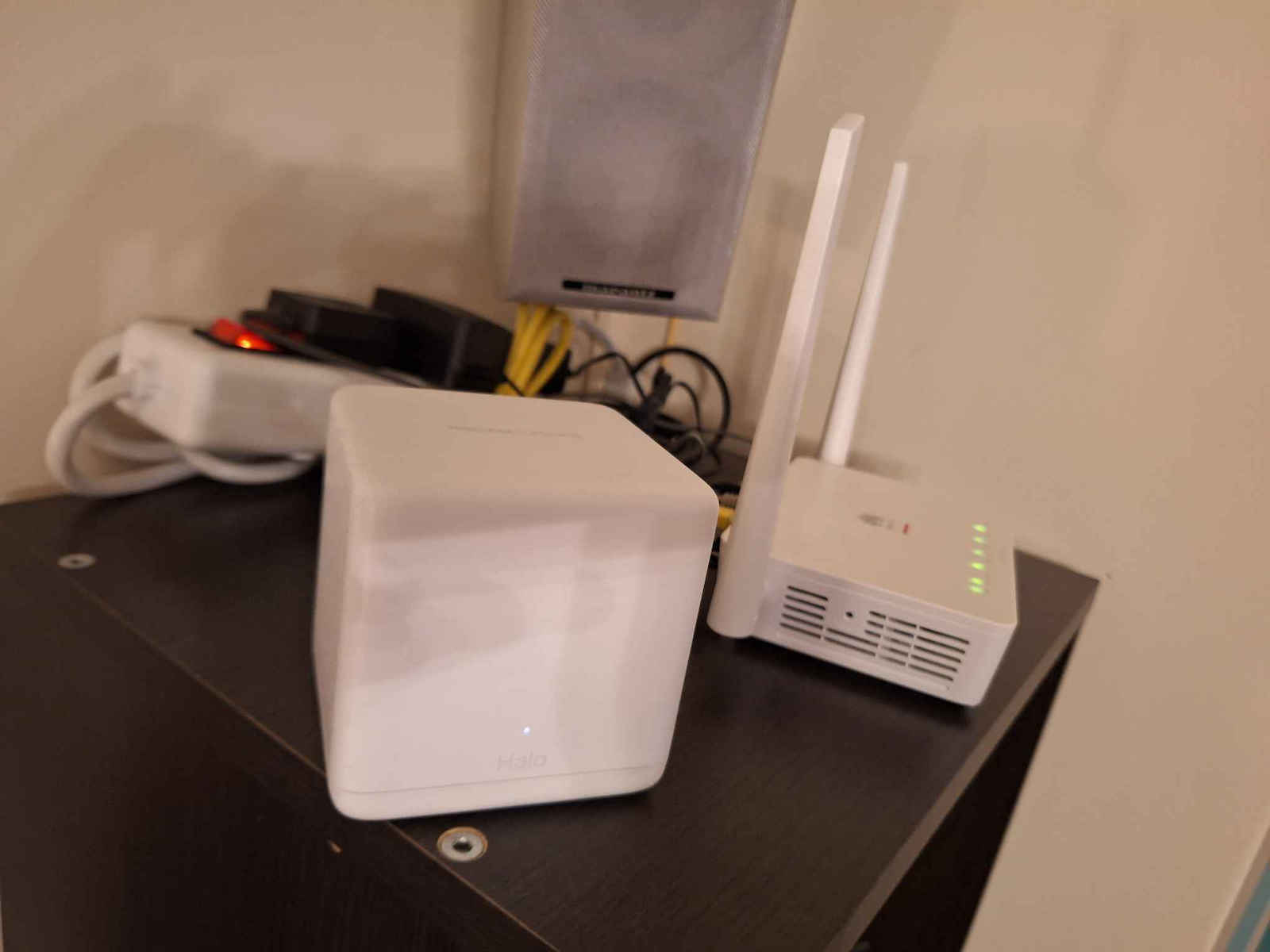
Η κατασκευάστρια εταιρεία ανήκει στην TP LINK και έχουν το ίδιο τηλέφωνο τεχνικής υποστήριξης, η οποία όταν τους τηλεφώνησα ήταν φιλικοί και εξυπηρετικοί. Τα προτίμησα από αντίστοιχα της μαμάς εταιρείας λόγω διαφοράς σε κόστος. Είναι μικρά, συμπαθητικά ως προς την εμφάνιση και ελαφριά.
Η εγκατάση ως wireless access points φαίνεται ιδιαίτερα εύκολη
Αντίθετα, η εγκατάσταση ως ενσύρματα access points με ταλαιπώρησε όπως και άλλον reviewer με το Halo H50G. Ίσως οφείλεται στο ότι δεν έχω εμπειρία σε αυτό το κομμάτι, αλλά όπως και να έχει, περίμενα την εγκατάσταση πιο φιλική προς το χρήστη.
Μην αναβαθμίσετε το firmware σε κανένα unit από μόνο του. Αναβαθμίστε τα όλα μαζί. Σε εμένα το 3ο unit με παλιό firmware δε μου αναγνωρίζονταν από το δίκτυο των άλλων 2 που τα είχα αναβαθμίσει. Το έλυσα σβήνοντας το δίκτυο των 2 και ξεκινώντας καινούριο δίκτυο με το unit με παλιό firmware ώστε να το αναβαθμίσω κι αυτό. Ο κατασκευαστή έχει οδηγίες για αναβάθμιση firmware μεμονωμένων units, αλλά δεν κατάφερα να τις εφαρμόσω.
Παρά τις οδηγίες του κατασκευαστή ότι σε ενσύρματο access point mode, μπορούν όλα τα units να καλωδιωθούν απευθείας στο router, σε εμένα δε δούλεψε αυτή η συνδεσμολογία. Για να δουλέψει έπρεπε οι 2 δορυφόροι να συνδεθοούν στο κεντρικό unit (μέσω switch) και το κεντρικό unit με ένα καλώδιο απευθείας στο router (και με άλλο καλώδιο στο switch που δίνει ενσύρματο internet σε όλες τις πρίζες συμπεριλαμβανομένων των πριζών που δίνουν Internet στους δορυφόρους).
Ένας δορυφόρος unit πρέπει να συνδεθεί πρώτα ασύρματα (άρα εκεί που πιάνει καλά wifi) και μετά μπορεί να μετακινηθεί όπου θέλουμε με ενσύρματη σύνδεση (άρα και εκεί που δεν πιάνει καθόλου wifi, που ήταν το ζητούμενο στην περίπτωσή μου).
Το καινούριο ασύρματο δίκτυο που έφτιαξαν τα Halo H30G(3-pack) το μετονόμασα στο παλιό μου (ίδιο όνομα και κωδικός), το οποίο το απενργοποίησα από το router. Οι υπάρχουσες συσκευές συνδέθηκαν αυτόματα χωρίς νέο setup.
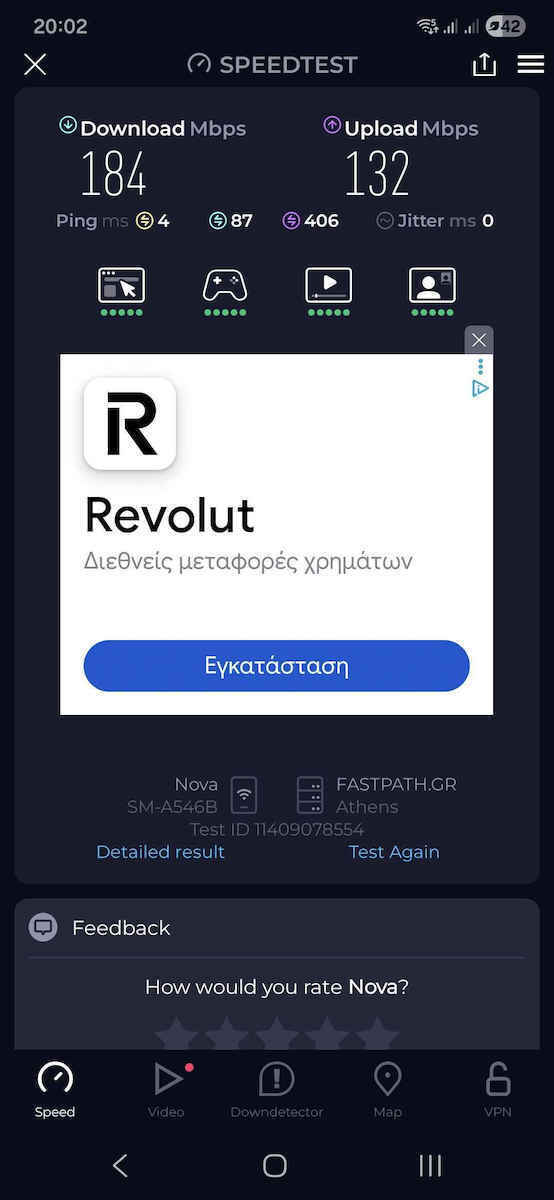
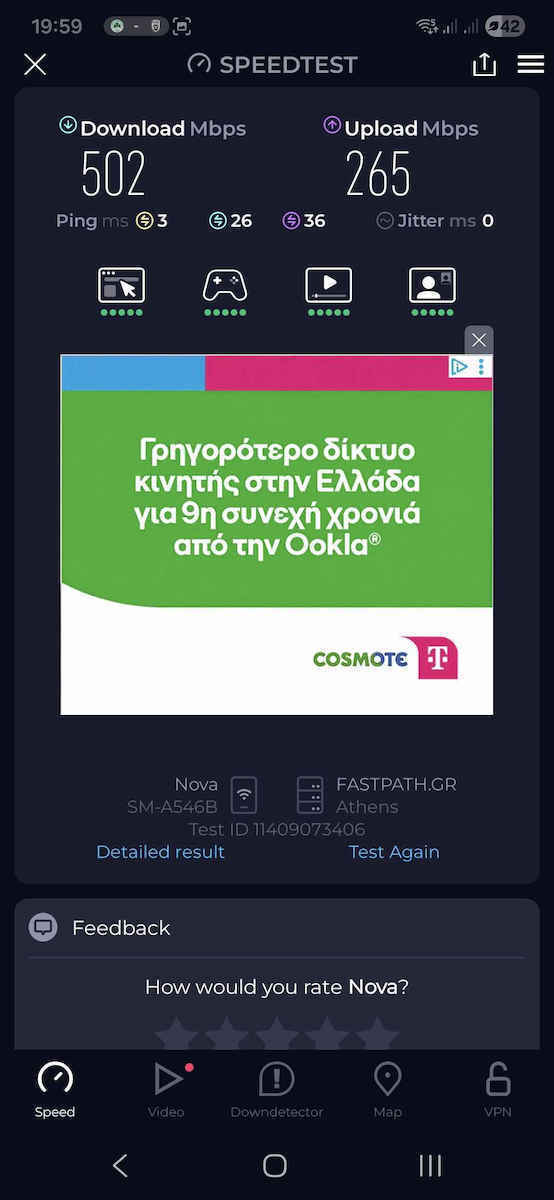
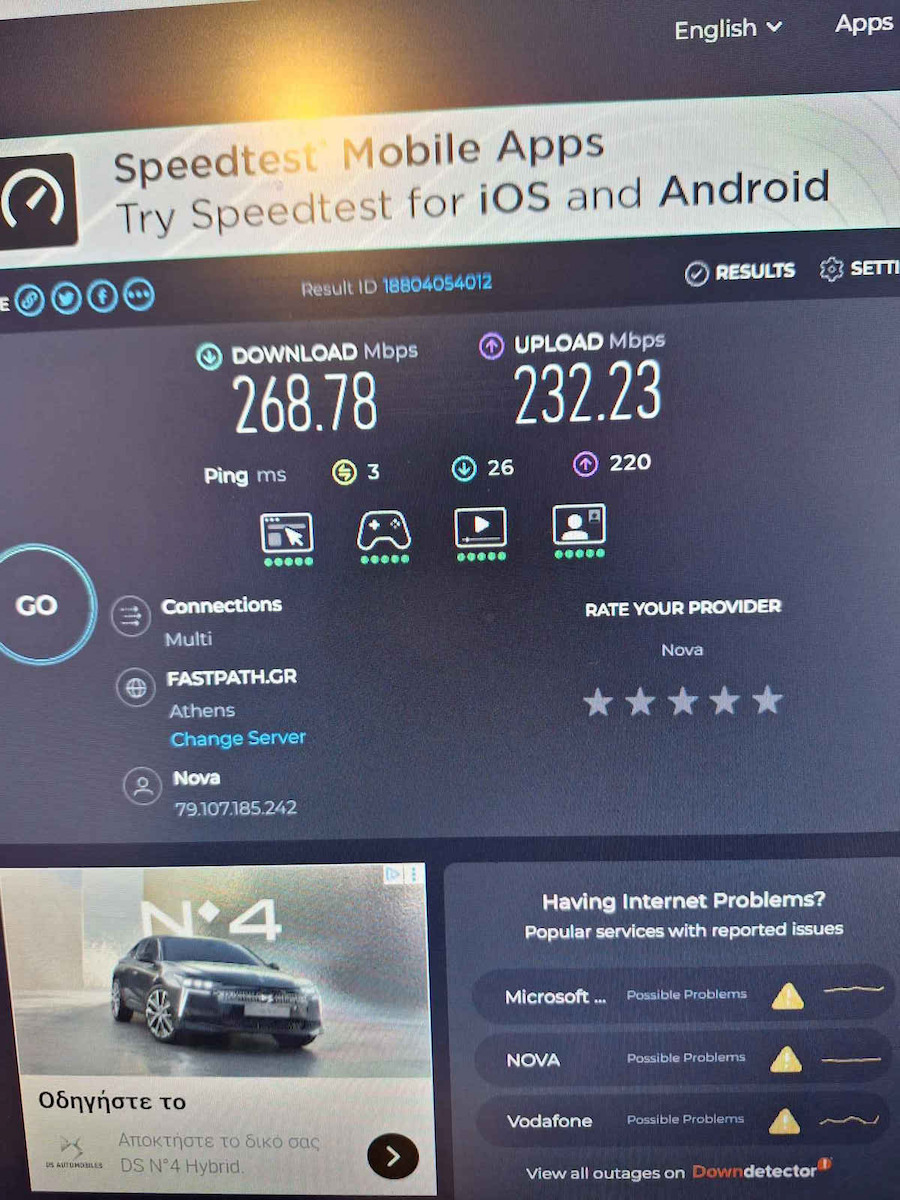
Αφού έφαγα 2-3 ώρες πειραματιζόμενος και καίγοντας θερμίδες πάνω-κάτω σε σκάλες, τελικά δουλεύει άψογα με με ταχύτητες που πιάνουν σχεδόν τις ονομαστικές του internet provider. Θεωρώντας ότι η ταλαιπωρία μου οφείλεται σε δική μου απειρία και αφού οι συσκευές δουλεύουν όπως πρέπει έδωσα 5 αστεράκια. Καλή επιτυχία!


 128 bonus Coins
Για να κερδίσεις τα Skroutz Coins, γίνε μέλος του Skroutz Plus και αποδέξου τους όρους του προγράμματος επιβράβευσης.
128 bonus Coins
Για να κερδίσεις τα Skroutz Coins, γίνε μέλος του Skroutz Plus και αποδέξου τους όρους του προγράμματος επιβράβευσης.