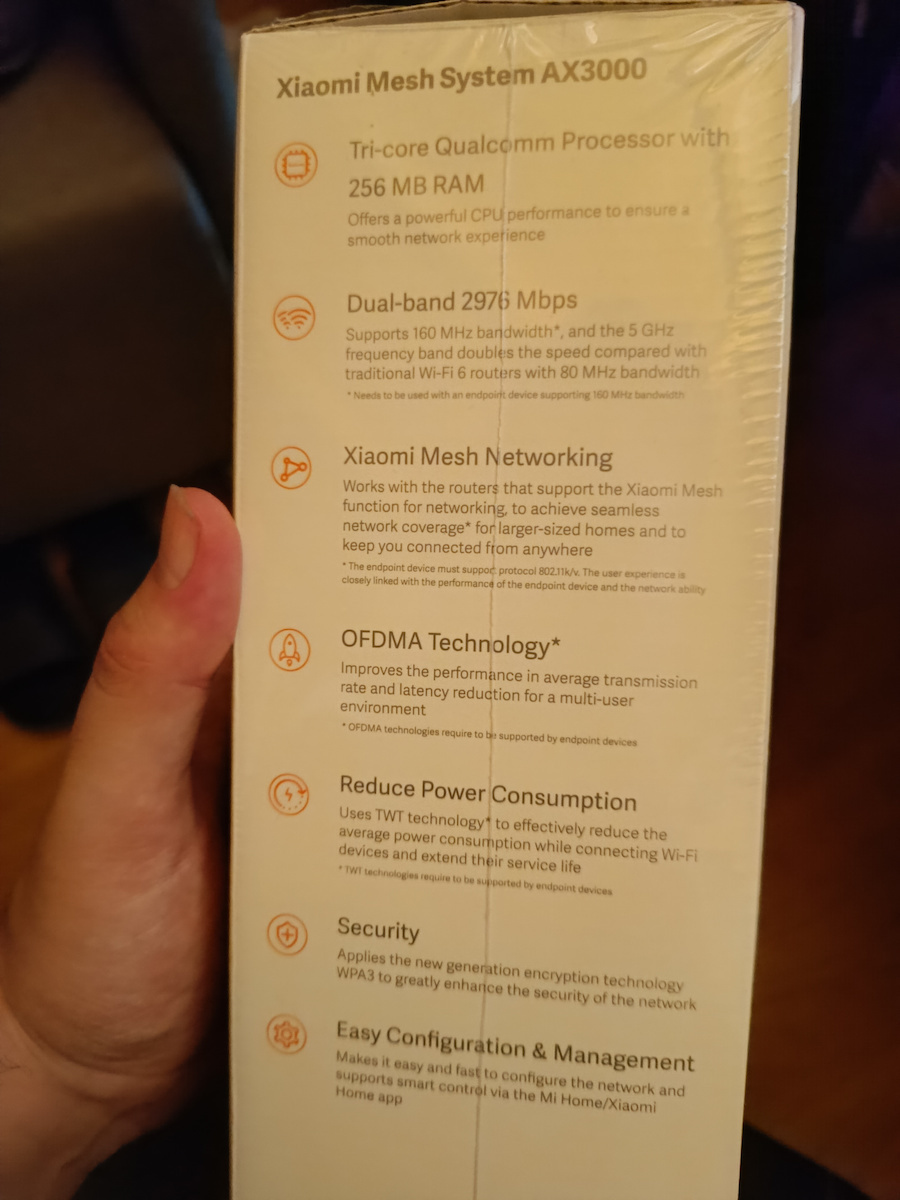
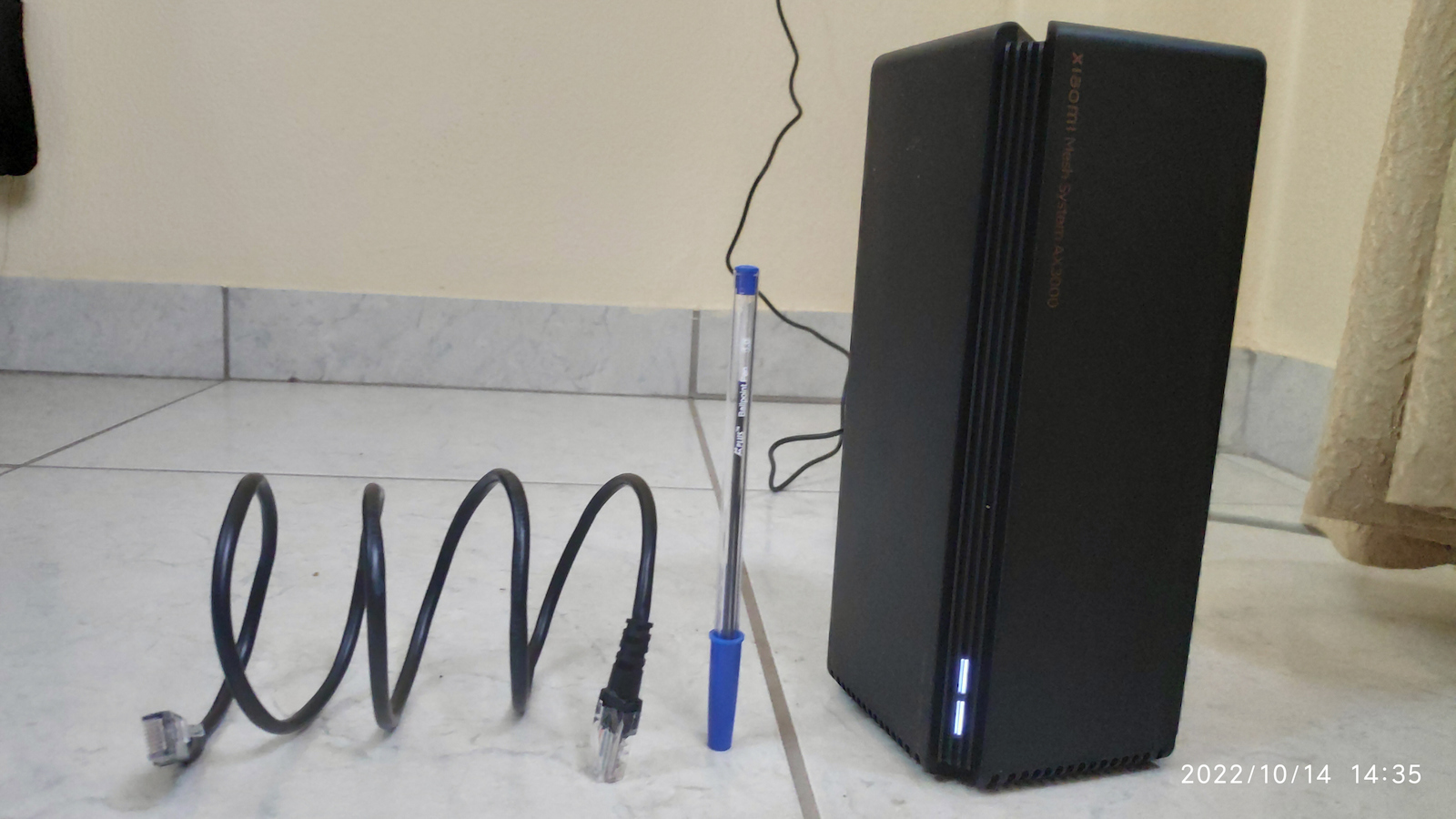
The Xiaomi Mesh System AX3000 (2-Pack) combines into a mesh network that provides Wi-Fi 6 coverage throughout the home, for an area of up to 370 square meters. The package is pre-configured from the factory, so no complex setup is required, and it features self-repair capabilities.
Stable wireless mesh networking, up to 370 square meters of Wi-Fi coverage
Dual-Band Wi-Fi 6 for a smooth online experience
High wireless speed up to 2,976 Mbps
Reliable connection for up to 254 devices
The Xiaomi mesh system provides full coverage for complex home setups
The Xiaomi Mesh System AX3000 (2-Pack) combines into a mesh network that provides Wi-Fi 6 coverage throughout the home, covering an area of up to 370 square meters.
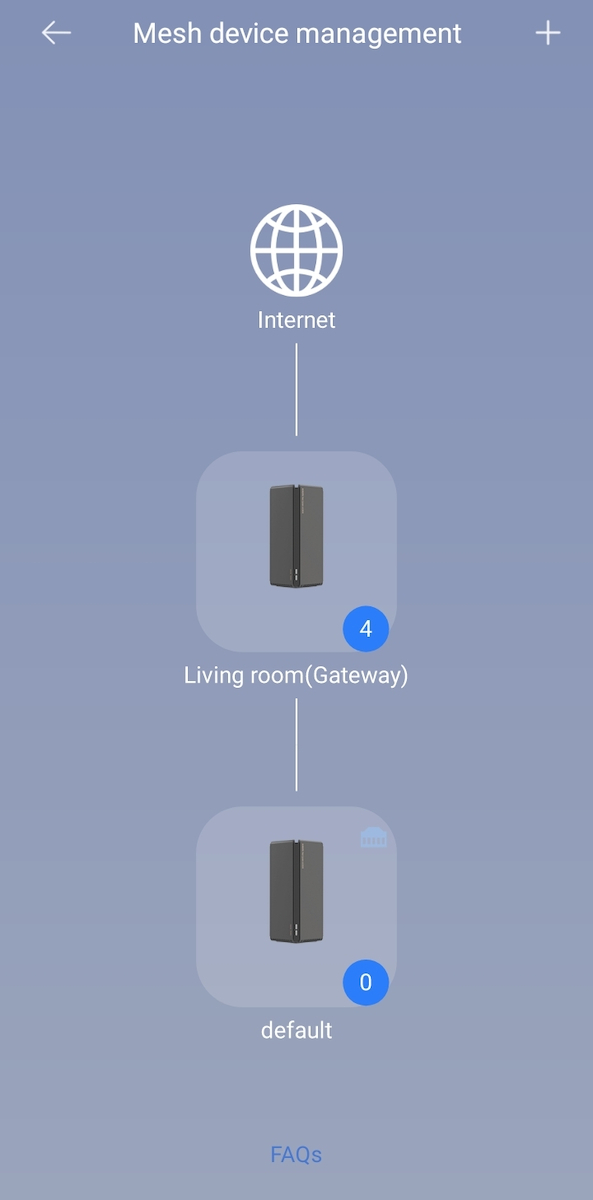
The Xiaomi Mesh System AX3000 supports mesh networking with the same model and/or Mi Router AX9000 for up to 10 devices in total. The signal is transferred between different routers automatically and seamlessly, allowing you to play as you move around.
Start immediately and enjoy lightning-fast Wi-Fi 6
The Xiaomi Mesh System AX3000 (2-Pack) offers 2.4 GHz and 5 GHz bands, each with 802.11ax technology. The two bands provide a combined dual-band wireless speed of up to 2976 Mbps.
This is almost twice the speed of a conventional AC1200 router. The 1024 QAM technology is also faster than the 256 QAM of Wi-Fi 5, so you don't have to wait for high-speed Internet access.
Mesh system with automated repair capabilities
In a mesh network created using the Xiaomi Mesh System AX3000, when a failed node is detected, the entire network architecture is redesigned to ensure the normal operation of the mesh network.
160MHz high-bandwidth for a unique experience
If bandwidth is like a highway, conventional 2-lane systems always face congestion. However, with the Xiaomi Mesh System AX3000 (2-Pack), the width of each lane and the speeds in the 5 GHz band are doubled. Enjoy an absolutely smooth Internet experience, even when connecting with multiple devices.
The high-performance OFDMA transmission makes Internet access smoother for multiple devices
OFDMA technology allows routers to process data streams from multiple devices simultaneously when large devices require data transmission, effectively reducing network congestion and significantly lowering latency.
A simpler, smarter user experience
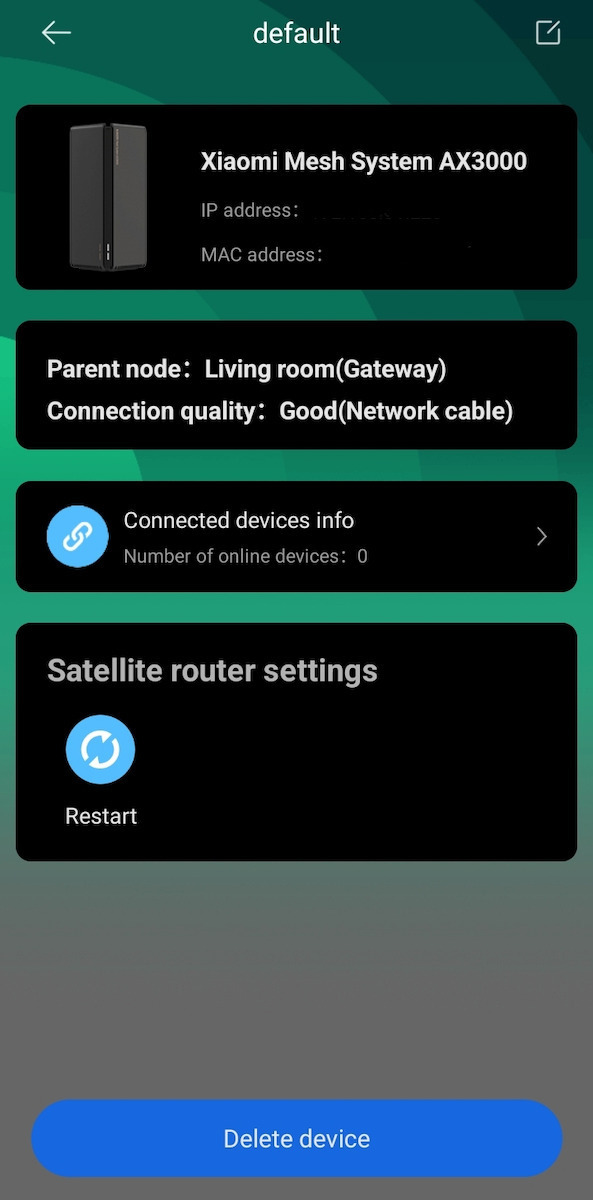
The Xiaomi Mesh System AX3000 (2-Pack) supports smart control through the Xiaomi Home/Mi Home app, simplifying network configuration so that even novice users can easily access high-speed networks.
Stable online connectivity for 254 devices simultaneously
The era of the smart home brings an ever-increasing number of connected devices into the home. Each Xiaomi Mesh System AX3000 (2-Pack) product comes with 256 MB RAM to handle occasionally complex environments with a large number of devices, such as family gatherings or parties, ensuring stable connectivity and timely response.
Not only energy efficient, but more durable
Target Wake Time technology connects only when a transmission signal is received, otherwise it remains in a sleep mode. This effectively reduces the average power consumption when connecting to Wi-Fi devices and extends the product's lifespan.
Elegant black rectangular cube design
The hidden high-performance dual-band antennas, the tower-type thermal architecture, the large channel transfer, and the ultra-large metal heatsink ensure stable operation.
Greater specialized technological support
Beamforming Improved directional signal for greater coverage.
BSS Coloring Algorithm optimization reduces interference between different Wi-Fi networks
WPA3 The next-generation secure encryption protocol ensures the security of home network data
IPv6 More address space for more efficient forwarding and security
Specifications are collected from official manufacturer websites. Please verify the specifications before proceeding with your final purchase. If you notice any problem you can report it here.
Update (7/5/26): I found a way to have good signal in the back room.
For now, I’m giving 3 stars as it works very well in the living room. The second one I put in the back room keeps losing signal. I will update once I find a solution for the signal.
Update (7/5/26) : Βρήκα τρόπο να υπάρχει καλό σήμα στο πίσω δωμάτιο.
Για αρχή βάζω 3 αστεράκια καθώς στο σαλόνι πιάνει πολύ καλά. Το 2ο που έβαλα στο πίσω δωμάτιο χάνει συνέχεια το σήμα. Θα επανέλθω μόλις βρω λύση για το σήμα.
I use it as an access point. I needed it because: 1) I have a 1Gbps connection with Inalan and the router they give you (WiFi 5) is, to put it mildly, terrible. 2) I have many IoT devices at home.
The setup was easy but I had read previous comments here that mentioned various tips so I think those helped me set it up in 2 minutes. Everything at home works 100% smoother. I no longer have issues like I used to, having to reset the router because I was facing freezes like in 2007. Very good purchase at a very good price!
Το χρησιμοποιώ σαν access point. Το χρειάστηκα γιατί: 1)Έχω σύνδεση 1Gbps στην inalan και το router που σου δίνουν(WiFi 5) είναι επιεικώς άθλιο
2) Έχω πολλές συσκευές IoT στο σπίτι.
Το σετάρισμα ήταν εύκολο αλλά είχα διαβάσει σχόλια προηγούμενων εδώ που έλεγαν διάφορα τιπς οποτε νομίζω πως κι αυτά με βοήθησαν στο να το σεταρω σε 2'. Τα πάντα στο σπίτι δουλεύουν 100% πιο smooth. Δεν εχω πλέον θέματα όπως είχα στο να πρέπει να κανω reset το router γιατι αντιμετωπιζα κολλήματα όπως στο 2007. Πολύ καλή αγορά σε πολύ καλή τιμή!
Everything is fine with Xiaomi, but the international firmware, if I understand correctly, is "weaker" than the Chinese one in mesh functions. In any case, I’ll tell you that if you have the AX3600 router, it’s better to forget about mesh. It’s an amazing router (I’ve done a review), but when I tried to add the above as mesh nodes, it was a complete failure. From what I read on a forum, this problem exists and (probably) can be solved if someone installs Chinese firmware. I didn’t do it.
Anyway, I bought them for the holiday home. There, I have a main router, an (excellent) Xiaomi AX3200, which of course couldn’t cover the whole two-story house and the garden. I already had an AX3000 for one floor, which connected immediately and I was satisfied. There I also added the two AX3000NEs, easily and with excellent results. Without messing with firmware. In fact, the NEs also got an update recently. And I kept the AX3000 I already had. The connection between the AX3200, which is on the 1st floor, and the first AX3000NE is via cable, and from there to the second AX3000NE it is wireless. The AX3000NEs are placed in opposite corners of the ground floor but with line of sight between them. From the 2nd AX3000NE to the old AX3000, which is again on the 1st floor, I also used a cable. They all work perfectly and I had no difficulty at all setting them up. The entire house and garden are covered excellently.
I should note that if your network only has the provider’s router, then the first AX3000NE can be set up as the main router (even better by enabling DMZ. See how in the review I did on the AX3600.) and the second can be set up as a mesh node.
Update 21/7/26
Recently I installed 300/150 fiber in the house. With 5G Wi‑Fi I have this speed throughout the mesh.
Όλα καλά με τα Xiaomi, αλλά τα international firmware, αν καταλαβαίνω σωστά, είναι "ριγμένα" σε σχέση με τα κινέζικα στις λειτουργίες mesh. Όπως και να έχει θα σας πω ότι αν έχετε το router AX3600 καλύτερα ξεχάστε το mesh. Είναι φοβερό router (έχω κανει review) αλλά οταν πήγα να του προσθεσω τα παραπάνω ως mesh nodes, ήταν πλήρης η αποτυχία. Από ότι διάβασα σε forum, υπάρχει αυτό το πρόβλημα και (μάλλον) λύνεται αν κάποιος βάλει κινέζικο firmware. Δεν το έκανα.
Ούτως ή άλλως, τα αγόρασα για το εξοχικό. Εκεί, έχω βασικό router ένα (εξαιρετικό) Xiaomi AX3200 το οποίο φυσικά δεν μπορούσε να καλύψει όλο το διώροφο σπίτι και το κήπο. Ήδη είχα ένα AX3000 για τον ένα όροφο, το οποίο κούμπωσε αμέσως και ήμουν ευχαριστημένος. Εκεί προσθεσα και τα δυο AX3000NE, εύκολα και με εξαιρετικά αποτελέσματα. Χωρίς να μπλέξω με firmware. Μάλιστα τα NE έκαναν και update πρόσφατα. Και κράτησα και το AX3000 που ήδη είχα. Η σύνδεση μεταξύ του AX3200 που είναι στον 1ο όροφο, και του πρωτου AX3000NE είναι με καλώδιο και απο εκεί στο δεύτερο AX3000NE είναι ασύρματη. Τα AX3000NE είναι τοποθετημένα σε αντιδιαμετρικες γωνίες του ισογείου αλλά με οπτική επαφή μεταξύ τους. Από το 2ο AX3000NE προς το παλιό AX3000 που είναι πάλι στον 1ο όροφο έβαλα πάλι καλώδιο. Δουλεύουν όλα τέλεια και δεν δυσκολεύτηκα καθόλου στη τοποθέτηση. Καλύπτεται άριστα όλο το σπίτι και ο κήπος.
Πρέπει να σημειώσω ότι αν στο δίκτυο σας υπάρχει μόνο το router του provider, τότε μπορεί να μπει το πρώτο AX3000NE σαν βασικό router (Ακόμα καλύτερα ανοίγοντας DMZ. Δείτε πώς στο review που έχω κανει στο AX3600.) και το δευτερο να μπει ως mesh node.
Update 21/7/26
Πρόσφατα έβαλα οπτική ίνα 300/150 στο σπίτι. Με το 5g wifi εχω αυτη τη ταχύτητα σε όλο το mesh.
The coverage is truly excellent, especially in open areas and even at high speeds. Although occasional disconnections are observed, they are not frequent and the system recovers immediately on its own; this may also be due to the internet connection itself. Overall, this is a reliable and effective solution, which I highly recommend.
Η κάλυψη είναι πραγματικά εξαιρετική, ιδιαίτερα σε ανοικτό χώρο και ακόμη και σε υψηλές ταχύτητες. Αν και περιστασιακά παρατηρούνται κάποιες αποσυνδέσεις, αυτές δεν είναι συχνές και το σύστημα επανέρχεται άμεσα από μόνο του· πιθανόν να οφείλεται και στην ίδια τη σύνδεση του internet. Συνολικά, πρόκειται για μια αξιόπιστη και αποτελεσματική λύση, την οποία συνιστώ ανεπιφύλακτα.
Very good router. I have set up a mesh network from the 6th floor to the ground floor. It works perfectly. The only problem, which of course does not concern the router, is that this particular one has 'European' origin so in the MiHome app it connects to the European server and not the Chinese one. Since the primary router I have is from deep China (so it connects to the Chinese server), it cannot see the router and therefore you cannot have direct control. It's a small problem, but these things happen when you buy devices from European sites and not from Ali.
πολύ καλό router. έχω κάνει mesh δίκτυο από τον 6ο όροφο στο ισόγειο. Δουλεύει άψογα. Το μόνο πρόβλημα που βέβαια δεν αφορά το router είναι ότι το συγκεκριμένο έχει 'Ευρωπαϊκή' προέλευση άρα στην εφαρμογή του MiHome συν΄δεεται με τον Ευρωπαϊκό server και όχι τον Κινέζικο. Επειδή λοιπόν το πρωταρχικό router που έχω, είναι από τα βάθη της Κίνας (άρα συνδέεται με τον Κινέζικο server), δε μπορεί να δει το ρούτερ άρα δε μπορείς να έχεις άμεσο έλεγχο. Μικρό το πρόβλημα, αλλά αυτά συμβαίνουν όταν παίρνεις τις συσκευές από ευρωπαΙκά site και όχι από Αλι.
Very quick configuration and connection to the mesh network. The connection with the ethernet is very convenient and transmits 1Gbps network from inalan throughout the house. 4 stars because unfortunately it does not give you the option to configure the network, only what the app provides.
Πολύ γρήγορη παραμετροποίηση και σύνδεση σε mesh δίκτυο. Η σύνδεση με το ethernet είναι πολύ βολική και μεταφέρει δίκτυο 1Gbps της inalan σε όλο το σπίτι. 4 αστέρια γιατί δυστυχώς δεν σου δίνει την δυνατότητα να παραμετροποιήσεις το δίκτυο παρά μόνο ότι σου δίνει η εφαρμογή.
Looks great, installs easy (took me roughly 5 to 10 minutes tops to get it working), and works great too (connectivity, stability, range, speed).
I performed 4 test runs with Speedtest by Ookla and received beyond satisfactory results.
See image attached, where I show in green the mother network (200 Mbps Symmetric Fiber) speed results in green, marked with an A, versus the 4 test runs of the secondary network, provided by this device, marked in purple with the letter B.
Will be coming back with an update after at least a month's usage.
P. S.
Mother Network A is located on the first floor.
Secondary network B, via an ethernet cable and into this yet another truly great product by Xiaomi, is located downstairs on the ground floor.
First impressions are extra positive!
Looks great, installs easy (took me roughly 5 to 10 minutes tops to get it working), and works great too (connectivity, stability, range, speed).
I performed 4 test runs with Speedtest by Ookla and received beyond satisfactory results.
See image attached, where I show in green the mother network (200 Mbps Symmetric Fiber) speed results in green, marked with an A, versus the 4 test runs of the secondary network, provided by this device, marked in purple with the letter B.
Will be coming back with an update after at least a month's usage.
P. S.
Mother Network A is located on the first floor.
Secondary network B, via an ethernet cable and into this yet another truly great product by Xiaomi, is located downstairs on the ground floor.
Very good access point, although I have no experience with other similar types. I worked with extenders for many years and encountered the classic problems with disconnections and not very good speed. As soon as I set them up, I saw a huge difference. Combined with the router, I covered an area of 190 square meters indoors and about half a hectare of open field outdoors without interference, without losing speed. The connection is very easy. I highly recommend it.
Πολύ καλό access point, χωρίς όμως να έχω εμπειρία από άλλα παρόμοιου τύπου. Δούλευα με extenders για πολλά χρόνια και συναντούσα τα κλασικά προβλήματα με αποσυνδέσεις και όχι τόσο καλή ταχύτητα. Μόλις τα έβαλα είδα τεράστια διαφορά. Συνδυαστικά με το ρούτερ κάλυψα με το διπλό kit ένα χώρο 190 τετραγωνικών εσωτερικά και περίπου μισό στρέμμα χωράφι ανοιχτό χώρο εξωτερικά χωρίς παρεμβολές, χωρίς να χάνεται η ταχύτητα. Η σύνδεση είναι πανεύκολη. Το συστήνω ανεπιφύλακτα.
Unfortunately, if you do the update, the 5GHz frequency stops working, which means that your speed drops to 1/3. Mine went from 700 to 150. And unfortunately, you can't downgrade, as they told me at the service. Fortunately, it happened to me the same day I bought it, and they refunded my money back
δυστυχώς αν κάνεις το update η 5GHz συχνότητα σταματάει να δουλεύει που σημαίνει ότι η ταχύτητα σου πέφτει στο 1/3. εμένα από 700 έπεσε στα 150. και δυστυχώς downgrade δεν μπορείς να κάνεις όπως μου είπανε στο service. ευτυχώς εμένα το έκανε την ίδια μέρα που το αγόρασα και μου επιστρέψανε τα χρήματα μου πίσω
Very good. I don't know why some users found their setup complicated; I had it set up in 5 minutes by following one of the (three) methods described in the manual. I live in a maisonette with the modem on the upper floor. All my devices, both old and new technology, on the lower floor had weak wifi signal. The big problem was in the kitchen, where due to various electrical appliances, such as the refrigerator, stove, microwave, coffee maker, etc., all the devices either had minimal wifi or none at all. After installing the Wifi Mesh System, I now get maximum or 3/4 signal even in the kitchen. Doing an internet speed test, I used to get 10 Mbps Download at best, while now I reach at least 40 Mbps with Ping only around ten ms - my connection is a simple 50 Mbps. I don't know about other wifi mesh systems, but this one exceeded my expectations. I should also note that before the purchase, I tried to solve my problem by changing the settings of the provider's modem and using a Repeater - Extender, but to no avail. I hope my review was helpful...
Πάρα πολύ καλό. Δεν ξέρω γιατί κάποιοι χρήστες βρήκαν περίπλοκη την ρύθμιση τους, εγώ πάντως σε 5' το είχα ρυθμίσει ακολούθωντας έναν από τους (τρεις) τρόπους που περιγράφεται στο εγχειρίδιο.
Μένω σε μεζονέτα με το μόντεμ στον πάνω όροφο. Όλες μου οι συσκευές, παλιάς και κανούριας τεχνολογίας, στον κάτω όροφο είχαν λίγο σήμα wifi. Το μεγάλο πρόβλημα το είχα στην κουζίνα, που λόγω διαφόρων ηλεκτρικών συσκευών, όπως ψυγείο, κουζίνα, φούρνος μικροκυμάτων, καφετιέρα κ.α., όλες οι συσκευές ή έπιαναν το ελάχιστο wifi ή και καθόλου. Μετά την εγκατάσταση του Wifi Mesh System, πλέον και στην κουζίνα πιάνω το μέγιστο ή 3/4. Κάνοντας internet speed test, πριν είχα 10 Mbps Download στην καλύτερη, ενώ τώρα φτάνω τουλάχιστον τα 40 Mbps με Ping μόνο καμιά δεκαριά ms - η σύνδεση μου είναι απλή 50άρα.
Δεν ξέρω από άλλα wifi mesh system, αλλά το συγκεκριμένο ξεπέρασε τις προσδοκίες μου.
Να σημειώσω δε ότι πριν την αγορά δοκίμασα να λύσω το πρόβλημα μου και με την αλλαγή των ρυθμίσεων του μόντεμ του παρόχου και με τη χρήση Repeater - Extender, αλλά μάταια.
Ελπίζω να ήταν χρήσιμη η αξιολόγηση μου...
It gave me a bit of trouble during the setup but it works very well; I've had it for several months and it hasn't had any issues even when there were power outages due to construction in the neighborhood, it resynchronized immediately. The app is very user-friendly
λίγο με παίδεψε στο set up αλλά είναι πάρα πολύ καλό στην δουλειά του το έχω αρκετούς μήνες δεν έχει βγάλει κανένα πρόβλημα ακόμα και όταν έγιναν διακοπές ρεύματος λόγο έργων στην γειτονιά ξανά συγχρονίστηκε αμέσως. Η εφαρμογή πολύ user frielndly
We bought it for the office at work after reading the reviews. I can say that it was one of the best purchases we have made. The router does not lose signal at any point within a space of 200 square meters.
Το πηραμε για το γραφειο στην δουλεια εχοντας διαβασει τις αξιολογησεις. Μπορω να πω οτι ηταν μια απο της καλυτερες αγορες που εχουμε κανει. Το ρουτερ δεν χανει σημα σε κανενα σημειο μεσα σε χωρο 200 τετραγωνικων.
Good for casual users, but care is needed with the settings to ensure good compatibility with all devices, so pay attention to the WPA and WiFi versions you are using. Additionally, they work perfectly when the nodes are not connected via WiFi, but are connected via ethernet, AND when the nodes' access to the Xiaomi API is not cut off (if you have pihole, adguard, or similar).
Καλό μεν για απλούς χρήστες, αλλά θέλει προσοχή στις ρυθμίσεις για να έχει καλή συμβατότητα με όλα τα devices, οπότε προσέξτε τα WPA και WiFi versions που χρησιμοποιείτε. Επιπλέον δουλεύουν τέλεια όταν δεν συνδέονται τα nodes μέσω WiFi, αλλά συνδέονται μέσω ethernet, ΚΑΙ όταν δεν κοπεί η πρόσβαση των nodes στο API της Xiaomi (αν έχετε pihole, adguard ή αντίστοιχο).
I got it for 60 euros on sale and I can say that it does its job exceptionally well. Its application is okay, it's not its strong point and you can't do many things. However, in terms of coverage and signal of the devices, it is very good. Easy connection between them even through a triple wall, they get full signal. In a 140 sqm house, it fits perfectly and more than meets my needs. Now at 100 euros, I might consider other options, but at 60, which I got it for, I consider it a no-brainer.
Το πηρα 60 ευρω σε προσφορα και μπορω να πω οτι κανει εξαιρετικα την δουλεια του. Η εφαρμογη του οκ, δεν ειναι το δυνατο του σημειο και δεν μπορεις να κανεις πολλα πραγματα. Ομως απο αποψη καλυψης και σηματος των συσκευων ειναι πολυ καλο. Ευκολη συνδεση μεταξυ τους ακομα και απο 3πλο τοιχο πιανουν φουλ σημα. Σε σπιτι 140τμ ταιριαζει ιδανικα και υπερ καλυπτει τις αναγκες μου. Τωρα στα 100 ευρω ισως να κοιταζα και αλλες επιλογες, αλλα στα 60 που το πηρα το θεωρω μονοδρομος.
Stay away. The mesh is significantly better than TP-LINK at properly mapping the network (which node should connect where), but that's as far as it goes. The UI is a disaster with things either warning you that if you change them it will reboot or just doing it on the spot because the guy who created it did it one afternoon and was never told to change it. Also, if you have a device of your own or a third node at a perfect distance to connect with more than one different node, instead of saving one of the two and saying "Whoa bro, we're staying here," it just pulls disconnections and switches every 2 minutes until you bury it 2 meters underground so it doesn't connect with either of the 2.
Μακριά. Το mesh είναι αρκετά καλύτερο από TP-LINK στο να φτιάχνει σωστά τον χάρτη του δικτύου (που είναι σωστό να συνδεθεί ο κάθε κόμβος) αλλά ως εκεί φτάνει. Το UI είναι αίσχος με πράγματα είτε να σε προειδοποιούν ότι αν τα αλλάξεις θα κάνει επανεκκίνηση είτε απλά το κάνουν επιτόπου γιατί ο μαν που το δημιούργησε το έκανε ένα απόγευμα και δε του είπαν να το αλλάξει ποτέ. Επίσης, αν έχεις συσκευή είτε δική σου είτε έναν τρίτο κόμβο σε τέλεια απόσταση για να συνδεθεί με πάνω από έναν διαφορετικό κόμβο τότε αντί να αποθηκεύει έναν από τους δύο και να πει "Ώπα μπρο, εδώ θα μείνουμε" απλά τραβάει αποσυνδέσεις και αλλάζει ανά 2 λεπτά μέχρι να το θάψεις 2 μέτρα κάτω από τη γη για να μη κάνει επαφή με έναν από τους 2.
I have bought 3 singles and 1 kit. I have no experience with others, but I am absolutely satisfied. I have installed it in 3 houses. Now I have learned how to set it up. The easiest way, perhaps the only correct way, is through the Xiaomi Home application on the smartphone and then configure it from the PC once you learn its IP. It is usually 192.168.31.1. It has a very good range and supports all WiFi6 technologies. I live downhill. If you put Pass Wall Performance, you can catch internet at the top of the hill in my narrow street at 150 meters away and I trust it for short distances in the house because it doesn't lag. The only reason to have an issue and need a second and third one in mesh is if you have installed this very good insulation for temperature that is very fashionable lately. Or if many walls and doors intervene. Its strong point, which I prefer with the 1000 and take advantage of all its capabilities, is the PPPoE mode, but in this mode you lose access to your main modem-router and to make it work you need the username and password of your connection, which is relatively easy to find in Cosmote. I do not know about other companies.
Έχω αγοράσει 3 μονά και 1 kit. Δεν έχω εμπειρία από άλλα, αλλά είμαι απόλυτα ευχαριστημένος. Το έχω εγκαταστήσει σε 3 σπίτια. Πλέον έχω μάθει να το σετάρω. Ο πιο εύκολος τρόπος, ίσως και μόνος σωστός τρόπος είναι από την εφαρμογή Xiaomi Home στο smartphone και έπειτα παραμετροποιήσεις από το PC αφού μάθεις και την IP του. Συνήθως είναι 192.168.31.1. Έχει πολύ καλή εμβέλεια και υποστηρίζει όλες τις τεχνολογίες του WiFi6. Μένω κάτω κάτω σε μια κατηφόρα. Αν βάλεις Pass Wall Performance πιάνεις ίντερνετ πάνω πάνω στην ανηφόρα στο στενό μου στα 150 μέτρα απόσταση και το εμπιστεύομαι για μικρές αποστάσεις στο σπίτι γιατί δε λαγκάρει. Ο μόνος λόγος να έχεις θέμα και να χρειαστείς δεύτερο και τρίτο σε mesh είναι να έχεις βάλει στο σπίτι σου αυτή την πολύ καλή μόνωση για τη θερμοκρασία που είναι πολύ της μόδας τελευταία. Ή να μεσολαβούν πολλοί τοίχοι και πόρτες. Το δυνατό του σημείο το οποίο προτιμώ με τα 1000 και εκμεταλλεύεσαι όλες του τις δυνατότητες είναι το PPPoE mode όμως σε αυτό το mode χάνεις την πρόσβαση στο βασικό σου modem-router και για να δουλέψει χρειάζεσαι το username και password της σύνδεσής σου που σε Cosmote είναι σχετικά εύκολο να τα βρεις. Στις υπόλοιπες εταιρείες δεν γνωρίζω.
In a 100 square meter house located in the center and it cannot cover them. Placed in the living room (at one end of the house, that is) it has a weak signal line.
Σε σπίτι 100 τετραγωνικά τοποθετημένο στο κέντρο και δεν μπορεί να τα καλύψει. τοποθετημένο στο σαλόνι (στην μια άκρη του σπιτιού δηλαδή) έχει μια γραμμή σήμα με το ζόρι.
I bought it because of the name, it's definitely not bad, good range, nice as a device, you can easily have it in the living room without taking up much space. Fast as wireless, I also receive the 360/360 of the connection, I would say better cooperation with Xiaomi's smart devices.
On the downside, in order to work properly, you need to have it as a router, not as an AP, there you lose almost 70% of its capabilities, for example device blocking, QoS, even guest wifi.
This is an issue if you have another network with a cable and you want to access wireless devices from the wired one.
If I knew about this issue, maybe I wouldn't have chosen it, now I had to change the way of connection I had for so many years.
Το αγόρασα λόγο του ονόματος, σίγουρα δεν είναι άσχημο, καλή εμβέλεια, όμορφο σαν συσκευή, μπορείς άνετα να το έχεις στο σαλόνι χωρίς να φας ξύλο. Γρήγορο σαν ασύρματο, λαμβάνω και τα 360/360 της σύνδεσης, θα έλεγα καλύτερη συνεργασία με συσκευές smart της xiaomi.
Στα άσχημα, για να δουλέψει σωστά πρέπει να το έχεις σαν router, όχι σαν AP εκεί χάνεις σχεδόν ενα 70% των δυνατοτήτων, πχ block συσκευής, qos, ακόμα και το guest wifi.
Αυτό είναι θέμα αν έχεις και άλλο δίκτυο με καλώδιο και θέλεις να έχεις πρόσβαση στις ασύρματες συσκευές απο το καλωδιακό.
Αν ήξερα οτι έχει αυτό το θέμα ίσως να μην το επέλεγα, τώρα χρειάστηκε να γίνει αλλαγή στον τρόπο διασύνδεσης που είχα τόσα χρόνια.
Let me also write my experience. I have ethernet in every room but I didn't have a good signal on wifi. By connecting the devices easily, although it shows a signal of 390mbps, it didn't download properly because the signal I was receiving for transmission was low wirelessly. What I did:
1st module, WAN port to switch → router
1st module, 2nd LAN cable of the module to switch
2nd module, WAN port to another switch in the room (which is connected to the first switch in the living room)
This way, the 2nd module receives a wired signal, but the mesh works properly and I have absolute speeds. I saved the purchase of a third module and the speeds are as if I am next to the router now.
The only negative thing is the short power cable. PS before, I had 2 Asus RT-AC85P, and the coverage was terrible, 390mbps in the living room, 60mbps in the room (both wired)
Να γράψω και εγώ την εμπειρία μου. Εχω σε κάθε δωμάτιο μου ethernet αλλα δεν είχα καλό σημα σε wifi.
Συνδέοντας , εύκολα τις συσκευές , ενώ μεν δείχνει σήμα 390mpbs δεν κατέβαζε σωστά γιατί το σήμα που επερνα για αναμετάδοση ήταν χαμηλό ασύρματα.
Τι έκανα
1ο module η θύρα wan σε switch →router
1o module , 2ο καλώδιο lan του module σε switch
2o module θύρα wan σε αλλο switch στο δωματιο (που συνδέεται με το πρώτο switch στο σαλόνι)
Με αυτόν τον τρόπο και το 2ο module παίρνει σήμα ενσύρματα , αλλά λειτουργεί το mesh κανονικά και έχω απόλυτες ταχύτητες.
Γλύτωσα την αγορά τρίτου module και οι ταχύτητες ειναι σαν να ειμαι δίπλα στο router πλέον.
Το μόνον αρνητικό , το κοντό καλώδιο τροφοδοσίας του.
ΥΣ πριν ήμουν με 2 asus RT-AC85P, και η κάλυψη ήταν τραγική 390mbps στο σαλόνι, 60mpbs στο δωμάτιο (ενσύρματα και τα δυο)
It is a very good solution for its price, I have installed it in a 160sqm maisonette and it is flawless. Note: For the wifi, it is good for the devices we will connect to be able to support these speeds.
Είναι μια πολύ καλή λύση για τα λεφτά του, το έχω τοποθετήσει σε μεζονέτα 160τμ και είναι άψογο. Σημείωση: Για το wifi καλό είναι να μπορούν να υποστηρίξουν αυτές τις ταχύτητες, οι συσκευές που θα συνδέσουμε.
It was purchased and is combined with the Xiaomi AX3200.
Before, I had the Cosmote router with the AX3200 as a repeater and I was losing somewhere around 100mbps.
Now, the Cosmote router only works for the phone and the entire network is handled by the AX3200 with the AX3000 working as a repeater. Now I get the full speed (300Mbps).
I don't know how it will handle disconnections. Yesterday, the installation was done, but the AX3200 hasn't had a single disconnection for 4 months. So, I expect something similar with the AX3000.
For the installation, I followed the instructions of a user who left a comment on the AX3600.
Αγοράστηκε και είναι σε συνδυασμό με το Xiaomi AX3200.
Πριν εϊχα το ρούτερ της cosmote με το AX3200 σαν repeater και έχανα κάπου στο 100mbps.
Τώρα το ρούτερ της cosmote δουλεύει μόνο για το τηλέφωνο και όλο το δίκτυο το έχει αναλ.άβει το AX3200 με το AX3000 να δουλεύει σαν repeater. Τώρα πιάνω όλη την ταχύτητα (300Mbps).
Δεν ξέρω με τις αποσυνδέσεις πως θα τα πάει. Εχθές έγινε η εγκατάστση αλλά το AX3200 δεν είχε ούτε μια αποσύνδεση εδώ και 4 μήνες. Οπότε περίμενω κάτι αντιστοιχο και με το AX3000.
Για την εγκατάσταση ακολούθησα τις οδηγίες ενός χρήστη που άφησε σχόλιο στο AX3600.
I will agree with the previous speakers: yes, the installation process is a bit lacking in the manual. Hint: do not immediately connect the ethernet, start the setup without it.
Otherwise: superior wireless network compared to the providers' modem/routers, better range but not a drastic difference, and all the basic settings one would need (although some advanced ones are missing).
For those who have the Mi Home application, setup and management can also be done through it, which is very convenient.
Update 11/23: For anyone who wants to use it as an AP, after the latest firmware update: even if you select to use it as an AP, Xiaomi will set up the unit as a Wired Repeater. Go to router.miwifi.com and in the Repeater settings, you will find an option to Create a new network. This will change the function to an access point.
Θα συμφωνήσω με τους προλαλήσαντες: ναι, η διαδικασία εγκατάστασης είναι λίγο ελλειπής στο εγχειρίδιο. Hint: μην συνδέσετε αμέσως το ethernet, ξεκινήστε το σεταρισμα χωρίς αυτό.
Κατά τα άλλα: σκάλες ποιοτικότερο ασύρματο δίκτυο σε σχέση με τα modem/router των παρόχων, η εμβέλεια καλύτερη αλλά όχι τρομακτική διαφορά και όλες οι βασικές ρυθμίσεις που θα χρειαστεί κανείς (κάποιες προχωρημένες να λείπουν).
Για όσους έχουν την εφαρμογή Mi Home, το σετάρισμα και η διαχείριση μετά γίνονται και μέσω αυτής, πράγμα πολύ βολικό.
Update 11/23: Για όποιον θέλει να το χρησιμοποιήσει ως AP, μετά το τελευταίο firmware update: ακόμη κι αν επιλέξετε χρήση ως AP η Xiaomi θα στήσει το unit ως Wired Repeater. Μπείτε στο router.miwifi.com και στις ρυθμίσεις του Repeater θα βρείτε μια επιλογή Create a new network. Αυτό θα γυρίσει την λειτουργία σε access point.
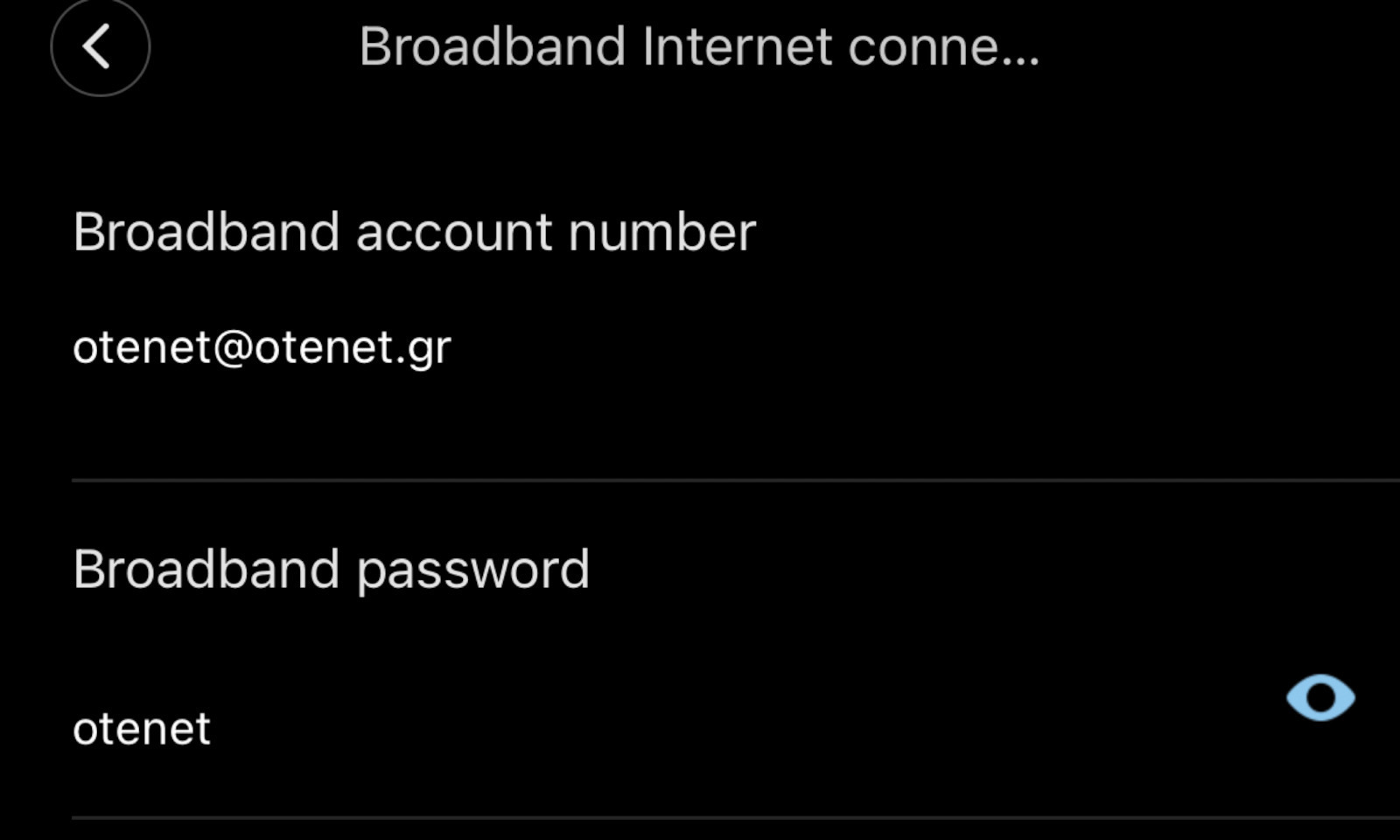
I closed the Wi-Fi of the router and installed one with a cable directly to the router in the living room and the second one in the bedroom, where there are 2 walls in between. During the installation, because I have Cosmote connection, I entered my broadband codes that I requested from the company in order for the ax3000 to function as an AP and for the management of the IP addresses of the devices and the Dhcpcd to be done through it. I noticed that every few hours I had interruptions and disconnections of all devices and the light on the mesh system turned orange. One solution to the problem is to access the settings of the ax3000's Wi-Fi through Xiaomi home and specifically in the internet connection mode settings and change the switch modes to dynamic IP internet connection so that the routing is done by the router as before and not by the ax3000. Since then, I haven't noticed any disconnections for now!
έκλεισα το wifi του ρούτερ και εγκατέστησα το ένα με καλώδιο κατευθείαν στο ρούτερ στο σαλόνι και το δεύτερο στο υπνοδωμάτιο όπου μεσολαβούν 2 τοίχοι. στην εγκατάσταση επειδή εχω σύνδεση Cosmote έβαλα τους broadband κωδικούς μου που ζήτησα από την εταιρεία προκειμένου να λειτουργήσει το ax3000 ως AP και η διαχείριση των IP των συσκευών και γενικά του Dhcpcd να γίνεται από αυτό. παρατήρησα ότι κάθε λίγη ώρα είχα διακοπές και αποσυνδέσεις όλων των συσκευών και το λαμπάκι στο mesh system άναβε πορτοκάλι. μια λύση στο πρόβλημα είναι να μπεις στις ρυθμίσεις του wifi του ax3000 από το Xiaomi home και συγκεκριμένα στο internet connection mode settings και να αλλάξεις το switch modes σε dynamic IP internet connection ώστε η όλη δρομολόγηση να γίνεται από το ρούτερ όπως πριν και όχι από το ax3000. από τότε δεν έχω παρατηρήσει κάποια αποσύνδεση προς το παρόν!
Good product. I bought it because I have the Xiaomi AX 3600 AIoT Router and since my house is big and I have multiple WiFi cameras, I obviously needed more WiFi signal coverage. Well, this does it as a professional Mesh Node should. It connected wirelessly without UTP, etc. directly to the Router and has created a WiFi Mesh Network.
Καλό προϊόν. Το πήρα γτ έχω το Xiaomi AX 3600 AIoT Router και επειδή το σπίτι έχει πάνω κάτω είναι μεγάλο και έβαλα και πολλές WiFi κάμερες προφανώς χρειαζόμουν παραπάνω WiFi signal coverage. Εε αυτό το κάνει όπως πρέπει να το κάνει ένα επαγγελματικό Mesh Node. Συνδέθηκε ασύρματα χωρίς UTP κτλπ απευθείας με το Router και έχει δημιουργήσει ένα WiFi Mesh Network.
It is easily set up through the mobile application as well as through the web interface. The web interface is preferable if we want to make simultaneous settings on the provider's modem. I have purchased the set of two and an extra one for the basement. The Xiaomi serves as the DHCP server and the provider's device is only a modem. If we follow the above solution, it is preferable not to leave DHCP on the Xiaomi's WAN connection because it causes problems. It is best to assign a static IP from the modem's subnet, of course. The second Xiaomi with mesh extends the network throughout the entire house. The third one is located in the basement, which is two floors below, and is connected to the TP-Link power line via Ethernet in the WAN port. All three were set up one after the other in the same space, a few meters apart from each other, and then placed in their final positions. This way, two floors, an attic, the basement, and the garden are adequately covered. Each floor is approximately 150 square meters.
Σετάρεται εύκολα μέσω της εφαρμογής για κινητό αλλά και μέσω του web interface. Το web interface είναι προτιμότερο εάν θέλουμε να κάνουμε ταυτόχρονα ρυθμίσεις και στο modem του παρόχου. Εγώ έχω πάρει το σετ των δυο και ένα έξτρα για το υπόγειο. Το dhcp το σερβίρει το xiaomi και η συσκευή του παρόχου είναι μόνο modem. Εαν ακολουθήσουμε την παραπάνω λύση είναι προτιμητέο να μην αφήνουμε dhcp στην wan σύνδεση του xiaomi γιατί προκαλεί προβλήματα. Το καλύτερο είναι να βάζουμε static ip από το υποδίκτυο φυσικά του modem. Το δεύτερο xiaomi με mesh επεκτείνει το δίκτυο σε όλο το σπίτι. Το τρίτο βρίσκεται στο υπόγειο που είναι δυο ορόφους πιο κάτω και συνδέεται με power line της tp-link μέσω Ethernet στην θύρα wan. Και τα τρία σεταρίστηκαν το ένα μετά το άλλο στον ίδιο χώρο λίγα μέτρα το ένα από το άλλο και μετά τοποθετήθηκαν στην τελική τους θέση. Έτσι καλύφθηκαν επαρκώς δυο όροφοι μια σοφίτα, το υπόγειο και ο κήπος. Ο κάθε όροφος είναι περίπου 150 τετραγωνικά.
I will not go into details because many people have already written about it. I use two of these, wirelessly connected with mesh on an ax3200 which acts as a router. They replaced two tplink (901nd and 801nd) after one of them died, which I was satisfied with but slowly, with the increase of connected devices and neighboring wireless networks, they started to struggle.
In summary:
If you haven't dealt with similar products before, it will take some time and reading to understand exactly what you need to do. It's not difficult, but if you're seeing it for the first time, you'll get confused. The mobile application helps a lot.
Its range is not the best on the market. It is good to use it in combination with another compatible device to create a mesh network. With proper placement, as much as the space allows, they can easily cover a house or different floors.
It saves you from the problems (instability, disconnections, low speed, etc.) of classic repeaters.
It can easily handle a large number of devices.
It is aesthetically pleasing and can be easily placed in any space without compromising its aesthetics.
It does not increase latency.
It has many functions for customization, but it lacks several that a more advanced user would want.
It is dual band and supports wifi6, so it is both current and future-proof.
Δεν θα μπω σε λεπτομερειες γιατι εχουν γραψει αρκετα ατομα. Χρησιμοποιω δυο τετοια, συνδεδεμενα ασυρματα με mesh πανω σε ενα ax3200 το οποιο εκτελει χρεη ρουτερ. Αντικατεστησαν δυο tplink (901nd και 801nd) μετα τoν θανατο του ενος απο αυτα απο τα οποια ημουν ευχαριστημενος αλλα σιγα, με την αυξηση των συνδεδεμενων συσκευων αλλα και των γειτονικων ασυρματων δικτυων, αρχιζαν να τα βρισκουν σκουρα.
Συνοπτικα:
Αν δεν εχεις ασχοληθει με παρομοια προιοντα θα χρειαστει λιγος χρονος και διαβασμα για να καταλαβεις τι ακριβως πρεπει να κανεις. Δεν ειναι δυσκολο αλλα αν το βλεπεις πρωτη φορα θα μπερδευτεις. Η εφαρμογη στο κινητο βοηθα αρκετα.
Η εμβελεια του δεν ειναι οτι καλυτερο υπαρχει στην αγορα. Καλο ειναι να χρησιμοποιειται πακετο με καποια αλλη συμβατη συσκευη ωστε να δημιουργειται mesh δικτυο. Με σωστη τοποθετηση, οσο το επιτρεπει ο χωρος, μπορουν να καλυψουν ευκολα ενα σπιτι ή διαφορετικους οροφους.
Σε γλυτωνει απο τα προβληματα (ασταθεια, αποσυνδεσεις, χαμηλη ταχυτητα κλπ) των κλασσικων repeater.
Μπορει να διαχειριστει ευκολα μεγαλο αριθμο συσκευων.
Ειναι ομορφα και μπορουν να τοποθετηθουν ευκολα σε καθε χωρο χωρις να υποβαθμιζουν την αισθητικη του.
Δεν αυξανουν το latency.
Εχουν αρκετες λειτουργιες για παραμετροποιηση αλλα λειπουν αρκετες ακομα που καποιος πιο προχωρημενος θα ηθελε.
Ειναι dual band και υποστηριζουν wifi6 οποτε ειναι συγχρονα και μελλοντικα θα σταθουν μια χαρα.
Update (7/5/26): I found a way to have good signal in the back room.
For now, I’m giving 3 stars as it works very well in the living room. The second one I put in the back room keeps losing signal. I will update once I find a solution for the signal.
Update (7/5/26) : Βρήκα τρόπο να υπάρχει καλό σήμα στο πίσω δωμάτιο.
Για αρχή βάζω 3 αστεράκια καθώς στο σαλόνι πιάνει πολύ καλά. Το 2ο που έβαλα στο πίσω δωμάτιο χάνει συνέχεια το σήμα. Θα επανέλθω μόλις βρω λύση για το σήμα.
I use it as an access point. I needed it because: 1) I have a 1Gbps connection with Inalan and the router they give you (WiFi 5) is, to put it mildly, terrible. 2) I have many IoT devices at home.
The setup was easy but I had read previous comments here that mentioned various tips so I think those helped me set it up in 2 minutes. Everything at home works 100% smoother. I no longer have issues like I used to, having to reset the router because I was facing freezes like in 2007. Very good purchase at a very good price!
Το χρησιμοποιώ σαν access point. Το χρειάστηκα γιατί: 1)Έχω σύνδεση 1Gbps στην inalan και το router που σου δίνουν(WiFi 5) είναι επιεικώς άθλιο
2) Έχω πολλές συσκευές IoT στο σπίτι.
Το σετάρισμα ήταν εύκολο αλλά είχα διαβάσει σχόλια προηγούμενων εδώ που έλεγαν διάφορα τιπς οποτε νομίζω πως κι αυτά με βοήθησαν στο να το σεταρω σε 2'. Τα πάντα στο σπίτι δουλεύουν 100% πιο smooth. Δεν εχω πλέον θέματα όπως είχα στο να πρέπει να κανω reset το router γιατι αντιμετωπιζα κολλήματα όπως στο 2007. Πολύ καλή αγορά σε πολύ καλή τιμή!
Everything is fine with Xiaomi, but the international firmware, if I understand correctly, is "weaker" than the Chinese one in mesh functions. In any case, I’ll tell you that if you have the AX3600 router, it’s better to forget about mesh. It’s an amazing router (I’ve done a review), but when I tried to add the above as mesh nodes, it was a complete failure. From what I read on a forum, this problem exists and (probably) can be solved if someone installs Chinese firmware. I didn’t do it.
Anyway, I bought them for the holiday home. There, I have a main router, an (excellent) Xiaomi AX3200, which of course couldn’t cover the whole two-story house and the garden. I already had an AX3000 for one floor, which connected immediately and I was satisfied. There I also added the two AX3000NEs, easily and with excellent results. Without messing with firmware. In fact, the NEs also got an update recently. And I kept the AX3000 I already had. The connection between the AX3200, which is on the 1st floor, and the first AX3000NE is via cable, and from there to the second AX3000NE it is wireless. The AX3000NEs are placed in opposite corners of the ground floor but with line of sight between them. From the 2nd AX3000NE to the old AX3000, which is again on the 1st floor, I also used a cable. They all work perfectly and I had no difficulty at all setting them up. The entire house and garden are covered excellently.
I should note that if your network only has the provider’s router, then the first AX3000NE can be set up as the main router (even better by enabling DMZ. See how in the review I did on the AX3600.) and the second can be set up as a mesh node.
Update 21/7/26
Recently I installed 300/150 fiber in the house. With 5G Wi‑Fi I have this speed throughout the mesh.
Όλα καλά με τα Xiaomi, αλλά τα international firmware, αν καταλαβαίνω σωστά, είναι "ριγμένα" σε σχέση με τα κινέζικα στις λειτουργίες mesh. Όπως και να έχει θα σας πω ότι αν έχετε το router AX3600 καλύτερα ξεχάστε το mesh. Είναι φοβερό router (έχω κανει review) αλλά οταν πήγα να του προσθεσω τα παραπάνω ως mesh nodes, ήταν πλήρης η αποτυχία. Από ότι διάβασα σε forum, υπάρχει αυτό το πρόβλημα και (μάλλον) λύνεται αν κάποιος βάλει κινέζικο firmware. Δεν το έκανα.
Ούτως ή άλλως, τα αγόρασα για το εξοχικό. Εκεί, έχω βασικό router ένα (εξαιρετικό) Xiaomi AX3200 το οποίο φυσικά δεν μπορούσε να καλύψει όλο το διώροφο σπίτι και το κήπο. Ήδη είχα ένα AX3000 για τον ένα όροφο, το οποίο κούμπωσε αμέσως και ήμουν ευχαριστημένος. Εκεί προσθεσα και τα δυο AX3000NE, εύκολα και με εξαιρετικά αποτελέσματα. Χωρίς να μπλέξω με firmware. Μάλιστα τα NE έκαναν και update πρόσφατα. Και κράτησα και το AX3000 που ήδη είχα. Η σύνδεση μεταξύ του AX3200 που είναι στον 1ο όροφο, και του πρωτου AX3000NE είναι με καλώδιο και απο εκεί στο δεύτερο AX3000NE είναι ασύρματη. Τα AX3000NE είναι τοποθετημένα σε αντιδιαμετρικες γωνίες του ισογείου αλλά με οπτική επαφή μεταξύ τους. Από το 2ο AX3000NE προς το παλιό AX3000 που είναι πάλι στον 1ο όροφο έβαλα πάλι καλώδιο. Δουλεύουν όλα τέλεια και δεν δυσκολεύτηκα καθόλου στη τοποθέτηση. Καλύπτεται άριστα όλο το σπίτι και ο κήπος.
Πρέπει να σημειώσω ότι αν στο δίκτυο σας υπάρχει μόνο το router του provider, τότε μπορεί να μπει το πρώτο AX3000NE σαν βασικό router (Ακόμα καλύτερα ανοίγοντας DMZ. Δείτε πώς στο review που έχω κανει στο AX3600.) και το δευτερο να μπει ως mesh node.
Update 21/7/26
Πρόσφατα έβαλα οπτική ίνα 300/150 στο σπίτι. Με το 5g wifi εχω αυτη τη ταχύτητα σε όλο το mesh.
The coverage is truly excellent, especially in open areas and even at high speeds. Although occasional disconnections are observed, they are not frequent and the system recovers immediately on its own; this may also be due to the internet connection itself. Overall, this is a reliable and effective solution, which I highly recommend.
Η κάλυψη είναι πραγματικά εξαιρετική, ιδιαίτερα σε ανοικτό χώρο και ακόμη και σε υψηλές ταχύτητες. Αν και περιστασιακά παρατηρούνται κάποιες αποσυνδέσεις, αυτές δεν είναι συχνές και το σύστημα επανέρχεται άμεσα από μόνο του· πιθανόν να οφείλεται και στην ίδια τη σύνδεση του internet. Συνολικά, πρόκειται για μια αξιόπιστη και αποτελεσματική λύση, την οποία συνιστώ ανεπιφύλακτα.
αν το συνδέσω στο router της inalan με ethernet, θα δω διαφορά στην ταχύτητα του wifi; έχω 1000αρα σύνδεση και το router της inalan εκτός του ότι είναι wifi5 ασύρματα φτάνω μέχρι 600 ταχύτητα download.
Καλησπέρα σας, θα ήθελα παρακαλώ την βοήθεια σας όσο αναφορά το συγκεκριμένο προϊόν.
Το ρούτερ βρίσκεται στον τέταρτο όροφο της οικοδομής κι εγώ μένω στον δεύτερο. Παίρνω ουσιαστικά ίντερνετ διότι δεν θέλω να βάλω ακόμη μια γραμμή.
Εάν αγοράσω την τεχνολογία mesh θα καταφέρω κάτι;;
Η πιο εύκολη λύση είναι 50 μέτρα Ethernet καλώδιο και μια τρύπα στον τοίχο του σπιτιού που θα πάρεις, μια τρύπα στον δικό σου τοίχο και ένα router των 25-30 ευρώ για να κάνεις τη δουλειά σου. Αυτό που έκανα εγώ γιατί είμαι σε ακριβώς ίδια φάση με εσένα ήταν να το περάσω απο πατάρι μπάνιου και απο εκεί έξω στο φωτοαγωγό. Στην συνέχεια πλήρωσα έναν μάστορα να μου το περάσει σε κανάλι για να προστατεύετε απο ήλιο/βροχή κ.τλ. και το έφερε με μια μικρή τρύπα στο παράθυρο, στο σαλόνι μου στο ισόγειο. 2 όροφοι είναι πολλά εμπόδια για να έχεις WiFi. Έχουμε 1,5 χρόνο δωρεάν internet και τα μόνα έξοδα είναι αυτά που βλέπεις εδώ: https://www.skroutz.gr/account/favorite_lists/3992482 .Πιστεύω δεν θα πιάνει καν κι αν πάνει θα είναι τελείως ασταθές.
The Xiaomi Mesh System AX3000 (2-Pack) combines into a mesh network that provides Wi-Fi 6 coverage throughout the home, for an area of up to 370 square meters. The package is pre-configured from the factory, so no complex setup is required, and it features self-repair capabilities.
Stable wireless mesh networking, up to 370 square meters of Wi-Fi coverage
Dual-Band Wi-Fi 6 for a smooth online experience
High wireless speed up to 2,976 Mbps
Reliable connection for up to 254 devices
The Xiaomi mesh system provides full coverage for complex home setups
The Xiaomi Mesh System AX3000 (2-Pack) combines into a mesh network that provides Wi-Fi 6 coverage throughout the home, covering an area of up to 370 square meters.
The Xiaomi Mesh System AX3000 supports mesh networking with the same model and/or Mi Router AX9000 for up to 10 devices in total. The signal is transferred between different routers automatically and seamlessly, allowing you to play as you move around.
Start immediately and enjoy lightning-fast Wi-Fi 6
The Xiaomi Mesh System AX3000 (2-Pack) offers 2.4 GHz and 5 GHz bands, each with 802.11ax technology. The two bands provide a combined dual-band wireless speed of up to 2976 Mbps.
This is almost twice the speed of a conventional AC1200 router. The 1024 QAM technology is also faster than the 256 QAM of Wi-Fi 5, so you don't have to wait for high-speed Internet access.
Mesh system with automated repair capabilities
In a mesh network created using the Xiaomi Mesh System AX3000, when a failed node is detected, the entire network architecture is redesigned to ensure the normal operation of the mesh network.
160MHz high-bandwidth for a unique experience
If bandwidth is like a highway, conventional 2-lane systems always face congestion. However, with the Xiaomi Mesh System AX3000 (2-Pack), the width of each lane and the speeds in the 5 GHz band are doubled. Enjoy an absolutely smooth Internet experience, even when connecting with multiple devices.
The high-performance OFDMA transmission makes Internet access smoother for multiple devices
OFDMA technology allows routers to process data streams from multiple devices simultaneously when large devices require data transmission, effectively reducing network congestion and significantly lowering latency.
A simpler, smarter user experience
The Xiaomi Mesh System AX3000 (2-Pack) supports smart control through the Xiaomi Home/Mi Home app, simplifying network configuration so that even novice users can easily access high-speed networks.
Stable online connectivity for 254 devices simultaneously
The era of the smart home brings an ever-increasing number of connected devices into the home. Each Xiaomi Mesh System AX3000 (2-Pack) product comes with 256 MB RAM to handle occasionally complex environments with a large number of devices, such as family gatherings or parties, ensuring stable connectivity and timely response.
Not only energy efficient, but more durable
Target Wake Time technology connects only when a transmission signal is received, otherwise it remains in a sleep mode. This effectively reduces the average power consumption when connecting to Wi-Fi devices and extends the product's lifespan.
Elegant black rectangular cube design
The hidden high-performance dual-band antennas, the tower-type thermal architecture, the large channel transfer, and the ultra-large metal heatsink ensure stable operation.
Greater specialized technological support
Beamforming Improved directional signal for greater coverage.
BSS Coloring Algorithm optimization reduces interference between different Wi-Fi networks
WPA3 The next-generation secure encryption protocol ensures the security of home network data
IPv6 More address space for more efficient forwarding and security
Specifications are collected from official manufacturer websites. Please verify the specifications before proceeding with your final purchase. If you notice any problem you can report it here.
Update (7/5/26): I found a way to have good signal in the back room.
For now, I’m giving 3 stars as it works very well in the living room. The second one I put in the back room keeps losing signal. I will update once I find a solution for the signal.
Update (7/5/26) : Βρήκα τρόπο να υπάρχει καλό σήμα στο πίσω δωμάτιο.
Για αρχή βάζω 3 αστεράκια καθώς στο σαλόνι πιάνει πολύ καλά. Το 2ο που έβαλα στο πίσω δωμάτιο χάνει συνέχεια το σήμα. Θα επανέλθω μόλις βρω λύση για το σήμα.
I use it as an access point. I needed it because: 1) I have a 1Gbps connection with Inalan and the router they give you (WiFi 5) is, to put it mildly, terrible. 2) I have many IoT devices at home.
The setup was easy but I had read previous comments here that mentioned various tips so I think those helped me set it up in 2 minutes. Everything at home works 100% smoother. I no longer have issues like I used to, having to reset the router because I was facing freezes like in 2007. Very good purchase at a very good price!
Το χρησιμοποιώ σαν access point. Το χρειάστηκα γιατί: 1)Έχω σύνδεση 1Gbps στην inalan και το router που σου δίνουν(WiFi 5) είναι επιεικώς άθλιο
2) Έχω πολλές συσκευές IoT στο σπίτι.
Το σετάρισμα ήταν εύκολο αλλά είχα διαβάσει σχόλια προηγούμενων εδώ που έλεγαν διάφορα τιπς οποτε νομίζω πως κι αυτά με βοήθησαν στο να το σεταρω σε 2'. Τα πάντα στο σπίτι δουλεύουν 100% πιο smooth. Δεν εχω πλέον θέματα όπως είχα στο να πρέπει να κανω reset το router γιατι αντιμετωπιζα κολλήματα όπως στο 2007. Πολύ καλή αγορά σε πολύ καλή τιμή!
Everything is fine with Xiaomi, but the international firmware, if I understand correctly, is "weaker" than the Chinese one in mesh functions. In any case, I’ll tell you that if you have the AX3600 router, it’s better to forget about mesh. It’s an amazing router (I’ve done a review), but when I tried to add the above as mesh nodes, it was a complete failure. From what I read on a forum, this problem exists and (probably) can be solved if someone installs Chinese firmware. I didn’t do it.
Anyway, I bought them for the holiday home. There, I have a main router, an (excellent) Xiaomi AX3200, which of course couldn’t cover the whole two-story house and the garden. I already had an AX3000 for one floor, which connected immediately and I was satisfied. There I also added the two AX3000NEs, easily and with excellent results. Without messing with firmware. In fact, the NEs also got an update recently. And I kept the AX3000 I already had. The connection between the AX3200, which is on the 1st floor, and the first AX3000NE is via cable, and from there to the second AX3000NE it is wireless. The AX3000NEs are placed in opposite corners of the ground floor but with line of sight between them. From the 2nd AX3000NE to the old AX3000, which is again on the 1st floor, I also used a cable. They all work perfectly and I had no difficulty at all setting them up. The entire house and garden are covered excellently.
I should note that if your network only has the provider’s router, then the first AX3000NE can be set up as the main router (even better by enabling DMZ. See how in the review I did on the AX3600.) and the second can be set up as a mesh node.
Update 21/7/26
Recently I installed 300/150 fiber in the house. With 5G Wi‑Fi I have this speed throughout the mesh.
Όλα καλά με τα Xiaomi, αλλά τα international firmware, αν καταλαβαίνω σωστά, είναι "ριγμένα" σε σχέση με τα κινέζικα στις λειτουργίες mesh. Όπως και να έχει θα σας πω ότι αν έχετε το router AX3600 καλύτερα ξεχάστε το mesh. Είναι φοβερό router (έχω κανει review) αλλά οταν πήγα να του προσθεσω τα παραπάνω ως mesh nodes, ήταν πλήρης η αποτυχία. Από ότι διάβασα σε forum, υπάρχει αυτό το πρόβλημα και (μάλλον) λύνεται αν κάποιος βάλει κινέζικο firmware. Δεν το έκανα.
Ούτως ή άλλως, τα αγόρασα για το εξοχικό. Εκεί, έχω βασικό router ένα (εξαιρετικό) Xiaomi AX3200 το οποίο φυσικά δεν μπορούσε να καλύψει όλο το διώροφο σπίτι και το κήπο. Ήδη είχα ένα AX3000 για τον ένα όροφο, το οποίο κούμπωσε αμέσως και ήμουν ευχαριστημένος. Εκεί προσθεσα και τα δυο AX3000NE, εύκολα και με εξαιρετικά αποτελέσματα. Χωρίς να μπλέξω με firmware. Μάλιστα τα NE έκαναν και update πρόσφατα. Και κράτησα και το AX3000 που ήδη είχα. Η σύνδεση μεταξύ του AX3200 που είναι στον 1ο όροφο, και του πρωτου AX3000NE είναι με καλώδιο και απο εκεί στο δεύτερο AX3000NE είναι ασύρματη. Τα AX3000NE είναι τοποθετημένα σε αντιδιαμετρικες γωνίες του ισογείου αλλά με οπτική επαφή μεταξύ τους. Από το 2ο AX3000NE προς το παλιό AX3000 που είναι πάλι στον 1ο όροφο έβαλα πάλι καλώδιο. Δουλεύουν όλα τέλεια και δεν δυσκολεύτηκα καθόλου στη τοποθέτηση. Καλύπτεται άριστα όλο το σπίτι και ο κήπος.
Πρέπει να σημειώσω ότι αν στο δίκτυο σας υπάρχει μόνο το router του provider, τότε μπορεί να μπει το πρώτο AX3000NE σαν βασικό router (Ακόμα καλύτερα ανοίγοντας DMZ. Δείτε πώς στο review που έχω κανει στο AX3600.) και το δευτερο να μπει ως mesh node.
Update 21/7/26
Πρόσφατα έβαλα οπτική ίνα 300/150 στο σπίτι. Με το 5g wifi εχω αυτη τη ταχύτητα σε όλο το mesh.
The coverage is truly excellent, especially in open areas and even at high speeds. Although occasional disconnections are observed, they are not frequent and the system recovers immediately on its own; this may also be due to the internet connection itself. Overall, this is a reliable and effective solution, which I highly recommend.
Η κάλυψη είναι πραγματικά εξαιρετική, ιδιαίτερα σε ανοικτό χώρο και ακόμη και σε υψηλές ταχύτητες. Αν και περιστασιακά παρατηρούνται κάποιες αποσυνδέσεις, αυτές δεν είναι συχνές και το σύστημα επανέρχεται άμεσα από μόνο του· πιθανόν να οφείλεται και στην ίδια τη σύνδεση του internet. Συνολικά, πρόκειται για μια αξιόπιστη και αποτελεσματική λύση, την οποία συνιστώ ανεπιφύλακτα.
Very good router. I have set up a mesh network from the 6th floor to the ground floor. It works perfectly. The only problem, which of course does not concern the router, is that this particular one has 'European' origin so in the MiHome app it connects to the European server and not the Chinese one. Since the primary router I have is from deep China (so it connects to the Chinese server), it cannot see the router and therefore you cannot have direct control. It's a small problem, but these things happen when you buy devices from European sites and not from Ali.
πολύ καλό router. έχω κάνει mesh δίκτυο από τον 6ο όροφο στο ισόγειο. Δουλεύει άψογα. Το μόνο πρόβλημα που βέβαια δεν αφορά το router είναι ότι το συγκεκριμένο έχει 'Ευρωπαϊκή' προέλευση άρα στην εφαρμογή του MiHome συν΄δεεται με τον Ευρωπαϊκό server και όχι τον Κινέζικο. Επειδή λοιπόν το πρωταρχικό router που έχω, είναι από τα βάθη της Κίνας (άρα συνδέεται με τον Κινέζικο server), δε μπορεί να δει το ρούτερ άρα δε μπορείς να έχεις άμεσο έλεγχο. Μικρό το πρόβλημα, αλλά αυτά συμβαίνουν όταν παίρνεις τις συσκευές από ευρωπαΙκά site και όχι από Αλι.
Very quick configuration and connection to the mesh network. The connection with the ethernet is very convenient and transmits 1Gbps network from inalan throughout the house. 4 stars because unfortunately it does not give you the option to configure the network, only what the app provides.
Πολύ γρήγορη παραμετροποίηση και σύνδεση σε mesh δίκτυο. Η σύνδεση με το ethernet είναι πολύ βολική και μεταφέρει δίκτυο 1Gbps της inalan σε όλο το σπίτι. 4 αστέρια γιατί δυστυχώς δεν σου δίνει την δυνατότητα να παραμετροποιήσεις το δίκτυο παρά μόνο ότι σου δίνει η εφαρμογή.
Looks great, installs easy (took me roughly 5 to 10 minutes tops to get it working), and works great too (connectivity, stability, range, speed).
I performed 4 test runs with Speedtest by Ookla and received beyond satisfactory results.
See image attached, where I show in green the mother network (200 Mbps Symmetric Fiber) speed results in green, marked with an A, versus the 4 test runs of the secondary network, provided by this device, marked in purple with the letter B.
Will be coming back with an update after at least a month's usage.
P. S.
Mother Network A is located on the first floor.
Secondary network B, via an ethernet cable and into this yet another truly great product by Xiaomi, is located downstairs on the ground floor.
First impressions are extra positive!
Looks great, installs easy (took me roughly 5 to 10 minutes tops to get it working), and works great too (connectivity, stability, range, speed).
I performed 4 test runs with Speedtest by Ookla and received beyond satisfactory results.
See image attached, where I show in green the mother network (200 Mbps Symmetric Fiber) speed results in green, marked with an A, versus the 4 test runs of the secondary network, provided by this device, marked in purple with the letter B.
Will be coming back with an update after at least a month's usage.
P. S.
Mother Network A is located on the first floor.
Secondary network B, via an ethernet cable and into this yet another truly great product by Xiaomi, is located downstairs on the ground floor.
Very good access point, although I have no experience with other similar types. I worked with extenders for many years and encountered the classic problems with disconnections and not very good speed. As soon as I set them up, I saw a huge difference. Combined with the router, I covered an area of 190 square meters indoors and about half a hectare of open field outdoors without interference, without losing speed. The connection is very easy. I highly recommend it.
Πολύ καλό access point, χωρίς όμως να έχω εμπειρία από άλλα παρόμοιου τύπου. Δούλευα με extenders για πολλά χρόνια και συναντούσα τα κλασικά προβλήματα με αποσυνδέσεις και όχι τόσο καλή ταχύτητα. Μόλις τα έβαλα είδα τεράστια διαφορά. Συνδυαστικά με το ρούτερ κάλυψα με το διπλό kit ένα χώρο 190 τετραγωνικών εσωτερικά και περίπου μισό στρέμμα χωράφι ανοιχτό χώρο εξωτερικά χωρίς παρεμβολές, χωρίς να χάνεται η ταχύτητα. Η σύνδεση είναι πανεύκολη. Το συστήνω ανεπιφύλακτα.
Unfortunately, if you do the update, the 5GHz frequency stops working, which means that your speed drops to 1/3. Mine went from 700 to 150. And unfortunately, you can't downgrade, as they told me at the service. Fortunately, it happened to me the same day I bought it, and they refunded my money back
δυστυχώς αν κάνεις το update η 5GHz συχνότητα σταματάει να δουλεύει που σημαίνει ότι η ταχύτητα σου πέφτει στο 1/3. εμένα από 700 έπεσε στα 150. και δυστυχώς downgrade δεν μπορείς να κάνεις όπως μου είπανε στο service. ευτυχώς εμένα το έκανε την ίδια μέρα που το αγόρασα και μου επιστρέψανε τα χρήματα μου πίσω
Very good. I don't know why some users found their setup complicated; I had it set up in 5 minutes by following one of the (three) methods described in the manual. I live in a maisonette with the modem on the upper floor. All my devices, both old and new technology, on the lower floor had weak wifi signal. The big problem was in the kitchen, where due to various electrical appliances, such as the refrigerator, stove, microwave, coffee maker, etc., all the devices either had minimal wifi or none at all. After installing the Wifi Mesh System, I now get maximum or 3/4 signal even in the kitchen. Doing an internet speed test, I used to get 10 Mbps Download at best, while now I reach at least 40 Mbps with Ping only around ten ms - my connection is a simple 50 Mbps. I don't know about other wifi mesh systems, but this one exceeded my expectations. I should also note that before the purchase, I tried to solve my problem by changing the settings of the provider's modem and using a Repeater - Extender, but to no avail. I hope my review was helpful...
Πάρα πολύ καλό. Δεν ξέρω γιατί κάποιοι χρήστες βρήκαν περίπλοκη την ρύθμιση τους, εγώ πάντως σε 5' το είχα ρυθμίσει ακολούθωντας έναν από τους (τρεις) τρόπους που περιγράφεται στο εγχειρίδιο.
Μένω σε μεζονέτα με το μόντεμ στον πάνω όροφο. Όλες μου οι συσκευές, παλιάς και κανούριας τεχνολογίας, στον κάτω όροφο είχαν λίγο σήμα wifi. Το μεγάλο πρόβλημα το είχα στην κουζίνα, που λόγω διαφόρων ηλεκτρικών συσκευών, όπως ψυγείο, κουζίνα, φούρνος μικροκυμάτων, καφετιέρα κ.α., όλες οι συσκευές ή έπιαναν το ελάχιστο wifi ή και καθόλου. Μετά την εγκατάσταση του Wifi Mesh System, πλέον και στην κουζίνα πιάνω το μέγιστο ή 3/4. Κάνοντας internet speed test, πριν είχα 10 Mbps Download στην καλύτερη, ενώ τώρα φτάνω τουλάχιστον τα 40 Mbps με Ping μόνο καμιά δεκαριά ms - η σύνδεση μου είναι απλή 50άρα.
Δεν ξέρω από άλλα wifi mesh system, αλλά το συγκεκριμένο ξεπέρασε τις προσδοκίες μου.
Να σημειώσω δε ότι πριν την αγορά δοκίμασα να λύσω το πρόβλημα μου και με την αλλαγή των ρυθμίσεων του μόντεμ του παρόχου και με τη χρήση Repeater - Extender, αλλά μάταια.
Ελπίζω να ήταν χρήσιμη η αξιολόγηση μου...
It gave me a bit of trouble during the setup but it works very well; I've had it for several months and it hasn't had any issues even when there were power outages due to construction in the neighborhood, it resynchronized immediately. The app is very user-friendly
λίγο με παίδεψε στο set up αλλά είναι πάρα πολύ καλό στην δουλειά του το έχω αρκετούς μήνες δεν έχει βγάλει κανένα πρόβλημα ακόμα και όταν έγιναν διακοπές ρεύματος λόγο έργων στην γειτονιά ξανά συγχρονίστηκε αμέσως. Η εφαρμογή πολύ user frielndly
We bought it for the office at work after reading the reviews. I can say that it was one of the best purchases we have made. The router does not lose signal at any point within a space of 200 square meters.
Το πηραμε για το γραφειο στην δουλεια εχοντας διαβασει τις αξιολογησεις. Μπορω να πω οτι ηταν μια απο της καλυτερες αγορες που εχουμε κανει. Το ρουτερ δεν χανει σημα σε κανενα σημειο μεσα σε χωρο 200 τετραγωνικων.
Good for casual users, but care is needed with the settings to ensure good compatibility with all devices, so pay attention to the WPA and WiFi versions you are using. Additionally, they work perfectly when the nodes are not connected via WiFi, but are connected via ethernet, AND when the nodes' access to the Xiaomi API is not cut off (if you have pihole, adguard, or similar).
Καλό μεν για απλούς χρήστες, αλλά θέλει προσοχή στις ρυθμίσεις για να έχει καλή συμβατότητα με όλα τα devices, οπότε προσέξτε τα WPA και WiFi versions που χρησιμοποιείτε. Επιπλέον δουλεύουν τέλεια όταν δεν συνδέονται τα nodes μέσω WiFi, αλλά συνδέονται μέσω ethernet, ΚΑΙ όταν δεν κοπεί η πρόσβαση των nodes στο API της Xiaomi (αν έχετε pihole, adguard ή αντίστοιχο).
I got it for 60 euros on sale and I can say that it does its job exceptionally well. Its application is okay, it's not its strong point and you can't do many things. However, in terms of coverage and signal of the devices, it is very good. Easy connection between them even through a triple wall, they get full signal. In a 140 sqm house, it fits perfectly and more than meets my needs. Now at 100 euros, I might consider other options, but at 60, which I got it for, I consider it a no-brainer.
Το πηρα 60 ευρω σε προσφορα και μπορω να πω οτι κανει εξαιρετικα την δουλεια του. Η εφαρμογη του οκ, δεν ειναι το δυνατο του σημειο και δεν μπορεις να κανεις πολλα πραγματα. Ομως απο αποψη καλυψης και σηματος των συσκευων ειναι πολυ καλο. Ευκολη συνδεση μεταξυ τους ακομα και απο 3πλο τοιχο πιανουν φουλ σημα. Σε σπιτι 140τμ ταιριαζει ιδανικα και υπερ καλυπτει τις αναγκες μου. Τωρα στα 100 ευρω ισως να κοιταζα και αλλες επιλογες, αλλα στα 60 που το πηρα το θεωρω μονοδρομος.
Stay away. The mesh is significantly better than TP-LINK at properly mapping the network (which node should connect where), but that's as far as it goes. The UI is a disaster with things either warning you that if you change them it will reboot or just doing it on the spot because the guy who created it did it one afternoon and was never told to change it. Also, if you have a device of your own or a third node at a perfect distance to connect with more than one different node, instead of saving one of the two and saying "Whoa bro, we're staying here," it just pulls disconnections and switches every 2 minutes until you bury it 2 meters underground so it doesn't connect with either of the 2.
Μακριά. Το mesh είναι αρκετά καλύτερο από TP-LINK στο να φτιάχνει σωστά τον χάρτη του δικτύου (που είναι σωστό να συνδεθεί ο κάθε κόμβος) αλλά ως εκεί φτάνει. Το UI είναι αίσχος με πράγματα είτε να σε προειδοποιούν ότι αν τα αλλάξεις θα κάνει επανεκκίνηση είτε απλά το κάνουν επιτόπου γιατί ο μαν που το δημιούργησε το έκανε ένα απόγευμα και δε του είπαν να το αλλάξει ποτέ. Επίσης, αν έχεις συσκευή είτε δική σου είτε έναν τρίτο κόμβο σε τέλεια απόσταση για να συνδεθεί με πάνω από έναν διαφορετικό κόμβο τότε αντί να αποθηκεύει έναν από τους δύο και να πει "Ώπα μπρο, εδώ θα μείνουμε" απλά τραβάει αποσυνδέσεις και αλλάζει ανά 2 λεπτά μέχρι να το θάψεις 2 μέτρα κάτω από τη γη για να μη κάνει επαφή με έναν από τους 2.
I have bought 3 singles and 1 kit. I have no experience with others, but I am absolutely satisfied. I have installed it in 3 houses. Now I have learned how to set it up. The easiest way, perhaps the only correct way, is through the Xiaomi Home application on the smartphone and then configure it from the PC once you learn its IP. It is usually 192.168.31.1. It has a very good range and supports all WiFi6 technologies. I live downhill. If you put Pass Wall Performance, you can catch internet at the top of the hill in my narrow street at 150 meters away and I trust it for short distances in the house because it doesn't lag. The only reason to have an issue and need a second and third one in mesh is if you have installed this very good insulation for temperature that is very fashionable lately. Or if many walls and doors intervene. Its strong point, which I prefer with the 1000 and take advantage of all its capabilities, is the PPPoE mode, but in this mode you lose access to your main modem-router and to make it work you need the username and password of your connection, which is relatively easy to find in Cosmote. I do not know about other companies.
Έχω αγοράσει 3 μονά και 1 kit. Δεν έχω εμπειρία από άλλα, αλλά είμαι απόλυτα ευχαριστημένος. Το έχω εγκαταστήσει σε 3 σπίτια. Πλέον έχω μάθει να το σετάρω. Ο πιο εύκολος τρόπος, ίσως και μόνος σωστός τρόπος είναι από την εφαρμογή Xiaomi Home στο smartphone και έπειτα παραμετροποιήσεις από το PC αφού μάθεις και την IP του. Συνήθως είναι 192.168.31.1. Έχει πολύ καλή εμβέλεια και υποστηρίζει όλες τις τεχνολογίες του WiFi6. Μένω κάτω κάτω σε μια κατηφόρα. Αν βάλεις Pass Wall Performance πιάνεις ίντερνετ πάνω πάνω στην ανηφόρα στο στενό μου στα 150 μέτρα απόσταση και το εμπιστεύομαι για μικρές αποστάσεις στο σπίτι γιατί δε λαγκάρει. Ο μόνος λόγος να έχεις θέμα και να χρειαστείς δεύτερο και τρίτο σε mesh είναι να έχεις βάλει στο σπίτι σου αυτή την πολύ καλή μόνωση για τη θερμοκρασία που είναι πολύ της μόδας τελευταία. Ή να μεσολαβούν πολλοί τοίχοι και πόρτες. Το δυνατό του σημείο το οποίο προτιμώ με τα 1000 και εκμεταλλεύεσαι όλες του τις δυνατότητες είναι το PPPoE mode όμως σε αυτό το mode χάνεις την πρόσβαση στο βασικό σου modem-router και για να δουλέψει χρειάζεσαι το username και password της σύνδεσής σου που σε Cosmote είναι σχετικά εύκολο να τα βρεις. Στις υπόλοιπες εταιρείες δεν γνωρίζω.
In a 100 square meter house located in the center and it cannot cover them. Placed in the living room (at one end of the house, that is) it has a weak signal line.
Σε σπίτι 100 τετραγωνικά τοποθετημένο στο κέντρο και δεν μπορεί να τα καλύψει. τοποθετημένο στο σαλόνι (στην μια άκρη του σπιτιού δηλαδή) έχει μια γραμμή σήμα με το ζόρι.
I bought it because of the name, it's definitely not bad, good range, nice as a device, you can easily have it in the living room without taking up much space. Fast as wireless, I also receive the 360/360 of the connection, I would say better cooperation with Xiaomi's smart devices.
On the downside, in order to work properly, you need to have it as a router, not as an AP, there you lose almost 70% of its capabilities, for example device blocking, QoS, even guest wifi.
This is an issue if you have another network with a cable and you want to access wireless devices from the wired one.
If I knew about this issue, maybe I wouldn't have chosen it, now I had to change the way of connection I had for so many years.
Το αγόρασα λόγο του ονόματος, σίγουρα δεν είναι άσχημο, καλή εμβέλεια, όμορφο σαν συσκευή, μπορείς άνετα να το έχεις στο σαλόνι χωρίς να φας ξύλο. Γρήγορο σαν ασύρματο, λαμβάνω και τα 360/360 της σύνδεσης, θα έλεγα καλύτερη συνεργασία με συσκευές smart της xiaomi.
Στα άσχημα, για να δουλέψει σωστά πρέπει να το έχεις σαν router, όχι σαν AP εκεί χάνεις σχεδόν ενα 70% των δυνατοτήτων, πχ block συσκευής, qos, ακόμα και το guest wifi.
Αυτό είναι θέμα αν έχεις και άλλο δίκτυο με καλώδιο και θέλεις να έχεις πρόσβαση στις ασύρματες συσκευές απο το καλωδιακό.
Αν ήξερα οτι έχει αυτό το θέμα ίσως να μην το επέλεγα, τώρα χρειάστηκε να γίνει αλλαγή στον τρόπο διασύνδεσης που είχα τόσα χρόνια.
Let me also write my experience. I have ethernet in every room but I didn't have a good signal on wifi. By connecting the devices easily, although it shows a signal of 390mbps, it didn't download properly because the signal I was receiving for transmission was low wirelessly. What I did:
1st module, WAN port to switch → router
1st module, 2nd LAN cable of the module to switch
2nd module, WAN port to another switch in the room (which is connected to the first switch in the living room)
This way, the 2nd module receives a wired signal, but the mesh works properly and I have absolute speeds. I saved the purchase of a third module and the speeds are as if I am next to the router now.
The only negative thing is the short power cable. PS before, I had 2 Asus RT-AC85P, and the coverage was terrible, 390mbps in the living room, 60mbps in the room (both wired)
Να γράψω και εγώ την εμπειρία μου. Εχω σε κάθε δωμάτιο μου ethernet αλλα δεν είχα καλό σημα σε wifi.
Συνδέοντας , εύκολα τις συσκευές , ενώ μεν δείχνει σήμα 390mpbs δεν κατέβαζε σωστά γιατί το σήμα που επερνα για αναμετάδοση ήταν χαμηλό ασύρματα.
Τι έκανα
1ο module η θύρα wan σε switch →router
1o module , 2ο καλώδιο lan του module σε switch
2o module θύρα wan σε αλλο switch στο δωματιο (που συνδέεται με το πρώτο switch στο σαλόνι)
Με αυτόν τον τρόπο και το 2ο module παίρνει σήμα ενσύρματα , αλλά λειτουργεί το mesh κανονικά και έχω απόλυτες ταχύτητες.
Γλύτωσα την αγορά τρίτου module και οι ταχύτητες ειναι σαν να ειμαι δίπλα στο router πλέον.
Το μόνον αρνητικό , το κοντό καλώδιο τροφοδοσίας του.
ΥΣ πριν ήμουν με 2 asus RT-AC85P, και η κάλυψη ήταν τραγική 390mbps στο σαλόνι, 60mpbs στο δωμάτιο (ενσύρματα και τα δυο)
It is a very good solution for its price, I have installed it in a 160sqm maisonette and it is flawless. Note: For the wifi, it is good for the devices we will connect to be able to support these speeds.
Είναι μια πολύ καλή λύση για τα λεφτά του, το έχω τοποθετήσει σε μεζονέτα 160τμ και είναι άψογο. Σημείωση: Για το wifi καλό είναι να μπορούν να υποστηρίξουν αυτές τις ταχύτητες, οι συσκευές που θα συνδέσουμε.
It was purchased and is combined with the Xiaomi AX3200.
Before, I had the Cosmote router with the AX3200 as a repeater and I was losing somewhere around 100mbps.
Now, the Cosmote router only works for the phone and the entire network is handled by the AX3200 with the AX3000 working as a repeater. Now I get the full speed (300Mbps).
I don't know how it will handle disconnections. Yesterday, the installation was done, but the AX3200 hasn't had a single disconnection for 4 months. So, I expect something similar with the AX3000.
For the installation, I followed the instructions of a user who left a comment on the AX3600.
Αγοράστηκε και είναι σε συνδυασμό με το Xiaomi AX3200.
Πριν εϊχα το ρούτερ της cosmote με το AX3200 σαν repeater και έχανα κάπου στο 100mbps.
Τώρα το ρούτερ της cosmote δουλεύει μόνο για το τηλέφωνο και όλο το δίκτυο το έχει αναλ.άβει το AX3200 με το AX3000 να δουλεύει σαν repeater. Τώρα πιάνω όλη την ταχύτητα (300Mbps).
Δεν ξέρω με τις αποσυνδέσεις πως θα τα πάει. Εχθές έγινε η εγκατάστση αλλά το AX3200 δεν είχε ούτε μια αποσύνδεση εδώ και 4 μήνες. Οπότε περίμενω κάτι αντιστοιχο και με το AX3000.
Για την εγκατάσταση ακολούθησα τις οδηγίες ενός χρήστη που άφησε σχόλιο στο AX3600.
I will agree with the previous speakers: yes, the installation process is a bit lacking in the manual. Hint: do not immediately connect the ethernet, start the setup without it.
Otherwise: superior wireless network compared to the providers' modem/routers, better range but not a drastic difference, and all the basic settings one would need (although some advanced ones are missing).
For those who have the Mi Home application, setup and management can also be done through it, which is very convenient.
Update 11/23: For anyone who wants to use it as an AP, after the latest firmware update: even if you select to use it as an AP, Xiaomi will set up the unit as a Wired Repeater. Go to router.miwifi.com and in the Repeater settings, you will find an option to Create a new network. This will change the function to an access point.
Θα συμφωνήσω με τους προλαλήσαντες: ναι, η διαδικασία εγκατάστασης είναι λίγο ελλειπής στο εγχειρίδιο. Hint: μην συνδέσετε αμέσως το ethernet, ξεκινήστε το σεταρισμα χωρίς αυτό.
Κατά τα άλλα: σκάλες ποιοτικότερο ασύρματο δίκτυο σε σχέση με τα modem/router των παρόχων, η εμβέλεια καλύτερη αλλά όχι τρομακτική διαφορά και όλες οι βασικές ρυθμίσεις που θα χρειαστεί κανείς (κάποιες προχωρημένες να λείπουν).
Για όσους έχουν την εφαρμογή Mi Home, το σετάρισμα και η διαχείριση μετά γίνονται και μέσω αυτής, πράγμα πολύ βολικό.
Update 11/23: Για όποιον θέλει να το χρησιμοποιήσει ως AP, μετά το τελευταίο firmware update: ακόμη κι αν επιλέξετε χρήση ως AP η Xiaomi θα στήσει το unit ως Wired Repeater. Μπείτε στο router.miwifi.com και στις ρυθμίσεις του Repeater θα βρείτε μια επιλογή Create a new network. Αυτό θα γυρίσει την λειτουργία σε access point.
I closed the Wi-Fi of the router and installed one with a cable directly to the router in the living room and the second one in the bedroom, where there are 2 walls in between. During the installation, because I have Cosmote connection, I entered my broadband codes that I requested from the company in order for the ax3000 to function as an AP and for the management of the IP addresses of the devices and the Dhcpcd to be done through it. I noticed that every few hours I had interruptions and disconnections of all devices and the light on the mesh system turned orange. One solution to the problem is to access the settings of the ax3000's Wi-Fi through Xiaomi home and specifically in the internet connection mode settings and change the switch modes to dynamic IP internet connection so that the routing is done by the router as before and not by the ax3000. Since then, I haven't noticed any disconnections for now!
έκλεισα το wifi του ρούτερ και εγκατέστησα το ένα με καλώδιο κατευθείαν στο ρούτερ στο σαλόνι και το δεύτερο στο υπνοδωμάτιο όπου μεσολαβούν 2 τοίχοι. στην εγκατάσταση επειδή εχω σύνδεση Cosmote έβαλα τους broadband κωδικούς μου που ζήτησα από την εταιρεία προκειμένου να λειτουργήσει το ax3000 ως AP και η διαχείριση των IP των συσκευών και γενικά του Dhcpcd να γίνεται από αυτό. παρατήρησα ότι κάθε λίγη ώρα είχα διακοπές και αποσυνδέσεις όλων των συσκευών και το λαμπάκι στο mesh system άναβε πορτοκάλι. μια λύση στο πρόβλημα είναι να μπεις στις ρυθμίσεις του wifi του ax3000 από το Xiaomi home και συγκεκριμένα στο internet connection mode settings και να αλλάξεις το switch modes σε dynamic IP internet connection ώστε η όλη δρομολόγηση να γίνεται από το ρούτερ όπως πριν και όχι από το ax3000. από τότε δεν έχω παρατηρήσει κάποια αποσύνδεση προς το παρόν!
Good product. I bought it because I have the Xiaomi AX 3600 AIoT Router and since my house is big and I have multiple WiFi cameras, I obviously needed more WiFi signal coverage. Well, this does it as a professional Mesh Node should. It connected wirelessly without UTP, etc. directly to the Router and has created a WiFi Mesh Network.
Καλό προϊόν. Το πήρα γτ έχω το Xiaomi AX 3600 AIoT Router και επειδή το σπίτι έχει πάνω κάτω είναι μεγάλο και έβαλα και πολλές WiFi κάμερες προφανώς χρειαζόμουν παραπάνω WiFi signal coverage. Εε αυτό το κάνει όπως πρέπει να το κάνει ένα επαγγελματικό Mesh Node. Συνδέθηκε ασύρματα χωρίς UTP κτλπ απευθείας με το Router και έχει δημιουργήσει ένα WiFi Mesh Network.
It is easily set up through the mobile application as well as through the web interface. The web interface is preferable if we want to make simultaneous settings on the provider's modem. I have purchased the set of two and an extra one for the basement. The Xiaomi serves as the DHCP server and the provider's device is only a modem. If we follow the above solution, it is preferable not to leave DHCP on the Xiaomi's WAN connection because it causes problems. It is best to assign a static IP from the modem's subnet, of course. The second Xiaomi with mesh extends the network throughout the entire house. The third one is located in the basement, which is two floors below, and is connected to the TP-Link power line via Ethernet in the WAN port. All three were set up one after the other in the same space, a few meters apart from each other, and then placed in their final positions. This way, two floors, an attic, the basement, and the garden are adequately covered. Each floor is approximately 150 square meters.
Σετάρεται εύκολα μέσω της εφαρμογής για κινητό αλλά και μέσω του web interface. Το web interface είναι προτιμότερο εάν θέλουμε να κάνουμε ταυτόχρονα ρυθμίσεις και στο modem του παρόχου. Εγώ έχω πάρει το σετ των δυο και ένα έξτρα για το υπόγειο. Το dhcp το σερβίρει το xiaomi και η συσκευή του παρόχου είναι μόνο modem. Εαν ακολουθήσουμε την παραπάνω λύση είναι προτιμητέο να μην αφήνουμε dhcp στην wan σύνδεση του xiaomi γιατί προκαλεί προβλήματα. Το καλύτερο είναι να βάζουμε static ip από το υποδίκτυο φυσικά του modem. Το δεύτερο xiaomi με mesh επεκτείνει το δίκτυο σε όλο το σπίτι. Το τρίτο βρίσκεται στο υπόγειο που είναι δυο ορόφους πιο κάτω και συνδέεται με power line της tp-link μέσω Ethernet στην θύρα wan. Και τα τρία σεταρίστηκαν το ένα μετά το άλλο στον ίδιο χώρο λίγα μέτρα το ένα από το άλλο και μετά τοποθετήθηκαν στην τελική τους θέση. Έτσι καλύφθηκαν επαρκώς δυο όροφοι μια σοφίτα, το υπόγειο και ο κήπος. Ο κάθε όροφος είναι περίπου 150 τετραγωνικά.
I will not go into details because many people have already written about it. I use two of these, wirelessly connected with mesh on an ax3200 which acts as a router. They replaced two tplink (901nd and 801nd) after one of them died, which I was satisfied with but slowly, with the increase of connected devices and neighboring wireless networks, they started to struggle.
In summary:
If you haven't dealt with similar products before, it will take some time and reading to understand exactly what you need to do. It's not difficult, but if you're seeing it for the first time, you'll get confused. The mobile application helps a lot.
Its range is not the best on the market. It is good to use it in combination with another compatible device to create a mesh network. With proper placement, as much as the space allows, they can easily cover a house or different floors.
It saves you from the problems (instability, disconnections, low speed, etc.) of classic repeaters.
It can easily handle a large number of devices.
It is aesthetically pleasing and can be easily placed in any space without compromising its aesthetics.
It does not increase latency.
It has many functions for customization, but it lacks several that a more advanced user would want.
It is dual band and supports wifi6, so it is both current and future-proof.
Δεν θα μπω σε λεπτομερειες γιατι εχουν γραψει αρκετα ατομα. Χρησιμοποιω δυο τετοια, συνδεδεμενα ασυρματα με mesh πανω σε ενα ax3200 το οποιο εκτελει χρεη ρουτερ. Αντικατεστησαν δυο tplink (901nd και 801nd) μετα τoν θανατο του ενος απο αυτα απο τα οποια ημουν ευχαριστημενος αλλα σιγα, με την αυξηση των συνδεδεμενων συσκευων αλλα και των γειτονικων ασυρματων δικτυων, αρχιζαν να τα βρισκουν σκουρα.
Συνοπτικα:
Αν δεν εχεις ασχοληθει με παρομοια προιοντα θα χρειαστει λιγος χρονος και διαβασμα για να καταλαβεις τι ακριβως πρεπει να κανεις. Δεν ειναι δυσκολο αλλα αν το βλεπεις πρωτη φορα θα μπερδευτεις. Η εφαρμογη στο κινητο βοηθα αρκετα.
Η εμβελεια του δεν ειναι οτι καλυτερο υπαρχει στην αγορα. Καλο ειναι να χρησιμοποιειται πακετο με καποια αλλη συμβατη συσκευη ωστε να δημιουργειται mesh δικτυο. Με σωστη τοποθετηση, οσο το επιτρεπει ο χωρος, μπορουν να καλυψουν ευκολα ενα σπιτι ή διαφορετικους οροφους.
Σε γλυτωνει απο τα προβληματα (ασταθεια, αποσυνδεσεις, χαμηλη ταχυτητα κλπ) των κλασσικων repeater.
Μπορει να διαχειριστει ευκολα μεγαλο αριθμο συσκευων.
Ειναι ομορφα και μπορουν να τοποθετηθουν ευκολα σε καθε χωρο χωρις να υποβαθμιζουν την αισθητικη του.
Δεν αυξανουν το latency.
Εχουν αρκετες λειτουργιες για παραμετροποιηση αλλα λειπουν αρκετες ακομα που καποιος πιο προχωρημενος θα ηθελε.
Ειναι dual band και υποστηριζουν wifi6 οποτε ειναι συγχρονα και μελλοντικα θα σταθουν μια χαρα.
Update (7/5/26): I found a way to have good signal in the back room.
For now, I’m giving 3 stars as it works very well in the living room. The second one I put in the back room keeps losing signal. I will update once I find a solution for the signal.
Update (7/5/26) : Βρήκα τρόπο να υπάρχει καλό σήμα στο πίσω δωμάτιο.
Για αρχή βάζω 3 αστεράκια καθώς στο σαλόνι πιάνει πολύ καλά. Το 2ο που έβαλα στο πίσω δωμάτιο χάνει συνέχεια το σήμα. Θα επανέλθω μόλις βρω λύση για το σήμα.
I use it as an access point. I needed it because: 1) I have a 1Gbps connection with Inalan and the router they give you (WiFi 5) is, to put it mildly, terrible. 2) I have many IoT devices at home.
The setup was easy but I had read previous comments here that mentioned various tips so I think those helped me set it up in 2 minutes. Everything at home works 100% smoother. I no longer have issues like I used to, having to reset the router because I was facing freezes like in 2007. Very good purchase at a very good price!
Το χρησιμοποιώ σαν access point. Το χρειάστηκα γιατί: 1)Έχω σύνδεση 1Gbps στην inalan και το router που σου δίνουν(WiFi 5) είναι επιεικώς άθλιο
2) Έχω πολλές συσκευές IoT στο σπίτι.
Το σετάρισμα ήταν εύκολο αλλά είχα διαβάσει σχόλια προηγούμενων εδώ που έλεγαν διάφορα τιπς οποτε νομίζω πως κι αυτά με βοήθησαν στο να το σεταρω σε 2'. Τα πάντα στο σπίτι δουλεύουν 100% πιο smooth. Δεν εχω πλέον θέματα όπως είχα στο να πρέπει να κανω reset το router γιατι αντιμετωπιζα κολλήματα όπως στο 2007. Πολύ καλή αγορά σε πολύ καλή τιμή!
Everything is fine with Xiaomi, but the international firmware, if I understand correctly, is "weaker" than the Chinese one in mesh functions. In any case, I’ll tell you that if you have the AX3600 router, it’s better to forget about mesh. It’s an amazing router (I’ve done a review), but when I tried to add the above as mesh nodes, it was a complete failure. From what I read on a forum, this problem exists and (probably) can be solved if someone installs Chinese firmware. I didn’t do it.
Anyway, I bought them for the holiday home. There, I have a main router, an (excellent) Xiaomi AX3200, which of course couldn’t cover the whole two-story house and the garden. I already had an AX3000 for one floor, which connected immediately and I was satisfied. There I also added the two AX3000NEs, easily and with excellent results. Without messing with firmware. In fact, the NEs also got an update recently. And I kept the AX3000 I already had. The connection between the AX3200, which is on the 1st floor, and the first AX3000NE is via cable, and from there to the second AX3000NE it is wireless. The AX3000NEs are placed in opposite corners of the ground floor but with line of sight between them. From the 2nd AX3000NE to the old AX3000, which is again on the 1st floor, I also used a cable. They all work perfectly and I had no difficulty at all setting them up. The entire house and garden are covered excellently.
I should note that if your network only has the provider’s router, then the first AX3000NE can be set up as the main router (even better by enabling DMZ. See how in the review I did on the AX3600.) and the second can be set up as a mesh node.
Update 21/7/26
Recently I installed 300/150 fiber in the house. With 5G Wi‑Fi I have this speed throughout the mesh.
Όλα καλά με τα Xiaomi, αλλά τα international firmware, αν καταλαβαίνω σωστά, είναι "ριγμένα" σε σχέση με τα κινέζικα στις λειτουργίες mesh. Όπως και να έχει θα σας πω ότι αν έχετε το router AX3600 καλύτερα ξεχάστε το mesh. Είναι φοβερό router (έχω κανει review) αλλά οταν πήγα να του προσθεσω τα παραπάνω ως mesh nodes, ήταν πλήρης η αποτυχία. Από ότι διάβασα σε forum, υπάρχει αυτό το πρόβλημα και (μάλλον) λύνεται αν κάποιος βάλει κινέζικο firmware. Δεν το έκανα.
Ούτως ή άλλως, τα αγόρασα για το εξοχικό. Εκεί, έχω βασικό router ένα (εξαιρετικό) Xiaomi AX3200 το οποίο φυσικά δεν μπορούσε να καλύψει όλο το διώροφο σπίτι και το κήπο. Ήδη είχα ένα AX3000 για τον ένα όροφο, το οποίο κούμπωσε αμέσως και ήμουν ευχαριστημένος. Εκεί προσθεσα και τα δυο AX3000NE, εύκολα και με εξαιρετικά αποτελέσματα. Χωρίς να μπλέξω με firmware. Μάλιστα τα NE έκαναν και update πρόσφατα. Και κράτησα και το AX3000 που ήδη είχα. Η σύνδεση μεταξύ του AX3200 που είναι στον 1ο όροφο, και του πρωτου AX3000NE είναι με καλώδιο και απο εκεί στο δεύτερο AX3000NE είναι ασύρματη. Τα AX3000NE είναι τοποθετημένα σε αντιδιαμετρικες γωνίες του ισογείου αλλά με οπτική επαφή μεταξύ τους. Από το 2ο AX3000NE προς το παλιό AX3000 που είναι πάλι στον 1ο όροφο έβαλα πάλι καλώδιο. Δουλεύουν όλα τέλεια και δεν δυσκολεύτηκα καθόλου στη τοποθέτηση. Καλύπτεται άριστα όλο το σπίτι και ο κήπος.
Πρέπει να σημειώσω ότι αν στο δίκτυο σας υπάρχει μόνο το router του provider, τότε μπορεί να μπει το πρώτο AX3000NE σαν βασικό router (Ακόμα καλύτερα ανοίγοντας DMZ. Δείτε πώς στο review που έχω κανει στο AX3600.) και το δευτερο να μπει ως mesh node.
Update 21/7/26
Πρόσφατα έβαλα οπτική ίνα 300/150 στο σπίτι. Με το 5g wifi εχω αυτη τη ταχύτητα σε όλο το mesh.
The coverage is truly excellent, especially in open areas and even at high speeds. Although occasional disconnections are observed, they are not frequent and the system recovers immediately on its own; this may also be due to the internet connection itself. Overall, this is a reliable and effective solution, which I highly recommend.
Η κάλυψη είναι πραγματικά εξαιρετική, ιδιαίτερα σε ανοικτό χώρο και ακόμη και σε υψηλές ταχύτητες. Αν και περιστασιακά παρατηρούνται κάποιες αποσυνδέσεις, αυτές δεν είναι συχνές και το σύστημα επανέρχεται άμεσα από μόνο του· πιθανόν να οφείλεται και στην ίδια τη σύνδεση του internet. Συνολικά, πρόκειται για μια αξιόπιστη και αποτελεσματική λύση, την οποία συνιστώ ανεπιφύλακτα.
Be the first to leave a comment!