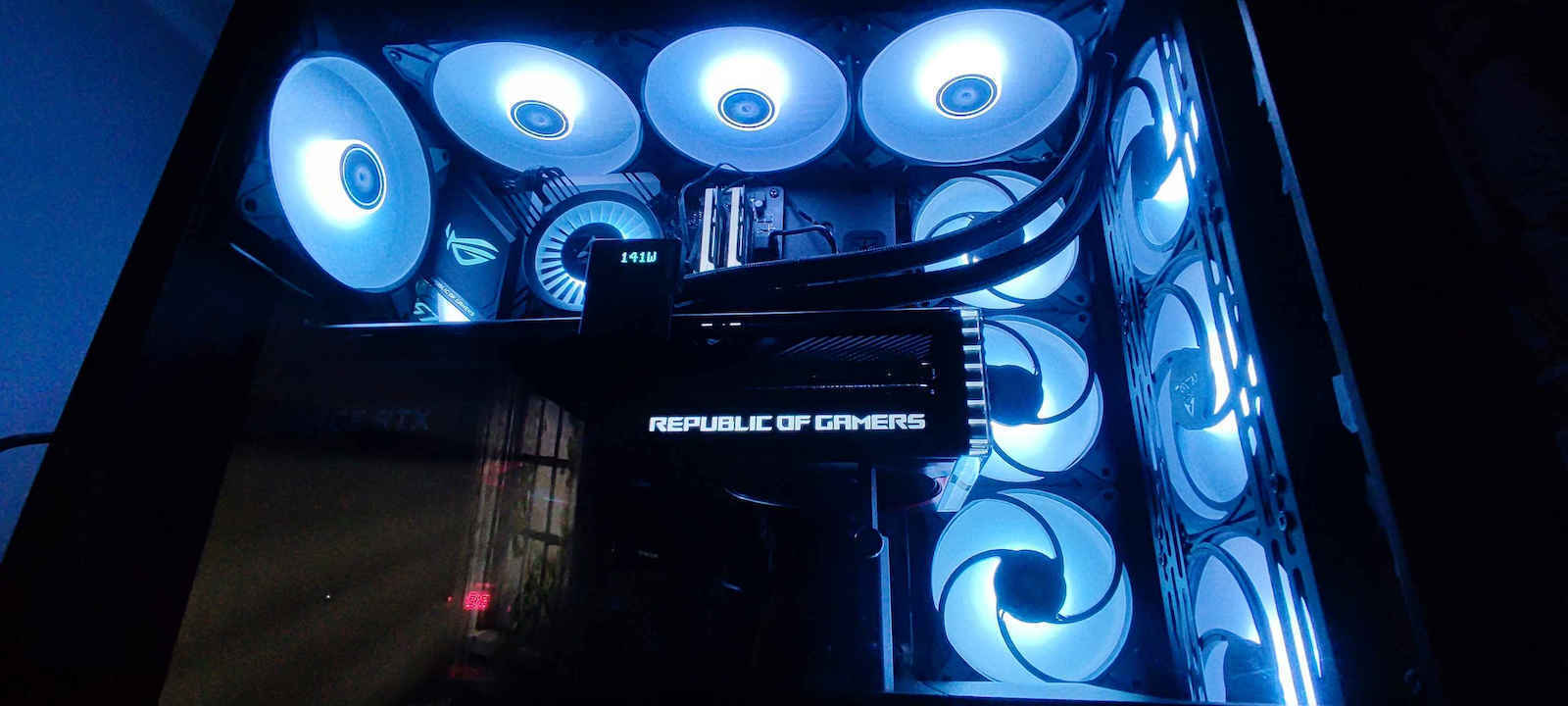
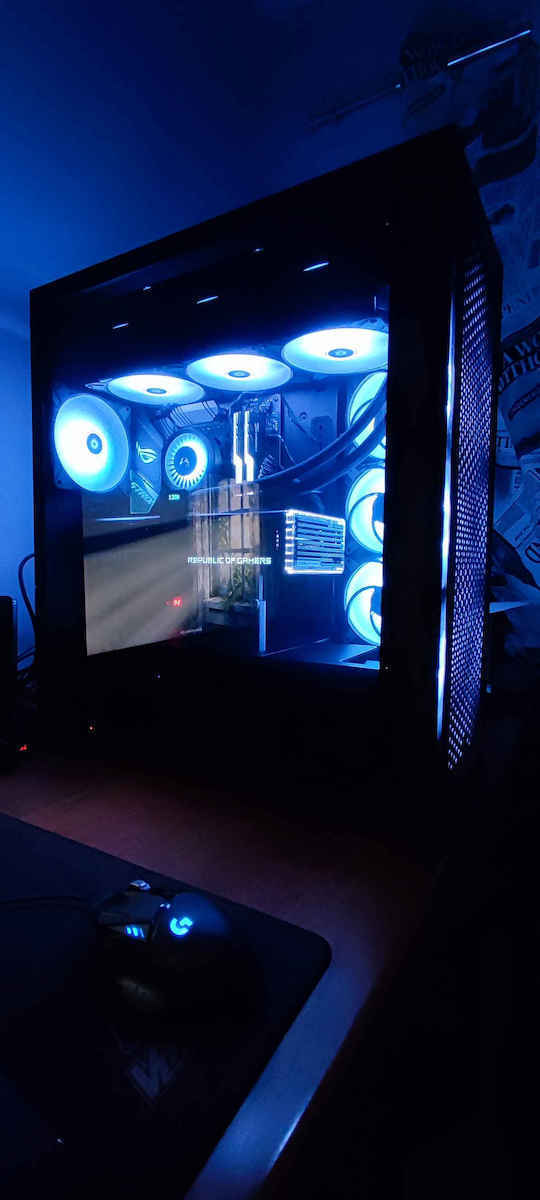
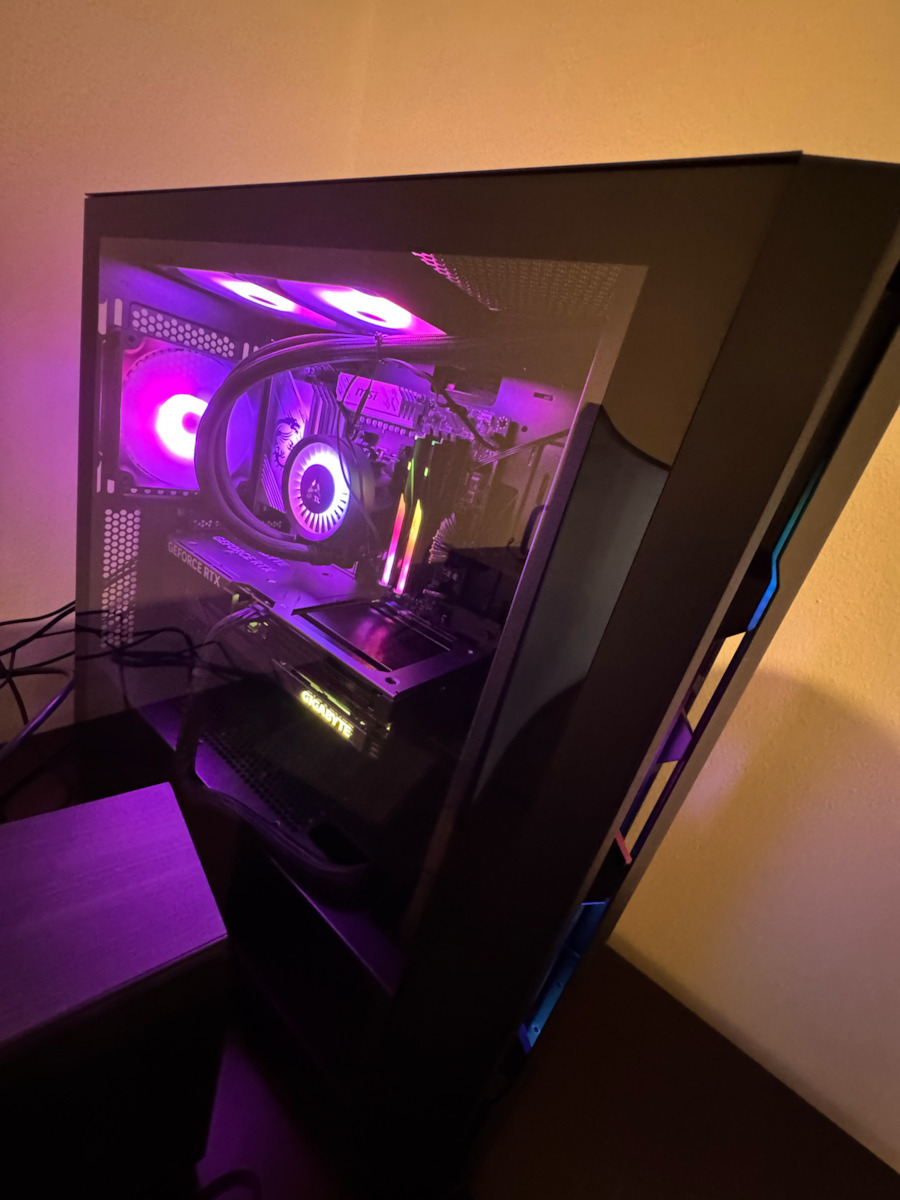
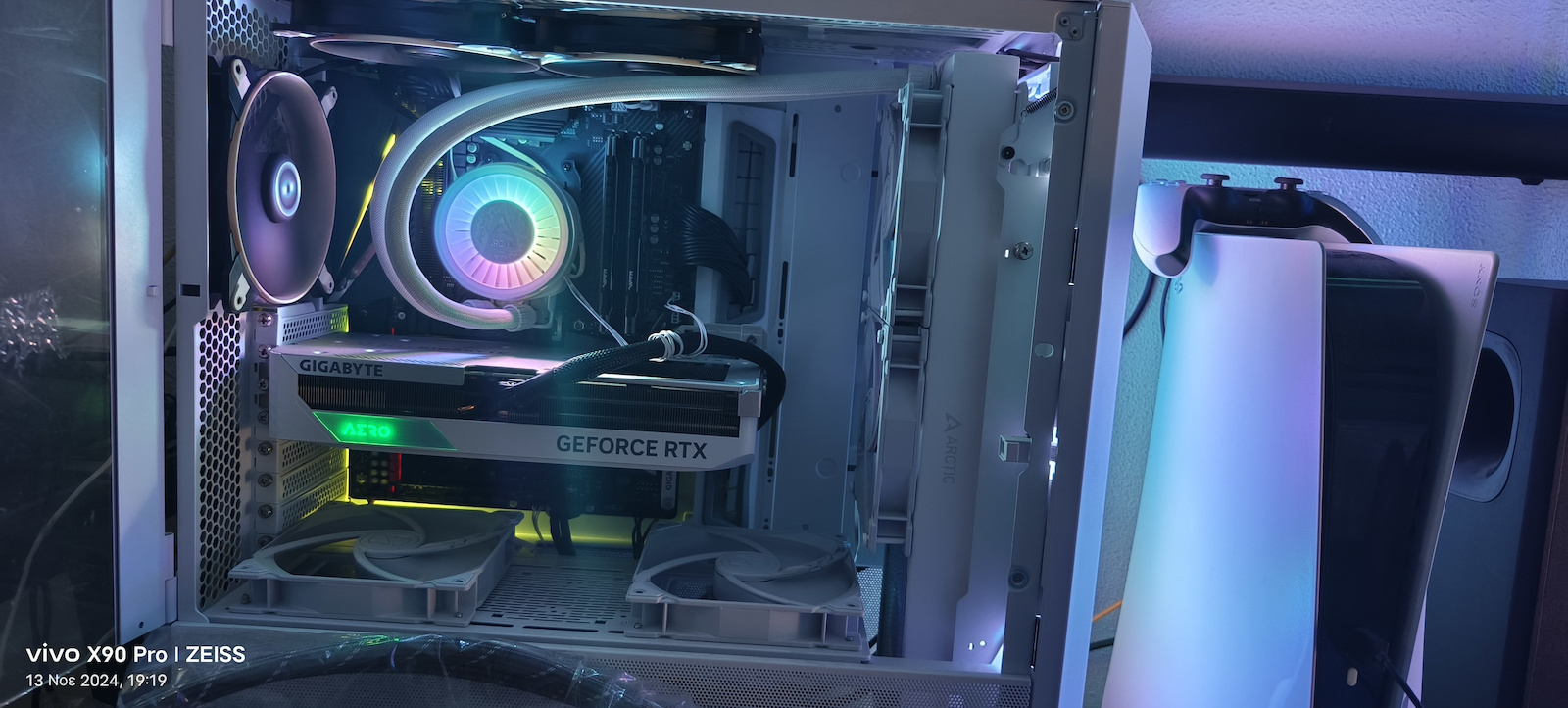
The Liquid Freezer III is ready for immediate use thanks to the pre-installed fans in a push configuration. The fan cables are integrated into the tubing housing, so only one cable needs to be connected to the motherboard. With the included MX-6 thermal compound, you have everything you need for a fast and easy installation.
Future-proof compatibility
The Liquid Freezer III is highly compatible with Intel and AMD sockets. Intel will release their new Arrow Lake processors in the LGA1851 socket in the future. ARCTIC customers do not need to worry that the new processors will require new coolers. We guarantee full compatibility. All Liquid Freezer III models can be used with the new Intel LGA1851 socket without any restrictions.
Contact frame for Intel LGA1700 and LGA1851
The independent loading mechanism (ILM) of Intel distorts the CPU by pressing it into the socket at two points with over 40 kilograms. This causes pressure on the PCB, the die, and the thermal interface material between the die and the IHS (Integrated Heat Spreader).
With high thermal load, this can lead to long-term issues. The mounting frame from ARCTIC, patented, does not distort the CPU, significantly reduces the mechanical load on the CPU, is fast and easy to install, and allows the cooler to be screwed onto the CPU backplate. As a result, mechanical stress on the motherboard and CPU is minimized, cooling performance remains stable, and installation is quick and simple.
Silent and powerful VRM fan
Voltage converters on motherboards often operate at their maximum temperature in combination with power-hungry CPUs. To counteract the lack of airflow from a tower cooler, the Liquid Freezer III operates with a revised VRM fan. The 60mm fan with PWM control allows for almost silent cooling of the socket area when VRM cooling is insufficient, in cases of poor airflow or especially in overclocking scenarios. This allows for a consistently higher load and longer lifespan for the voltage converters.
Optimized, Home Developed Water Pump
The Liquid Freezer III is equipped with a specially advanced PWM-controlled water pump, which has been further optimized for performance and noise. Thanks to the improved cold plate with extended fin surface and the optimized water tubes, the Liquid Freezer III increases its performance while maintaining quiet operation.
Full Control or Simple Control
Two connection cables - two control options:
Distinct regulation: The pump, VRM fan, and cooler fan can be independently adjusted. This allows, for example, controlling the VRM fan speed independently of the CPU and analog temperature regulation of voltage converters via PWM.
All-in-One: Like the Liquid Freezer II, this allows controlling the entire unit through a single connection, from which the cooler fan speed is extracted. Therefore, the pump, VRM, and cooler fans can be easily controlled through a unified PWM setting.
Native Offset AMD Installation
For several generations now, AMD has been using a multi-die chiplet design for its Ryzen desktop processors. Unlike Intel CPUs, the hotspot on these processors is not centrally located under the Integrated Heat Spreader (IHS), but is slightly shifted. Therefore, AMD's mounting solution has a 5mm offset to achieve optimal heat dissipation.
Improved radiator design
The cooling surface of the refrigerator, with a thickness of 38 mm, has been extended by 23% with the increase in the stack of fins. This allows not only improved heat dissipation, but also a larger volume of liquid. As a result, heat accumulation in the water cooling system is slowed down and power and temperature spikes can be effectively managed for a longer period of time.
High Static Pressure
ARCTIC is based on the well-proven P fans, which have already received many awards for their exceptional performance. The P series is particularly suitable for use in coolers and heat sinks with high fin density. Thanks to their high static pressure, they achieve significantly better results compared to fans designed for high air flow.
Addressable LED for all requirements
The ARCTIC uses standardized 3-pin cables instead of proprietary connectors. This not only ensures compatibility with most lighting systems for motherboards, cases, controllers, and accessories, but also allows software-based control with the most common control programs. The daisy-chain function also ensures that each LED can display a separate color at any time, offering countless combination options for every preference.
Specifications are collected from official manufacturer websites. Please verify the specifications before proceeding with your final purchase. If you notice any problem you can report it here.
The rating is for the product, not the store. Although my box said that the 420 fits, it's the only one in the world that doesn't fit the H9 Flow I have. If this is for the store, which is excellent, now you can delete it. The store was perfect, I got it when I should, everything was fine. To Arctic, I wish all the best, good night
Η βαθμολογία πάει για το προϊόν όχι για το μαγαζί ενώ έγραφε το κουτί μου ότι μπαίνει το 420 είναι η μόνη στον κόσμο που δεν χωράει H9 flow έχω αν είναι για το μαγαζί αυτό που αξιόλογο τώρα να κατέβει να την κάνετε delete άψογο το μαγαζί το πήρα όταν έπρεπε όλα καλά στην Artic εύχομαι όλα τα μακάρι καληνύχτα
Beast! It does an amazing job. But just imagine if it didn't with such a cooler...with mx-6, it keeps 9950x3d full load around 5.7-5.8GHz boost clock occt around 60 degrees...msfs in heavy environment (London), let's say 55 to not go lower..
Θερίο! Κάνει φοβερή δουλειά. Αλλά για φαντάσου να μην έκανε με τέτοιο ψυγείο…με mx-6, κρατάει 9950x3d full load περίπου 5,7-5,8GHz boost clock occt τριγύρω από τους 60 βαθμούς…msfs σε βαρύ περιβάλλον (Λονδίνον), ας πω 55 για να μην πω παρακάτω..
I will say only one thing about the RYZEN 7 7700X in the CINEBENCH multi-core benchmark: the processor, which is generally a hot CPU, reached around 75°C at 100% clock and didn't make a sound or freeze anywhere; I have it only in push
Θα πω μόνο ένα πράγμα σε RYZEN 7 7700X σε benchmark του CINEBENCH multi core ο επεξεργαστής που γενικά είναι ζεστός CPU και λόγο του clock του στο 100% έπιασε γύρο στους 75 C° δεν έκανε κιχ δεν κόλλησε πουθενά τον έχω μόνο σε push
I had NZXT 120*240 and it was holding 60 °C in gaming, putting this one which is 140*420 I thought the temperature would drop at least 3-5 °C degrees and not rise by 1 °C degree
είχα NZXT 120*240 και κρατουσε 60 °C στο παιχνίδι βάζοντας αυτό που είναι 140*420 πίστευα θα έπεφτε η θερμοκρασία τουλάχιστον 3-5 °C βαθμούς και όχι να ανευσή 1 °C βαθμό
My impressions after installation on Ryzen 9950X with relatively default settings in the BIOS..
Performance:
Idle: 49-50°C and under typical usage (browsing) around 52°C, absolutely normal temperature for this specific processor.
Load: In workstation tasks that utilize 90%+ of all threads, the temperature reached up to 76°C after about an hour.
Overall, very good performance for AIO cooling of this size.
I used Arctic MX-4 thermal paste. The room temperature was 22°C.
Size:
The radiator is taller than other 420mm ones, so caution is needed if your case has specific limitations. In my full tower, there was no problem at all.
It is worth noting that the cables are quite tidy.
Installation:
Although I had read that some had difficulties (e.g., comments on Reddit), I personally did not encounter any issues. With a logical order in placing the cables, everything worked as it should.
For anyone concerned, there are available guides that help significantly.
My opinion:
An ideal solution for those with a processor that raises temperatures or want maximum cooling.
If the processor does not reach high temperatures, perhaps a smaller cooler would still be a good choice.
Absolutely satisfied with the performance and quality. An excellent choice for high-performance builds, provided there is also adequate space in the case.
Οι εντυπώσεις μου μετά από εγκατάσταση σε Ryzen 9950X με σχετικά default settings στο BIOS..
Επιδόσεις:
Idle: 49-50°C και σε τυπική χρήση ( browsing ) γύρω στα 52°C απόλυτα φυσιολογική θερμοκρασία για τον συγκεκριμένο επεξεργαστή.
Load: Σε workstation εργασίες που χρησιμοποιούν 90%+ όλων των threads, η θερμοκρασία έφτασε μέχρι 76°C μετά από περίπου μία ώρα.
Γενικά πολύ καλές επιδόσεις για AIO υδρόψυξη αυτού του μεγέθους.
Thermal paste έβαλα Arctic MX-4. Στο δωμάτιο είχε 22°C.
Μέγεθος:
Το ψυγείο είναι μεγαλύτερο σε ύψος από άλλα 420mm, οπότε χρειάζεται προσοχή αν το κουτί σας έχει συγκεκριμένους περιορισμούς. Στο δικό μου full tower δεν υπήρξε κανένα πρόβλημα.
Αξίζει να σημειωθεί ότι τα καλώδια είναι αρκετά τακτοποιημένα.
Εγκατάσταση:
Παρόλο που είχα διαβάσει ότι ορισμένοι δυσκολεύτηκαν (π.χ., σχόλια στο Reddit), προσωπικά δεν αντιμετώπισα πρόβλημα. Με μια λογική σειρά στην τοποθέτηση των καλωδίων, όλα λειτουργούσαν όπως πρέπει.
Για όποιον προβληματιστεί, υπάρχουν διαθέσιμα guides που βοηθούν σημαντικά.
Η γνώμη μου:
Ιδανική λύση για όσους έχουν επεξεργαστή που ανεβάζει θερμοκρασίες ή θέλουν τη μέγιστη δυνατή ψύξη.
Αν ο επεξεργαστής δεν ανεβάζει μεγάλες θερμοκρασίες, ίσως μια μικρότερη ψύξη να είναι πάλι καλή επιλογή.
Απόλυτα ικανοποιημένος από την απόδοση και την ποιότητα. Μια εξαιρετική επιλογή για high-performance builds, με την προϋπόθεση ότι υπάρχει και ο κατάλληλος χώρος στο κουτί.
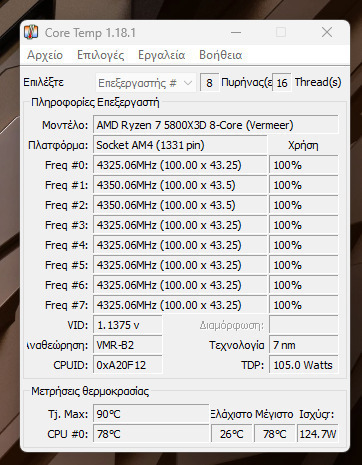
The cooling is flawless, absolutely beautiful, but performance is outstanding with 5800x3d with pbo 2 at idle: 27°C and with prime95 for 10 minutes: 78°C, with its cousin 420, the black one without rgb, 1 degree at idle and 5 degrees with prime 95, the same in push-pull
Η υδροψηξη ειναι αψογη πανεμορφη αλλα επιδοσεις τα σπαει με 5800x3d με pbo 2 σε idle : 27 Β/κελσιου και με prime95 10 λεπτων : 78 Β/κελσιου,με το ξαδερφακι της 420 την μαυρη χωρις rgp 1 βαθμο σε idle και 5 βαθμους με prime 95 τα ιδια σε pushpull
The rating is for the product, not the store. Although my box said that the 420 fits, it's the only one in the world that doesn't fit the H9 Flow I have. If this is for the store, which is excellent, now you can delete it. The store was perfect, I got it when I should, everything was fine. To Arctic, I wish all the best, good night
Η βαθμολογία πάει για το προϊόν όχι για το μαγαζί ενώ έγραφε το κουτί μου ότι μπαίνει το 420 είναι η μόνη στον κόσμο που δεν χωράει H9 flow έχω αν είναι για το μαγαζί αυτό που αξιόλογο τώρα να κατέβει να την κάνετε delete άψογο το μαγαζί το πήρα όταν έπρεπε όλα καλά στην Artic εύχομαι όλα τα μακάρι καληνύχτα
Beast! It does an amazing job. But just imagine if it didn't with such a cooler...with mx-6, it keeps 9950x3d full load around 5.7-5.8GHz boost clock occt around 60 degrees...msfs in heavy environment (London), let's say 55 to not go lower..
Θερίο! Κάνει φοβερή δουλειά. Αλλά για φαντάσου να μην έκανε με τέτοιο ψυγείο…με mx-6, κρατάει 9950x3d full load περίπου 5,7-5,8GHz boost clock occt τριγύρω από τους 60 βαθμούς…msfs σε βαρύ περιβάλλον (Λονδίνον), ας πω 55 για να μην πω παρακάτω..
I will say only one thing about the RYZEN 7 7700X in the CINEBENCH multi-core benchmark: the processor, which is generally a hot CPU, reached around 75°C at 100% clock and didn't make a sound or freeze anywhere; I have it only in push
Θα πω μόνο ένα πράγμα σε RYZEN 7 7700X σε benchmark του CINEBENCH multi core ο επεξεργαστής που γενικά είναι ζεστός CPU και λόγο του clock του στο 100% έπιασε γύρο στους 75 C° δεν έκανε κιχ δεν κόλλησε πουθενά τον έχω μόνο σε push
I had NZXT 120*240 and it was holding 60 °C in gaming, putting this one which is 140*420 I thought the temperature would drop at least 3-5 °C degrees and not rise by 1 °C degree
είχα NZXT 120*240 και κρατουσε 60 °C στο παιχνίδι βάζοντας αυτό που είναι 140*420 πίστευα θα έπεφτε η θερμοκρασία τουλάχιστον 3-5 °C βαθμούς και όχι να ανευσή 1 °C βαθμό
My impressions after installation on Ryzen 9950X with relatively default settings in the BIOS..
Performance:
Idle: 49-50°C and under typical usage (browsing) around 52°C, absolutely normal temperature for this specific processor.
Load: In workstation tasks that utilize 90%+ of all threads, the temperature reached up to 76°C after about an hour.
Overall, very good performance for AIO cooling of this size.
I used Arctic MX-4 thermal paste. The room temperature was 22°C.
Size:
The radiator is taller than other 420mm ones, so caution is needed if your case has specific limitations. In my full tower, there was no problem at all.
It is worth noting that the cables are quite tidy.
Installation:
Although I had read that some had difficulties (e.g., comments on Reddit), I personally did not encounter any issues. With a logical order in placing the cables, everything worked as it should.
For anyone concerned, there are available guides that help significantly.
My opinion:
An ideal solution for those with a processor that raises temperatures or want maximum cooling.
If the processor does not reach high temperatures, perhaps a smaller cooler would still be a good choice.
Absolutely satisfied with the performance and quality. An excellent choice for high-performance builds, provided there is also adequate space in the case.
Οι εντυπώσεις μου μετά από εγκατάσταση σε Ryzen 9950X με σχετικά default settings στο BIOS..
Επιδόσεις:
Idle: 49-50°C και σε τυπική χρήση ( browsing ) γύρω στα 52°C απόλυτα φυσιολογική θερμοκρασία για τον συγκεκριμένο επεξεργαστή.
Load: Σε workstation εργασίες που χρησιμοποιούν 90%+ όλων των threads, η θερμοκρασία έφτασε μέχρι 76°C μετά από περίπου μία ώρα.
Γενικά πολύ καλές επιδόσεις για AIO υδρόψυξη αυτού του μεγέθους.
Thermal paste έβαλα Arctic MX-4. Στο δωμάτιο είχε 22°C.
Μέγεθος:
Το ψυγείο είναι μεγαλύτερο σε ύψος από άλλα 420mm, οπότε χρειάζεται προσοχή αν το κουτί σας έχει συγκεκριμένους περιορισμούς. Στο δικό μου full tower δεν υπήρξε κανένα πρόβλημα.
Αξίζει να σημειωθεί ότι τα καλώδια είναι αρκετά τακτοποιημένα.
Εγκατάσταση:
Παρόλο που είχα διαβάσει ότι ορισμένοι δυσκολεύτηκαν (π.χ., σχόλια στο Reddit), προσωπικά δεν αντιμετώπισα πρόβλημα. Με μια λογική σειρά στην τοποθέτηση των καλωδίων, όλα λειτουργούσαν όπως πρέπει.
Για όποιον προβληματιστεί, υπάρχουν διαθέσιμα guides που βοηθούν σημαντικά.
Η γνώμη μου:
Ιδανική λύση για όσους έχουν επεξεργαστή που ανεβάζει θερμοκρασίες ή θέλουν τη μέγιστη δυνατή ψύξη.
Αν ο επεξεργαστής δεν ανεβάζει μεγάλες θερμοκρασίες, ίσως μια μικρότερη ψύξη να είναι πάλι καλή επιλογή.
Απόλυτα ικανοποιημένος από την απόδοση και την ποιότητα. Μια εξαιρετική επιλογή για high-performance builds, με την προϋπόθεση ότι υπάρχει και ο κατάλληλος χώρος στο κουτί.
Αυτό γράφει μέσα στο site της Sharkoon για το REV300. If water cooling is required, two radiators can be installed within the REV300 at the same time. A 360 mm radiator can be installed at the rear, while there is even space for a gigantic 420 mm radiator behind the front panel.
The Liquid Freezer III is ready for immediate use thanks to the pre-installed fans in a push configuration. The fan cables are integrated into the tubing housing, so only one cable needs to be connected to the motherboard. With the included MX-6 thermal compound, you have everything you need for a fast and easy installation.
Future-proof compatibility
The Liquid Freezer III is highly compatible with Intel and AMD sockets. Intel will release their new Arrow Lake processors in the LGA1851 socket in the future. ARCTIC customers do not need to worry that the new processors will require new coolers. We guarantee full compatibility. All Liquid Freezer III models can be used with the new Intel LGA1851 socket without any restrictions.
Contact frame for Intel LGA1700 and LGA1851
The independent loading mechanism (ILM) of Intel distorts the CPU by pressing it into the socket at two points with over 40 kilograms. This causes pressure on the PCB, the die, and the thermal interface material between the die and the IHS (Integrated Heat Spreader).
With high thermal load, this can lead to long-term issues. The mounting frame from ARCTIC, patented, does not distort the CPU, significantly reduces the mechanical load on the CPU, is fast and easy to install, and allows the cooler to be screwed onto the CPU backplate. As a result, mechanical stress on the motherboard and CPU is minimized, cooling performance remains stable, and installation is quick and simple.
Silent and powerful VRM fan
Voltage converters on motherboards often operate at their maximum temperature in combination with power-hungry CPUs. To counteract the lack of airflow from a tower cooler, the Liquid Freezer III operates with a revised VRM fan. The 60mm fan with PWM control allows for almost silent cooling of the socket area when VRM cooling is insufficient, in cases of poor airflow or especially in overclocking scenarios. This allows for a consistently higher load and longer lifespan for the voltage converters.
Optimized, Home Developed Water Pump
The Liquid Freezer III is equipped with a specially advanced PWM-controlled water pump, which has been further optimized for performance and noise. Thanks to the improved cold plate with extended fin surface and the optimized water tubes, the Liquid Freezer III increases its performance while maintaining quiet operation.
Full Control or Simple Control
Two connection cables - two control options:
Distinct regulation: The pump, VRM fan, and cooler fan can be independently adjusted. This allows, for example, controlling the VRM fan speed independently of the CPU and analog temperature regulation of voltage converters via PWM.
All-in-One: Like the Liquid Freezer II, this allows controlling the entire unit through a single connection, from which the cooler fan speed is extracted. Therefore, the pump, VRM, and cooler fans can be easily controlled through a unified PWM setting.
Native Offset AMD Installation
For several generations now, AMD has been using a multi-die chiplet design for its Ryzen desktop processors. Unlike Intel CPUs, the hotspot on these processors is not centrally located under the Integrated Heat Spreader (IHS), but is slightly shifted. Therefore, AMD's mounting solution has a 5mm offset to achieve optimal heat dissipation.
Improved radiator design
The cooling surface of the refrigerator, with a thickness of 38 mm, has been extended by 23% with the increase in the stack of fins. This allows not only improved heat dissipation, but also a larger volume of liquid. As a result, heat accumulation in the water cooling system is slowed down and power and temperature spikes can be effectively managed for a longer period of time.
High Static Pressure
ARCTIC is based on the well-proven P fans, which have already received many awards for their exceptional performance. The P series is particularly suitable for use in coolers and heat sinks with high fin density. Thanks to their high static pressure, they achieve significantly better results compared to fans designed for high air flow.
Addressable LED for all requirements
The ARCTIC uses standardized 3-pin cables instead of proprietary connectors. This not only ensures compatibility with most lighting systems for motherboards, cases, controllers, and accessories, but also allows software-based control with the most common control programs. The daisy-chain function also ensures that each LED can display a separate color at any time, offering countless combination options for every preference.
Specifications are collected from official manufacturer websites. Please verify the specifications before proceeding with your final purchase. If you notice any problem you can report it here.
The rating is for the product, not the store. Although my box said that the 420 fits, it's the only one in the world that doesn't fit the H9 Flow I have. If this is for the store, which is excellent, now you can delete it. The store was perfect, I got it when I should, everything was fine. To Arctic, I wish all the best, good night
Η βαθμολογία πάει για το προϊόν όχι για το μαγαζί ενώ έγραφε το κουτί μου ότι μπαίνει το 420 είναι η μόνη στον κόσμο που δεν χωράει H9 flow έχω αν είναι για το μαγαζί αυτό που αξιόλογο τώρα να κατέβει να την κάνετε delete άψογο το μαγαζί το πήρα όταν έπρεπε όλα καλά στην Artic εύχομαι όλα τα μακάρι καληνύχτα
Beast! It does an amazing job. But just imagine if it didn't with such a cooler...with mx-6, it keeps 9950x3d full load around 5.7-5.8GHz boost clock occt around 60 degrees...msfs in heavy environment (London), let's say 55 to not go lower..
Θερίο! Κάνει φοβερή δουλειά. Αλλά για φαντάσου να μην έκανε με τέτοιο ψυγείο…με mx-6, κρατάει 9950x3d full load περίπου 5,7-5,8GHz boost clock occt τριγύρω από τους 60 βαθμούς…msfs σε βαρύ περιβάλλον (Λονδίνον), ας πω 55 για να μην πω παρακάτω..
I will say only one thing about the RYZEN 7 7700X in the CINEBENCH multi-core benchmark: the processor, which is generally a hot CPU, reached around 75°C at 100% clock and didn't make a sound or freeze anywhere; I have it only in push
Θα πω μόνο ένα πράγμα σε RYZEN 7 7700X σε benchmark του CINEBENCH multi core ο επεξεργαστής που γενικά είναι ζεστός CPU και λόγο του clock του στο 100% έπιασε γύρο στους 75 C° δεν έκανε κιχ δεν κόλλησε πουθενά τον έχω μόνο σε push
I had NZXT 120*240 and it was holding 60 °C in gaming, putting this one which is 140*420 I thought the temperature would drop at least 3-5 °C degrees and not rise by 1 °C degree
είχα NZXT 120*240 και κρατουσε 60 °C στο παιχνίδι βάζοντας αυτό που είναι 140*420 πίστευα θα έπεφτε η θερμοκρασία τουλάχιστον 3-5 °C βαθμούς και όχι να ανευσή 1 °C βαθμό
My impressions after installation on Ryzen 9950X with relatively default settings in the BIOS..
Performance:
Idle: 49-50°C and under typical usage (browsing) around 52°C, absolutely normal temperature for this specific processor.
Load: In workstation tasks that utilize 90%+ of all threads, the temperature reached up to 76°C after about an hour.
Overall, very good performance for AIO cooling of this size.
I used Arctic MX-4 thermal paste. The room temperature was 22°C.
Size:
The radiator is taller than other 420mm ones, so caution is needed if your case has specific limitations. In my full tower, there was no problem at all.
It is worth noting that the cables are quite tidy.
Installation:
Although I had read that some had difficulties (e.g., comments on Reddit), I personally did not encounter any issues. With a logical order in placing the cables, everything worked as it should.
For anyone concerned, there are available guides that help significantly.
My opinion:
An ideal solution for those with a processor that raises temperatures or want maximum cooling.
If the processor does not reach high temperatures, perhaps a smaller cooler would still be a good choice.
Absolutely satisfied with the performance and quality. An excellent choice for high-performance builds, provided there is also adequate space in the case.
Οι εντυπώσεις μου μετά από εγκατάσταση σε Ryzen 9950X με σχετικά default settings στο BIOS..
Επιδόσεις:
Idle: 49-50°C και σε τυπική χρήση ( browsing ) γύρω στα 52°C απόλυτα φυσιολογική θερμοκρασία για τον συγκεκριμένο επεξεργαστή.
Load: Σε workstation εργασίες που χρησιμοποιούν 90%+ όλων των threads, η θερμοκρασία έφτασε μέχρι 76°C μετά από περίπου μία ώρα.
Γενικά πολύ καλές επιδόσεις για AIO υδρόψυξη αυτού του μεγέθους.
Thermal paste έβαλα Arctic MX-4. Στο δωμάτιο είχε 22°C.
Μέγεθος:
Το ψυγείο είναι μεγαλύτερο σε ύψος από άλλα 420mm, οπότε χρειάζεται προσοχή αν το κουτί σας έχει συγκεκριμένους περιορισμούς. Στο δικό μου full tower δεν υπήρξε κανένα πρόβλημα.
Αξίζει να σημειωθεί ότι τα καλώδια είναι αρκετά τακτοποιημένα.
Εγκατάσταση:
Παρόλο που είχα διαβάσει ότι ορισμένοι δυσκολεύτηκαν (π.χ., σχόλια στο Reddit), προσωπικά δεν αντιμετώπισα πρόβλημα. Με μια λογική σειρά στην τοποθέτηση των καλωδίων, όλα λειτουργούσαν όπως πρέπει.
Για όποιον προβληματιστεί, υπάρχουν διαθέσιμα guides που βοηθούν σημαντικά.
Η γνώμη μου:
Ιδανική λύση για όσους έχουν επεξεργαστή που ανεβάζει θερμοκρασίες ή θέλουν τη μέγιστη δυνατή ψύξη.
Αν ο επεξεργαστής δεν ανεβάζει μεγάλες θερμοκρασίες, ίσως μια μικρότερη ψύξη να είναι πάλι καλή επιλογή.
Απόλυτα ικανοποιημένος από την απόδοση και την ποιότητα. Μια εξαιρετική επιλογή για high-performance builds, με την προϋπόθεση ότι υπάρχει και ο κατάλληλος χώρος στο κουτί.
The cooling is flawless, absolutely beautiful, but performance is outstanding with 5800x3d with pbo 2 at idle: 27°C and with prime95 for 10 minutes: 78°C, with its cousin 420, the black one without rgb, 1 degree at idle and 5 degrees with prime 95, the same in push-pull
Η υδροψηξη ειναι αψογη πανεμορφη αλλα επιδοσεις τα σπαει με 5800x3d με pbo 2 σε idle : 27 Β/κελσιου και με prime95 10 λεπτων : 78 Β/κελσιου,με το ξαδερφακι της 420 την μαυρη χωρις rgp 1 βαθμο σε idle και 5 βαθμους με prime 95 τα ιδια σε pushpull
The rating is for the product, not the store. Although my box said that the 420 fits, it's the only one in the world that doesn't fit the H9 Flow I have. If this is for the store, which is excellent, now you can delete it. The store was perfect, I got it when I should, everything was fine. To Arctic, I wish all the best, good night
Η βαθμολογία πάει για το προϊόν όχι για το μαγαζί ενώ έγραφε το κουτί μου ότι μπαίνει το 420 είναι η μόνη στον κόσμο που δεν χωράει H9 flow έχω αν είναι για το μαγαζί αυτό που αξιόλογο τώρα να κατέβει να την κάνετε delete άψογο το μαγαζί το πήρα όταν έπρεπε όλα καλά στην Artic εύχομαι όλα τα μακάρι καληνύχτα
Beast! It does an amazing job. But just imagine if it didn't with such a cooler...with mx-6, it keeps 9950x3d full load around 5.7-5.8GHz boost clock occt around 60 degrees...msfs in heavy environment (London), let's say 55 to not go lower..
Θερίο! Κάνει φοβερή δουλειά. Αλλά για φαντάσου να μην έκανε με τέτοιο ψυγείο…με mx-6, κρατάει 9950x3d full load περίπου 5,7-5,8GHz boost clock occt τριγύρω από τους 60 βαθμούς…msfs σε βαρύ περιβάλλον (Λονδίνον), ας πω 55 για να μην πω παρακάτω..
I will say only one thing about the RYZEN 7 7700X in the CINEBENCH multi-core benchmark: the processor, which is generally a hot CPU, reached around 75°C at 100% clock and didn't make a sound or freeze anywhere; I have it only in push
Θα πω μόνο ένα πράγμα σε RYZEN 7 7700X σε benchmark του CINEBENCH multi core ο επεξεργαστής που γενικά είναι ζεστός CPU και λόγο του clock του στο 100% έπιασε γύρο στους 75 C° δεν έκανε κιχ δεν κόλλησε πουθενά τον έχω μόνο σε push
I had NZXT 120*240 and it was holding 60 °C in gaming, putting this one which is 140*420 I thought the temperature would drop at least 3-5 °C degrees and not rise by 1 °C degree
είχα NZXT 120*240 και κρατουσε 60 °C στο παιχνίδι βάζοντας αυτό που είναι 140*420 πίστευα θα έπεφτε η θερμοκρασία τουλάχιστον 3-5 °C βαθμούς και όχι να ανευσή 1 °C βαθμό
My impressions after installation on Ryzen 9950X with relatively default settings in the BIOS..
Performance:
Idle: 49-50°C and under typical usage (browsing) around 52°C, absolutely normal temperature for this specific processor.
Load: In workstation tasks that utilize 90%+ of all threads, the temperature reached up to 76°C after about an hour.
Overall, very good performance for AIO cooling of this size.
I used Arctic MX-4 thermal paste. The room temperature was 22°C.
Size:
The radiator is taller than other 420mm ones, so caution is needed if your case has specific limitations. In my full tower, there was no problem at all.
It is worth noting that the cables are quite tidy.
Installation:
Although I had read that some had difficulties (e.g., comments on Reddit), I personally did not encounter any issues. With a logical order in placing the cables, everything worked as it should.
For anyone concerned, there are available guides that help significantly.
My opinion:
An ideal solution for those with a processor that raises temperatures or want maximum cooling.
If the processor does not reach high temperatures, perhaps a smaller cooler would still be a good choice.
Absolutely satisfied with the performance and quality. An excellent choice for high-performance builds, provided there is also adequate space in the case.
Οι εντυπώσεις μου μετά από εγκατάσταση σε Ryzen 9950X με σχετικά default settings στο BIOS..
Επιδόσεις:
Idle: 49-50°C και σε τυπική χρήση ( browsing ) γύρω στα 52°C απόλυτα φυσιολογική θερμοκρασία για τον συγκεκριμένο επεξεργαστή.
Load: Σε workstation εργασίες που χρησιμοποιούν 90%+ όλων των threads, η θερμοκρασία έφτασε μέχρι 76°C μετά από περίπου μία ώρα.
Γενικά πολύ καλές επιδόσεις για AIO υδρόψυξη αυτού του μεγέθους.
Thermal paste έβαλα Arctic MX-4. Στο δωμάτιο είχε 22°C.
Μέγεθος:
Το ψυγείο είναι μεγαλύτερο σε ύψος από άλλα 420mm, οπότε χρειάζεται προσοχή αν το κουτί σας έχει συγκεκριμένους περιορισμούς. Στο δικό μου full tower δεν υπήρξε κανένα πρόβλημα.
Αξίζει να σημειωθεί ότι τα καλώδια είναι αρκετά τακτοποιημένα.
Εγκατάσταση:
Παρόλο που είχα διαβάσει ότι ορισμένοι δυσκολεύτηκαν (π.χ., σχόλια στο Reddit), προσωπικά δεν αντιμετώπισα πρόβλημα. Με μια λογική σειρά στην τοποθέτηση των καλωδίων, όλα λειτουργούσαν όπως πρέπει.
Για όποιον προβληματιστεί, υπάρχουν διαθέσιμα guides που βοηθούν σημαντικά.
Η γνώμη μου:
Ιδανική λύση για όσους έχουν επεξεργαστή που ανεβάζει θερμοκρασίες ή θέλουν τη μέγιστη δυνατή ψύξη.
Αν ο επεξεργαστής δεν ανεβάζει μεγάλες θερμοκρασίες, ίσως μια μικρότερη ψύξη να είναι πάλι καλή επιλογή.
Απόλυτα ικανοποιημένος από την απόδοση και την ποιότητα. Μια εξαιρετική επιλογή για high-performance builds, με την προϋπόθεση ότι υπάρχει και ο κατάλληλος χώρος στο κουτί.
Be the first to leave a comment!