

Web Camera Buying Guide
Do you spend your whole day at work from video call to video call? Do you often talk with loved ones who are far away? Or maybe you do live streams on various platforms? Then you need a Web Camera!
Come and see their main features and which ones you should pay attention to!
1. Camera Resolution
There are three resolution options available in the market: 720p, 1080p, and 4k. The most common purchasing options are the first two as they provide from satisfactory to very good image quality, while the 4k resolution offers top-notch image quality. However, the final resolution also heavily depends on the internet connection speed, both yours (upload) and that of the participants (download).
2. Microphone
Almost all webcams have a built-in microphone. For better communication and greater comfort, choose cameras with microphones that offer noise reduction. Read the description to see if the one you want has it! Also, if you do live streaming and have high demands, you can look separately from the camera for a high-spec microphone.
3. Frame refresh rate (FPS)
A typical camera usually has a refresh rate of at least 30 fps, however there are also some cameras that offer the option of higher frame rates such as 60 fps for smoother motion in videos. For basic use, such as video calls, 30 fps will cover your needs, while 60 fps is intended for more demanding uses of the camera and for those looking for something extra.
4. Design & Construction
Do you use a laptop, desktop computer, or a small office setup? Will you be moving around while using the camera? Such questions can be answered by considering your needs in combination with the construction and design of the web camera you plan to buy. The durability of the build, the rotating head with the flexibility it provides, or the tripod mount are some of the features that, if you take them into account, can make things much easier for you.
Also, the autofocus works by focusing on the centered subject/face while it moves, helping keep it within the frame with a clear image.
5. Ease of Connection
Most web cameras connect via USB and are what we call Plug ‘n’ Play, meaning they do not require any software installation. In any case, make sure that the camera is compatible with your computer's operating system (Windows, macOS, Linux).

Do you know the use? We know what to pay attention to!
1. Are you a student?
Find a reliable and affordable web camera for your online lectures and video calls.
Recommended FeaturesResolution: From 720p (HD)
Frame Rate: 30 fps
Microphone: Built-in
Price: Under 50 euros
Plug ‘n’ Play, so no installation is required!
2. Do you make a lot of video calls at work?
Then you need high-quality image and sound! Recommended FeaturesResolution: At least 1080p (Full HD)
Frame Rate: 30-60 fps
Microphone: Built-in, with noise reduction
Additional: Auto focus
3. Are you streaming?
Then you need the best possible image and sound quality for streaming on platforms like Twitch or YouTube.
Recommended FeaturesResolution: 1080p (Full HD) or 4K (Ultra HD)
Frame Rate: 60 fps
Microphone: Prefer an external microphone or a high-quality built-in one
Price: Usually above 150 euros
Additional: Rotating capability, tripod mount
Don't forget! Often there may be a difference in a product based on its overall features as well as its construction. Before you decide, read the reviews of other users to see their opinions too!
You can also take a look at the guide to the best web cameras for 2024, where you will find the top choices based on user feedback.
Relevant Articles
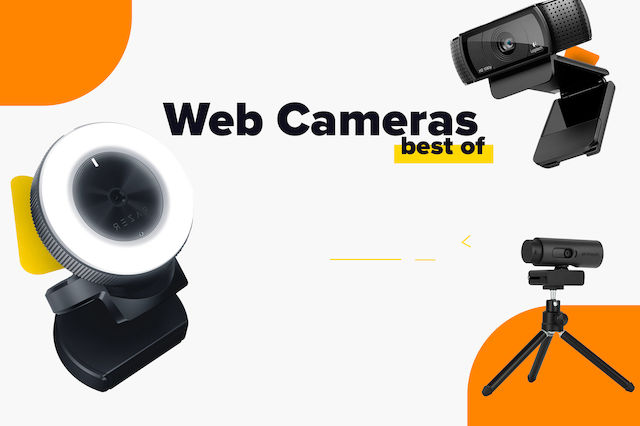
The Best Webcams for Every Use (2025).

What are the best computer speakers for 2026?
Computer Speakers Buying Guide
Be the first to leave a comment!