

Οδηγός Αγοράς για Web Cameras
Όλη σου τη μέρα στη δουλειά την περνάς από βιντεοκλήση σε βιντεοκλήση; Μιλάς συχνά με αγαπημένα σου άτομα που βρίσκονται μακριά; Ή μήπως κάνεις live stream σε διάφορες πλατφόρμες; Τότε χρειάζεσαι μία Web Camera!
Έλα να δούμε τα κύρια χαρακτηριστικά τους και σε ποια πρέπει να δώσεις βαρύτητα!
1. Ανάλυση κάμερας
Υπάρχουν τρεις επιλογές αναλύσεων στην αγορά στα 720p, 1080p και 4k. Οι πιο συνηθισμένες επιλογές αγοράς είναι οι δύο πρώτες καθώς παρέχουν από ικανοποιητική έως πολύ καλή ποιότητα εικόνας, ενώ η ανάλυση 4k παρέχει κορυφαία ποιότητα εικόνας. Ωστόσο, η τελική ανάλυση εξαρτάται κατά πολύ και από την ταχύτητα σύνδεσης στο internet, τόσο της δική σου (upload) όσο και των συνομιλητών (download).
2. Μικρόφωνο
Σχεδόν όλες οι webcams διαθέτουν ενσωματωμένο μικρόφωνο. Για καλύτερη επικοινωνία και μεγαλύτερη άνεση, προτίμησε κάμερες με μικρόφωνα που προσφέρουν μείωση θορύβων. Διάβασέ το αν το έχει αυτή που θες στην περιγραφή! Επίσης, αν κάνεις live streaming κι έχεις υψηλές απαιτήσεις, μπορείς να κοιτάξεις ξεχωριστά από την κάμερα, για ένα μικρόφωνο υψηλών προδιαγραφών.
3. Ρυθμός ανανέωσης καρέ (FPS)
Μια μέση κάμερα, διαθέτει συνήθως ρυθμό ανανέωσης καρέ τουλάχιστον 30 fps, ωστόσο υπάρχουν και κάποιες κάμερες που παρέχουν τη δυνατότητα υψηλότερων καρέ όπως τα 60 fps για ομαλότερη κίνηση στα βίντεο. Για βασική χρήση, όπως, για παράδειγμα, βίντεο κλήσεις, τα 30 fps θα καλύψουν τις ανάγκες σου, ενώ τα 60 fps απευθύνονται για μάλλον απαιτητικότερες χρήσεις της κάμερας και για όσους ψάχνουν το κάτι παραπάνω.
4. Σχεδίαση & Κατασκευή
Έχεις φορητό, επιτραπέζιο υπολογιστή ή μικρό γραφείο; Θα κινείσαι κατά τη χρήση της κάμερας; Τέτοιου είδους ερωτήματα μπορούν να απαντηθούν λαμβάνοντας υπόψη τις ανάγκες σου σε συνδυασμό με την κατασκευή και τη σχεδίαση της web camera που σκοπεύεις να αγοράσεις. Η ανθεκτικότητα της κατασκευής, η περιστρεφόμενη κεφαλή με την ευελιξία που παρέχει ή η υποδοχή για τρίποδο είναι κάποια από τα χαρακτηριστικά που αν τα λάβεις υπόψη, μπορεί να σας λύσουν τα χέρια.
Επίσης, η αυτόματη εστίαση λειτουργεί εστιάζοντας στο κεντραρισμένο θέμα/πρόσωπο ενώ αυτό κινείται, βοηθώντας στη διατήρησή του εντός κάδρου με καθαρή εικόνα.
5. Ευκολία Σύνδεσης
Οι περισσότερες web cameras συνδέονται μέσω USB και είναι αυτό που λέμε Plug ‘n’ Play, δηλαδή δεν απαιτούν κάποια εγκατάσταση λογισμικού. Σε κάθε περίπτωση, βεβαιώσου ότι η κάμερα είναι συμβατή με το λειτουργικό σύστημα του υπολογιστή σου (Windows, macOS, Linux).

Ξέρεις τη χρήση; Ξέρουμε τι πρέπει να προσέξεις!
1. Είσαι φοιτητής;
Βρες μια αξιόπιστη και οικονομική web camera για τις online διαλέξεις και τις βιντεοκλήσεις σου.
Προτεινόμενα ΧαρακτηριστικάΑνάλυση: Από 720p (HD)
Ρυθμός Καρέ: 30 fps
Μικρόφωνο: Ενσωματωμένο
Τιμή: Κάτω από 50 ευρώ
Plug ‘n’ Play, για να μη χρειάζεται εγκατάσταση!
2. Κάνεις πολλές βιντεοκλήσεις στη δουλειά;
Tότε χρειάζεσαι υψηλής ποιότητας εικόνα και ήχο! Προτεινόμενα ΧαρακτηριστικάΑνάλυση: Τουλάχιστον 1080p (Full HD)
Ρυθμός Καρέ: 30-60 fps
Μικρόφωνο: Ενσωματωμένο, με μείωση θορύβου
Επιπλέον: Αυτόματη εστίαση
3. Κάνεις streaming;
Τότε χρειάζεσαι την καλύτερη δυνατή ποιότητα εικόνας και ήχου για streaming σε πλατφόρμες όπως το Twitch ή το YouTube.
Προτεινόμενα ΧαρακτηριστικάΑνάλυση: 1080p (Full HD) ή 4K (Ultra HD)
Ρυθμός Καρέ: 60 fps
Μικρόφωνο: Προτίμησε εξωτερικό μικρόφωνο ή ενσωματωμένο υψηλής ποιότητας
Τιμή: Συνήθως πάνω από 150 ευρώ
Επιπλέον: Δυνατότητα περιστροφής, βάση τριπόδου
Μην ξεχνάς! Πολλές φορές μπορεί να υπάρχει διαφορά σε ένα προϊόν, με βάση τα συνολικά χαρακτηριστικά του αλλά και την κατασκευή. Πριν αποφασίσεις, διάβασε και τις κριτικές άλλων χρηστών, για να δεις και τη δική τους γνώμη!
Μπορείς να ρίξεις μια ματιά και στον οδηγό με τις καλύτερες web cameras για το 2024, όπου θα βρεις τις top επιλογές με βάση το feedback των χρηστών.
Σχετικά Άρθρα
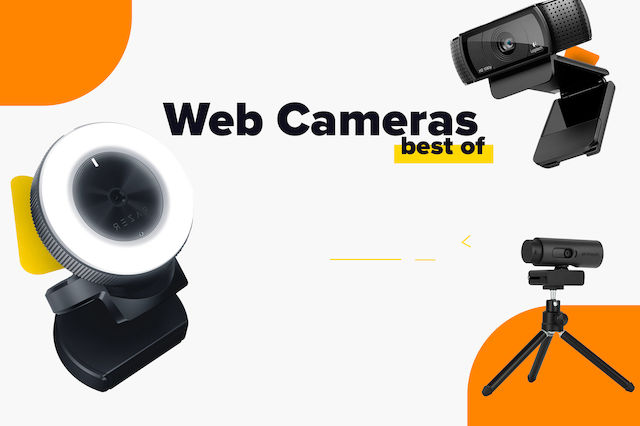
Οι καλύτερες Webcam για κάθε χρήση (2025).

Ποιοι είναι τα καλύτερα ηχεία υπολογιστή για το 2026;
Οδηγός αγοράς Ηχείων Υπολογιστή
Άφησε πρώτος το σχόλιό σου!