

Οδηγός αγοράς για Πληκτρολόγια
Όλα όσα χρειάζεται να ξέρεις πριν αγοράσεις πληκτρολόγιο για τον υπολογιστή σου!
Έλα να ανακαλύψουμε μαζί ποια είναι τα κύρια χαρακτηριστικά που πρέπει να λάβεις υπόψη κατά την αγορά ενός πληκτρολογίου και ποια είναι τα πιο σημαντικά, με βάση τη χρήση που θες να κάνεις.

Ενσύρματο ή ασύρματο
Ένα από τα βασικότερα χαρακτηριστικά σε ένα πληκτρολόγιο υπολογιστή, είναι ο τρόπος που συνδέεται στον υπολογιστή μας. Ενσύρματα ή ασύρματα.
Τα ενσύρματα πληκτρολόγια συνδέονται με τον υπολογιστή μέσω θύρας USB και δεν απαιτείται καμία άλλη ενέργεια από το χρήστη. Δεν χρειάζεται κάποια παροχή ενέργειας αφού αντλούν το απαιτούμενο ρεύμα για να λειτουργήσουν από την θύρα USB. Τα πλεονεκτήματά τους είναι η σταθερή σύνδεση, χωρίς παρεμβολές, και η άμεση απόκριση.
Τα ασύρματα πληκτρολόγια υπολογιστή χωρίζονται σε δύο κατηγορίες: Τα RF ασύρματα πληκτρολόγια και τα Bluetooth ασύρματα πληκτρολόγια.
Τα RF ασύρματα πληκτρολόγια και Gaming ασύρματα Πληκτρολόγια διαθέτουν έναν αντάπτορα USB πομποδέκτη ραδιοσυχνοτήτων (συνήθως στα 2,4GHz) ο οποίος συνδέεται σε μια θύρα USB στον υπολογιστή και, μέσω αυτού, γίνεται ασύρματα η σύνδεση. Τα Bluetooth πληκτρολόγια συνδέονται ασύρματα με συσκευές που διαθέτουν Bluetooth και υποστηρίζουν πληκτρολόγια. Φυσικά, όλα τα ασύρματα πληκτρολόγια λειτουργούν με μπαταρίες, ενώ κάποια μπορούν να επαναφορτίσουν τις μπαταρίες τους αφού συνδέονται και με USB καλώδιο στον υπολογιστή. Το πλεονέκτημα των Wireless Keyboards είναι ότι προσφέρουν ελευθερία κινήσεων και λιγότερα καλώδια. Στα μειονεκτήματα τους όμως είναι ότι η ασύρματη σύνδεση πολλές φορές δεν είναι τόσο αξιόπιστη λόγω παρεμβολών, ενώ χρειάζονται σε τακτά χρονικά διαστήματα φόρτιση ή αλλαγή των μπαταριών.
Gaming πληκτρολόγια
Gaming πληκτρολόγια χαρακτηρίζονται από τους κατασκευαστές τα πληκτρολόγια που έχουν ένα από παρακάτω χαρακτηριστικά:
Φωτισμός
Τα πληκτρολόγια μπορούν να διαθέτουν φωτισμό κυρίως για αυτούς που θέλουν να χρησιμοποιούν τον υπολογιστή σε συνθήκες χαμηλού φωτισμού. Τα πληκτρολόγια με φωτισμό (backlit) διαθέτουν έναν ενιαίο, απαλό φωτισμό κάτω από τα πλήκτρα ώστε αυτά να είναι ορατά ακόμα και σε απόλυτο σκοτάδι. Τα πλήκτρα φωτίζονται με το ίδιο χρώμα ενώ μπορείς συνήθως να αυξομειώσεις την ένταση του φωτισμού. Τα gaming πληκτρολόγια μπορούν να έχουν και περισσότερες επιλογές σχετικά με το φωτισμό. Υπάρχουν πληκτρολόγια με RGB φωτισμό, όπου μπορείς να διαλέξεις διαφορετικό εφέ φωτισμού αλλά και πιο εξελιγμένα πληκτρολόγια όπου μπορείς να επιλέξεις ένα διαφορετικό χρώμα σε κάθε πλήκτρο ή ομάδα πλήκτρων! Οι πιο σύνθετες ρυθμίσεις συνήθως επιτυγχάνονται μέσω κάποιου προγράμματος όπου μπορείς να παραμετροποιήσεις τον φωτισμό σύμφωνα με τις ανάγκες σου.
Εντολές Macro και WASD
Ένα άλλο χαρακτηριστικό που μπορεί να διαθέτουν τα Gaming πληκτρολόγια είναι ότι έχουν την δυνατότητα προγραμματισμού εντολών macro. Με τις εντολές αυτές μπορείς να προγραμματίσεις ότι με το πάτημα ενός πλήκτρου θα πραγματοποιείται το πάτημα συγκεκριμένων κουμπιών με τη σειρά που εσύ θέλεις.
Στα Gaming πληκτρολόγια θα συναντήσεις και αυτά που έχουν διαφορετικό χρώμα στα πλήκτρα WASD ή ακόμα και στα βελάκια.

Οι βασικότεροι και πιο διαδεδομένοι τύποι πληκτρολογίου είναι τα μηχανικά πληκτρολόγια και τα πληκτρολόγια μεμβράνης.
Πληκτρολόγια μεμβράνης
Τα πληκτρολόγια μεμβράνης αποτελούνται από ένα τυπωμένο ηλεκτρονικό κύκλωμα πάνω στο οποίο εφάπτεται μια ελαστική μεμβράνη. Με κάθε πίεση των πλήκτρων, η μεμβράνη πιέζει το κατάλληλο σημείο στο ηλεκτρονικό κύκλωμα και δίνεται η εντολή για να τυπωθεί ο χαρακτήρας που αντιστοιχεί στο πλήκτρο. Κατόπιν, επαναφέρει το πλήκτρο στην αρχική του θέση.
Τα πλεονεκτήματα των πληκτρολογίων μεμβράνης είναι η προσιτή τιμή και η αθόρυβη λειτουργία, ενώ μειονέκτημα τους είναι το feedback που παρέχουν κατά την πληκτρολόγηση και η μειωμένη αίσθηση, ιδιαίτερα όταν με τον καιρό φθείρεται η μεμβράνη.
Μηχανικά πληκτρολόγια
Τα μηχανικά πληκτρολόγια αντί για μεμβράνη διαθέτουν ανεξάρτητους μηχανικούς διακόπτες (switches) που βρίσκονται κάτω από κάθε πλήκτρο. Αυτοί οι μεταλλικοί διακόπτες χρησιμοποιούν ελατήριο για να επανέρχεται στη θέση του μετά το πάτημα του κουμπιού.
Τα πλεονεκτήματα των μηχανικών πληκτρολογίων είναι η αξιοπιστία τους, η ταχύτητα και η ακρίβεια κατά την πληκτρολόγηση αλλά και η μοναδική αίσθηση που διαθέτουν. Μειονεκτήματά τους, το υψηλότερο κόστος τους και ο θόρυβος που παράγουν τα πλήκτρα.
Αν καταλήξεις σε μηχανικό πληκτρολόγιο, θα πρέπει να επιλέξεις τον τύπο του διακόπτη (switch). Είναι το δομικό στοιχείο που προσδίδει μια συγκεκριμένη ιδιότητα στο πληκτρολόγιο. Ο διαχωρισμός τους γίνεται με βάση το χρώμα. Η πιο γνωστή εταιρία κατασκευής διακοπτών είναι η CherryMX και οι πιο διαδεδομένοι τύποι switches είναι οι εξής:
Cherry MX Black
Ένα κουμπί απαιτεί δύναμη ενεργοποίησης 60cN. Θεωρούνται ως οι πιο δύσκαμπτοι διακόπτες και γι’ αυτό το λόγο δε συστήνονται για δακτυλογράφηση. Η υψηλή απαιτούμενη δύναμη τους καθιστά ιδανικούς για παιχνίδια.
Cherry MX Red
Ένα κουμπί απαιτεί δύναμη ενεργοποίησης 45cN. Σε σχέση με τους μαύρους διακόπτες, είναι πιο μαλακοί και ακόμα πιο επικρατέστεροι στον τομέα των παιχνιδιών
Cherry MX Blue
Ένα κουμπί απαιτεί δύναμη ενεργοποίησης 50cN. Είναι ιδανικοί για δακτυλογράφηση λόγω του χαρακτηριστικού θορύβου τους. Ο θορυβώδης ήχος είναι ένα ζήτημα που πρέπει να λαμβάνονται υπόψη από τον υποψήφιο αγοραστή. Ο χρήστης αντιλαμβάνεται άμεσα αν έχει πατηθεί ένα κουμπί μέσω του ήχου και η δακτυλογράφηση γίνεται πιο αποδοτική. Μόλις ενεργοποιηθεί ο διακόπτης, δηλαδή πατηθεί μέχρι το κατώτερο σημείο είναι δύσκολο να ξαναπατηθεί χωρίς να το αντιληφθεί, το λεγόμενο double taping αποφεύγεται.
Cherry MX Brown
Ένα κουμπί απαιτεί δύναμη ενεργοποίησης 45cN. Αποτελούν ένα υβριδικό μοντέλο που συνδυάζει την γρηγοράδα του μπλε διακόπτη για αποδοτικότερη δακτυλογράφηση και την ακρίβεια του κόκκινου διακόπτη. Είναι ιδανικοί για όσους γράφουν αρκετά, αλλά παράλληλα χρησιμοποιούν τον υπολογιστή σαν παιχνιδομηχανή.

Μέγεθος
Ένα άλλο βασικό χαρακτηριστικό που μπορείς να διαλέξεις στο πληκτρολόγιο είναι το μέγεθος. Ανάλογα με το μέγεθος του πληκτρολογίου συνήθως αλλάζει η διάταξη των βοηθητικών πλήκτρων.
Full Size πληκτρολόγια
Tα full sized πληκτρολόγια διαθέτουν 104-108 πλήκτρα. Σε ένα full size πληκτρολόγιο, στην πάνω σειρά του πληκτρολογίου, θα βρούμε τα κουμπιά F στα οποία έχουν ανατεθεί ειδικές λειτουργίες για κάθε λειτουργικό σύστημα, ενώ σε κάποια πληκτρολόγια υπάρχει επιπλέον σειρά κουμπιών με συντομεύσεις για διάφορες λειτουργίες όπως η αυξομείωση της έντασης ήχου. Στη δεξιά πλευρά του πληκτρολογίου βρίσκονται τα βελάκια ενώ, ακόμα δεξιότερα στην άκρη του πληκτρολογίου θα βρούμε το numpad: ένα αριθμητικό πληκτρολόγιο υπολογιστή.

Tenkeyless (TKL) πληκτρολόγια
Τα tenkeyless (TKL) πληκτρολόγια είναι αρκετά μικρότερα από ένα full size πληκτρολόγιο αφού λείπει το numpad. Συνήθως διαθέτουν 87 πλήκτρα αλλά διατηρούν τα F-Keys και τα βελάκια στη δεξιά πλευρά τους. Είναι ιδανικά όταν ο χώρος στο γραφείο είναι περιορισμένος αλλά όχι όταν η δουλειά μας είναι τέτοια που κάνει χρήση αριθμών.

65% – 60% πληκτρολόγια
Τα 60% πληκτρολόγια είναι τα πιο διαδεδομένα από αυτά που κάνουν χρήση ποσοστών για να υποδηλώσουν το μέγεθός τους σε σχέση με ένα full size πληκτρολόγιο. Συνήθως έχουν 62 πλήκτρα ενώ απουσιάζουν τα F-keys, τα βελάκια, το “Home” και το “Delete”

Keypad & Numpad πληκτρολόγια
Τα keypad είναι μικρά πληκτρολόγια με συγκεκριμένα πλήκτρα που αφορούν το gaming. Συνήθως μπορούν να πάρουν macro εντολές.
Τα Numpad πληκτρολόγια είναι τα αριθμητικά πληκτρολόγια για όσους θέλουν να προσθέσουν στο laptop που δεν έχει ή για ποιο εξειδικευμένη εργασία με τα αριθμητικά πλήκτρα.

Στο Skroutz θα βρεις πληκτρολόγια με όλα τα παραπάνω χαρακτηριστικά. Μπορείς να επιλέξεις από την κατηγορία Πληκτρολόγια ή από την κατηγορία Gaming Πληκτρολόγια.
Μην ξεχνάς! Λαμβάνοντας υπόψη τα παραπάνω επιμέρους χαρακτηριστικά και συνδυάζοντας εκείνα που ταιριάζουν στις ανάγκες και τη χρήση που κάνεις με το πληκτρολόγιο σου, μπορείς να καταλήξεις στην ιδανική επιλογή για σένα. Πριν αποφασίσεις, μπορείς να ρίξεις μια ματιά και στις κριτικές άλλων χρηστών, ώστε να δεις και τη δική τους γνώμη και εμπειρία, που μπορεί να σε βοηθήσουν να καταλήξεις πολύ πιο εύκολα στην τελική απόφαση.
Είδες τα χαρακτηριστικά; Δες και ποια είναι τα καλύτερα πληκτρολόγια για το 2024!
Σχετικά Άρθρα
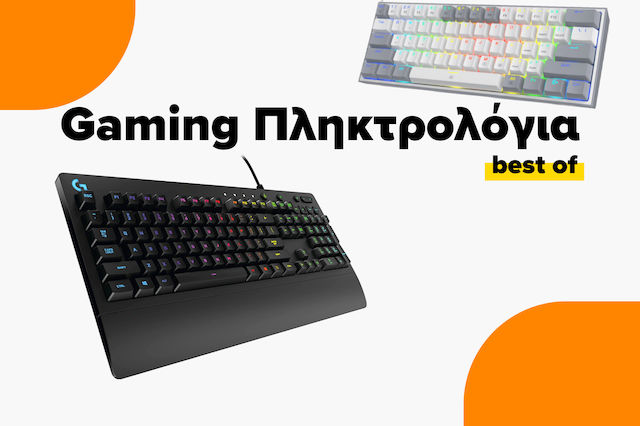
Τα καλύτερα gaming πληκτρολόγια της αγοράς

Οδηγός αγοράς για Gaming Ποντίκια
Τα καλύτερα gaming ποντίκια της αγοράς

Άφησε πρώτος το σχόλιό σου!