

Ръководство за покупка на WiFi удължители
Всичко, което трябва да знаете преди да закупите WiFi удължител за по-добър сигнал у дома!
Колко пъти сте променяли стаи, защото Wi-Fi сигналът е слаб? Предполагам доста, като повечето от нас. Тъй като Wi-Fi сигналът ослабва, когато някой се отдалечава от рутера, решението на проблема е едно: Wi-Fi удължител.
Заедно ще открием какви са основните характеристики, които трябва да вземете предвид при закупуване на Wi-Fi удължител, как работи и точно какъв проблем може да реши за вас.

Какво прави един WiFi Extender и как работи?
Нека първо започнем с основите на това устройство. Един WiFi Extender, известен още като WiFi booster или WiFi repeater, е устройство, което усилва съществуващия безжичен сигнал от рутер, за да разшири обхвата му, и отново предава безжичната WiFi мрежа, към която е свързан. Накратко, extenders се свързват към съществуващата ти мрежа и след това създават втора.
Можеш да настроиш extender-а, като използваш телефона си или компютъра си, преминавайки през приложение или уебсайт, за да свържеш рутера към твоята Wi-Fi мрежа. За по-добри резултати, инсталирай Wi-Fi extender между твоя рутер и всяка област без сигнал.
За по-добри резултати, разположението е всичко! Номер 1 грешка, която всички правим, е да поставяме Extender-а в стаята, в която изобщо нямаме интернет. Но ако Extender-ът няма сигнал, какво ще препредава?
Златното правило е да поставиш Wi-Fi extender-а точно по средата на разстоянието, между твоя рутер и мястото, където нямаш сигнал. Намери контакт, където телефонът ти все още хваща 2-3 чертички WiFi, и го сложи там. Така Extender-ът ще „изсмуче“ силен сигнал и ще го „хвърли“ към мъртвата зона!
Местоположение на вашия рутер
Преди да закупите Удължител на Wi-Fi сигнал, първо изследвайте местоположението на вашия рутер. Например, нека предположим, че сте поставили рутера си в ъгъла на вашата маза.
С това местоположение вероятно имате слаба връзка на основния и втория етаж, особено в противоположния ъгъл. И може би търсите удължител, за да решите проблема с лошия Wi-Fi сигнал.
Ако вашият рутер вече е на централно място и все още имате мъртви зони за Wi-Fi в дома си, тогава разгледайте Удължител на Wi-Fi сигнал.
Частта на честотата
Повечето WiFi удължители работят на една от двете основни WiFi честоти, 2.4GHz и 5GHz. И двете честоти имат своите предимства и изборът ти може да зависи от конкретните ти нужди. Нека видим как WiFi удължителите се свързват с тези честоти и какви възможности предлагат:
- По-голям обхват на покритие
- Съвместимост с по-стари устройства
- Проблеми със задръстване при използване на много устройства на тази честота
- По-висока скорост
- По-малко задръстване и по-стабилна връзка
- Ограничен обхват на покритие
2.4 & 5 & 5GHz WiFi удължители (Tri Band)
- Избягване на задръстване
- По-високи скорости с възможност за едновременно работа на две безжични 5GHz мрежи
- По-добро покритие
- Повече устройства, обикновено като 2.4GHz все още е налична за свързани устройства, които поддържат само тази честота
Като цяло, в зависимост от устройствата, които използваш, и зоната на покритие, изборът между тези честоти ще определи кой е най-добрият WiFi удължител за твоите нужди.

WiFi технология
Когато търсиш WiFi удължител за използване с технология WiFi 7 или WiFi 6, искаш удължител, който да може напълно да използва възможностите на тези стандарти. По-долу можеш да видиш сравнително разликите и предимствата им.
Горните разлики подчертават предимствата на технологията WiFi 7 в сравнение с WiFi 6, като предлагат още по-високи скорости, по-голяма производителност и подобрено управление на свързаните устройства. Въпреки това, изборът между двете зависи от твоите нужди и средата на използване.
Изборът на WiFi Mesh
Много WiFi Extenders предлагат възможност за WiFi Mesh. Това е цялостна домашна WiFi система с множество точки за достъп, създадена да елиминира мъртвите зони и да осигури безпроблемен WiFi у дома с по-високи скорости и повече устройства. Тя автоматично избира най-добрия възел за връзка, като гарантира непрекъсната и надеждна връзка без прекъсвания.
Mesh WiFi устройствата обикновено разполагат с гъвкави приложения за управление, които позволяват лесна инсталация, конфигуриране и наблюдение на мрежата ви, като същевременно получават софтуерни актуализации, които подобряват производителността и сигурността на мрежата ви.
Много съвременни WiFi Extenders рекламират, че предлагат възможност за WiFi Mesh. Какво означава това? При обикновения extender се създава втора мрежа (напр. Skroutz_EXT). Когато се движите из дома, телефонът ви трябва да се разкачи от рутера и да се свърже към extender-а, което причинява малки прекъсвания (празнини).
При Mesh има само едно име на мрежата навсякъде. Докато се движите, системата ви прехвърля автоматично и незабележимо от рутера към extender-а, без да усетите никакво прекъсване!
Внимавайте обаче: За да работи един extender като Mesh, и вашият рутер трябва да поддържа същата технология от същата компания (напр. TP-Link OneMesh с TP-Link рутер). Ако го свържете към обикновения рутер, който ви е предоставил интернет доставчикът (напр. Cosmote, Nova), "Mesh Extender"-ът ще работи като класически, обикновен extender.
Ethernet портове
Очевидно е, че WiFi Extenders са безжични по своята природа. С други думи, в повечето случаи те не се свързват към твоя рутер с Ethernet кабел.
Казано това, повечето extenders разполагат с режим на разширение (или точка за достъп). Това ще ти позволи да го свържеш към твоя рутер чрез Ethernet.
В режим на разширение WiFi Extender ще бъде по-бърз и ще има по-добро покритие. Но ще трябва да прекараш Ethernet кабел през цялата си къща, за да стигне до него.
Можеш също да използваш Ethernet порта, за да се свържеш с устройство.
Да кажем, че кабелната връзка с компютър или друго устройство е важна за теб. В такъв случай използването на Ethernet връзка от твоя extender може да бъде добър избор.
Очевидно е, че WiFi Extenders приемат интернет безжично и го разпределят безжично. Но почти всички имат и един Ethernet порт (мрежов кабел) в долната си част. Този порт може да ти помогне по два начина:
Режим Access Point (Точка за достъп): Ако имаш възможност да прекараш дълъг Ethernet кабел от основния си рутер до стаята, в която нямаш сигнал, можеш да включиш кабела в Extender-а! Така Extender-ът се освобождава от безжичното „натоварване“, получава 100% чист интернет през кабела и го излъчва свежо в стаята. Това е най-доброто решение за максимална скорост!
Свързване на кабелни устройства: Ако поставиш Extender-а в хола (като приема безжично сигнал от рутера), можеш да пуснеш малък кабел от Extender-а към твоя Smart TV, PlayStation или PC. Така осигуряваш интернет на устройства, които може изобщо да нямат WiFi!

Сигурност
Много WiFi удължители имат вградени функции за сигурност. Например, някои марки разполагат с мобилни приложения с настройваеми инструменти за сигурност. По този начин можете да наблюдавате трафика, да стартирате устройства и да се уверите, че нямате зловреден софтуер.
Като цяло, покупката на WiFi extender може да бъде практично решение за надграждане на безжичната ти мрежа, като ти предоставя възможност да се наслаждаваш на надеждна връзка в целия си дом. Елементи като настройките, сигурността, обхватът, както и марката, могат да ти помогнат при покупката.
Не забравяй! Като вземеш предвид горните отделни характеристики и комбинираш онези, които отговарят на нуждите и начина, по който използваш своя WiFi Extender, можеш да стигнеш до идеалния избор за теб. Преди да решиш, можеш да хвърлиш поглед и на отзивите на други потребители, за да видиш и тяхното мнение и опит, които могат да ти помогнат да стигнеш много по-лесно до окончателното решение.
И ако вече си проверил характеристиките, виж и най-добрите WiFi Extenders на пазара.
Свързани статии
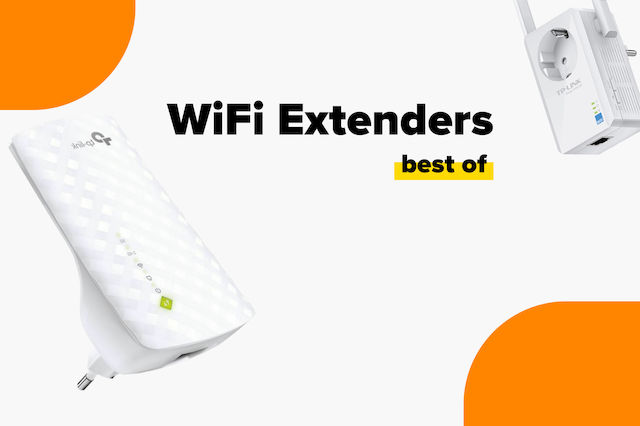
Най-добрите WiFi разширители на пазара
Ръководство за покупка на смарт хъбове: намери най-добрия за теб!
Най-добрите домашни алармени системи за всякакви нужди
бъдете първият, който остави коментар