

Strong Wi-Fi in every corner of the house
Say goodbye to dead spots that don't let you enjoy the internet smoothly and without problems.
In some cases, you may only need a wireless router - modem (wireless router), while in others you may additionally need a wireless access point (wireless access point), repeater (Range Extender), or even a switch (Switch), if you have more computers than your router can handle.
Let’s look at some of the most popular and important devices used in home wireless networking or in the networking of small offices and small and medium-sized businesses.
What devices do you need to set up your own wireless network?
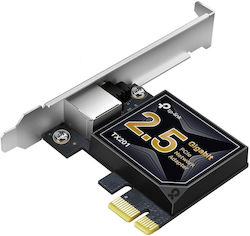
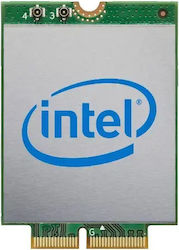
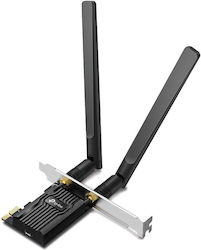
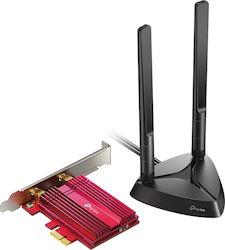
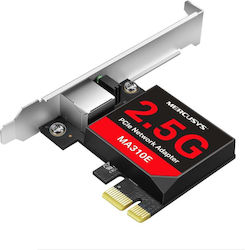
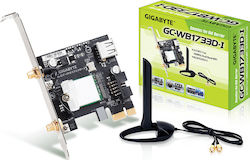
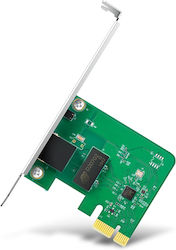
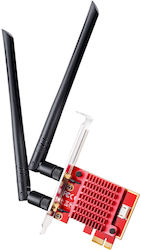
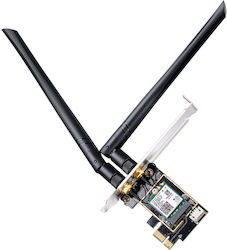
Network Adapter (Network Card)
All motherboards (or, if you prefer, motherboards) for computers include a network card, also known as Ethernet. Once your computer’s network card is connected to the modem-router provided free of charge by your internet provider (OTE, Forthnet, HOL, etc.), you have taken the first step toward gaining access to the Internet.
If your modem-router also offers Wi-Fi support, then all your devices and computers can have wireless Internet access. All you have to do is search for all available wireless networks within range of your laptop, tablet, or smartphone, and once you find the assigned name (SSID), click connect.
Tip: For security reasons, we recommend entering a password when setting up the wireless network, which you should enter both yourself and anyone else who wishes to connect to your wireless network. In this way, any unauthorized access is blocked.
-

Dell Broadcom 57412 Wired PCI Network Card
164,77 €from140,05 €
-
-
-
-
-
-
-
-
-

Wireless router-modem (Router)
One of the most important components of a network is the router, which is usually provided free of charge by the company we have chosen to supply us with telephone and broadband Internet access. Without getting into technical terms, the market is full of devices that combine router and modem functions, allowing not only Internet connection, but also the creation of a local network.
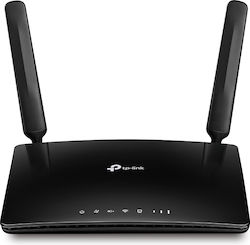


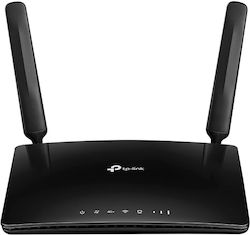


There are both wired and wireless routers. In the second case, which is also the most common, the devices have antennas on their surface to wirelessly transmit data to various other wireless devices such as smartphones, tablets, consoles and printers, so that they can gain access to the Internet.
Wireless Access Point
If at home, in the office, or in your business you have a wired router-modem and you want laptops and mobile devices to have wireless access to the Internet, you should get a wireless access point, which will give “wireless capabilities to your network”.


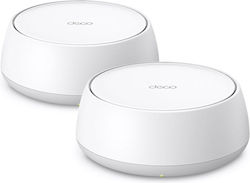


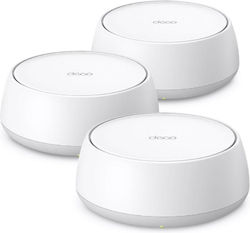


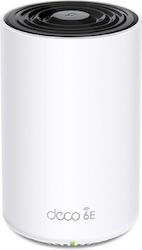
The base station is usually connected to a wired network and can transfer data between wireless and wired devices. In other words, it is a device that connects wireless devices (laptops, mobile phones, printers) to form a wireless network, without limiting you by the use of cables.
Repeater (Range Extender)
Sometimes the signal strength from the wireless router or wireless access point is not enough to cover your needs in the office or at home, because there may be several obstacles in the way, such as a wall, or simply because the distance between rooms or different floors is great.
In this case, a wireless repeater (range extender) will make things easier for you, since if it is placed in the right spot it will extend the range of the signal, and therefore your wireless network, so it can easily reach remote computers and devices in all areas of the home or office.
Switch
Most offices and businesses that employ many workers have one or more switches, to connect their employees' computers to the company network. It is a particularly effective, efficient, and simple way of wired networking.


PLC (Power Line Communication or Power Line Communication)
Recently there has been considerable interest in networking through the power grid at home or in the office. It is an interesting way of networking that does not require many settings and, above all, makes the presence of cables unnecessary.
PLC technology can use the home electrical wiring as a transmission medium. Devices of this type are usually plugged into a simple outlet, although they can also be built into the wall.
What you need is a Power Line Connection (PLC) system, which usually consists of two or more adapters and the existing wiring in your space.


The process of setting up your local network with PLC is particularly simple and involves connecting the 2 adapters to power outlets in your home. Then, one connects to your router with a simple network cable, while the second serves for wired or wireless connection to laptops or devices, in the part of the house that is convenient for you.
Choose the right solution according to the square meters of your space
For spaces up to 45 sq.m.: If your home is up to 45 sq.m., then a Wifi extender is what you are looking for. Use an extender in the room where the Wifi does not reach and solve signal problems once and for all.
Tip: If your router is state-of-the-art with dual band functionality, choose an extender that supports this technology, for higher speeds and better performance.
For spaces of 45-100 sq.m.: For this size, powerline is the ideal solution for internet in every corner of the home. Without complicated procedures, you simply plug the powerline into an available household outlet and you're ready to go!
Tip: If your home's electrical wiring is several decades old, the final speed transmitted to the powerline adapter may be affected.
For spaces of 100 sq.m. and above: If the space you want to cover is over 100 sq.m., then the best and most reliable solution is called Mesh. Mesh technology usually consists of 2 or more transmitters, which cover large areas.
Tip: Mesh access points are the ideal solution for those who have a high-speed connection and offer greater reliability when multiple devices are connected simultaneously (up to 100!).

Be the first to leave a comment!