

Ghid pentru laptopuri pentru programatori
Dacă de fiecare dată când explici ce faci, oamenii te privesc de parcă ai spune că ești în Matrix, s-ar putea să fii inginer software! Dacă ești și în căutarea unui laptop, acest ghid este pentru tine!
Hardware
Să începem cu elementele de bază!
CPU: În majoritatea cazurilor, un i7 sau Ryzen 7 de ultimă generație (Intel 13,14 sau Ryzen 8,9) va fi o alegere satisfăcătoare. Totuși, dacă sunteți implicat în dezvoltarea de jocuri sau AI/ML, optați pentru i9 sau Ryzen 9, deoarece va gestiona mai bine programele foarte solicitante.
RAM: 16GB sunt suficienți, dar am recomanda să optați pentru 32GB, deoarece dacă rulați mai multe mașini virtuale, containere Docker sau Visual Studio, vă va face viața mult mai ușoară.
GPU: Investiți într-o placă grafică puternică, precum RTX 4070 sau RX 7700 (sau chiar seria 50 & 9000) doar dacă sunteți implicat în AI, dezvoltarea de jocuri sau editare video. În orice alt caz, vă descurcați bine cu grafica integrată a procesorului dumneavoastră.
Sistem de operare
Această decizie depinde în totalitate de ce programe dorești să folosești. Mai exact:
Linux / Mac: Alege această opțiune dacă vrei să lucrezi în medii UNIX sau dacă vrei să te ocupi de Cyber security. Deși MacOS nu este Linux, acesta este bazat pe BSD, care este o versiune de Unix.
Linux în special este susținut de multe serii de producători diferiți, precum:
- Lenovo ThinkPad
- Dell XPS & Precision
- HP Dev One & EliteBook
- ASUS ZenBook & ROG
Windows: Alege această opțiune dacă dorești o compatibilitate mai bună cu aplicații comerciale, dacă ești Game dev (Unity/Unreal) sau dacă programezi în .NET framework.
Spațiu de stocare
Lucrurile sunt simple.
1T SSD: Este o alegere sigură pentru a nu avea curând probleme cu spațiul de stocare.
512GB SSD: Deși destul de restrictiv, alege-l dacă folosești în principal Cloud.
Skroutz Tip: Poți oricând să achiziționezi un SSD extern pentru mai mult spațiu, dar și pentru backup!
Dimensiunea ecranului
15" sau 16" reprezintă un echilibru bun, deoarece combină dimensiuni și greutate reduse cu o vizualizare confortabilă. Ceva mai mic va fi, evident, mai ușor de avut mereu și oriunde cu tine, însă pe termen lung s-ar putea să îți obosească ochii. În același timp, dacă ai nevoie de un ecran mai mare decât 15", poți oricând să cumperi ceva mai mare, dar mai greu de transportat, sau să îți conectezi laptopul la un monitor extern pe placul tău.
Recomandările noastre
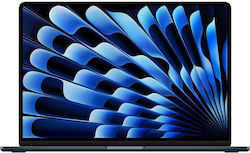
Pentru a scrie cod
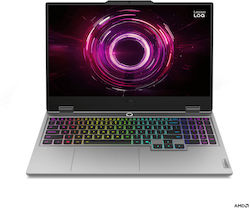


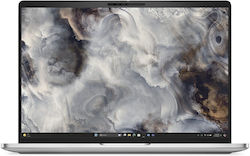
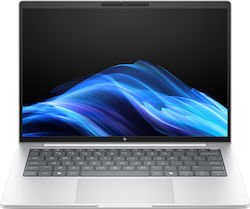


Pentru dezvoltarea AI și a jocurilor
-
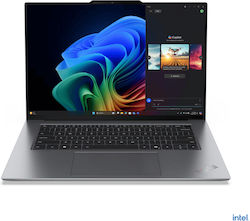
-
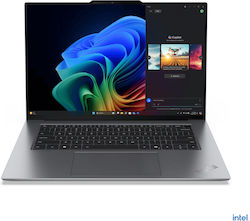
Lenovo ThinkPad X9-15 Gen 1 15.3" (Ultra 7-258V/32GB/1TB)
2.629,00 €de la2.498,90 €
-
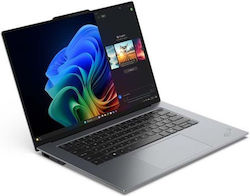
Lenovo ThinkPad X9-14 Gen 1 14" (Ultra 7-258V/32GB/1TB)
2.399,00 €de la2.199,00 €
-
-
-
-

-
-
-


Articole relevante
Ghid de cumpărături: Cum să alegi ventilatoarele potrivite pentru carcasa PC-ului tău

Găsește cel mai bun laptop pentru uz zilnic simplu (Ghid de cumpărare)
Cele mai bune laptopuri din 2026
fii primul care lasă un comentariu