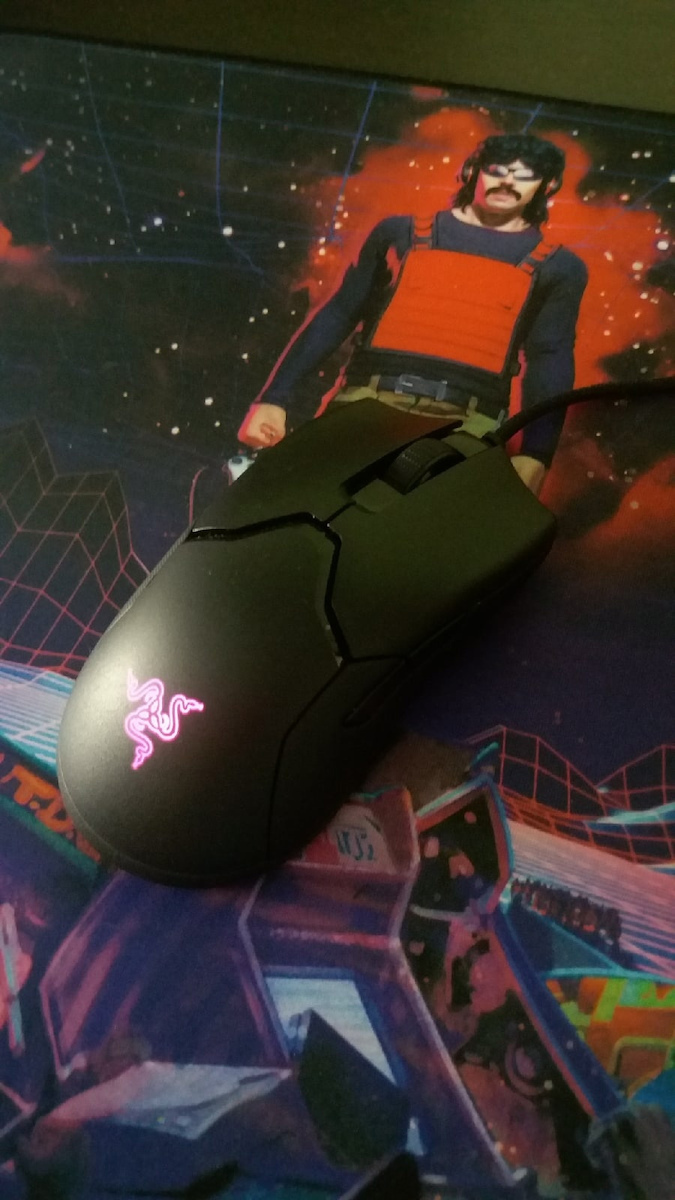
Αρχικά να πω για όσους δεν το έχουν καταλάβει ότι το ποντίκι αυτό είναι lightweight, δηλαδή ελαφρύ. Αν έχετε συνηθίσει σε ποντίκια της Razer που είναι σχετικά βαριά όπως το Deathadder, αυτό θα σας παραξενέψει. Όσοι πάλι αγαπάνε τα ελαφριά ποντίκια, θα σας αρέσει πολύ. Το ποντίκι είναι πράγματι ελαφρύ (69 γραμμάρια χωρίς το καλώδιο) και στην αρχή όταν το σηκώνεις νομίζεις ότι είναι ψεύτικο. Επίσης, αυτό που μου άρεσε είναι ότι η Razer δεν αντέγραψε τις άλλες εταιρείες για να βγάλει ελαφρύ ποντίκι, δηλαδή δεν το έκανε με τρύπες όπως το Glorious Model O κτλ αλλά είναι τελείως κλειστό και ελαφρύ (λίγο πιο βαρύ από αυτά με τις τρύπες). Το καλό με το να μην έχει τρύπες είναι ότι δεν μαζεύει σκόνη.
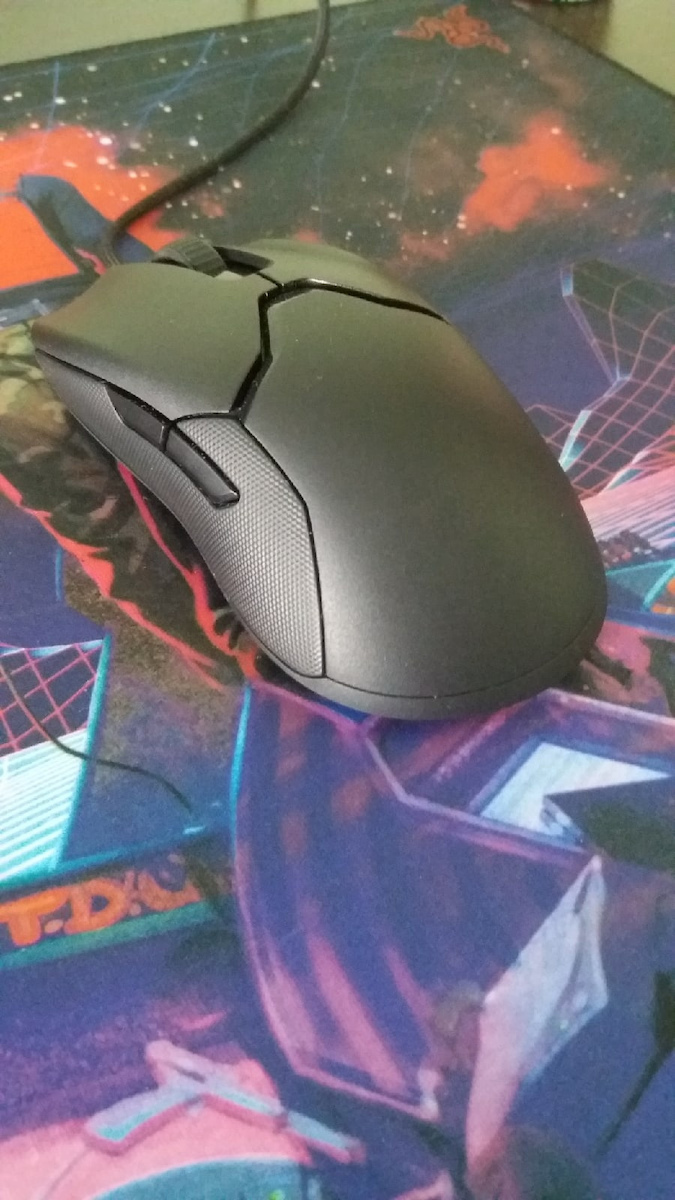
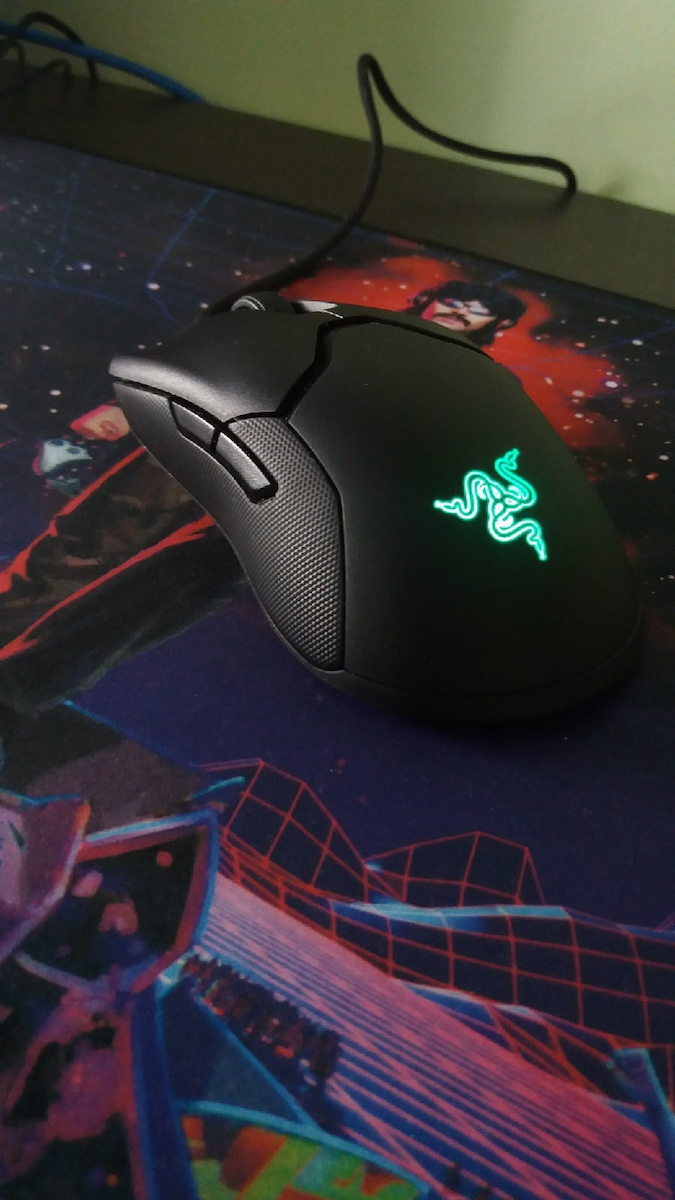
Από σχεδιασμό να πω ότι είναι πολύ ωραίο και είναι αμφιδέξιο, δηλαδή κάνει και για αριστερόχειρες και μάλιστα είναι αληθινά αμφιδέξιο γιατί έχει και πλαγιανά κουμπιά (2) και στα δεξιά. Βολεύει πολύ στο χέρι και προσωπικά μου αρέσουν τα πλάγιά του όπου δεν είναι πλαστικό αλλά με γομάτινο (όπως το λένε τέλος πάντων) για να το κρατάς καλύτερα. Επίσης, το matte μαύρο χρώμα είναι πολύ ωραίο και δ5υνδυάζεται τέλεια με τα γυαλιστερά μαύρα σχέδια. Από σχεδιασμό (design) λοιπόν κανένα παράπονο!
Ο σένσορας είναι ένας high-end 5g optical sensor (pmw 3390) ικανός για έως 16.000 dpi (dots per inch), 450 ips (inches per second) και 99,4% tracking accuracy (ακρίβεια). Επίσης, υποστηρίζει έως και 50G. Όλα αυτά είναι overkill, όπως το dpi για παράδειγμα που οι περισσότεροι χρησιμοποιούν 800-3.000. Γι' αυτό πιστεύω πως ο Razer Focus + σένσορας (20.000 dpi, 650 ips, 99,6% accuracy) που έχει το Viper Ultimate, το Deathadder V2, Basillisk V2 κτλ είναι περιττός αφού ήδη έχει τέλειο, απλά αν θέλετε σώνει και καλά τον καλύτερο πηγαίντε στα άλλα. Πιστεύω όμως δεν αξίζει αν το κάνετε μόνο για τον σένσορα. Προσωπικά δεν είχα καμένα πρόβλημα με τον σένσορα του Viper και είναι απλώς τέλειος (απ' τους καλύτερους) όπως έχω δει και σε reviews.
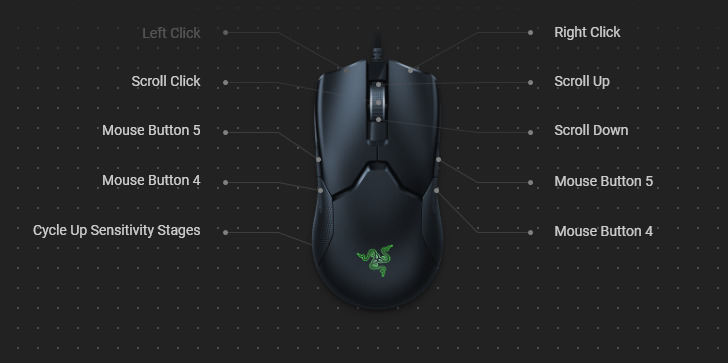
Από κουμπιά, έχει συνολικά 8 προγραμματίσιμα κουμπιά (αριστερό-δεξί κλικ, ροδέλα κλικ, 2 αριστερά και δύο δεξιά πλαϊνά κουμπιά και 1 από κάτω που αλλάζει το dpi). Το πιο σημαντικό εδώ είναι ότι το αριστερό και δεξί κλικ δεν είναι απλώς μηχανικά, αλλά οπτικά (optical) από τους καινούριους διακόπτες για ποντίκια της Razer, που δεν ενεργοποιειούνται από την επαφή αλλά από ακτίνα φωτός που αφήνεται να περάσει και δίνει το σήμα. Τα ωφέλη; Εξαλείφει το debounce delay (διαβάστε στο ίντερνετ αν δεν γνωρίζετε), αντιδρά πιο γρήγορα (0,2ms) και αυξάνει τη διάρκεια ζωής του διακόπτη από 50 εκατομμύρια πατήματα σε 70 εκατομμύρια. Επίσης, είναι και λίγο πιο ήσυχοι καθώς δεν υπάρχει επαφή (δεν κάνουν πολύ κλικ αλλά πιο κλακ). Η ροδέλα είναι πολύ ποιοτική και ωραία, είναι tactile και έχει αρκευή αντίσταση και το κουμπί της ροδέλας είναι πολύ καλό κι αυτό. Τα πλαϊνά κουμπιά έχουν ωραία αίσθηση όταν τα πατάς, απλά όμως είναι λίγο πιο δύσκολο να τα πατήσεις, πρέπει να πας τον αντίχειρα λίγο πιο ψηλά από ότι κρατάς το ποντίκι. Εδώ τώρα να πω κάτι: εγώ νόμιζα ότι θα χρησιμοποιούσα 4 πλαϊνά κουμπιά, αλλά τελικά και τα 2 δεξιά είναι τα ίδια με τα αριστερά (Mouse buttons 4,5) που σημαίνει όποιο κι αν πατήσεις (δεξί ή αριστερό αντίστοιχα) είναι το ίδιο. Δηλαδή τα δεξιά προορίζονται για αριστερόχειρες. Ωστόσο, μπορείτε να τα αλλάξετε μέσω Razer Synapse 3 και να τα βάλετε να κάνουν διάφορα πράγματα όπως να αλλάζουν πάνω κάτω dpi. Εγώ σκέφτηκα κάτι ακόμα, γίνεται να τα χρησιμοποιήσετε και ως 2 επιπλέον κουμπιά του ποντικιού (εφόσον βέβαια σας βολεύουν να τα πατάτε γιατί είναι λίγο δύσκολο ειδικά το δεξιά πίσω). Αν βάλετε στο Synapse τα δεξιά κουμπιά ως keyboard function και ένα οποιοδήποτε κουμπί που θέλετε, μπορείτε στο παιχνίδι να βάλετε αυτό το κουμπί και θα λειτουργούν. Τέλος, το κουμπί για το dpi βρίσκεται από κάτω όπως το ζήτησαν οι esports gamers για να μην πατηθεί καταλάθος και γίνει μπέρδεμα όταν παίζεις. Είναι ωραίο και έχει ένα ledaki από πάνω που δείχνει πιο dpi profile έχεις (υποστηρίζει έως 5). Προσωπικά, έχω αλλάξει τα προφίλ στο Synapse από 5 σε 2 (800 dpi για ένα μόνο παιχνίδι με αεροπλάνα και 1.600 για όλα τα άλλα, το default της Razer είναι 1.800 αλλά το βρίσκω λίγο γρήγορο).
Από ποιότητα, παρότι είναι ελαφρύ τύπου ποντίκι είναι πολύ ποιοτικό. Δεν έχει rattle και είναι στιβαρό πλαστικό. Φυσικά σε σύγκριση με ένα κανονικό, αν τα ρίξεις κάτω το κανονικό λογικά θα αντέξει περισσότερο λόγω του λιγότερου υλικού που έχει το Viper, αλλά στη χρήση του δεν έχει κανένα απολύτως πρόβλημα. Μην σας φανεί ότι είναι πλαστικούρα επειδή είναι ελαφρύ, είναι από πλαστικό (καλό πλαστικό) όπως όλα άλλωστε αλλά είναι πολύ ελαφρύ και ποιοτικό.
Τα ποδαράκια του (mouse feet) είναι το μόνο που πιστεύω έπρεπε να είχε αλλάξει η Razer και όντως το έκανε στα Viper Ultimate και Viper Mini (αλλά και στα μεταγενέστερα Basillisk V2 και Deathadder V2). Είναι από Teflon (PTFE) αλλά δεν είναι 100% γι' αυτό και είναι μαύρα. Τα 100% PTFE είναι άσπρα. Πάντως είναι πολύ καλά, κυλάνε το ποντίκι πολύ γρήγορα και δεν έχουν πρόβλημα. Απλά αν κάποια στιγμή θελήσετε να αλλάξετε, πάρτε 100% PTFE (άσπρα) mouse feet όπως Hyperglides (αν έχουν βγει για το Viper) ή corepads.
Το καλώδιο είναι αυτό που υπόσχεται ότι είναι. Speedflex! Είναι επενδυμένο όπως τα περισσότερα καλώδια της Razer (αν όχι όλα) αλλά η διαφορά είναι ότι είναι πολύ ελαφρύ, ευλύγιστο και γρήγορο. Πραγματικά κάνει τέλεια τη δουλειά του, δεν αντιτίθεται στη κίνηση του ποντικού και είναι σαν να χρησιμοποιείς ασύρματο (εφόσον δεν βρίσκει πουθενά). Πράγματι μου άρεσε πάρα πολύ το καλώδιό του.
Από φωτισμό (rgb) έχει ένα logo της Razer στο πίσω μέρος του. Όχι υπερβολές, ένα απλό rgb logo. Αυτό βέβαια που μου άρεσε είναι ότι όταν σβήνει δεν φαίνεται το logo σχεδόν καθόλου (με φακό λίγο γκρι) γιατί έχει δύο στρώσεις υλικού. Όταν είναι ανοιχτό το led αν πας κοντά βλέπεις λίγο ότι είναι από κάτω το φως σαν να είναι σε πάγο. Μου άρεσε πολύ. Μόνο που δεν έχει αλλού rgb αλλά είπαμε, ελαφρύ ποντίκι είναι, έχει τουλάχιστον λίγο rgb.
Τέλος, η συσκευασία. Μην μπερδευτείτε με το κουτί που θα δείτε στο βίντεο του randomfrankp, καθώς εκείνο του κουτί ήταν πριν βγει επίσημα στην αγορά το ποντίκι, και το έστελναν μόνο σε κάποιους να το δοκιμάσουν. Λέω για το κουτί που ανοίγει πλάγια, που λέει a winning choice. Το κανονικό είναι αυτό που θα δείτε σε άλλο τα άλλα βίντεο και έχει προστατευτικό πλαστικό κάλυμμα κτλ.
Εν κατακλείδι, το συνιστώ ανεπιφύλακτα για competitive gaming και ειδικά για esports και έχουν πολύ ευχαριστημένος. Νομίζω ότι η επιλογή από Razer είναι ανάμεσα σε Viper και Basillisk V2. Το Basillisk V2 έχει λίγο καλύτερο σένσορα (που δεν θα δείτε διαφορά), 109% PTFE feet (μπορείτε να τα αλλάξετε και στο Viper με 6-8€) και λίγο παραπάνω κουμπιά που όμως είναι πιο περίπλοκα. Αντίθετα, το Viper έχει το καλό ότι είναι πολύ πιο ελαφρύ (69g vs 92g) και αυτό σημαίνει ότι κινείται πιο εύκολα και γρήγορα, πράγμα που σας δίνει πλεονέκτημα σε FPS παιχνίδια. Πραγματικά, με του mouse pad που το έχω (Razer Firefly V2) λίγο το σπρώχνω (κλοτσάω) με το δαχτυλάκι και κινείται. Κινείται τόσο ωραία και γρήγορα, και πόσο μάλλον αν αλλάξετε και τα ποδαράκια του με 100% PTFE.
Ελπίζω να σας κάλυψα. Πιστεύω το καλύτερο gaming ποντίκι στα 70-85€. Το συνιστώ!!!