Wi-Fi Extenders

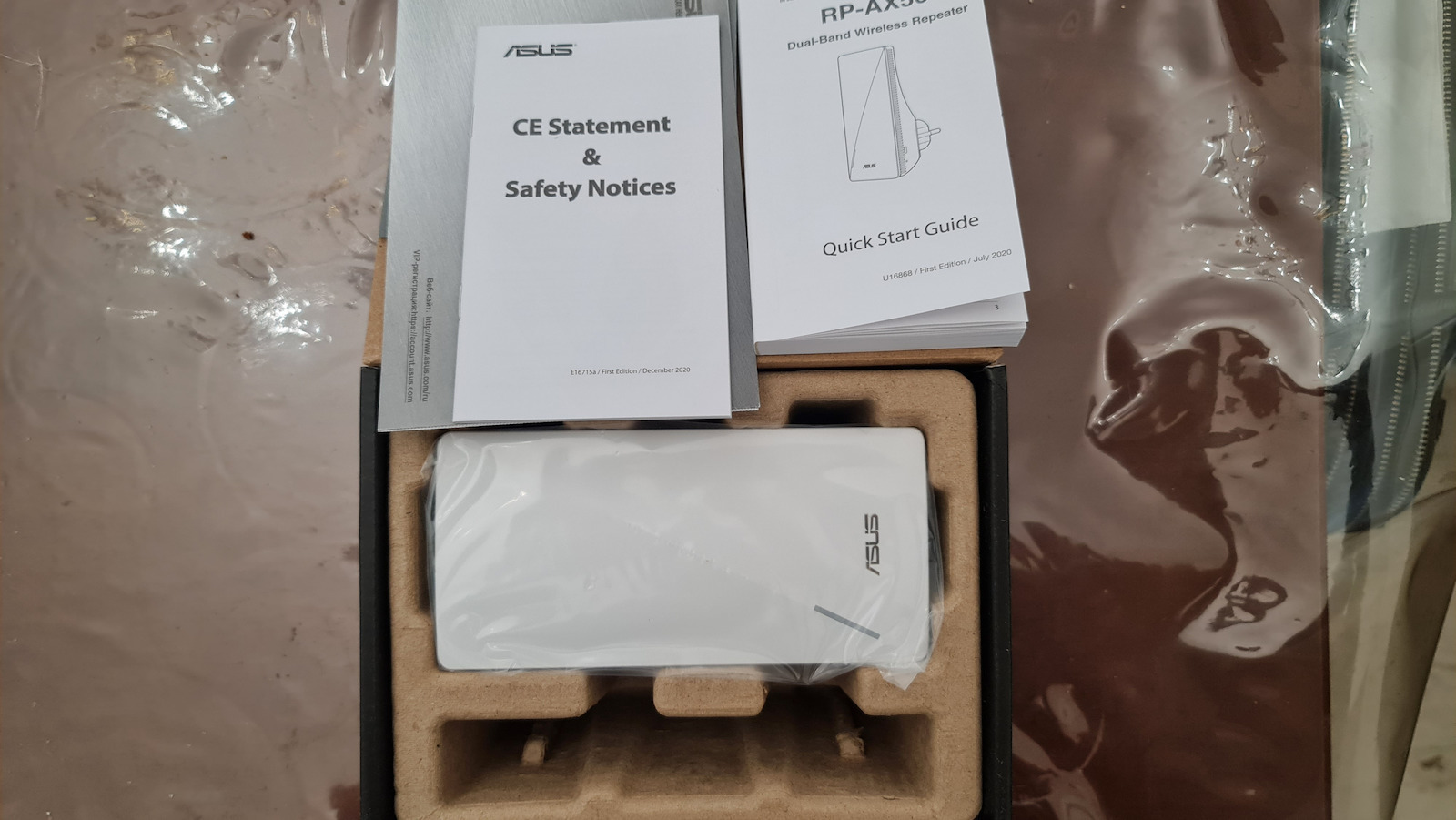
Asus RP-AX56 WiFi Mesh Extender Dual Band (2.4 & 5GHz) 1750Mbps

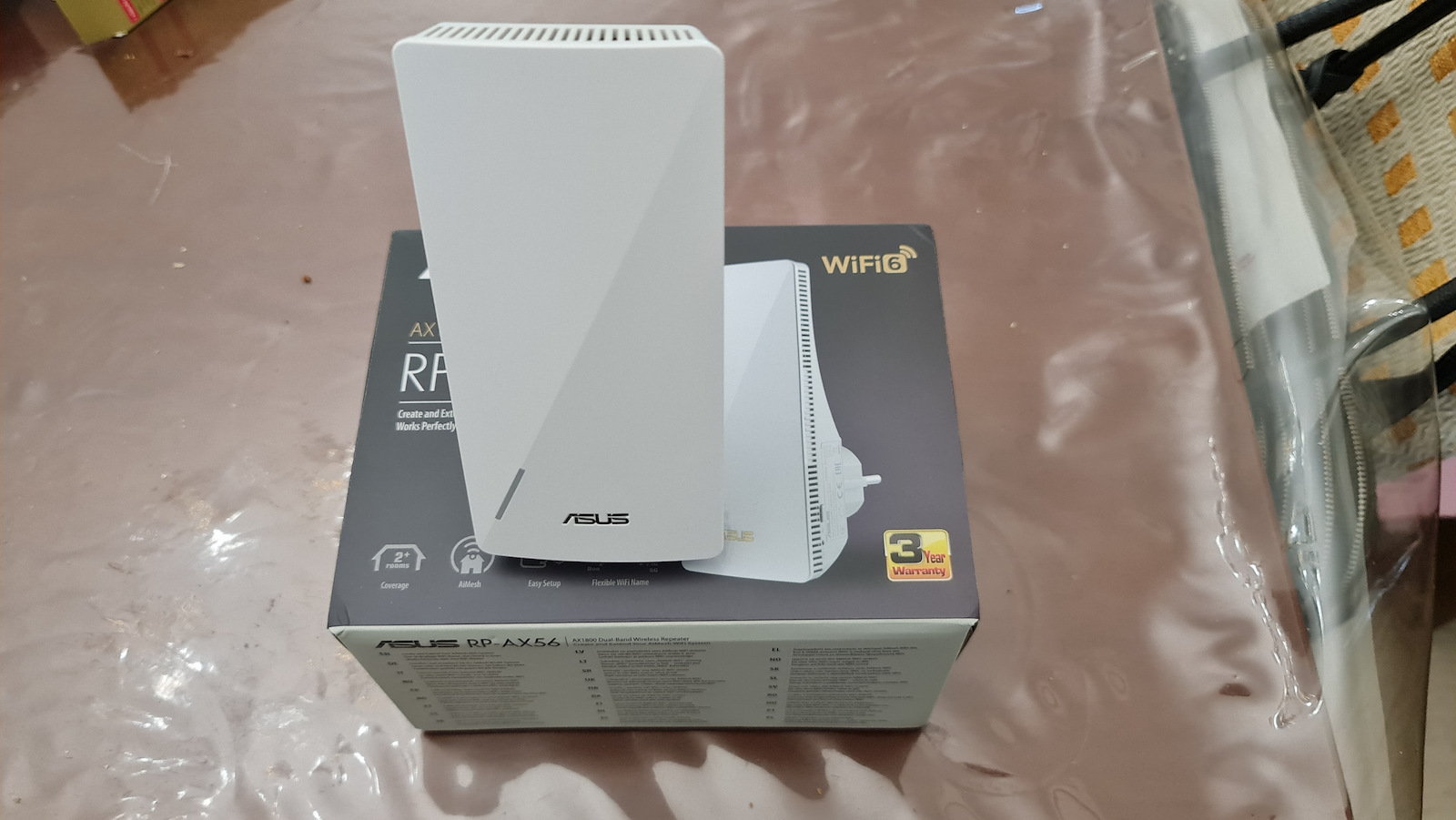
ASUS RP-AX56 AX1800 Dual Band WiFi 6 802.11ax Range/AiMesh Extender

  • Wi-Fi 6 802.11ax
  • Wireless Extender Mode
  • Solid Connection via Ethernet
  • Supports Wi-Fi Protected Setup (WPS)
  • Compatible with ASUS...

ASUS RP-AX56 AX1800 Dual Band WiFi 6 802.11ax Range/AiMesh Extender

  • Wi-Fi 6 802.11ax
  • Wireless Extender Mode
  • Solid Connection via Ethernet
  • Supports Wi-Fi Protected Setup (WPS)
  • Compatible with ASUS Router App and ASUS Extender App
  • AiMesh Capability for Easy Network Creation
  • Installation Instructions through the App
  • Wi-Fi Speed AX1800
  • Compatibilities: IEEE...
See full description See full description
129 38
130 Coins 130 Coins
Delivery by Thu, 02 Jul
Free   shipping cost
From PC1 4.7 (30)
Γλυκά Νερά, Αττικής
1 piece
See Networking on the page of PC1
Available purchase options
What if it breaks?

You have at least a 2-year warranty. Contact us by phone and we will immediately take care of the repair, replacement or refund of your money, completely free of charge.

What if I change my mind?

No problem, as long as it's within 14 days. We'll come pick it up or you can choose the Skroutz Point that suits you, completely free for up to 2 times per year, and we'll refund your money. Get Skroutz Plus to enjoy unlimited free returns.

Description

Description

ASUS RP-AX56 AX1800 Dual Band WiFi 6 802.11ax Range/AiMesh Extender

  • Wi-Fi 6 802.11ax
  • Wireless Extender Mode
  • Solid Connection via Ethernet
  • Supports Wi-Fi Protected Setup (WPS)
  • Compatible with ASUS Router App and ASUS Extender App
  • AiMesh Capability for Easy Network Creation
  • Installation Instructions through the App
  • Wi-Fi Speed AX1800
  • Compatibilities: IEEE 802.11b, 802.11a, 802.11g, 802.11n, 802.11ac, 802.11ax
  • Dimensions: 190 g
  • RAM: 256 MB
  • Number of Ethernet Ports: 1 x 1000Base-T - RJ-45
  • Supported Operating Systems: Apple MacOS, Linux, Microsoft Windows 7, 8, 8.1, 10

Manufacturer

See full description

Specifications

Specifications

Technical Specifications

Ethernet Ports
1
LAN speed
1000 Mbps
USB
Without
Number of Antennas
1
Passthrough
No

Wi-Fi Features

Frequency
Dual Band (2.4 & 5GHz)
Maximum WLAN Speed
1750 Mbps
Wi-Fi Generation
Wi‑Fi 6
IEEE Networking Standards
802.11 b/g/n, 802.11a, 802.11ac, 802.11ax

Features & Functions

Mesh
Yes
WPS Button
Yes
Security Protocol
WPA, WPA2, WPA3

Installation

Socket
No
Desktop
No
Outdoor
No

Important information

Specifications are collected from official manufacturer websites. Please verify the specifications before proceeding with your final purchase. If you notice any problem you can report it here.

See all specifications

Reviews (2)

Reviews

  1. 2
  2. 4 stars
    0
  3. 3 stars
    0
  4. 2 stars
    0
  5. 1 star
    0
Review this product

Reviews photos

Reviews photos
Reviews photos
Reviews photos
Reviews photos
Reviews photos

Reviews by our members

  • Slim Tech
    5
    17 out of 17 members found this review helpful

    Verified purchase

    As a device, it is a Repeater or WiFi Mesh. If someone buys it as a repeater for over 100€, it's not worth it as there are cheaper options, but if they have another Asus Router with Asus Ai Mesh functionality, then it's worth it.

    Personally, because I have an Asus router and wanted to install one in the garage to extend the WiFi, the Asus ZenFi APs are perfect but expensive. I don't care about having high speed, I just want WiFi and this is perfect for that.

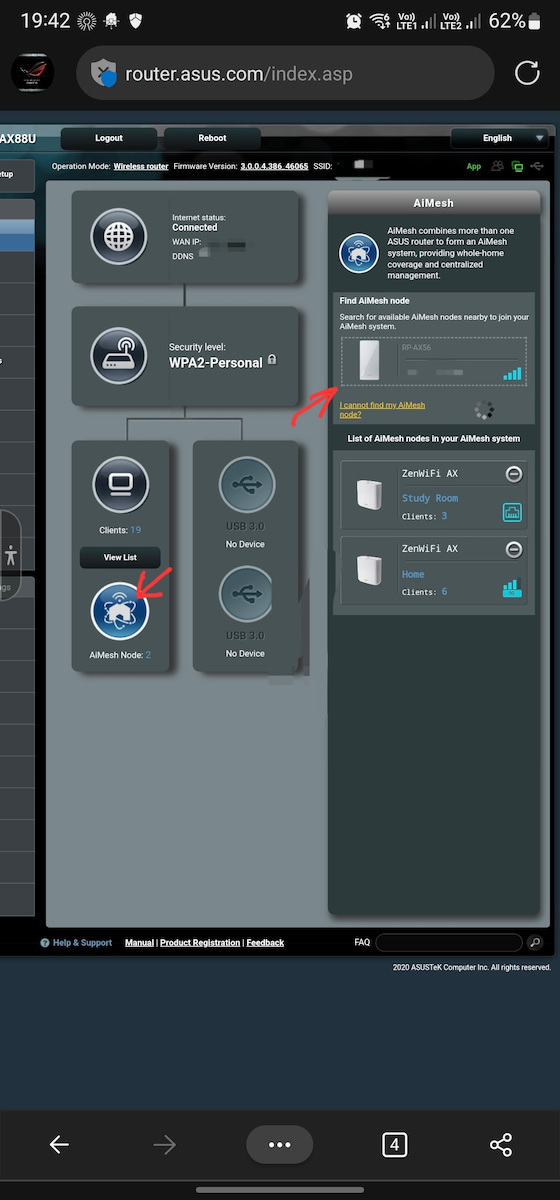
    The installation is simple, especially for WiFi mesh. You plug it into the socket, wait for it to turn on, access the router and pair it with the Mesh network. All other settings are automatically transferred.

    For a repeater, it requires a couple of extra things, like giving it a name and configuring it to enable Roaming so that devices can connect automatically.

    It has a very good range and speed. Dual Band with 2.4GHz and 5GHz. It reaches up to 38Mbps on 2.4GHz and up to 50Mbps on 5GHz (my line is 50Mbps). The ping of the line is 8-9ms, while the ZenFi has around 16ms and this one has 22ms.

    It has two weaknesses:
    - Because it is Dual Band, it needs to use one of the two frequencies for communication with the router. Whereas the ZenFi XT8 is Tri-Band with two frequencies on 5GHz, where one is for communication and the other is for devices.
    - The second weakness is that the LAN port can only be connected to the router, it cannot be connected to WiFi and then use a cable to access the network. On the other hand, if you connect the LAN, both channels are left free for WiFi.

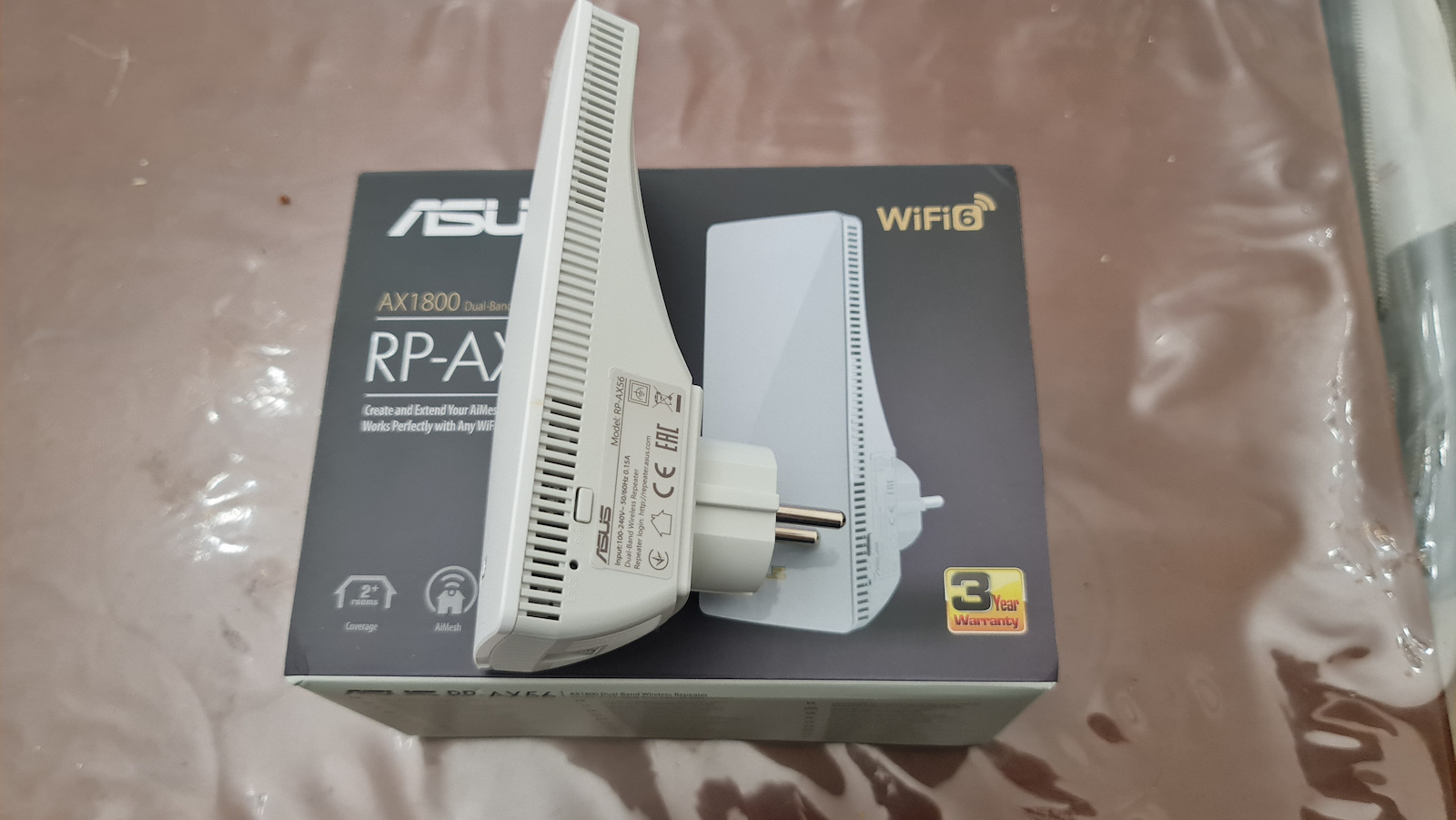
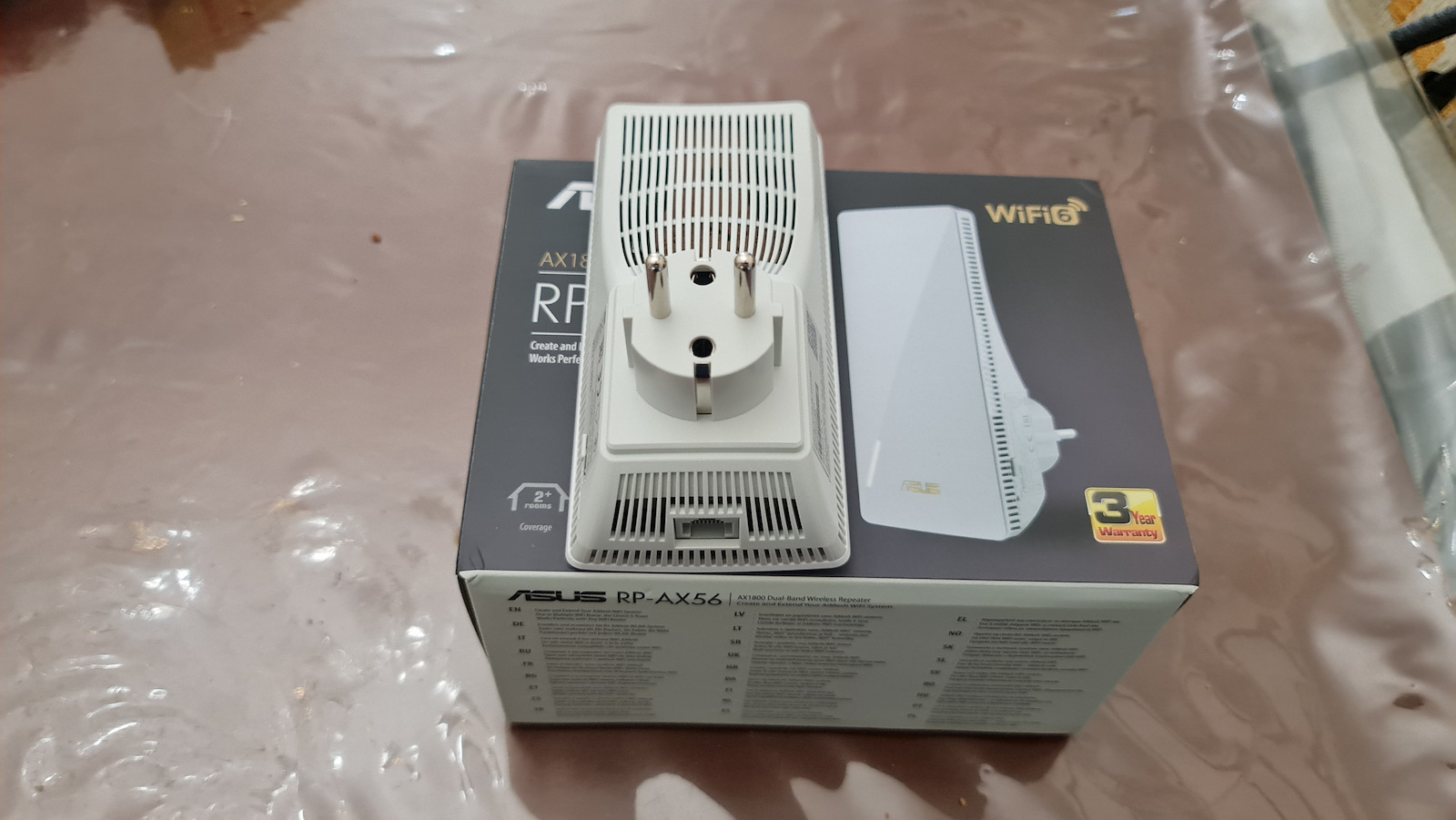
    The downside is that the socket at the back does not rotate. So if the socket is vertical, the repeater will be placed horizontally or if there is a power strip, it will take up two slots.

    Translated from Greek ·
    • Ease of installation
    • Range
    • Synchronization
    • Speed
    • Value for money
    Did you find this review helpful?
    • Ease of installation
    • Range
    • Synchronization
    • Speed
    • Value for money
  • As a device, it is a Repeater or WiFi Mesh. If someone buys it as a repeater for over 100€, it's not worth it as there are cheaper options, but if they have another Asus Router with Asus Ai Mesh functionality, then it's worth it.

    Personally, because I have an Asus router and wanted to install one in the garage to extend the WiFi, the Asus ZenFi APs are perfect but expensive. I don't care about having high speed, I just want WiFi and this is perfect for that.

    The installation is simple, especially for WiFi mesh. You plug it into the socket, wait for it to turn on, access the router and pair it with the Mesh network. All other settings are automatically transferred.

    For a repeater, it requires a couple of extra things, like giving it a name and configuring it to enable Roaming so that devices can connect automatically.

    It has a very good range and speed. Dual Band with 2.4GHz and 5GHz. It reaches up to 38Mbps on 2.4GHz and up to 50Mbps on 5GHz (my line is 50Mbps). The ping of the line is 8-9ms, while the ZenFi has around 16ms and this one has 22ms.

    It has two weaknesses:
    - Because it is Dual Band, it needs to use one of the two frequencies for communication with the router. Whereas the ZenFi XT8 is Tri-Band with two frequencies on 5GHz, where one is for communication and the other is for devices.
    - The second weakness is that the LAN port can only be connected to the router, it cannot be connected to WiFi and then use a cable to access the network. On the other hand, if you connect the LAN, both channels are left free for WiFi.

    The downside is that the socket at the back does not rotate. So if the socket is vertical, the repeater will be placed horizontally or if there is a power strip, it will take up two slots.

    Translated from Greek ·
    17
  • 0
  • See all
Questions

Questions

Do you have a question about the product?

20 users have this product and can help you

Ask for the product

Description & Specifications

ASUS RP-AX56 AX1800 Dual Band WiFi 6 802.11ax Range/AiMesh Extender

  • Wi-Fi 6 802.11ax
  • Wireless Extender Mode
  • Solid Connection via Ethernet
  • Supports Wi-Fi Protected Setup (WPS)
  • Compatible with ASUS Router App and ASUS Extender App
  • AiMesh Capability for Easy Network Creation
  • Installation Instructions through the App
  • Wi-Fi Speed AX1800
  • Compatibilities: IEEE 802.11b, 802.11a, 802.11g, 802.11n, 802.11ac, 802.11ax
  • Dimensions: 190 g
  • RAM: 256 MB
  • Number of Ethernet Ports: 1 x 1000Base-T - RJ-45
  • Supported Operating Systems: Apple MacOS, Linux, Microsoft Windows 7, 8, 8.1, 10

Manufacturer

Technical Specifications

Ethernet Ports
1
LAN speed
1000 Mbps
USB
Without
Number of Antennas
1
Passthrough
No

Wi-Fi Features

Frequency
Dual Band (2.4 & 5GHz)
Maximum WLAN Speed
1750 Mbps
Wi-Fi Generation
Wi‑Fi 6
IEEE Networking Standards
802.11 b/g/n, 802.11a, 802.11ac, 802.11ax

Features & Functions

Mesh
Yes
WPS Button
Yes
Security Protocol
WPA, WPA2, WPA3

Installation

Socket
No
Desktop
No
Outdoor
No

Important information

Specifications are collected from official manufacturer websites. Please verify the specifications before proceeding with your final purchase. If you notice any problem you can report it here.

Reviews (2)

  1. 2
  2. 4 stars
    0
  3. 3 stars
    0
  4. 2 stars
    0
  5. 1 star
    0
Review this product

Reviews photos

Reviews photos
Reviews photos
Reviews photos
Reviews photos
Reviews photos

Reviews by our members

  • Slim Tech
    5
    17 out of 17 members found this review helpful

    Verified purchase

    As a device, it is a Repeater or WiFi Mesh. If someone buys it as a repeater for over 100€, it's not worth it as there are cheaper options, but if they have another Asus Router with Asus Ai Mesh functionality, then it's worth it.

    Personally, because I have an Asus router and wanted to install one in the garage to extend the WiFi, the Asus ZenFi APs are perfect but expensive. I don't care about having high speed, I just want WiFi and this is perfect for that.

    The installation is simple, especially for WiFi mesh. You plug it into the socket, wait for it to turn on, access the router and pair it with the Mesh network. All other settings are automatically transferred.

    For a repeater, it requires a couple of extra things, like giving it a name and configuring it to enable Roaming so that devices can connect automatically.

    It has a very good range and speed. Dual Band with 2.4GHz and 5GHz. It reaches up to 38Mbps on 2.4GHz and up to 50Mbps on 5GHz (my line is 50Mbps). The ping of the line is 8-9ms, while the ZenFi has around 16ms and this one has 22ms.

    It has two weaknesses:
    - Because it is Dual Band, it needs to use one of the two frequencies for communication with the router. Whereas the ZenFi XT8 is Tri-Band with two frequencies on 5GHz, where one is for communication and the other is for devices.
    - The second weakness is that the LAN port can only be connected to the router, it cannot be connected to WiFi and then use a cable to access the network. On the other hand, if you connect the LAN, both channels are left free for WiFi.

    The downside is that the socket at the back does not rotate. So if the socket is vertical, the repeater will be placed horizontally or if there is a power strip, it will take up two slots.

    Translated from Greek ·
    • Ease of installation
    • Range
    • Synchronization
    • Speed
    • Value for money
    Did you find this review helpful?
    • Ease of installation
    • Range
    • Synchronization
    • Speed
    • Value for money
  • As a device, it is a Repeater or WiFi Mesh. If someone buys it as a repeater for over 100€, it's not worth it as there are cheaper options, but if they have another Asus Router with Asus Ai Mesh functionality, then it's worth it.

    Personally, because I have an Asus router and wanted to install one in the garage to extend the WiFi, the Asus ZenFi APs are perfect but expensive. I don't care about having high speed, I just want WiFi and this is perfect for that.

    The installation is simple, especially for WiFi mesh. You plug it into the socket, wait for it to turn on, access the router and pair it with the Mesh network. All other settings are automatically transferred.

    For a repeater, it requires a couple of extra things, like giving it a name and configuring it to enable Roaming so that devices can connect automatically.

    It has a very good range and speed. Dual Band with 2.4GHz and 5GHz. It reaches up to 38Mbps on 2.4GHz and up to 50Mbps on 5GHz (my line is 50Mbps). The ping of the line is 8-9ms, while the ZenFi has around 16ms and this one has 22ms.

    It has two weaknesses:
    - Because it is Dual Band, it needs to use one of the two frequencies for communication with the router. Whereas the ZenFi XT8 is Tri-Band with two frequencies on 5GHz, where one is for communication and the other is for devices.
    - The second weakness is that the LAN port can only be connected to the router, it cannot be connected to WiFi and then use a cable to access the network. On the other hand, if you connect the LAN, both channels are left free for WiFi.

    The downside is that the socket at the back does not rotate. So if the socket is vertical, the repeater will be placed horizontally or if there is a power strip, it will take up two slots.

    Translated from Greek ·
    17
  • 0
  • See all
129,38 €
Free   shipping cost