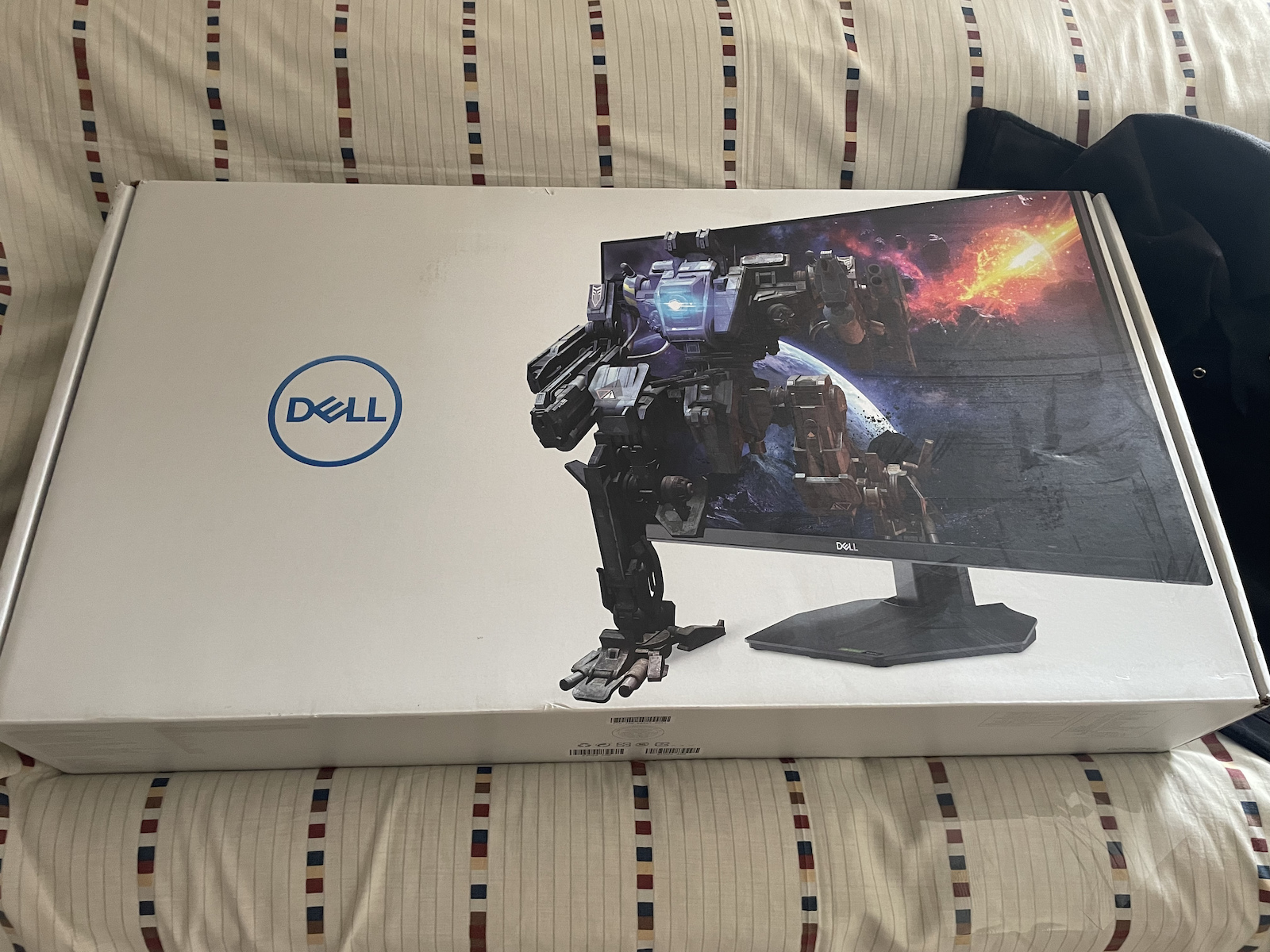
The screen is generally good, but the colors have a tint towards lime (green-yellow) from the factory! Obviously, different panels will have different colors, but it was off from the most neutral.
I've adjusted it as much as possible and will give you my settings for 2 profiles to help you.
GAME 1 (Profile):
Brightness: 85%
Contrast: 75%
Saturation R: 47 G: 48 B:40 C:47 M:47 Y:47
HUE: 50% ALL
OFFSET: R: 44% G: 41% B: 41%
GAIN: R: 86% G: 80% B: 100%
RESPONSE TIME: Super Fast
Dark Stabilizer: 0
(Game 1, Game 2, and Game 3 are custom profiles saved by the screen.)
To explain what these mean:
Basically, we're trying to balance the colors, their blacks, and whites, because colors are not 2D by nature, so we play with all their dimensions (shadows and highlights as well as other options that control everything together). The problem is that these screens are more prone to tinting (as I understood after researching for so many days). The reason for this is that these panels have much more intense colors and the slightest deviation is noticeable!
Overall, the goal is for the colors to be correct, especially in gray, white, and black! Grays are generally a delicate case, and for graphic designers, these deviations can ruin our work with inaccuracies, unfortunately! If you set the response time to Extreme, it will cause ghosting, so Super Fast is fine!
My settings are not for everyone, but they should have a good success rate. A good tip is to also change the settings in the NVIDIA Control Panel (Adjust desktop color settings) and check "Override to Reference mode" (important!).
ICC Profile: If you have Windows, don't touch anything, also download the ICC Profile from Dell just to be sure, although you won't notice a difference in Windows.
We know the good things about the screen, 165hz, FreeSync (Adaptive Sync), and G-Sync Compatible (for GTX1000 and newer cards!), and generally many colors! (Both good and bad) Overall, it's great for bright rooms because it doesn't reflect light as much. The product quality is perfect, especially at the current price of 165-175 Euros, but if you can, get something with HDR for a slightly better (but okay) difference, otherwise, it's good for what it says obviously!
(I hope Dell releases a firmware update to fix it because there is a problem by default.)
(Please also share your own settings!)
I hope I helped!
Γενικά Καλή η Οθόνη αλλά τα χρώματα έχουν Tint προς το Lime (Green-Yellow) από το εργοστάσιο! Προφανώς διαφορετικά Panels θα έχουν διαφορετικά Χρώματα αλλά παραείχε απόκληση απο το πιο ουδέτερο.
Το Εφτιαξα όσο γίνεται και θα σας δόσω τις ρυθμήσεις μου για 2 Προφίλ για να σας βοηθήσω.
GAME 1 (Profile):
Brightness: 85%
Contrast: 75%
Saturation R: 47 G: 48 B:40 C:47 M:47 Y:47
HUE: 50% ALL
OFFSET: R: 44% G: 41% B: 41%
GAIN: R: 86% G: 80% B: 100%
RESPONSE TIME: Super Fast
Dark Stabilizer: 0
(Το Game 1, Game 2 και Game 3 είναι Custom Profiles που τα αποθυκεύει η οθόνη)
Για να σας Εξιγήσω και το τι συμένουν αυτα:
Ουσιαστικά προσπαθούμε να Ισοροπίσουμε τα χρώματα, τα μαυρα τους και τα άσπρα τους, επηδή τα χρώματα απο τη φύση τους δεν είναι 2D οπότε παίζουμε με το όλες τους τις διαστάσεις (σκωτινά και φωτινά καθώς και άλλες επιλογές που τα ελεγχουν όλα μαζί), το πρόβλημα είναι οτι αυτές οι οθόνες είναι πιο εύκολο να μας κάνουν Tint (απο ότι κατάλαβα δηλαδη με τοσες μέρες που μου πήρε για να το ψάξω),
Ο Λόγος για αυτό είναι οτι αυτά τα Πάνελ έχουν πολύ πιο έντονα χρώματα και η παραμικρή απόκληση φαίνεται έντονα!
Γενικά ο σκοπός είναι τα χρώματα να είναι σωστά, ιδικά στα Γρί, άσπρο και μαύρο!
Τα Γκρί γενικά είναι λεπτή περίπτωση και για ανθρώπους των γραφιστικών αυτές οι αποκλήσεις μπορούν να μας χαλάσουν τη δουλειά με ανακρίβειες δυστυχώς!
Response Time άν το βάλετε στο Extreme το λέει και η λέξη... θα σας κάνει Ghosting, οπότε το Super Fast είναι μια χαρά!
Οι ρυθμήσεις μου δεν είναι για όλους αλλά λογικα έχει καλό ποσοστό επιτυχείας, καλό TIP είναι να αλλάξεται και τις ρυθμήσεις στο NVIDIA Control Panel (Adjust desktop color settings) και να το κάνετε check το "Override to Reference mode" (Συμαντικό!).
ICC Profile: Windows αν έχεται μη πειράξεται τίποτα, επίσης κατεβάστε το ICC Profile της για σύγουρα (απο τη Dell), άν και στα Windows δε θα το παρατιρήσεται σαν διαφορά.
Τα καλά της οθόνης τα γνωρίζουμε, 165hz, FreeSync (Adaptive Sync) και G-Sync Compatible (για κάρτες απο gtx1000 και νεότερες!), Πολά Χρώματα γενικά! (Και Καλο και Κακό)
Γενικά πολύ καλό για φωτινά δωμάτια διότι δεν αντανακλάει το φώς τόσο πολύ.
από ποιότητα το προιόν είναι τέλειο, ειδικά στα 165-175 Ευρώ που έχει τώρα, αν μπορείται όμως για πιό τέλεια (μικρή διαφορα αλλα ΟΚ) να πάρετε κάτι με HDR αλλιώς είναι Καλή για αυτό που λέει προφανώς!
(Ελπίζω η Dell να βγάλει firmware update και να το φτίάξει επιδή υπάρχει πρόβλημα by-default)
(Παρακαλώ και τους υπόλοιπους να μοιραστούν τις δικιές τους ρυθμήσεις!)
Ελπίζω να Βοήθησα!





Be the first to leave a comment!