The MSI MAG X670E Tomahawk WIFI motherboard is primarily aimed at users looking for a fully equipped and high-performance board to use with AMD Ryzen 7000 series processors.
It is a high-performance board for professional users and gamers who want speed, reliability, and overclocking capabilities. The board offers a plethora of features, such as PCI Express 5.0 support, built-in Wi-Fi 6E, Bluetooth 5.2, and various ports for connecting external devices.
Supports AMD Ryzen 7000 Series desktop processors
Supports DDR5 memory, up to 6600+(OC) MHz
Enhanced power design: 14+2+1 Duet Rail power system, dual 8-pin CPU power connectors, Core Boost, Memory Boost
Lightning-fast gaming experience: PCIe 5.0 slot, Lightning Gen5 M.2, USB 3.2 Gen 2x2
High-quality thermal solution: Extended Heatsink Design and M.2 Shield Frozr are built for high-performance systems and uninterrupted tasks
AUDIO BOOST: Reward your ears with studio-grade sound quality for the most immersive gaming experience
High-quality PCB: 8-layer PCB made of 2oz thick copper and server-grade material
8-Layer Board
The PCB design has been optimized for higher bandwidth and faster transfer speeds, which is also beneficial for reliable circuit transmission.
EZ M.2 clip
Having trouble with screw twisting? MSI's innovative EZ M.2 clip helps you install an M.2 SSD quickly and effortlessly.
MSI Driver Utility Installer
Once you connect to the internet, the MSI Driver Utility Installer will automatically detect and present the appropriate drivers and utilities, which you can download and install with just a few clicks.
Flash BIOS
Did you encounter a problem while updating your BIOS or somehow damaged it? Don't worry, MSI motherboards offer multiple options to successfully reboot your system.
Lightning Gen 5 PCI-E with steel armor
Storage
MSI's MAG series motherboards support all the latest storage standards, allowing users to connect any ultra-fast storage device. Start games faster, load levels quicker, and gain a real advantage over your enemies.
Lightning USB 20G
DDR5 Memory
A huge step in DDR performance improvement with the latest DDR5 memory. Combined with the special SMT soldering process and MSI Memory Boost technology, the MAG X670E TOMAHAWK WIFI is ready to deliver world-class memory performance.
The advanced SMT (Surface Mount Technology) soldering process reduces the defect rate of solder joint connections, electromagnetism, and interference. The combination with the exclusive Memory Boost technology allows MSI motherboards to provide the clean and pure high-frequency DDR5 signal.
MSI Center
The brand-new MSI Center consolidates a suite of MSI software utilities into a single central application. Take control of the motherboard's advanced features and unleash unlimited possibilities.
Mystic Light
Add more color if you want! The Mystic Light Extension header provides an intuitive way to control additional RGB strips and other RGB peripherals added to a system, without requiring a separate RGB controller.
Specifications are collected from official manufacturer websites. Please verify the specifications before proceeding with your final purchase. If you notice any problem you can report it here.
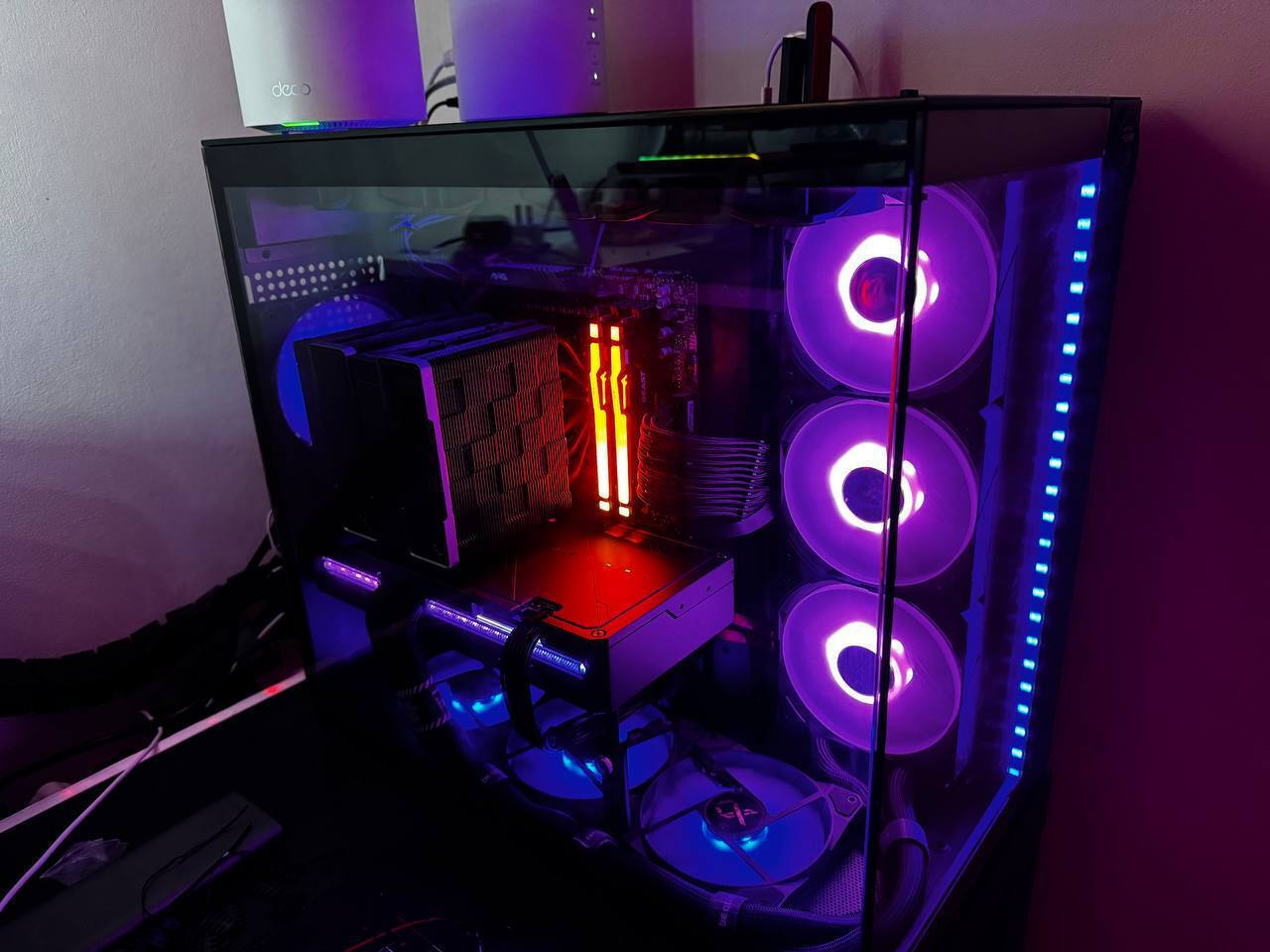
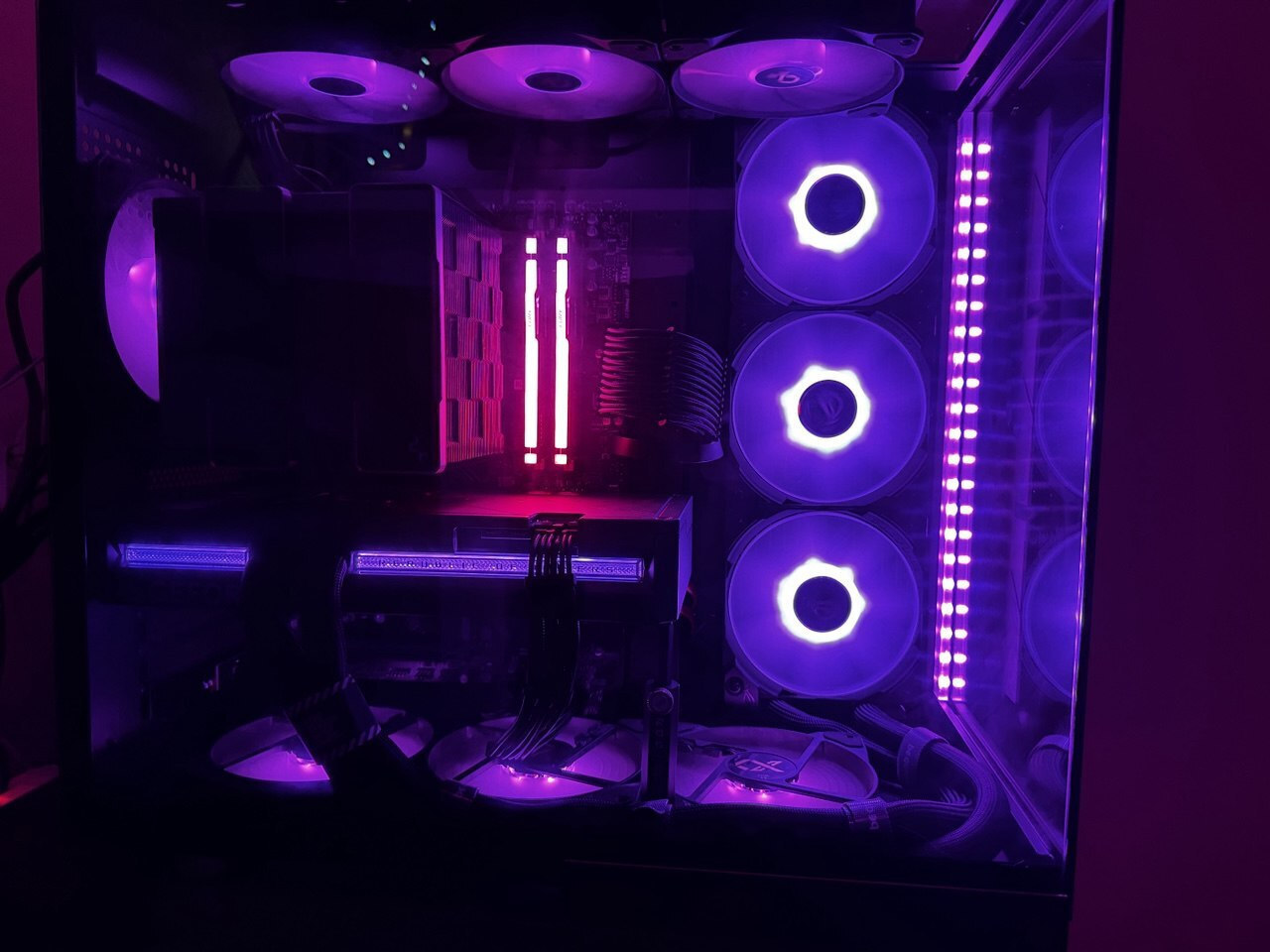
I built my current high-end rig on this board: Ryzen 9 9800X3D, ASUS RTX 5090 LC, G.Skill DDR5-6000 CL30, PCIe 5.0 SSD, and a premium PSU. My previous setup was a Ryzen 7700 with an RTX 4070 Ti and DDR5-5200, so the jump was huge — and the MAG X670E TOMAHAWK WIFI handled the upgrade perfectly.
This board is packed with features usually found on much pricier models: a robust 14+2 phase VRM with quality heatsinks for stable power delivery even under PBO, PCIe 5.0 support on both GPU and M.2, four DDR5 slots up to 192 GB, debug LEDs that helped me quickly diagnose a faulty RAM stick, dual M.2 Shield Frozr covers, USB 3.2 Gen 2×2 20 Gbps on the rear, and Wi-Fi 6E/Bluetooth 5.3. The layout makes cable management easy and there are plenty of PWM/ARGB headers for fans and lighting.
BIOS Flashback saved me right out of the box: I could update the BIOS for Ryzen 9000 support without even installing a CPU or RAM. The board booted with all my high-end components immediately after the flash. Stability has been excellent and thermals are very well controlled even in heavy gaming and productivity loads.
If you’re looking for a solid, feature-rich foundation for a high-end Ryzen gaming or workstation build without wasting money on gimmicks, this board is an outstanding choice.
I built my current high-end rig on this board: Ryzen 9 9800X3D, ASUS RTX 5090 LC, G.Skill DDR5-6000 CL30, PCIe 5.0 SSD, and a premium PSU. My previous setup was a Ryzen 7700 with an RTX 4070 Ti and DDR5-5200, so the jump was huge — and the MAG X670E TOMAHAWK WIFI handled the upgrade perfectly.
This board is packed with features usually found on much pricier models: a robust 14+2 phase VRM with quality heatsinks for stable power delivery even under PBO, PCIe 5.0 support on both GPU and M.2, four DDR5 slots up to 192 GB, debug LEDs that helped me quickly diagnose a faulty RAM stick, dual M.2 Shield Frozr covers, USB 3.2 Gen 2×2 20 Gbps on the rear, and Wi-Fi 6E/Bluetooth 5.3. The layout makes cable management easy and there are plenty of PWM/ARGB headers for fans and lighting.
BIOS Flashback saved me right out of the box: I could update the BIOS for Ryzen 9000 support without even installing a CPU or RAM. The board booted with all my high-end components immediately after the flash. Stability has been excellent and thermals are very well controlled even in heavy gaming and productivity loads.
If you’re looking for a solid, feature-rich foundation for a high-end Ryzen gaming or workstation build without wasting money on gimmicks, this board is an outstanding choice.
The classic MSI motherboard with all the well-known features. I didn't like that the third slot for m.2 shares bandwidth with the nearby PCI. Very bad in case you want to install a sound card and can't move the m.2 away from all the heat sources.
Η κλασσική μητρική MSI με όλα τα γνωστά καλούδια. Δεν μου άρεσε που η τρίτη υποδοχή για m.2 μοιράζεται bandwidth με την pci που είναι δίπλα της. Πολύ κακό στην περίπτωση που θα βάλεις κάρτα ήχου και δεν να απομακρύνεις τον m.2 από όλες τις εστίες θερμότητας.
It seems sturdy in construction and the system I set up is stable (7800 x3d, 6 ghz g.skill ram). It takes 2-3 seconds to reach the post, but this is an AMD issue and not the m/b. The first time the system starts up (and after a power outage), it takes about a minute to "train" the RAM (again, an AMD issue, not m/b)
Φαίνεται γερό σαν κατασκευή και το σύστημα που έστησα είναι σταθερό (7800 x3d, 6 ghz g.skill ram). Θέλει 2-3 δευτερόλεπτα μέχρι να φτάσει στο post, αλλά αυτό είναι θέμα της AMD και όχι της m/b. Την πρώτη φορά που θα πάρει μπρος το σύστυμα (και μετά από διακοπή ρεύματος) θέλει κανα λεπτό να "εκπεδεύση" της RAM (και πάλι θέμα AMD, όχι m/b)
In the positives: the cheapest option I could find in x670e. It has plenty of m2 slots and has pcie5.
What bothers me is that it does not provide a single jumper and does not have a clear cmos button. Also, it seems that MSI is slow to release bios updates. The latest AGESA has been released for all other companies except MSI
Στα θετικά : ο, τι πιο φθηνό μπορούσα να βρω σε x670e. Έχει μπόλικες m2 θύρες έχει pcie5.
Αυτό που με χαλάει είναι ότι δεν παρείχε ούτε ένα jumper και δεν έχει clear cmos button. Επίσης φαίνεται ότι η msi αργεί να βγάζει bios update. Το τελευταίο AGESA έχει βγει για όλες τις άλλες εταιρείες εκτός από της MSI
I built my current high-end rig on this board: Ryzen 9 9800X3D, ASUS RTX 5090 LC, G.Skill DDR5-6000 CL30, PCIe 5.0 SSD, and a premium PSU. My previous setup was a Ryzen 7700 with an RTX 4070 Ti and DDR5-5200, so the jump was huge — and the MAG X670E TOMAHAWK WIFI handled the upgrade perfectly.
This board is packed with features usually found on much pricier models: a robust 14+2 phase VRM with quality heatsinks for stable power delivery even under PBO, PCIe 5.0 support on both GPU and M.2, four DDR5 slots up to 192 GB, debug LEDs that helped me quickly diagnose a faulty RAM stick, dual M.2 Shield Frozr covers, USB 3.2 Gen 2×2 20 Gbps on the rear, and Wi-Fi 6E/Bluetooth 5.3. The layout makes cable management easy and there are plenty of PWM/ARGB headers for fans and lighting.
BIOS Flashback saved me right out of the box: I could update the BIOS for Ryzen 9000 support without even installing a CPU or RAM. The board booted with all my high-end components immediately after the flash. Stability has been excellent and thermals are very well controlled even in heavy gaming and productivity loads.
If you’re looking for a solid, feature-rich foundation for a high-end Ryzen gaming or workstation build without wasting money on gimmicks, this board is an outstanding choice.
I built my current high-end rig on this board: Ryzen 9 9800X3D, ASUS RTX 5090 LC, G.Skill DDR5-6000 CL30, PCIe 5.0 SSD, and a premium PSU. My previous setup was a Ryzen 7700 with an RTX 4070 Ti and DDR5-5200, so the jump was huge — and the MAG X670E TOMAHAWK WIFI handled the upgrade perfectly.
This board is packed with features usually found on much pricier models: a robust 14+2 phase VRM with quality heatsinks for stable power delivery even under PBO, PCIe 5.0 support on both GPU and M.2, four DDR5 slots up to 192 GB, debug LEDs that helped me quickly diagnose a faulty RAM stick, dual M.2 Shield Frozr covers, USB 3.2 Gen 2×2 20 Gbps on the rear, and Wi-Fi 6E/Bluetooth 5.3. The layout makes cable management easy and there are plenty of PWM/ARGB headers for fans and lighting.
BIOS Flashback saved me right out of the box: I could update the BIOS for Ryzen 9000 support without even installing a CPU or RAM. The board booted with all my high-end components immediately after the flash. Stability has been excellent and thermals are very well controlled even in heavy gaming and productivity loads.
If you’re looking for a solid, feature-rich foundation for a high-end Ryzen gaming or workstation build without wasting money on gimmicks, this board is an outstanding choice.
The classic MSI motherboard with all the well-known features. I didn't like that the third slot for m.2 shares bandwidth with the nearby PCI. Very bad in case you want to install a sound card and can't move the m.2 away from all the heat sources.
Η κλασσική μητρική MSI με όλα τα γνωστά καλούδια. Δεν μου άρεσε που η τρίτη υποδοχή για m.2 μοιράζεται bandwidth με την pci που είναι δίπλα της. Πολύ κακό στην περίπτωση που θα βάλεις κάρτα ήχου και δεν να απομακρύνεις τον m.2 από όλες τις εστίες θερμότητας.
It seems sturdy in construction and the system I set up is stable (7800 x3d, 6 ghz g.skill ram). It takes 2-3 seconds to reach the post, but this is an AMD issue and not the m/b. The first time the system starts up (and after a power outage), it takes about a minute to "train" the RAM (again, an AMD issue, not m/b)
Φαίνεται γερό σαν κατασκευή και το σύστημα που έστησα είναι σταθερό (7800 x3d, 6 ghz g.skill ram). Θέλει 2-3 δευτερόλεπτα μέχρι να φτάσει στο post, αλλά αυτό είναι θέμα της AMD και όχι της m/b. Την πρώτη φορά που θα πάρει μπρος το σύστυμα (και μετά από διακοπή ρεύματος) θέλει κανα λεπτό να "εκπεδεύση" της RAM (και πάλι θέμα AMD, όχι m/b)
In the positives: the cheapest option I could find in x670e. It has plenty of m2 slots and has pcie5.
What bothers me is that it does not provide a single jumper and does not have a clear cmos button. Also, it seems that MSI is slow to release bios updates. The latest AGESA has been released for all other companies except MSI
Στα θετικά : ο, τι πιο φθηνό μπορούσα να βρω σε x670e. Έχει μπόλικες m2 θύρες έχει pcie5.
Αυτό που με χαλάει είναι ότι δεν παρείχε ούτε ένα jumper και δεν έχει clear cmos button. Επίσης φαίνεται ότι η msi αργεί να βγάζει bios update. Το τελευταίο AGESA έχει βγει για όλες τις άλλες εταιρείες εκτός από της MSI
Specifications are collected from official manufacturer websites. Please verify the specifications before proceeding with your final purchase. If you notice any problem you can report it here.
Description
The MSI MAG X670E Tomahawk WIFI motherboard is primarily aimed at users looking for a fully equipped and high-performance board to use with AMD Ryzen 7000 series processors.
It is a high-performance board for professional users and gamers who want speed, reliability, and overclocking capabilities. The board offers a plethora of features, such as PCI Express 5.0 support, built-in Wi-Fi 6E, Bluetooth 5.2, and various ports for connecting external devices.
Supports AMD Ryzen 7000 Series desktop processors
Supports DDR5 memory, up to 6600+(OC) MHz
Enhanced power design: 14+2+1 Duet Rail power system, dual 8-pin CPU power connectors, Core Boost, Memory Boost
Lightning-fast gaming experience: PCIe 5.0 slot, Lightning Gen5 M.2, USB 3.2 Gen 2x2
High-quality thermal solution: Extended Heatsink Design and M.2 Shield Frozr are built for high-performance systems and uninterrupted tasks
AUDIO BOOST: Reward your ears with studio-grade sound quality for the most immersive gaming experience
High-quality PCB: 8-layer PCB made of 2oz thick copper and server-grade material
8-Layer Board
The PCB design has been optimized for higher bandwidth and faster transfer speeds, which is also beneficial for reliable circuit transmission.
EZ M.2 clip
Having trouble with screw twisting? MSI's innovative EZ M.2 clip helps you install an M.2 SSD quickly and effortlessly.
MSI Driver Utility Installer
Once you connect to the internet, the MSI Driver Utility Installer will automatically detect and present the appropriate drivers and utilities, which you can download and install with just a few clicks.
Flash BIOS
Did you encounter a problem while updating your BIOS or somehow damaged it? Don't worry, MSI motherboards offer multiple options to successfully reboot your system.
Lightning Gen 5 PCI-E with steel armor
Storage
MSI's MAG series motherboards support all the latest storage standards, allowing users to connect any ultra-fast storage device. Start games faster, load levels quicker, and gain a real advantage over your enemies.
Lightning USB 20G
DDR5 Memory
A huge step in DDR performance improvement with the latest DDR5 memory. Combined with the special SMT soldering process and MSI Memory Boost technology, the MAG X670E TOMAHAWK WIFI is ready to deliver world-class memory performance.
The advanced SMT (Surface Mount Technology) soldering process reduces the defect rate of solder joint connections, electromagnetism, and interference. The combination with the exclusive Memory Boost technology allows MSI motherboards to provide the clean and pure high-frequency DDR5 signal.
MSI Center
The brand-new MSI Center consolidates a suite of MSI software utilities into a single central application. Take control of the motherboard's advanced features and unleash unlimited possibilities.
Mystic Light
Add more color if you want! The Mystic Light Extension header provides an intuitive way to control additional RGB strips and other RGB peripherals added to a system, without requiring a separate RGB controller.
I built my current high-end rig on this board: Ryzen 9 9800X3D, ASUS RTX 5090 LC, G.Skill DDR5-6000 CL30, PCIe 5.0 SSD, and a premium PSU. My previous setup was a Ryzen 7700 with an RTX 4070 Ti and DDR5-5200, so the jump was huge — and the MAG X670E TOMAHAWK WIFI handled the upgrade perfectly.
This board is packed with features usually found on much pricier models: a robust 14+2 phase VRM with quality heatsinks for stable power delivery even under PBO, PCIe 5.0 support on both GPU and M.2, four DDR5 slots up to 192 GB, debug LEDs that helped me quickly diagnose a faulty RAM stick, dual M.2 Shield Frozr covers, USB 3.2 Gen 2×2 20 Gbps on the rear, and Wi-Fi 6E/Bluetooth 5.3. The layout makes cable management easy and there are plenty of PWM/ARGB headers for fans and lighting.
BIOS Flashback saved me right out of the box: I could update the BIOS for Ryzen 9000 support without even installing a CPU or RAM. The board booted with all my high-end components immediately after the flash. Stability has been excellent and thermals are very well controlled even in heavy gaming and productivity loads.
If you’re looking for a solid, feature-rich foundation for a high-end Ryzen gaming or workstation build without wasting money on gimmicks, this board is an outstanding choice.
I built my current high-end rig on this board: Ryzen 9 9800X3D, ASUS RTX 5090 LC, G.Skill DDR5-6000 CL30, PCIe 5.0 SSD, and a premium PSU. My previous setup was a Ryzen 7700 with an RTX 4070 Ti and DDR5-5200, so the jump was huge — and the MAG X670E TOMAHAWK WIFI handled the upgrade perfectly.
This board is packed with features usually found on much pricier models: a robust 14+2 phase VRM with quality heatsinks for stable power delivery even under PBO, PCIe 5.0 support on both GPU and M.2, four DDR5 slots up to 192 GB, debug LEDs that helped me quickly diagnose a faulty RAM stick, dual M.2 Shield Frozr covers, USB 3.2 Gen 2×2 20 Gbps on the rear, and Wi-Fi 6E/Bluetooth 5.3. The layout makes cable management easy and there are plenty of PWM/ARGB headers for fans and lighting.
BIOS Flashback saved me right out of the box: I could update the BIOS for Ryzen 9000 support without even installing a CPU or RAM. The board booted with all my high-end components immediately after the flash. Stability has been excellent and thermals are very well controlled even in heavy gaming and productivity loads.
If you’re looking for a solid, feature-rich foundation for a high-end Ryzen gaming or workstation build without wasting money on gimmicks, this board is an outstanding choice.
The classic MSI motherboard with all the well-known features. I didn't like that the third slot for m.2 shares bandwidth with the nearby PCI. Very bad in case you want to install a sound card and can't move the m.2 away from all the heat sources.
Η κλασσική μητρική MSI με όλα τα γνωστά καλούδια. Δεν μου άρεσε που η τρίτη υποδοχή για m.2 μοιράζεται bandwidth με την pci που είναι δίπλα της. Πολύ κακό στην περίπτωση που θα βάλεις κάρτα ήχου και δεν να απομακρύνεις τον m.2 από όλες τις εστίες θερμότητας.
It seems sturdy in construction and the system I set up is stable (7800 x3d, 6 ghz g.skill ram). It takes 2-3 seconds to reach the post, but this is an AMD issue and not the m/b. The first time the system starts up (and after a power outage), it takes about a minute to "train" the RAM (again, an AMD issue, not m/b)
Φαίνεται γερό σαν κατασκευή και το σύστημα που έστησα είναι σταθερό (7800 x3d, 6 ghz g.skill ram). Θέλει 2-3 δευτερόλεπτα μέχρι να φτάσει στο post, αλλά αυτό είναι θέμα της AMD και όχι της m/b. Την πρώτη φορά που θα πάρει μπρος το σύστυμα (και μετά από διακοπή ρεύματος) θέλει κανα λεπτό να "εκπεδεύση" της RAM (και πάλι θέμα AMD, όχι m/b)
In the positives: the cheapest option I could find in x670e. It has plenty of m2 slots and has pcie5.
What bothers me is that it does not provide a single jumper and does not have a clear cmos button. Also, it seems that MSI is slow to release bios updates. The latest AGESA has been released for all other companies except MSI
Στα θετικά : ο, τι πιο φθηνό μπορούσα να βρω σε x670e. Έχει μπόλικες m2 θύρες έχει pcie5.
Αυτό που με χαλάει είναι ότι δεν παρείχε ούτε ένα jumper και δεν έχει clear cmos button. Επίσης φαίνεται ότι η msi αργεί να βγάζει bios update. Το τελευταίο AGESA έχει βγει για όλες τις άλλες εταιρείες εκτός από της MSI
I built my current high-end rig on this board: Ryzen 9 9800X3D, ASUS RTX 5090 LC, G.Skill DDR5-6000 CL30, PCIe 5.0 SSD, and a premium PSU. My previous setup was a Ryzen 7700 with an RTX 4070 Ti and DDR5-5200, so the jump was huge — and the MAG X670E TOMAHAWK WIFI handled the upgrade perfectly.
This board is packed with features usually found on much pricier models: a robust 14+2 phase VRM with quality heatsinks for stable power delivery even under PBO, PCIe 5.0 support on both GPU and M.2, four DDR5 slots up to 192 GB, debug LEDs that helped me quickly diagnose a faulty RAM stick, dual M.2 Shield Frozr covers, USB 3.2 Gen 2×2 20 Gbps on the rear, and Wi-Fi 6E/Bluetooth 5.3. The layout makes cable management easy and there are plenty of PWM/ARGB headers for fans and lighting.
BIOS Flashback saved me right out of the box: I could update the BIOS for Ryzen 9000 support without even installing a CPU or RAM. The board booted with all my high-end components immediately after the flash. Stability has been excellent and thermals are very well controlled even in heavy gaming and productivity loads.
If you’re looking for a solid, feature-rich foundation for a high-end Ryzen gaming or workstation build without wasting money on gimmicks, this board is an outstanding choice.
I built my current high-end rig on this board: Ryzen 9 9800X3D, ASUS RTX 5090 LC, G.Skill DDR5-6000 CL30, PCIe 5.0 SSD, and a premium PSU. My previous setup was a Ryzen 7700 with an RTX 4070 Ti and DDR5-5200, so the jump was huge — and the MAG X670E TOMAHAWK WIFI handled the upgrade perfectly.
This board is packed with features usually found on much pricier models: a robust 14+2 phase VRM with quality heatsinks for stable power delivery even under PBO, PCIe 5.0 support on both GPU and M.2, four DDR5 slots up to 192 GB, debug LEDs that helped me quickly diagnose a faulty RAM stick, dual M.2 Shield Frozr covers, USB 3.2 Gen 2×2 20 Gbps on the rear, and Wi-Fi 6E/Bluetooth 5.3. The layout makes cable management easy and there are plenty of PWM/ARGB headers for fans and lighting.
BIOS Flashback saved me right out of the box: I could update the BIOS for Ryzen 9000 support without even installing a CPU or RAM. The board booted with all my high-end components immediately after the flash. Stability has been excellent and thermals are very well controlled even in heavy gaming and productivity loads.
If you’re looking for a solid, feature-rich foundation for a high-end Ryzen gaming or workstation build without wasting money on gimmicks, this board is an outstanding choice.
The classic MSI motherboard with all the well-known features. I didn't like that the third slot for m.2 shares bandwidth with the nearby PCI. Very bad in case you want to install a sound card and can't move the m.2 away from all the heat sources.
Η κλασσική μητρική MSI με όλα τα γνωστά καλούδια. Δεν μου άρεσε που η τρίτη υποδοχή για m.2 μοιράζεται bandwidth με την pci που είναι δίπλα της. Πολύ κακό στην περίπτωση που θα βάλεις κάρτα ήχου και δεν να απομακρύνεις τον m.2 από όλες τις εστίες θερμότητας.
It seems sturdy in construction and the system I set up is stable (7800 x3d, 6 ghz g.skill ram). It takes 2-3 seconds to reach the post, but this is an AMD issue and not the m/b. The first time the system starts up (and after a power outage), it takes about a minute to "train" the RAM (again, an AMD issue, not m/b)
Φαίνεται γερό σαν κατασκευή και το σύστημα που έστησα είναι σταθερό (7800 x3d, 6 ghz g.skill ram). Θέλει 2-3 δευτερόλεπτα μέχρι να φτάσει στο post, αλλά αυτό είναι θέμα της AMD και όχι της m/b. Την πρώτη φορά που θα πάρει μπρος το σύστυμα (και μετά από διακοπή ρεύματος) θέλει κανα λεπτό να "εκπεδεύση" της RAM (και πάλι θέμα AMD, όχι m/b)
In the positives: the cheapest option I could find in x670e. It has plenty of m2 slots and has pcie5.
What bothers me is that it does not provide a single jumper and does not have a clear cmos button. Also, it seems that MSI is slow to release bios updates. The latest AGESA has been released for all other companies except MSI
Στα θετικά : ο, τι πιο φθηνό μπορούσα να βρω σε x670e. Έχει μπόλικες m2 θύρες έχει pcie5.
Αυτό που με χαλάει είναι ότι δεν παρείχε ούτε ένα jumper και δεν έχει clear cmos button. Επίσης φαίνεται ότι η msi αργεί να βγάζει bios update. Το τελευταίο AGESA έχει βγει για όλες τις άλλες εταιρείες εκτός από της MSI




Be the first to leave a comment!