

Οι καλύτεροι εκτυπωτές της αγοράς
Ποιοι είναι οι καλύτεροι εκτυπωτές; Δες κορυφαίες προτάσεις της αγοράς σε εκτυπωτές για κάθε χρήση και budget και διάλεξε τον καλύτερο για τις ανάγκες σου!
Για να βρούμε τις καλύτερες επιλογές για σένα, βασιστήκαμε σε αξιολογήσεις χρηστών πάνω στα κύρια χαρακτηριστικά τους, όπως η ανάλυση εκτύπωσης, η συνδεσιμότητα, η ταχύτητα εκτύπωσης κ.ο.κ.
Ο καλύτερος εκτυπωτής για το σπίτι
Ο εκτυπωτής Canon Pixma MG3650S προσφέρει δυνατότητες εκτύπωσης, σάρωσης και αντιγραφής, καθώς και αυτόματη εκτύπωση διπλής όψης. Διαθέτει συνδεσιμότητα USB, Wi-Fi, και χρησιμοποιεί αναλώσιμο μελάνης.
Ο καλύτερος εκτυπωτής για το σπίτι

- Ανάλυση εκτύπωσης: 4800x1200 DPI
- Ταχύτητα εκτύπωσης: 9,9 / 5,7 ipm
- Συνδεσιμότητα: USB, Wi-Fi
- Χρώμα εκτύπωσης: Έγχρωμο
- Αναλώσιμο: Μελάνης (2 αναλώσιμα)
Αξιολόγηση χρήστη που ξεχωρίσαμε
''Ο εκτυπωτής είναι πολύ καλός.Τον εγκατέστησα με εφαρμογή από play store στο κιν σχεδόν αμέσως.εκτυπωνη σχετικά γρήγορα,για ημι επαγγελματική χρήση που τον θέλω πχ τιμολόγια καμία φωτοτυπία.άλλα κ φωτογραφιες από κιν πολύ καλά τις έβγαλε.Για μένα ΑΞΙΖΕΙ τα λεφτά του!!'
Ο καλύτερος εκτυπωτής laser (πολυμηχάνημα)
Εκτυπωτής τεχνολογίας laser από την HP, ιδανικός για μεγάλο όγκο εκτυπώσεων. Χρησιμοποιεί toner και εκτυπώνει μονόχρωμα, με μέγιστη ανάλυση εκτύπωσης 1200x1200 DPI. Διαθέτει δυνατότητα αυτόματης εκτύπωσης διπλής όψης, ενώ έχει συνδεσιμότητα USB.
Ο καλύτερος εκτυπωτής laser

- Ανάλυση εκτύπωσης: 1200x1200 DPI
- Ταχύτητα εκτύπωσης: 40 ppm
- Συνδεσιμότητα: Ethernet, USB & WiFi
- Χρώμα εκτύπωσης: Μονόχρωμο
- Αναλώσιμο: Toner
Αξιολόγηση χρήστη που ξεχωρίσαμε
''Πολύ καλός. Γρήγορος, σχετικά αθόρυβος, οικονομικός στο μελάνι και διπλής όψης''
Ο καλύτερος εκτυπωτής inkjet
Εκτυπωτής τεχνολογίας inkjet από την HP, με λειτουργίες εκτύπωσης, αντιγραφής και σάρωσης. Προσφέρει τη δυνατότητα αυτόματης εκτύπωσης διπλής όψης, εκτυπώνει με μέγιστη ανάλυση 4800x1200 DPI, και διαθέτει συνδεσιμότητα USB, WiFi, Bluetooth, Mobile Print. Τέλος, χρησιμοποιεί αναλώσιμο μελάνης, και μπορεί να εκτυπώσει και μέσω φορητών συσκευών.
Ο καλύτερος εκτυπωτής inkjet

- Ανάλυση εκτύπωσης: 4800x1200 DPΙ
- Ταχύτητα εκτύπωσης: 15/9 ppm
- Συνδεσιμότητα: USB, WiFi, Bluetooth, Mobile Print
- Χρώμα εκτύπωσης: Έγχρωμο
- Αναλώσιμο: Μελάνης (4 αναλώσιμα)
Αξιολόγηση χρήστη που ξεχωρίσαμε
''Κάτοχος του συγκεκριμένου εκτυπωτή εδώ και 6μηνες, οφείλω να πω ότι είμαι πολυ ικανοποιημένη. Είναι τρομερά οικονομικός, ξεχνάς να γεμίσεις τα μελάνια και σας το λέω εγώ που εκτυπώνω τουλάχιστον 100 έγχρωμες σελίδες την εβδομάδα''
Ο καλύτερος εκτυπωτής - πολυμηχάνημα
Αυτός ο εκτυπωτής-πολυμηχάνημα της Brother, αποτελεί την ιδανική επιλογή για το γραφείο, καθώς μπορεί να διαχειριστεί μεγάλο όγκο εργασιών σε γρήγορες ταχύτητες, προσφέροντας τη δυνατότητα εκτύπωσης, αντιγραφής και σάρωσης. Μπορεί να συνδεθεί μέσω USB και Wi-Fi, και χρησιμοποιεί toner ως αναλώσιμο.
Ο καλύτερος εκτυπωτής - πολυμηχάνημα

- Ανάλυση εκτύπωσης: 1200x1200 DPI
- Ταχύτητα εκτύπωσης: 32 ppm
- Συνδεσιμότητα: USB, Wi-Fi
- Χρώμα εκτύπωσης: Μονόχρωμο
- Αναλώσιμο: Toner
Αξιολόγηση χρήστη που ξεχωρίσαμε
''Το προϊόν είναι γρήγορο με αρκετά καλή εκτύπωση και στα χρήματα αγοράς νομίζω ότι δεν έχει ανταγωνιστή'
Ο καλύτερος εκτυπωτής για φωτογραφίες
Ο Canon Selphy CP1500 είναι ένας θερμικός εκτυπωτής ειδικά σχεδιασμένος για φωτογραφίες, με αναλώσιμο μελανοταινίας. Προσφέρει εκτυπώσεις φωτογραφιών υψηλής ποιότητας με μέγιστη ανάλυση 300x300 DPI, διαθέτει συνδεσιμότητα USB και Wi-Fi, και μπορεί να εκτυπώσει απευθείας από card reader αλλά και smartphone.
Ο καλύτερος εκτυπωτής για φωτογραφίες

- Ανάλυση εκτύπωσης: 300x300 DPΙ
- Συνδεσιμότητα: USB, Wi-Fi
- Χρώμα εκτύπωσης: Έγρωμο
- Αναλώσιμο: Mελανοταινία
Αξιολόγηση χρήστη που ξεχωρίσαμε
''επιτέλους τυπώνω στο σπίτι. δεν χάνονται οι φωτογραφίες σε κινητά, στικάκια κλπ. αξιοπρεπέστατη ποιότητα. πολύ εύκολο στη χρήση. αναμνήσεις τυπωμένες με ωραία χρώματα.''
Ο καλύτερος φορητός εκτυπωτής (pocket printer)
Ο εκτυπωτής φωτογραφιών Xiaomi Mi Pocket είναι η ιδανική επιλογή για εκτυπωτή σε μέγεθος τσέπης. Μπορεί να εκτυπώσει φωτογραφίες απευθείας από το κινητό ή άλλες συμβατές συσκευές, με σύνδεση Bluetooth, χωρίς να χρειάζεται σύνδεση με υπολογιστή. Μπορεί να εκτυπώσει μια φωτογραφία σε 45 δευτερόλεπτα, και διαθέτει επαναφορτιζόμενη μπαταρία, προσφέροντας ευκολία σε όσους θέλουν να εκτυπώνουν φωτογραφίες οπουδήποτε και οποτεδήποτε.
Ο καλύτερος φορητός εκτυπωτής

- Ανάλυση εκτύπωσης: 313x400 DPΙ
- Συνδεσιμότητα: Βluetooth
- Χρώμα εκτύπωσης: Έγρωμο
- Mέγεθος χαρτιού: Photo
Αξιολόγηση χρήστη που ξεχωρίσαμε
''Απίστευτη συσκευή, συνδέεται πολύ ευκολα με το κινητο, απλα κατεβαζεις το ΧΙΑΟΜΙ ΗΟΜΕ App. Μπορεις να βάλεις φίλτρα να βγαινει σαν polaroid, ή να έχει πλαίσιο, ασπρομαυρες ή με χρώμα. 'Εχει αυτοκολλητο στην πίσω οψη κ κολλάει παντού! Μια φωτογραφία που έχω κολλήσει διπλα στο mousepad του λάπτοπ δεν εχει πάθει τπτ και ας το ακουμπάω 10+ την μέρα οταν γράφω. Αναλογα με τις ρυθμίσεις μπορεις να βγάλεις πολυ ποιοτικές φωτογραφίες. Το κουτί εχει μεσα 5 χαρτια τα οποια μπορεις να τα βάλεις ολα μεσα για να μην την ανοιγοκλεινεις κ εγω πηρα κ αλλα 2 των 20 κ θα παρω ξανα! Είναι τελεια, η καλύτερη αγορα!''
- Τι είναι o εκτυπωτής laser;
Oι εκτυπωτές τεχνολογίας laser είναι κατάλληλοι για μεγάλο όγκο εκτυπώσεων, απλό κείμενο και συχνή χρήση, αφού προσφέρουν πιο γρήγορες ταχύτητες ασπρόμαυρης εκτύπωσης, αλλά πιο αργές σε έγχρωμες. Χρησιμοποιούν πιο ακριβά αναλώσιμα (toner/drum), τα οποία όμως έχουν μεγάλη διάρκεια χρήσης.
- Τι είναι ο εκτυπωτής inkjet;
Οι εκτυπωτές τεχνολογίας inkjet προσφέρουν ανώτερη ποιότητα έγχρωμων εκτυπώσεων, με καλύτερη απόδοση χρωμάτων. Είναι ικανοί για εκτύπωση σε πιο παχύ χαρτί, αλλά πιο αργοί σε ταχύτητες από τους laser. Χρησιμοποιούν πιο οικονομικά αναλώσιμα (μελάνια), τα οποία χρειάζονται αλλαγή πιο συχνά. Δεν προτείνονται για περιστασιακή χρήση.
Θες να προχωρήσεις σε αγορά εκτυπωτή και έχεις ακόμα απορίες; Mπορείς να καλέσεις στο 215-215-3400 για να κάνεις την παραγγελία σου τηλεφωνικώς και να σε καθοδηγήσει η ομάδα μας.
Σχετικά Άρθρα
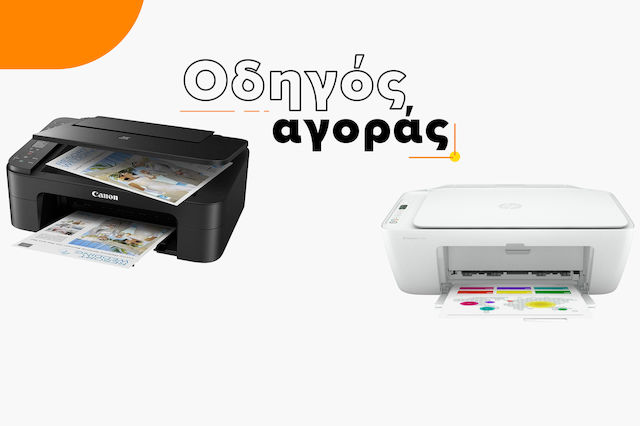
Οδηγός Αγοράς Εκτυπωτών: Βρες αυτόν που σου ταιριάζει!

Νέα απλή & γρήγορη μέθοδος ταυτοποίησης για αγορές 39α
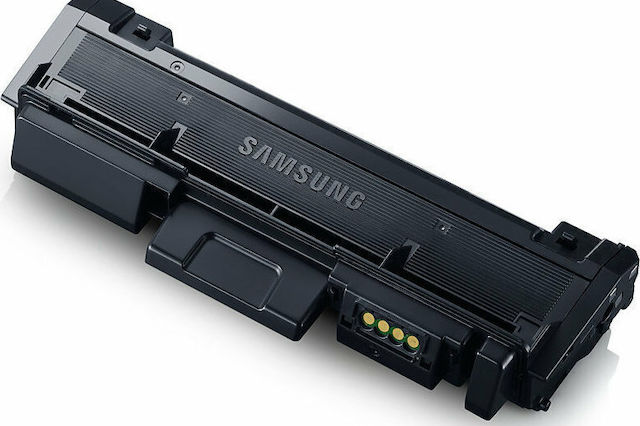
Οδηγός αγοράς Toner & Drum laser εκτυπωτών
Άφησε πρώτος το σχόλιό σου!