Desktop Computer: They do not have a built-in processor, but rely on the PC for graphics and data processing. They require a powerful graphics card (GPU) and processor (CPU) for high resolution and smooth framerate.
Mobile Phone: They offer a virtual reality experience on mobile devices. By using applications and connection methods such as USB-C or Bluetooth, smartphones can be transformed into devices for VR games and experiences
PS5: Refers to devices that can connect to the PS5 either for a full VR experience (only official PlayStation VR headsets) or for simple image display as an external screen (e.g., AR glasses). VR game support is not available on all devices.
Standalone: They are ideal for users who want to enjoy virtual reality without the need for a computer or smartphone. They operate independently with a built-in processor.
Xbox Series X/S: Although the Xbox does not have an official VR headset, users can connect VR headsets using various apps and streaming techniques.
Switch: They are compatible with the Nintendo Switch through special accessories or applications that allow the console to connect with the VR headset.
VR Headset: Devices you wear to play games and watch movies as if you were really inside them. Because they completely cover your eyes, you cannot see your room at all, but are transported into a fully virtual world.
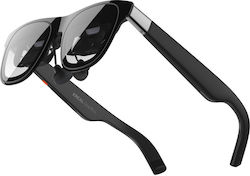
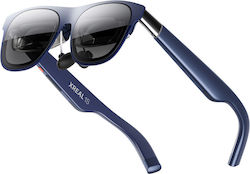
AR Glasses: Glasses you wear in your everyday life and can still see normally around you. At the same time, they display useful information in front of your eyes, such as maps with directions, messages from your phone, or digital objects in your space.
Bluetooth: Short-range wireless connection for controllers, headphones, or other peripheral devices. Mainly used for accessories and not for image transmission.
Wi-Fi: Wireless connection to the internet or other devices without cables. Allows greater freedom of movement, especially in standalone VR devices or streaming applications.
USB Type-C: Connection via USB-C cable for image transfer, data, and/or charging. Offers a stable and low-latency experience, ideal for direct connection with compatible devices.
OLED: Deeper blacks and vibrant colors for a more immersive VR experience, especially in dark environments. Ideal for gaming, cinematic VR experiences, and more realistic visuals
Micro-OLED: Extremely high clarity and contrast. Premium technology for top image quality. Ideal for high-end VR, professional use, maximum image quality
LCD: Good brightness and high refresh rates at an affordable price. Ideal for value-for-money choices, casual gaming, and fitness applications
120 Hz: Ideal for: Demanding gamers and fast-action games. It offers the most “fluid” and natural motion, minimizing the chance of dizziness or nausea (motion sickness).
60 Hz: Ideal for: Static tasks, virtual desktops, reading, and simple smart glasses. Sufficient for displaying information and basic office use, while also saving battery.
75 Hz: Ideal for: Video playback, multimedia, and basic AR (augmented reality) applications. It offers decent motion for everyday use, without demanding much from the hardware.
90 Hz: Ideal for: All kinds of VR use, standalone games, and movies. It is the official industry standard for a completely comfortable, relaxing, and smooth virtual reality experience.
Lightweight (up to 100g): Like regular glasses. They don’t cause any fatigue at all and are ideal for wearing for many hours continuously, even outside the home, for simple everyday tasks.
Medium Size (101-400g): The most common category. They offer a good balance between powerful features and comfort, suitable for gaming or watching movies without quickly weighing down the head.
Large (400g and above): Heavier devices, usually with very powerful technology and large displays. They are ideal for top-quality gaming, but you may need short breaks so your neck doesn’t get tired.





 Technology

